JX-350_EPU使用说明书.pdf - 第36页
EPU Instructi on Manual Chapter 3 E PU setup 3- 10 3.6.2 Specify ing a databas e Select a database y ou want to use it for the pro gram edit. Note that you cannot select [Use Serve r Component Database ] unless the compo…
EPU Instruction Manual Chapter 3 EPU setup
3-9
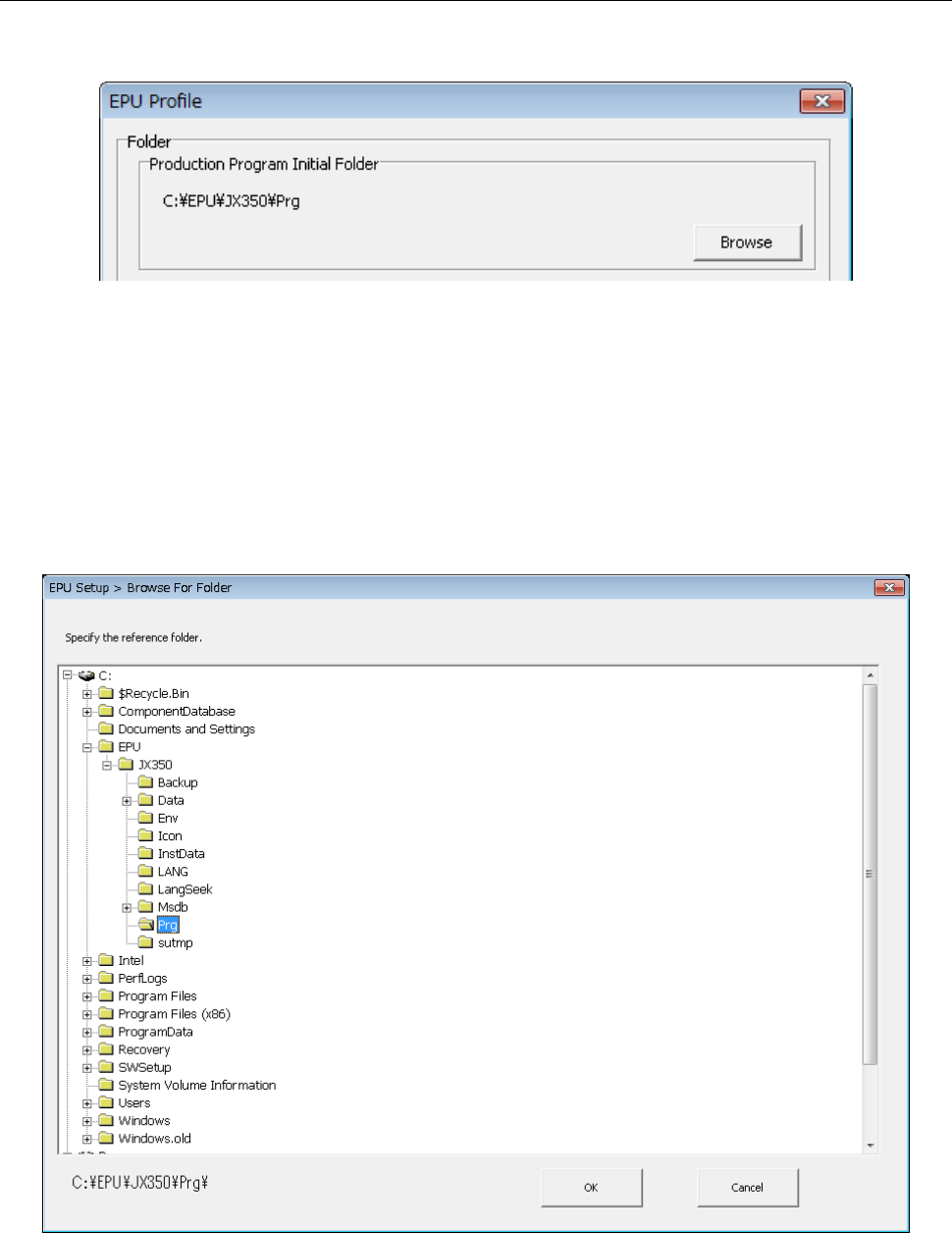
3.6.1 Specifying a production program folder
Specify a folder in which a production program used with EPU is stored.
Up to 64 characters of path name can be specified.
This specifies a folder in which a production program is saved.
When you press the < Browse > button on the folder specification screen, the reference
dialog of the folder is displayed.
When a production program is loaded with the Program Editor, the folder you set here is
searched with the Program Editor.
The default initial folder is set at installation of EPU. However, this is not fixed, and you
can specify a production program in another folder with the [Open] command provided
with the Program Editor.
EPU Instruction Manual Chapter 3 EPU setup
3-10
3.6.2 Specifying a database
Select a database you want to use it for the program edit.
Note that you cannot select [Use Server Component Database] unless the component
database is installed.
3.6.2.1 Component DB
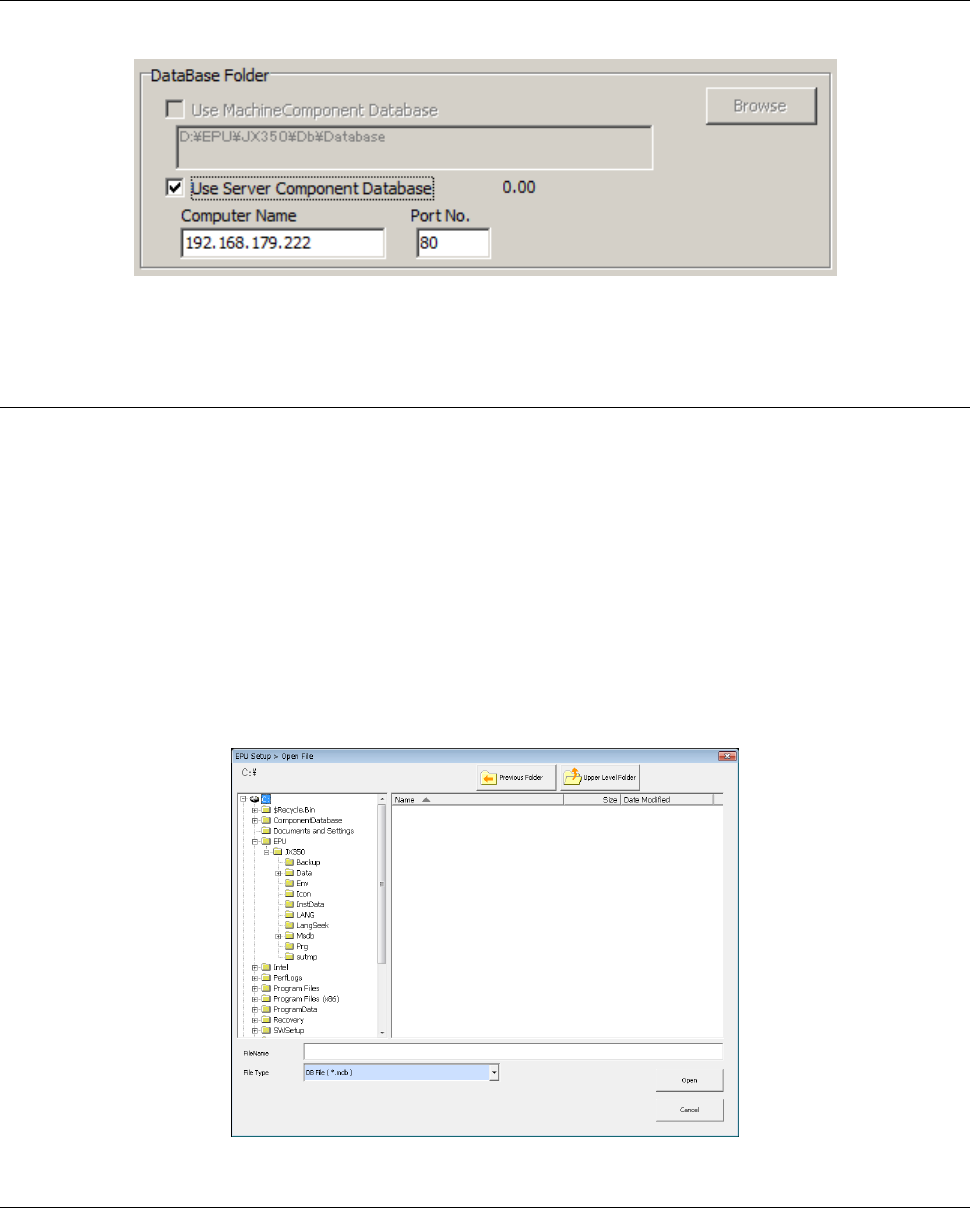
Check on [Use Component Database] when you use Flexline database.
When you check on [Use Flexline Database], you can select a database file you want to
use.
The database folder is a folder created by Flexline database.
Specify the full path including a drive name as the name of a database folder.
Its extension should be “mdb”, and you cannot specify another extension:
if you specify another extension, it is replaced with “MDB” automatically.
♦ Check on a radio button in the “DataBase Folder” area and click [Browse].
The following dialog box will appear.
In this dialog box, specify a folder and a file.
When the EPU Profile screen appears, click the <OK> button.
3.6.2.2 Server Component DB
It is set when using server Component DB.
It can be used by setting the IP address or PC name and port number of the server on
which the Component DB of the production support system is installed.
EPU Instruction Manual Chapter 3 EPU setup
3-11
3.6.3 Setting the unit type
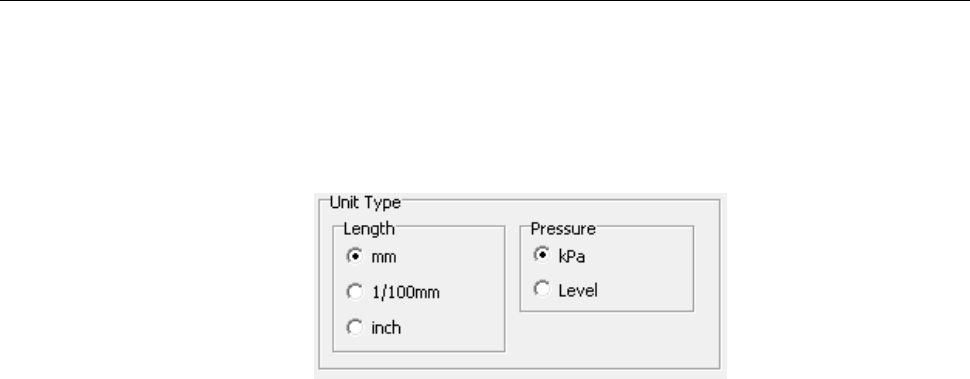
Specify the unit to be used for editing data on the EPU screen.
Set the length and pressure unit systems here. According to these settings, EPU displays
or allows you to enter data on the screen.
[Unit type displayed on the screen]
- Length: This setting will be reflected through all of data on length such as XYZ
coordinates and board size to be displayed or entered on the EPU screen.
(Default: mm)
- Pressure: This setting will be reflected through all of data on pressure such as
component pick-up vacuum pressure to be displayed or entered on the EPU
screen. (Default: kPa)