JX-350_EPU使用说明书.pdf - 第8页
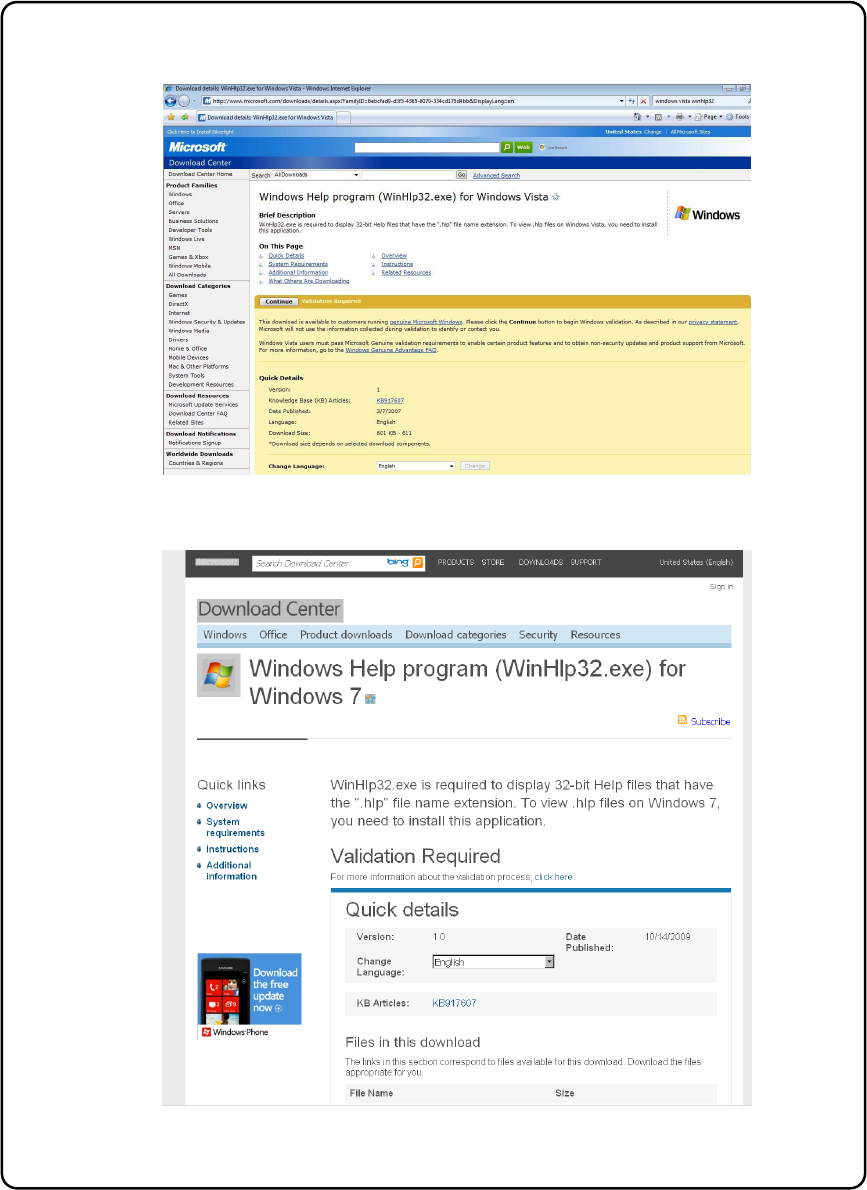
EPU Instructi on Manual Chapter 2 Inst allation 2-2 <Windows V ist a> <Windows 7> Figure 2- 1 Microsoft download center ( W inHlp32.ex e )

EPU Instruction Manual Chapter 2 Installation
2-1
Chapter 2 Installation
2.1 Before install
(1) User authority and Notes
If you install EPU onto an Operating System (OS), you need the administrator's authorization
(you have to log in with a user name having the user authorization). If you have any
question on installation, contact the manager in charge of personal computers of your
company.
About user account
To operate EPU, you must use a user account different from the user account
created when Windows Vista / Windows 7 / windows10 is installed.
※ When installing Windows, the installer will recommend you create a user account
as the final step in installation. Make this user account U1.
After finishing installation, create a user account separate from U1 with
administrator authorization. Make this user account U2.
When installing an EPU, log into Windows at U2 and execute EPU installer.
Otherwise, when running EPU after installing, run log-in to Windows at U2.
(Do not use U1.)
About “File folder reference” dialog box
When you use Windows Vista / Windows 7, drives assigned using “Network Drive
Assignment” are not displayed. To refer to a file or folder on the network, refer to
it from the entire network.
About help function
When you use Windows, the following file is needed to operate the help function
of the application.
You have to download “WinHlp32.exe” from the Microsoft download center
through Internet and extract this file to install the necessary files.
<Windows Vista>
http://www.microsoft.com/download/en/details.aspx?displaylang=en&id=5143
<Windows 7>
http://www.microsoft.com/download/en/details.aspx?id=91
Cautions about operation on Windows Vista / Windows 7 / Windows10
EPU Instruction Manual Chapter 2 Installation
2-2
<Windows Vista>
<Windows 7>
Figure 2-1 Microsoft download center (WinHlp32.exe)
EPU Instruction Manual Chapter 2 Installation
2-3
(2) Setting user account control (UAC)
When the "User account control (UAC)" is made effective on the Windows Vista / Windows
7 / windows10, EPU cannot be normally installed.
Set the "User account control" to the invalid state temporarily through the following
procedures.
* Set it again to the valid state after completing the installation of all software.
<Windows Vista>
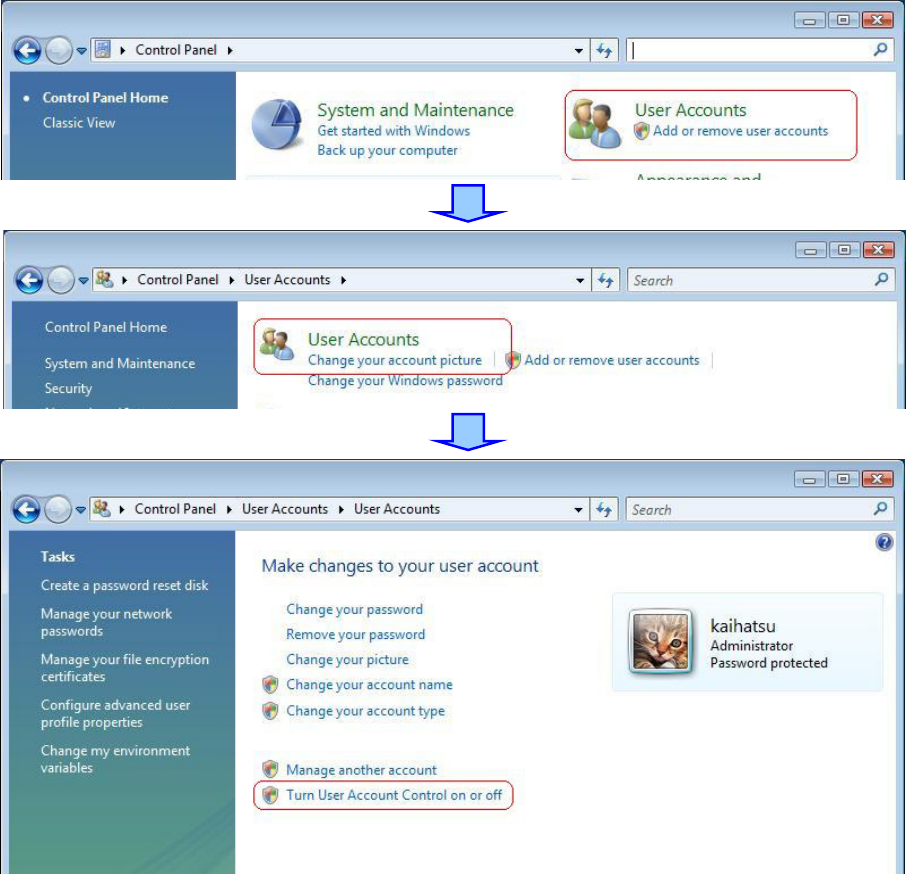
① Open the "Control panel," and click the " User accounts " – the "User accounts," and the
" Turn User Account Control On or Off. "