JX-350_EPU使用说明书.pdf - 第17页
EPU Instructi on Manual Chapter 2 Inst allation 2- 11 ※ S topping insta llation W hen you click the <Cancel> button during installation, the f ollowing message for asking you whether to abort inst allat ion appears…
EPU Instruction Manual Chapter 2 Installation
2-10
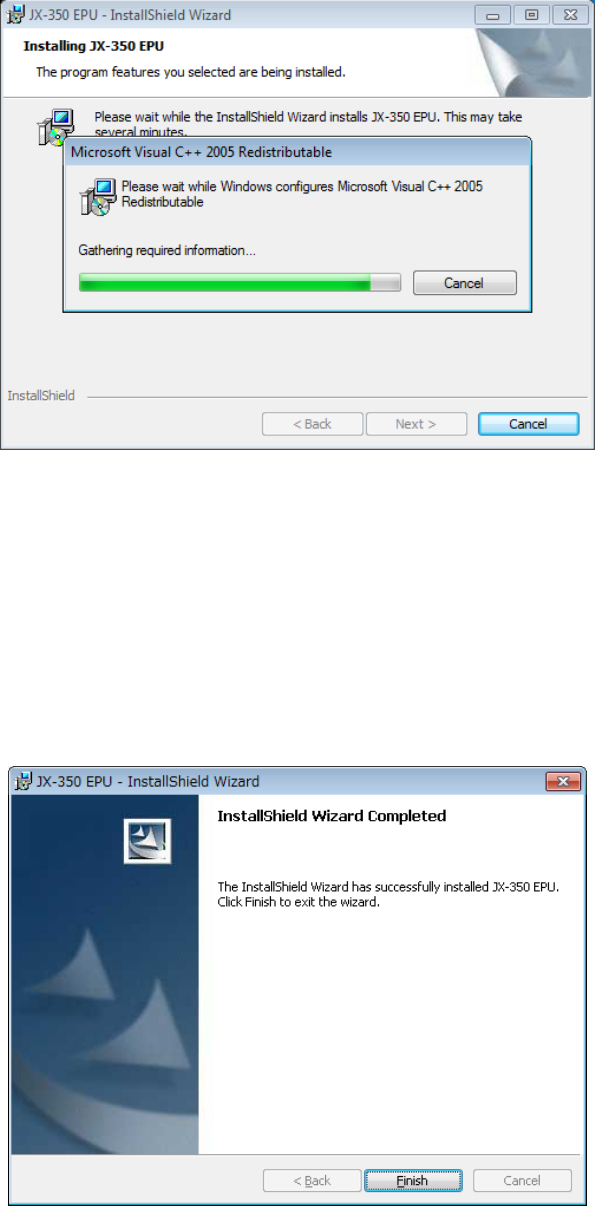
⑧ Next, "Microsoft VisualC++ 2005 Redistributable" is installed.
* The installation is skipped when it has been already installed.
⑨ When all the installations end, the following screen appears. The installation work is
completed when you press the "Finish" button.
♦ The installation procedure finishes at this point.
The EPU group is created under the [Program] menu item displayed on the [Start] menu.
The short cut is automatically registered in [Start]/[Program].
♦ Similarly, the "JX-350 EPU" folder is made on the desktop, where the short cut to the
"EPU Launcher" is generated.
EPU Instruction Manual Chapter 2 Installation
2-11
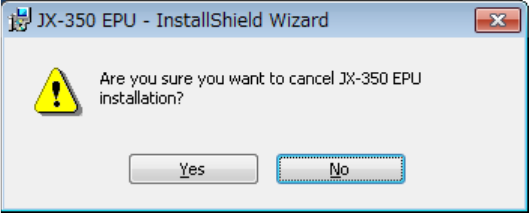
※
Stopping installation
When you click the <Cancel> button during installation, the following message for asking
you whether to abort installation appears on the screen.
Clicking the <Yes> button : the system returns to the installation process.
Clicking the <No> button : the system stops installing the EPU.
EPU Instruction Manual Chapter 2 Installation
2-12
2.3 Before starting the EPU
The "Protect module for the EPU" is needed for the start of EPU. Install the driver according
to the "USB protect module installation manual" that is provided with the machine.
Moreover, when two or more software made by JUKI is used, the "Protect module" that
adjusts respectively is needed.
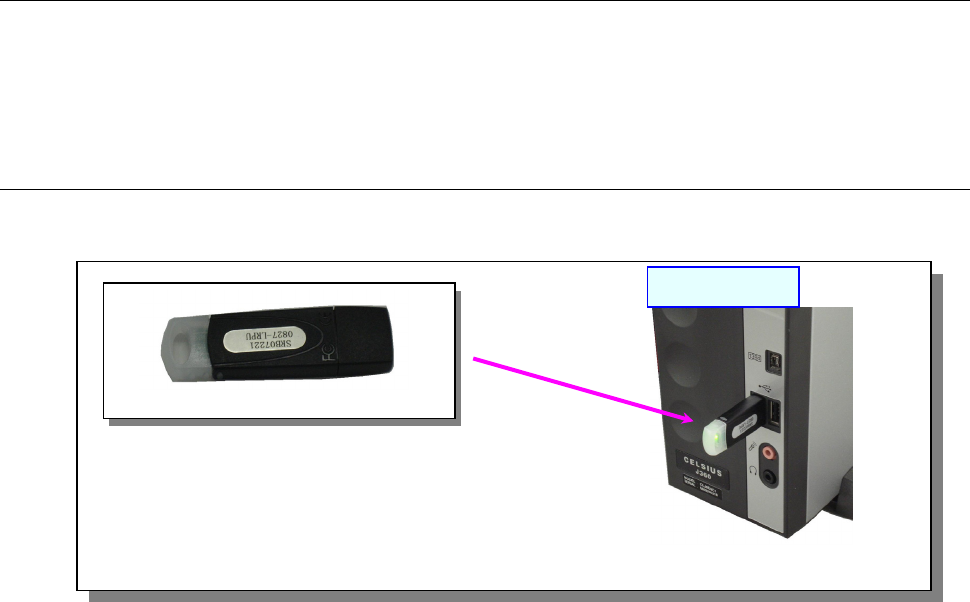
2.3.1 Attaching an EPU protect module
Attach the “EPU for JX-350 Protect Module” of one to the “USB port” of a PC as shown in
the figure below.
Note: Attach each protect module to the USB port.
If you use two or more protect modules, use a hub.
[EPU protect module]
USB port
PC main unit