JX-350_EPU使用说明书.pdf - 第16页
EPU Instructi on Manual Chapter 2 Inst allation 2- 10 ⑧ Next, "Microsoft V isualC++ 2005 Redistributable" i s inst alled. * The ins tallation is skipped when it has been already installed. ⑨ W hen all the insta…
EPU Instruction Manual Chapter 2 Installation
2-9
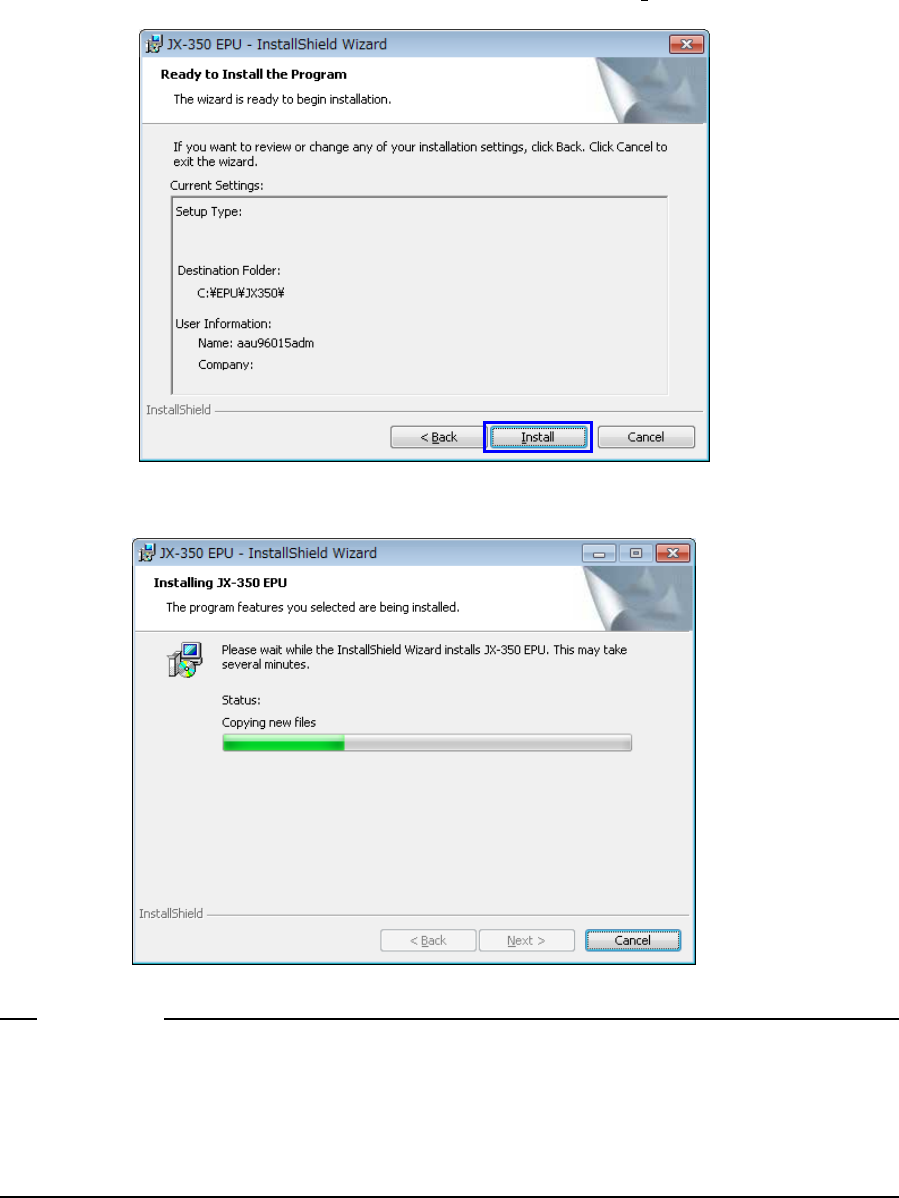
⑥ Confirm the destination where the EPU is installed, and click the [ Install ] button.
⑦ The installation begins.
If the computer virus detection software has already been installed in relevant PC when
installing EPU, the message showing the warning about the installation may appear
depending on the computer virus detection software. However, this message does not
affect the installation process and software, so select [Allow].
Notes:
EPU Instruction Manual Chapter 2 Installation
2-10
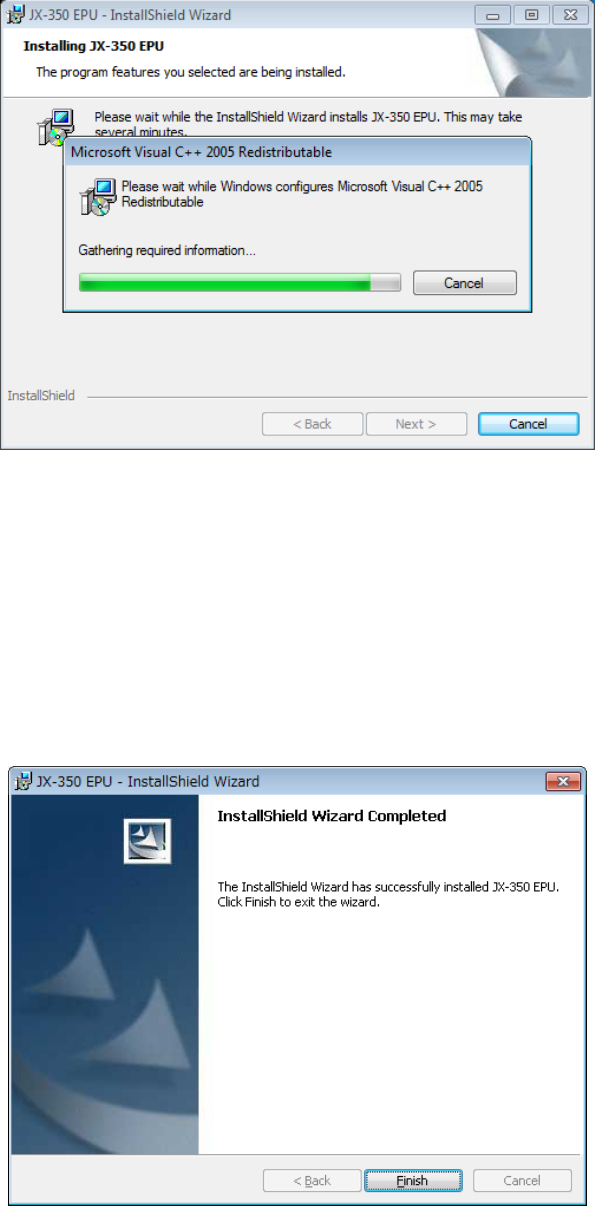
⑧ Next, "Microsoft VisualC++ 2005 Redistributable" is installed.
* The installation is skipped when it has been already installed.
⑨ When all the installations end, the following screen appears. The installation work is
completed when you press the "Finish" button.
♦ The installation procedure finishes at this point.
The EPU group is created under the [Program] menu item displayed on the [Start] menu.
The short cut is automatically registered in [Start]/[Program].
♦ Similarly, the "JX-350 EPU" folder is made on the desktop, where the short cut to the
"EPU Launcher" is generated.
EPU Instruction Manual Chapter 2 Installation
2-11
※
Stopping installation
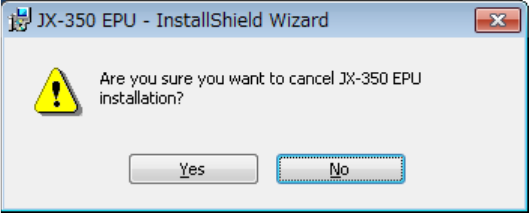
When you click the <Cancel> button during installation, the following message for asking
you whether to abort installation appears on the screen.
Clicking the <Yes> button : the system returns to the installation process.
Clicking the <No> button : the system stops installing the EPU.