JX-350_EPU使用说明书.pdf - 第14页
EPU Instructi on Manual Chapter 2 Inst allation 2-8 ④ Next, the installer of " JX - 350 EPU" starts. Confirm the message, and click the [ N ext > ] button. ⑤ S pecify the folder where the EPU is ins talled, …
EPU Instruction Manual Chapter 2 Installation
2-7
2.2 Installing the Software
Use the installer and follow the instructions displayed on the screen to install EPU on your
mounter.
To abort installation, click the <Cancel> button.
2.2.1 Starting up the installer
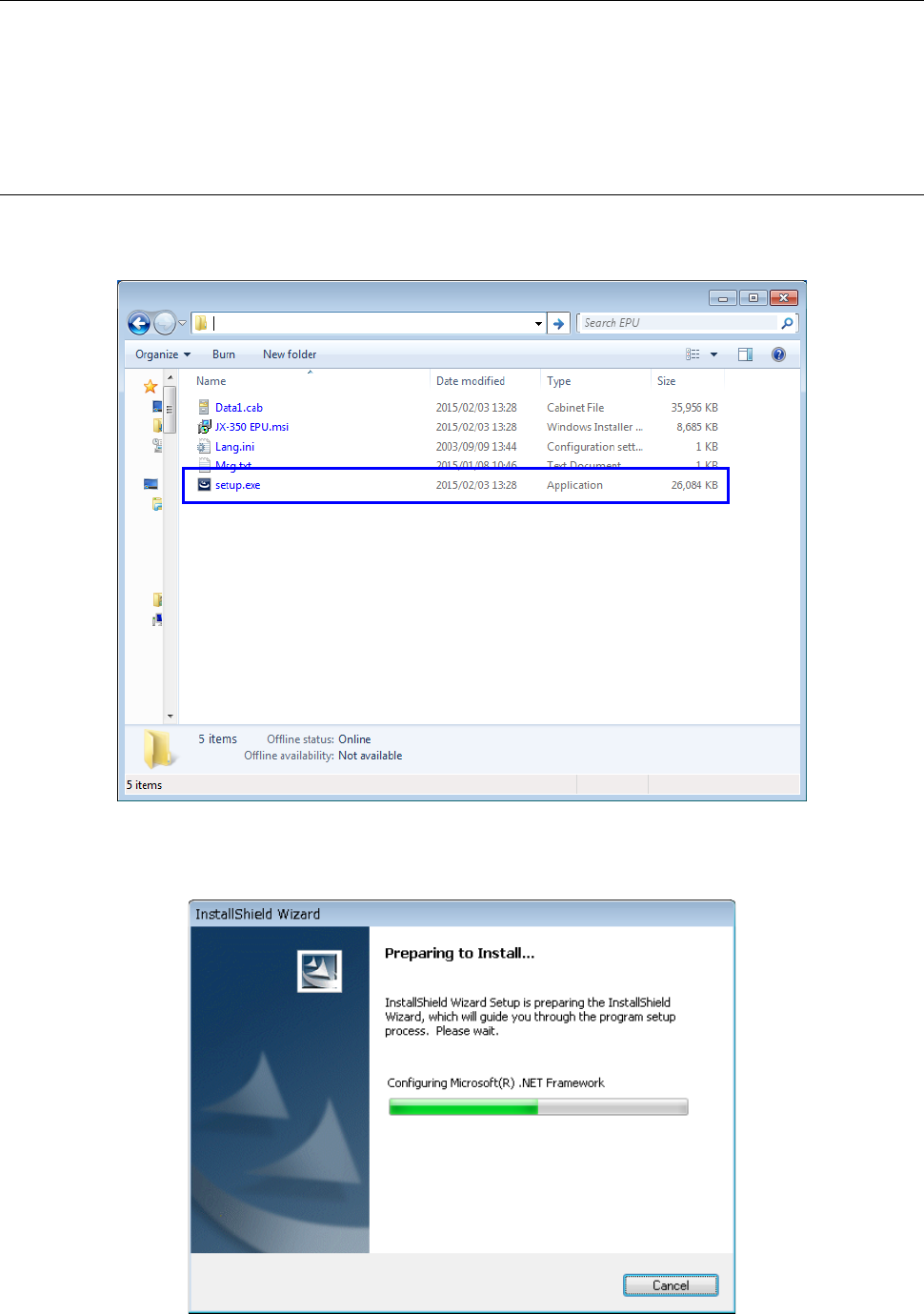
① Insert the EPU installation CD provided with the machine in CD-ROM drive.
② Start "Setup.exe" in D:\ EPU_(Ver________) in installation CD.
③ The installation of "Microsoft .Net Framework 2.0" starts.
* The installation is skipped when it has already been installed.
EPU Instruction Manual Chapter 2 Installation
2-8
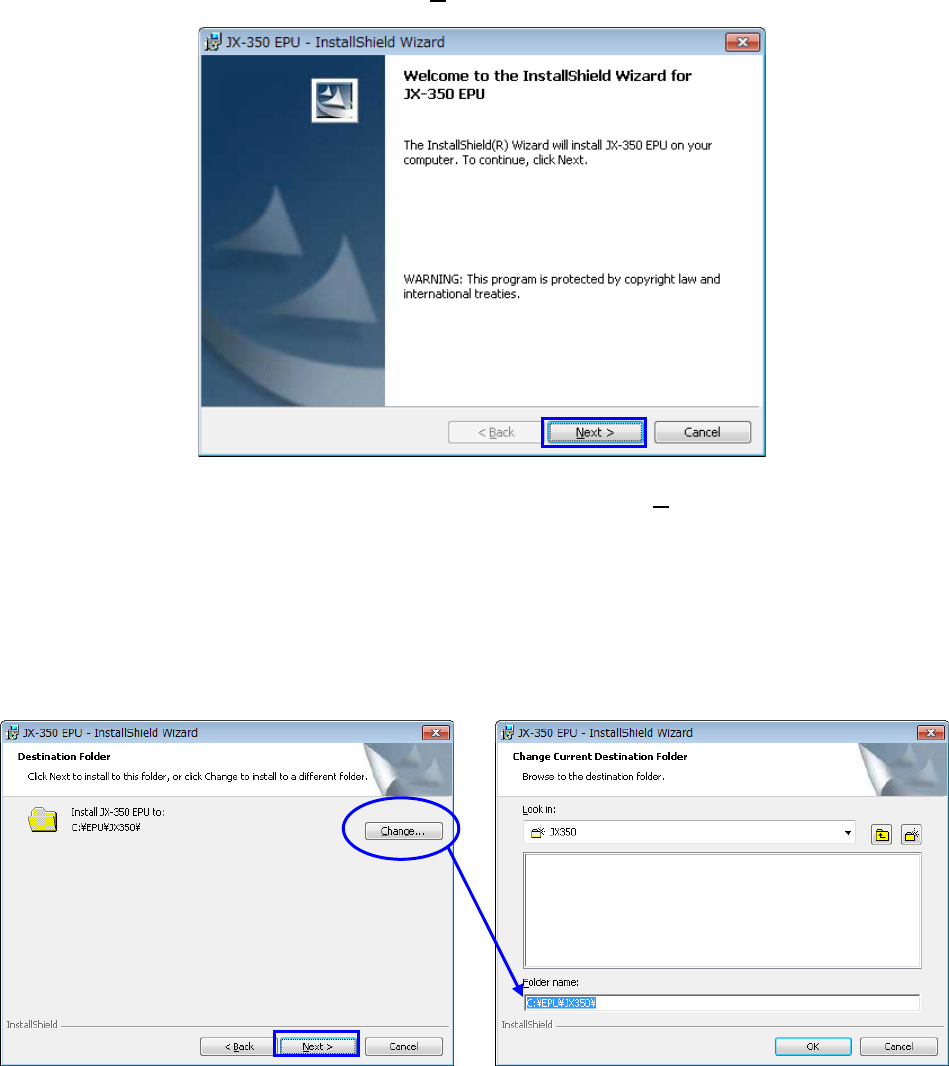
④ Next, the installer of "JX-350 EPU" starts.
Confirm the message, and click the [ Next> ] button.
⑤ Specify the folder where the EPU is installed, and click the [ Next >] button.
- The displayed path is the default folder used when EPU is installed.
The folder you set here as the destination for installing the EPU will become the
working directory of the EPU program also.
- When you use Windows Vista / Windows 7 / Windows10, you do not specify a folder
under C:\Program Files or C:\Windows for the installation destination folder. Create
a folder as shown in the example below and install EPU.
EPU Instruction Manual Chapter 2 Installation
2-9
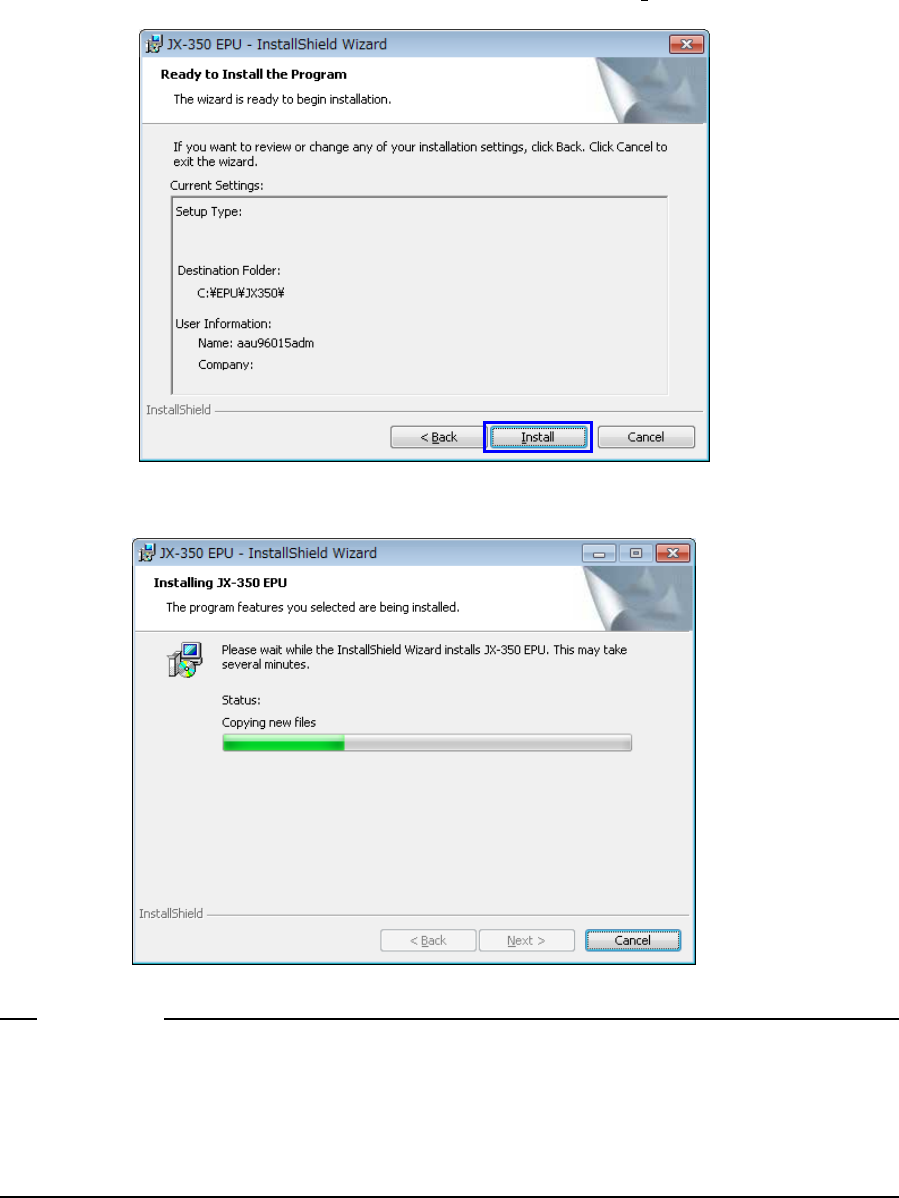
⑥ Confirm the destination where the EPU is installed, and click the [ Install ] button.
⑦ The installation begins.
If the computer virus detection software has already been installed in relevant PC when
installing EPU, the message showing the warning about the installation may appear
depending on the computer virus detection software. However, this message does not
affect the installation process and software, so select [Allow].
Notes: