JX-350_EPU使用说明书.pdf - 第41页
EPU Instructi on Manual Chapter 3 E PU setup 3- 15 3.7.1 .5 Setti ng the PWB size The value you specify here beco mes the maximum value o f the P W B siz e applied to when you edit a production program. W hen y ou s et a…
EPU Instruction Manual Chapter 3 EPU setup
3-14
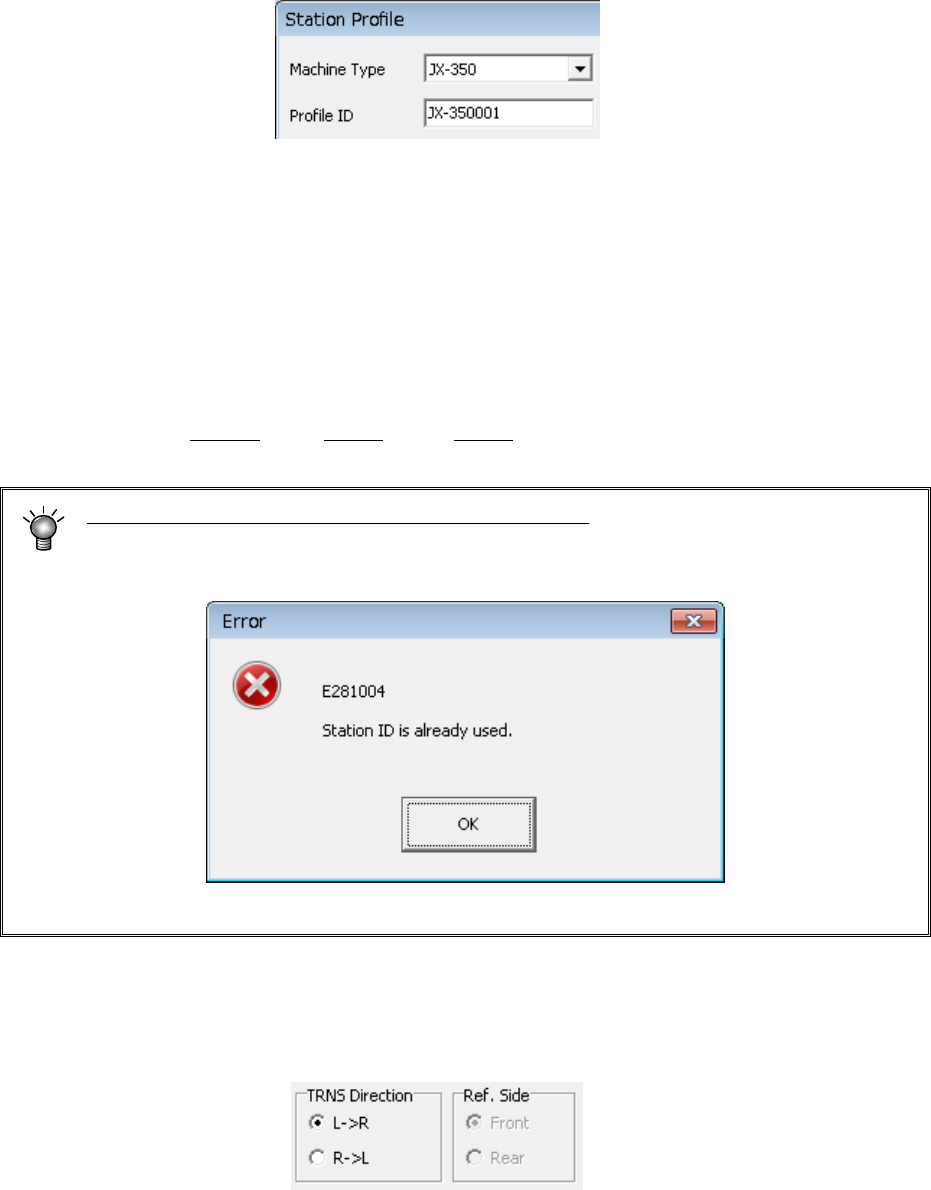
3.7.1.2 Entering the Profile ID
Specify the name (Profile ID) of your station.
If you have not specified any Machine Type of your station at this point, you cannot enter
any data to the “Profile ID” field.
◊
Enter a station name.
Up to 15 half-size characters (up to seven full-size characters) can be entered as the
name. (Semicolon “;" cannot be used.)
If you click the <OK> button without entering any profile ID, the machine name followed
“XXXX” is specified as the profile ID by EPU, where XXXX is automatically assigned by
EPU also.
(Example: JX-350001, X-350002, …X-350010)
Note that a profile ID should be unique to your station.
If the same profile ID already exists, when you switch a station to another one, or when
you click the <OK> button, the following error message appears on the screen.
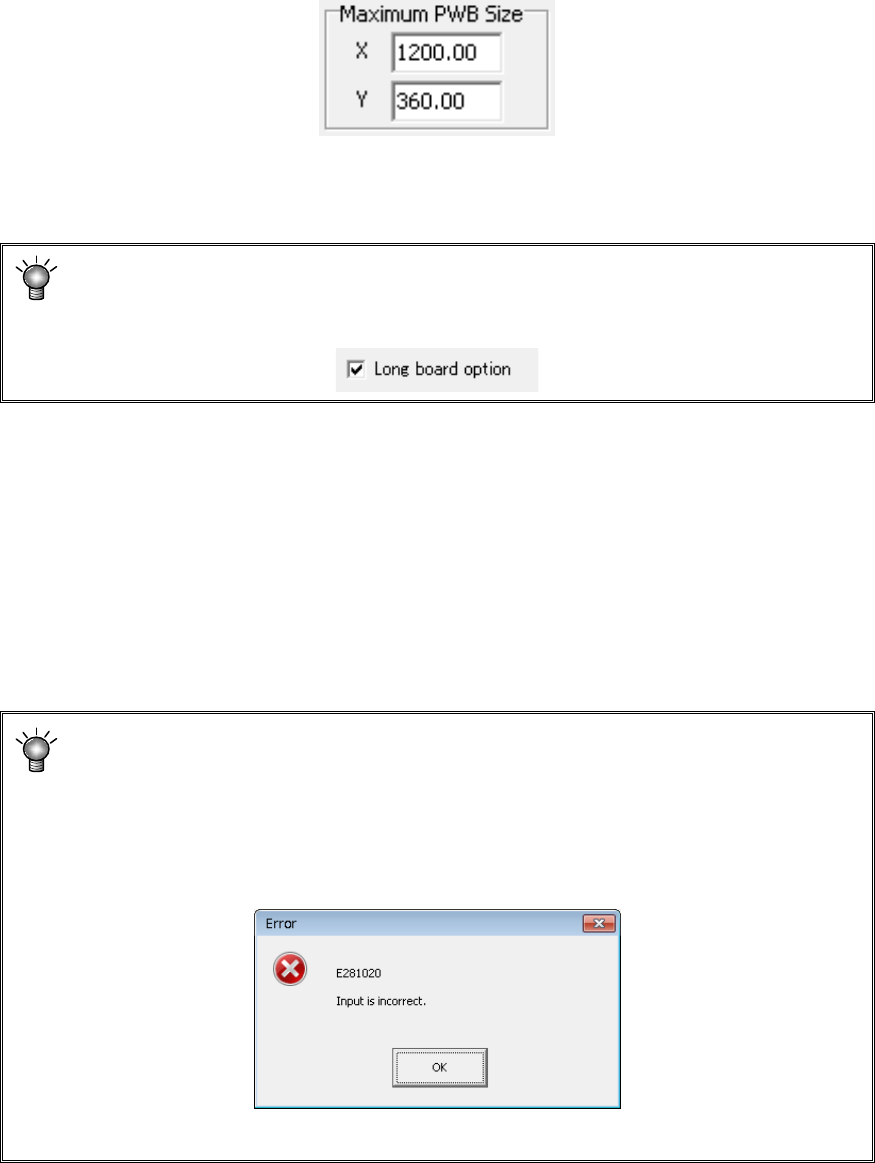
3.7.1.3 Specifying the board transport direction
Specify in which direction to transport a board.
Select either the “L→ R” or “R → L” radio button.
3.7.1.4 Setting the reference side
Set the reference side of the transportation rail (fixed rail side).
Only “Front” is available in JX-350.
EPU Instruction Manual Chapter 3 EPU setup
3-15
3.7.1.5 Setting the PWB size
The value you specify here becomes the maximum value of the PWB size applied to when
you edit a production program.
When you set a machine type on the “Station Profile” screen, the maximum PWB size
appropriate to the specified model is displayed on the “PWB size” columns.
Maximum PWB size (mm)
Standard :1200.00 x 360.00
Long board option :1500.00 x 360.00
Board size display of long board option
This board size is displayed when checking on the “Long board option” check box
in Option 2 item.
Minimum PWB size (mm)
Common to all of the models
:50.00 x 50.00
Refer to Section 1.6 “Printed circuit board specifications” of the “
JX-350 Instruction Manual”
for details.
To change the settings manually, enter the desired value in the “Maximum PWB Size” text
box on the “Station Profile” screen directly. However, be sure to enter a value that does
not exceed the allowable range.
The PWB size can be set within the above settable range of 1200.00 x 999.99
mm (OP: 1500.00 x 999.99) to 50.00 x 50.00 mm but must not be changed
unnecessarily.
If you accidentally set a value which exceeds the regulated maximum or a value
below the minimum value of the board size, the following error message appears
on the screen when you switch a station to another one or when you click the <OK>
button.
EPU Instruction Manual Chapter 3 EPU setup
3-16
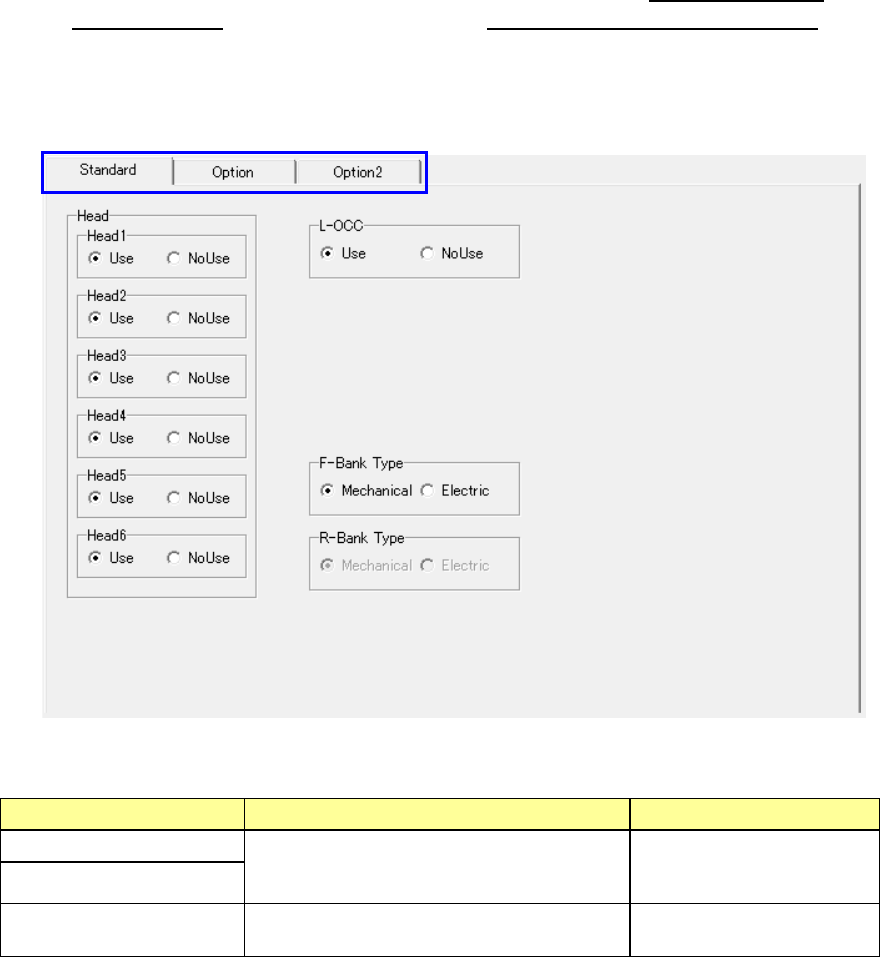
3.7.1.6 Setting the unit conditions
Set the unit conditions of your station.
Be sure to set the items displayed on this screen so that they are consistent with the
settings on the “Device enable” screen invoked from the Machine Setup menu of the main
unit. Refer to Chapter 7 “Machine Setup” of the “Instruction Manual CD.”
- The setting items to be set are displayed on two screens: “Standard” screen and
“Option” screen. Click the corresponding tab displayed at the left top corner.
Standard items
• Display the units provided as the standard devices.
Setting item Description Remarks
Head 1 to 6
Select whether the unit is to be used or not
with checking either of the radio buttons
“Use” and “NoUse.”
L-OCC
F-Bank Type
R-Bank Type
Select a bank type using either the
“Mechanical” or “Electric” radio button.
* 1 You can change this setting item only when “Rear supply device” is set at “Use.”