JX-350_EPU使用说明书.pdf - 第23页
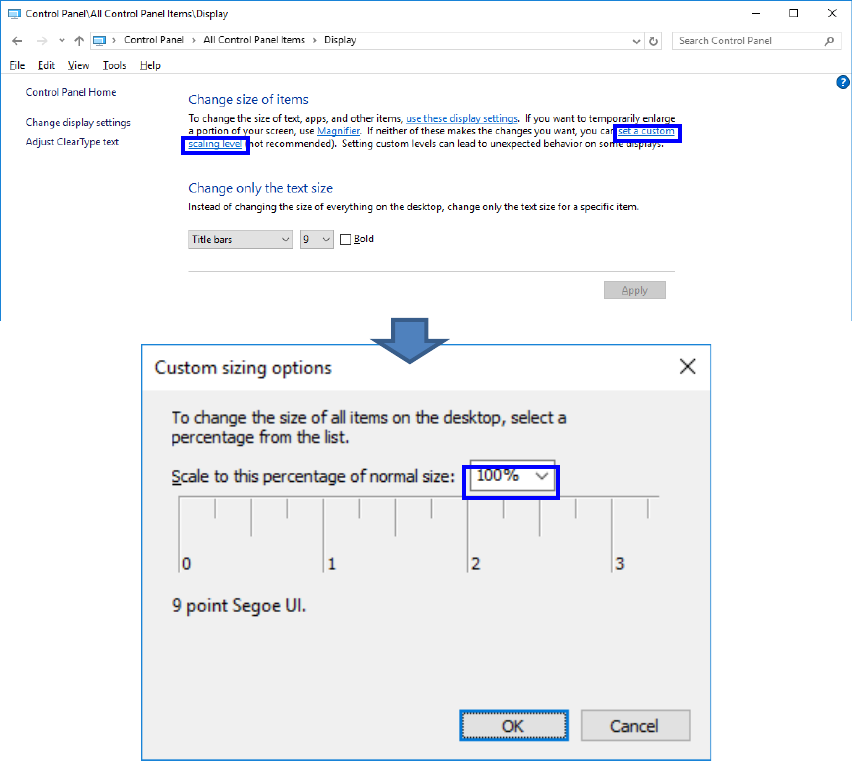
EPU Instructi on Manual Chapter 2 Inst allation 2- 17 If your O S is Windows10, click “ set a cust om scal ing level ” , se l ect “ 100% ” , and then clic k “ OK ”.
EPU Instruction Manual Chapter 2 Installation
2-16
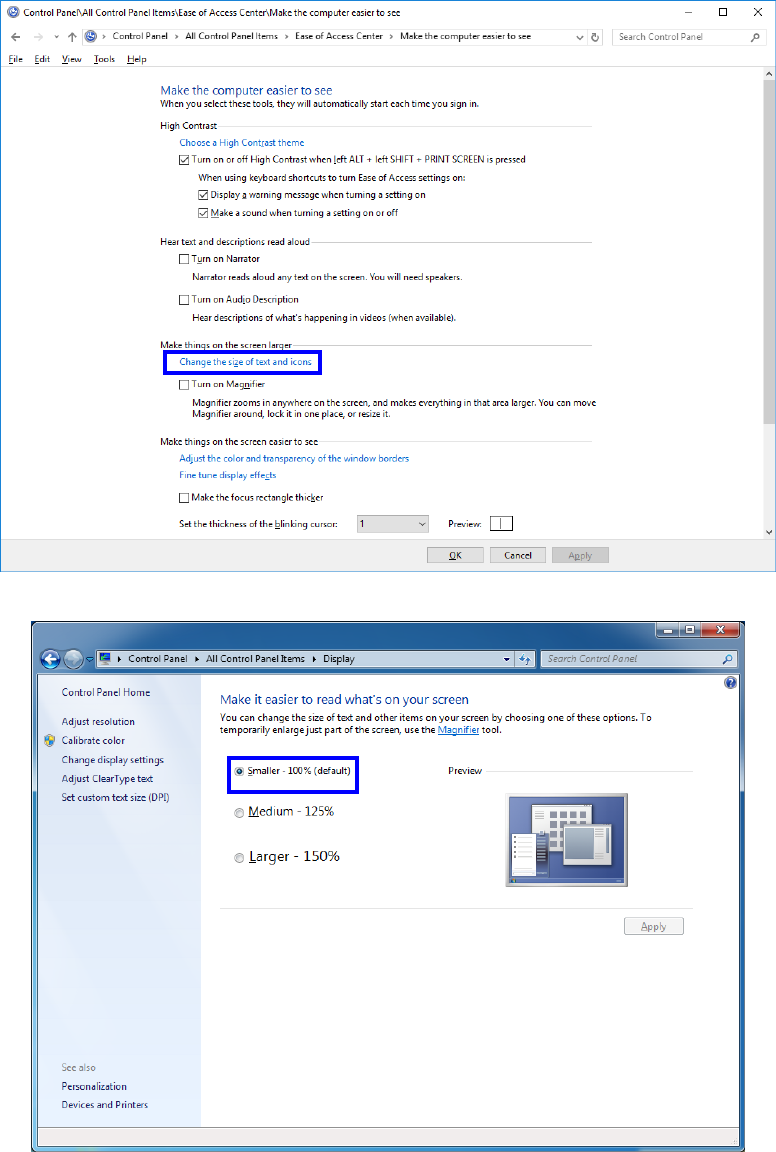
② Select “Make things on the screen larger” - “Change the size of text and icons”.
③ If your OS is Windows7, select “Smaller - 100% (default)” and click “OK”.
EPU Instruction Manual Chapter 2 Installation
2-17
If your OS is Windows10, click “set a custom scaling level”, select “100%”, and then click
“OK”.
EPU Instruction Manual Chapter 2 Installation
2-18
(2) Setting up the application (shortcut) properties
To use EPU Launcher, you need to check the properties.
Check the following settings when setting up the EPU Launcher Properties for the first
time immediately after EPU has been installed.
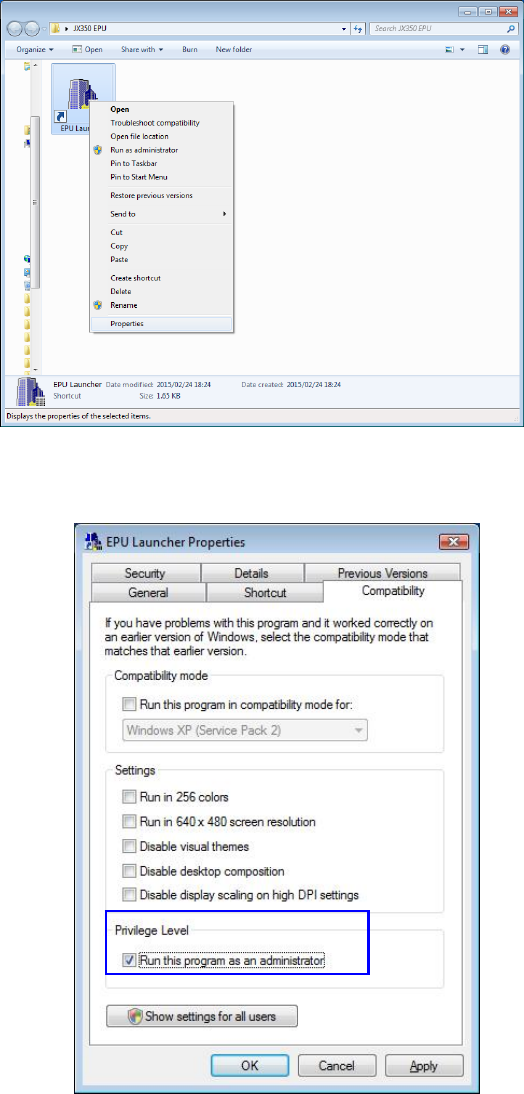
① Right click on EPU launcher [Shortcut] and select [Properties].
②
Put a check in the [Run this program as an administrator] in the “Compatibility” dialog box.