JX-350_EPU使用说明书.pdf - 第198页
EPU Instruction M anual C hapter 4 Creating a Production Progr am 4- 150 4.7 Exit Click t he [File]/[E xit] commands f rom t he menu bar . If you have changed the progr am, but not saved it, the f ollowing “ Inf ormation…
EPU Instruction Manual Chapter 4 Creating a Production Program
4-149
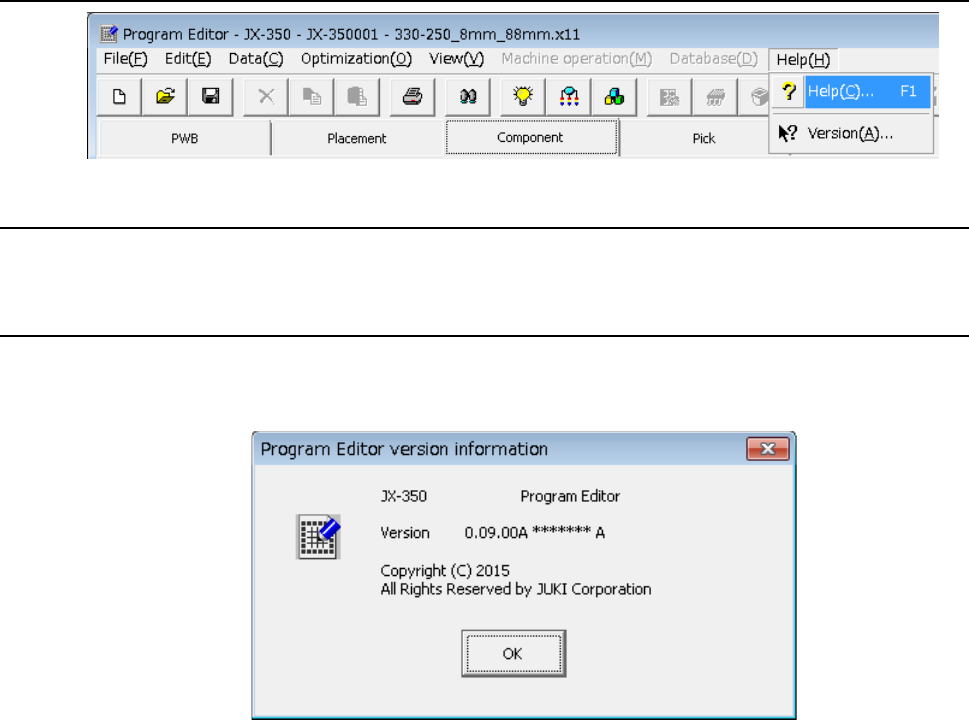
4.6 Help
4.6.1 Help
Displays the Help screen.
4.6.2 Version information
The information on program editing is displayed.
- A display example is as shown below.
EPU Instruction Manual Chapter 4 Creating a Production Program
4-150
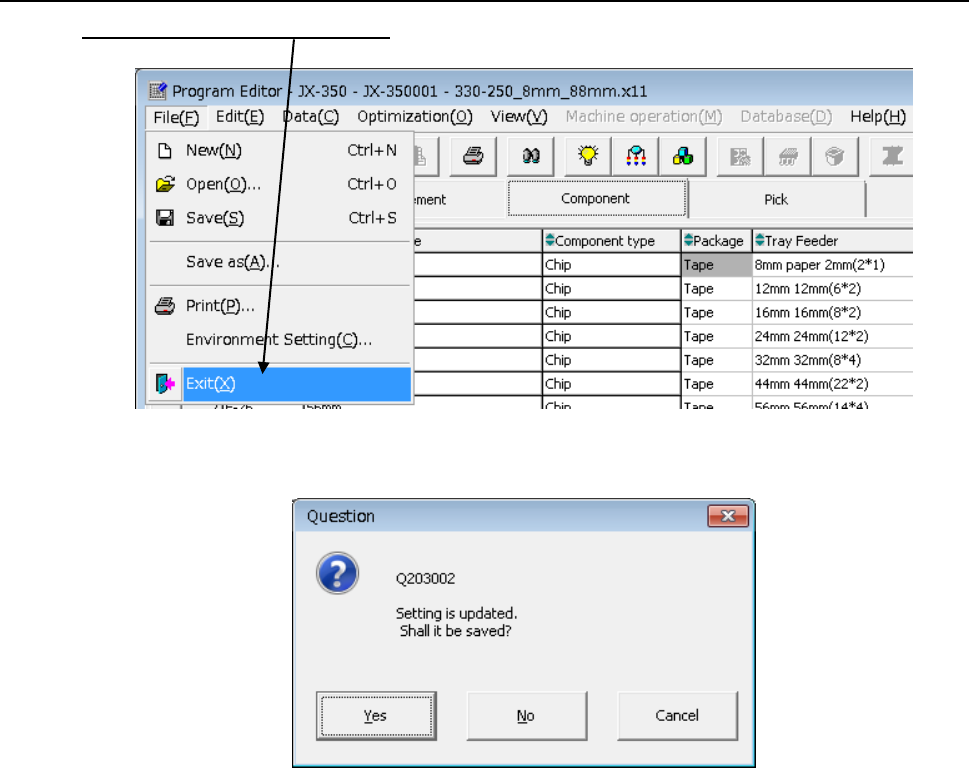
4.7 Exit
Click the [File]/[Exit] commands from the menu bar.
If you have changed the program, but not saved it, the following “Information” dialog box
appears on the screen.
• Yes: the system saves the program.
After saving the program, the system quits the Program Editor.
• No: the system quits the Program Editor without saving the program.
• Cancel: the system cancels the exit process.
EPU Instruction Manual Chapter 5 Database
5-1
Chapter 5 Database
A “database” is used to register and collect component data.
After you register the created component data in the “database,” the system manages the
data by component names.
Once you register component data in the database, you can easily create component data
only by specifying the component name registered in the database when creating a
production program with the Program Editor.
This chapter describes how to use a database mainly.
・ For details on how to operate more information, please refer to Chapter 5,
"Database" of the machine "Instruction Manual CD".
・In the case of using the server parts DB, the part database is managed on the server
side of the production support system.There are places where specific items are
displayed.
5.1 Component Database
5.1.1 How to Use a Database
After starting up the Program Editor, use a database to create component data.
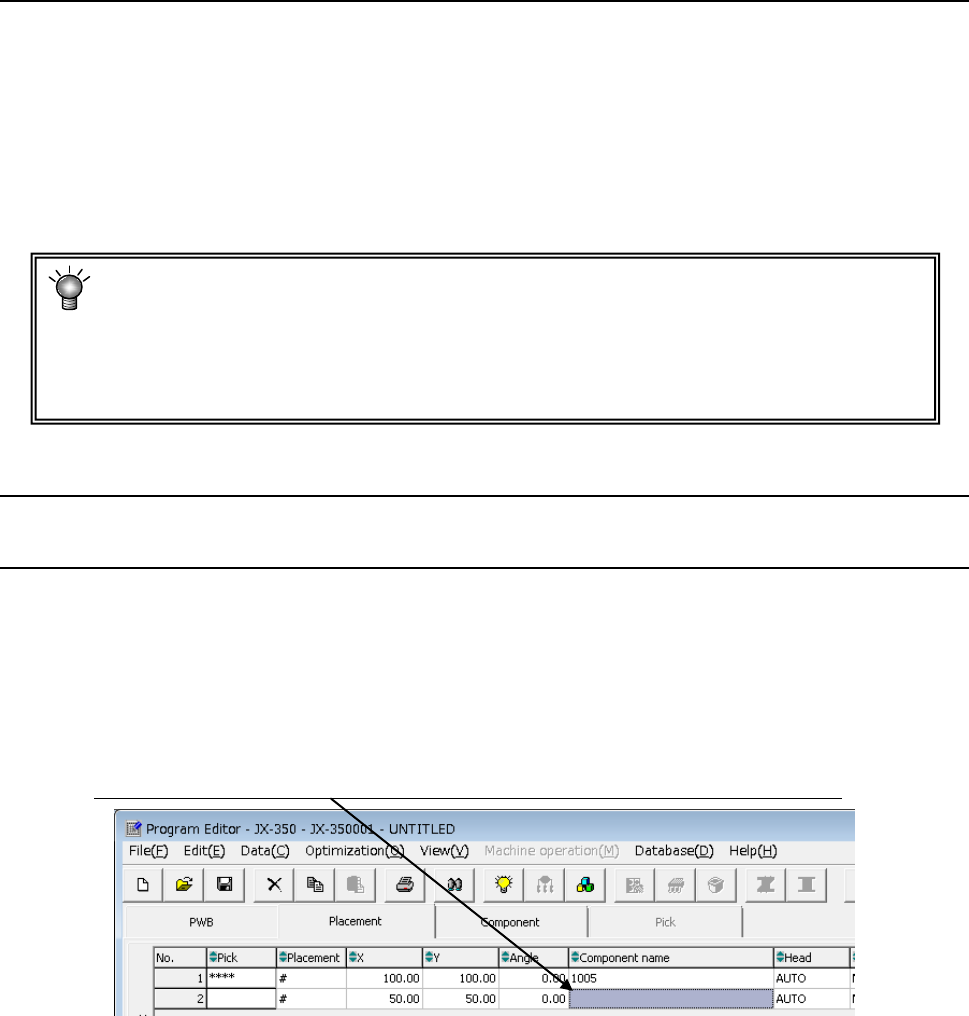
(1) If you know a component name
If the name of a component whose data you want to create is registered in the database,
enter the component name on the “Placement” data screen.
The system will register the data created for the component in the production program
that is being created.
Enter the component name here. The corresponding component data is created completely.