JX-350_EPU使用说明书.pdf - 第156页
EPU Instruction M anual C hapter 4 Creating a Production Progr am 4- 108 4.2.2.2 N ozzle layout The [Nozzle layout] command displays the nozzles assigned to eac h station with the Optimization f unction. W hen you specif…
EPU Instruction Manual Chapter 4 Creating a Production Program
4-107
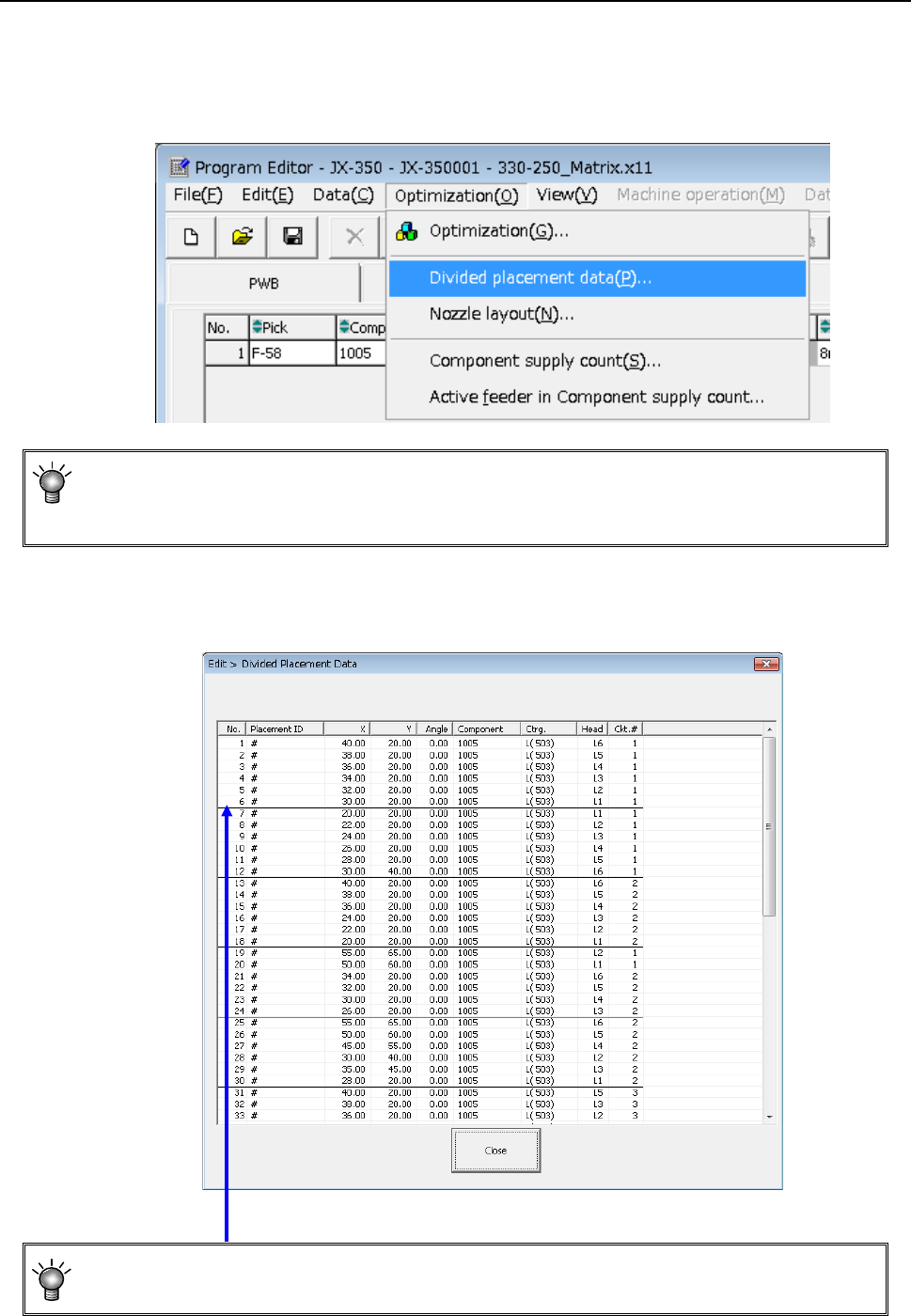
4.2.2.1 Checking the divided component placement data
This section describes how to display the placement data divided with the Optimization
function.
Select the [Optimization] command from the menu bar, and then the [Divided [Placement
Data] command from the “Optimization” menu.
• You cannot select this command if you have not performed the Optimization function
(that is, there is no divided placement data file), or if you edit a production program
after executing the Optimization function.
The window like the one shown below appears on the screen.
• A bold line on the “Divided Placement Data” screen in the optimized order indicates a
delimiter of data paired during one component pick-up and placement cycle.
EPU Instruction Manual Chapter 4 Creating a Production Program
4-108
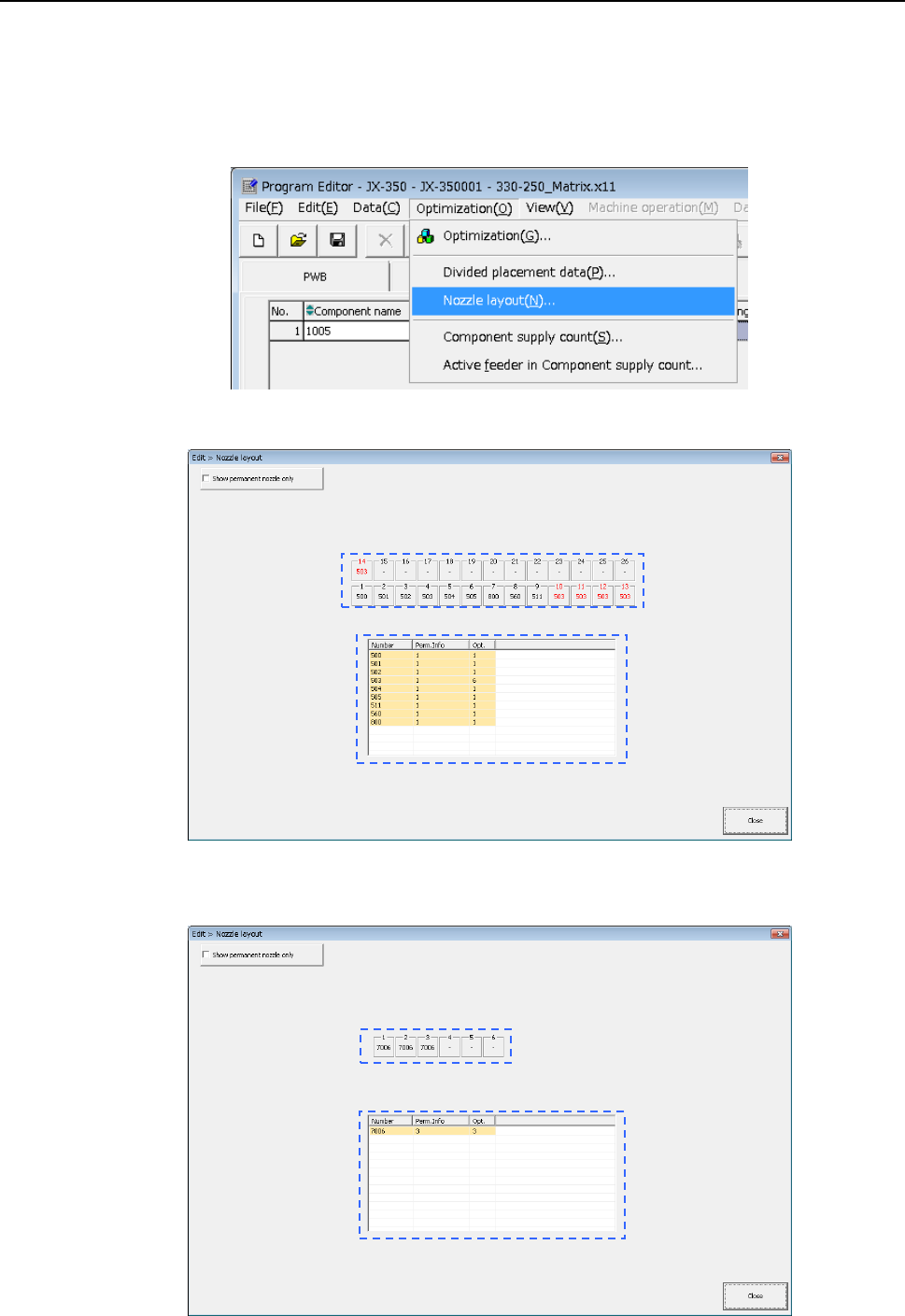
4.2.2.2 Nozzle layout
The [Nozzle layout] command displays the nozzles assigned to each station with the
Optimization function.
When you specify “Auto arrange nozzles” in the “Nozzles” field of the “Assignments”
option screen, check the result on the following screen, and set nozzles so that the
nozzles can be assigned in the same way specified on the “Machine setup” menu.
Select the [Optimization]/[Nozzle layout] commands from the menu.
The following “Nozzle layout” screen appears.
When the “Screw type nozzle” option in the “EPU setup” menu is enabled, the following
screen appears.
EPU Instruction Manual Chapter 4 Creating a Production Program
4-109
a) “Show permanent nozzle only” check box:
Checked: The system displays the nozzle layout of the ATC that is
output with the “Optimization” utility.
Not checked: The system displays the layout of the permanent nozzles only
that are set on the “EPU setup” screen.
b) Layout on the ATC display
Nozzle number displayed in red:
indicates a nozzle output with the Optimization function.
Nozzle number displayed in black:
indicates a permanent nozzle set on the “EPU setup” menu.
c) Number of nozzles
Ordinary status: Number of nozzles set by EPU setup.
Optimization: Required number of nozzles that is output by optimization.