JX-350_EPU使用说明书.pdf - 第18页
EPU Instructi on Manual Chapter 2 Inst allation 2- 12 2.3 Befor e st ar ting the EPU The " Protect module for the EP U" is needed for the s tart of EPU. Install the driv er according to the "USB protect mo…
EPU Instruction Manual Chapter 2 Installation
2-11
※
Stopping installation
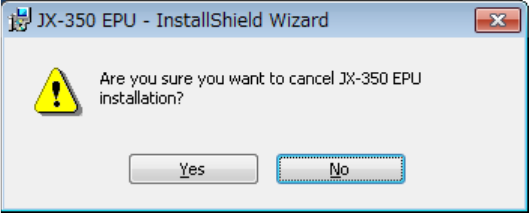
When you click the <Cancel> button during installation, the following message for asking
you whether to abort installation appears on the screen.
Clicking the <Yes> button : the system returns to the installation process.
Clicking the <No> button : the system stops installing the EPU.
EPU Instruction Manual Chapter 2 Installation
2-12
2.3 Before starting the EPU
The "Protect module for the EPU" is needed for the start of EPU. Install the driver according
to the "USB protect module installation manual" that is provided with the machine.
Moreover, when two or more software made by JUKI is used, the "Protect module" that
adjusts respectively is needed.
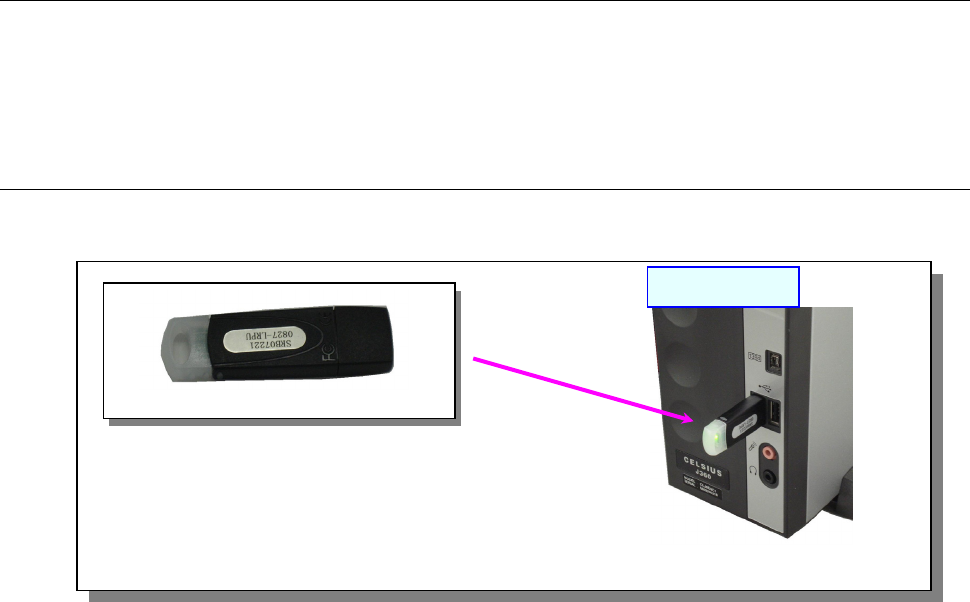
2.3.1 Attaching an EPU protect module
Attach the “EPU for JX-350 Protect Module” of one to the “USB port” of a PC as shown in
the figure below.
Note: Attach each protect module to the USB port.
If you use two or more protect modules, use a hub.
[EPU protect module]
USB port
PC main unit
EPU Instruction Manual Chapter 2 Installation
2-13
2.3.2 Making other settings (Windows Vista / Windows 7 / Windows10 only)
When operating EPU on Windows Vista / Windows 7 / Windows10, it is necessary to set up
the operation environment suitable for EPU.
(1) Setting scaling
To display the screen suitable for EPU, you need to check the scale setting.
When operating in a [large scale] environment, the following developments may occur. Set
to standard [default scale] and use.
• Displayed characters are cut off
• Display is indented 2 spaces
• Items are not fully displayed
• Tab headings are stretched sideways
How to set scaling is shown below.
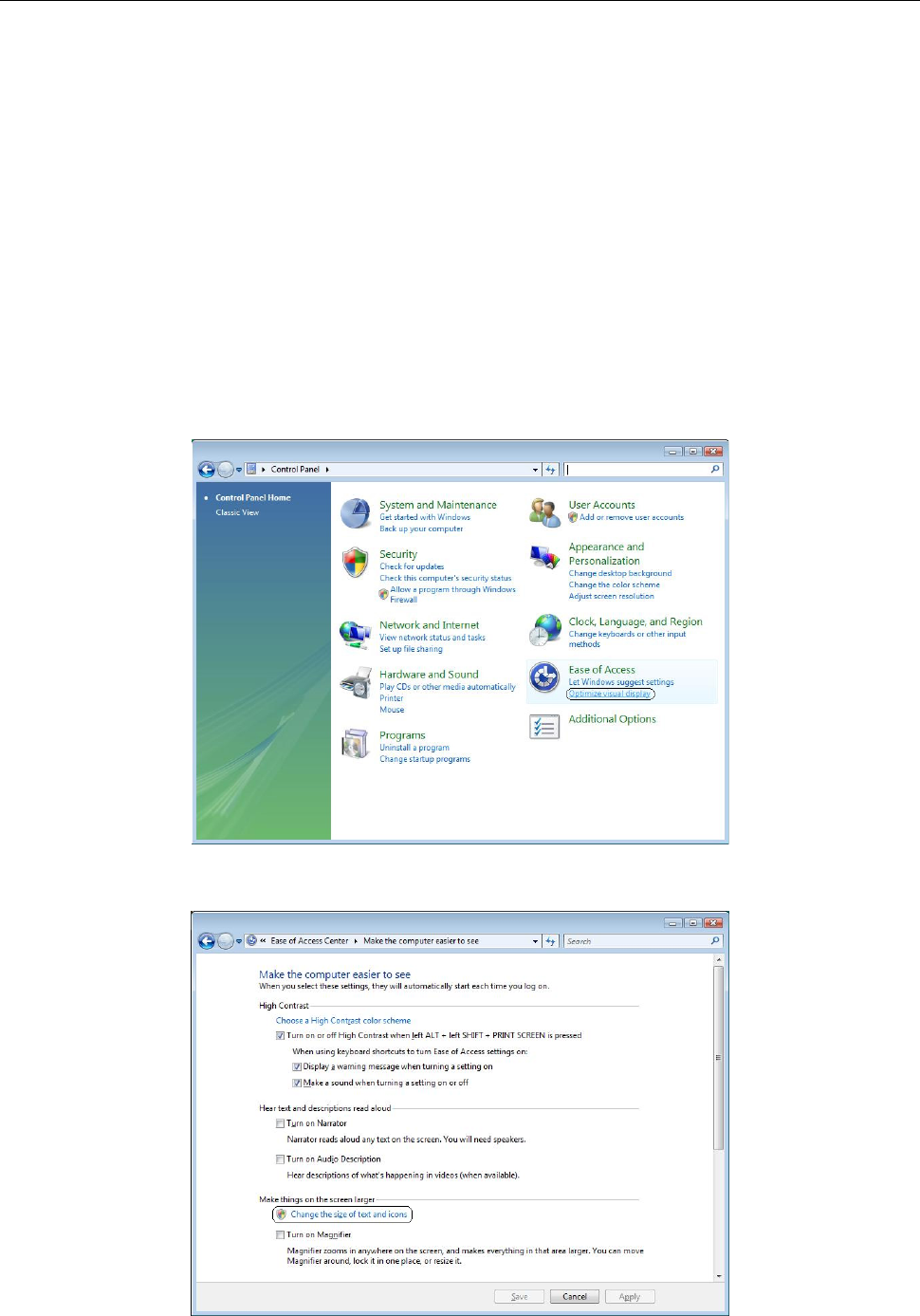
<Windows Vista>
① From the control panel select [Ease of Access] - [Optimize visual display].
② Select [Making things on the screen larger] - [Change the size of text and icons].