JX-350_EPU使用说明书.pdf - 第9页
EPU Instructi on Manual Chapter 2 Inst allation 2-3 (2) Setting user account control (UA C) W hen the "User account control (UAC)" is m ade effective on the W indow s Vista / W indow s 7 / windows10, EPU cannot…
EPU Instruction Manual Chapter 2 Installation
2-2
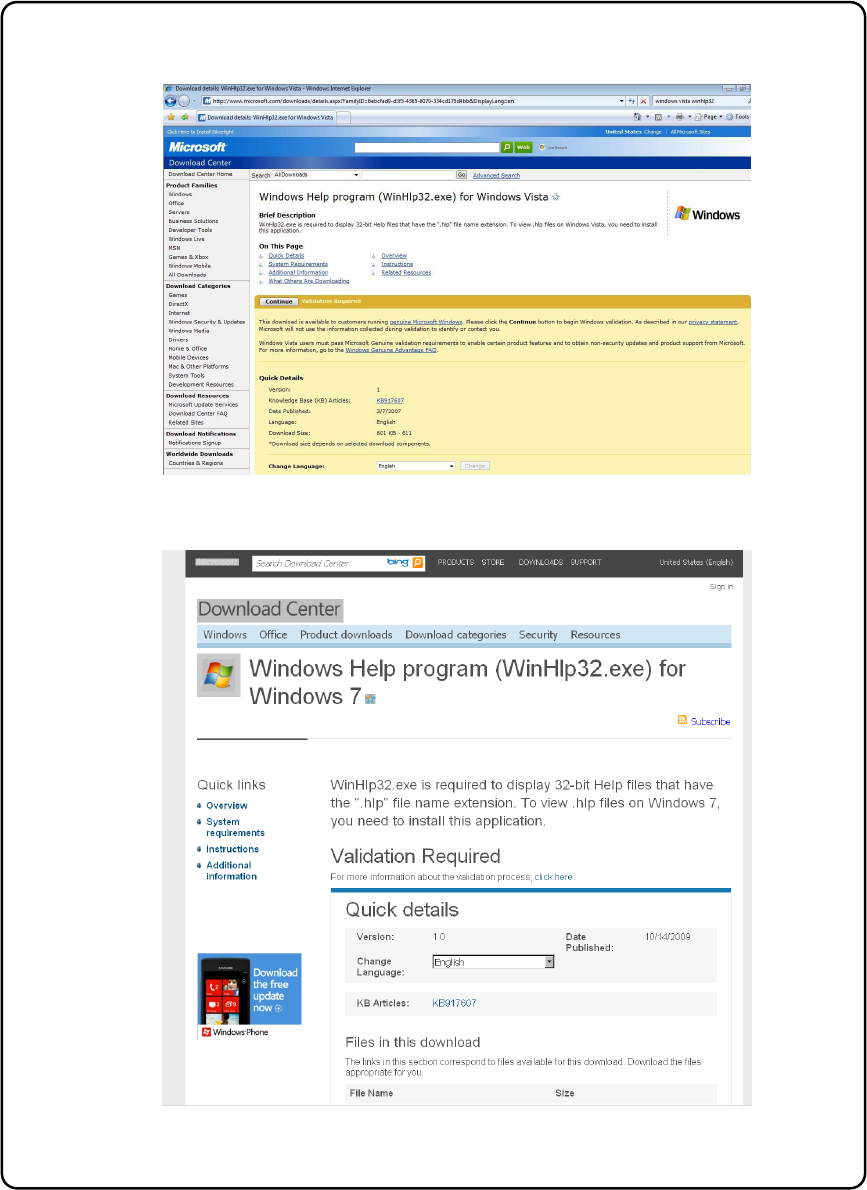
<Windows Vista>
<Windows 7>
Figure 2-1 Microsoft download center (WinHlp32.exe)
EPU Instruction Manual Chapter 2 Installation
2-3
(2) Setting user account control (UAC)
When the "User account control (UAC)" is made effective on the Windows Vista / Windows
7 / windows10, EPU cannot be normally installed.
Set the "User account control" to the invalid state temporarily through the following
procedures.
* Set it again to the valid state after completing the installation of all software.
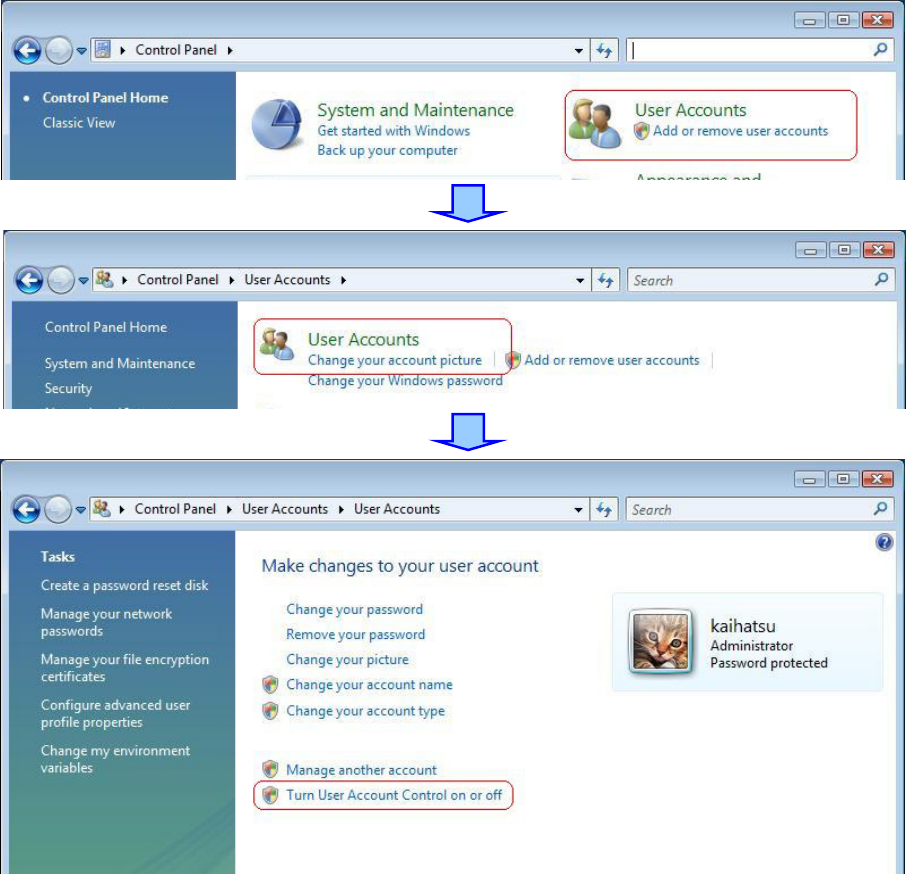
<Windows Vista>
① Open the "Control panel," and click the " User accounts " – the "User accounts," and the
" Turn User Account Control On or Off. "
EPU Instruction Manual Chapter 2 Installation
2-4
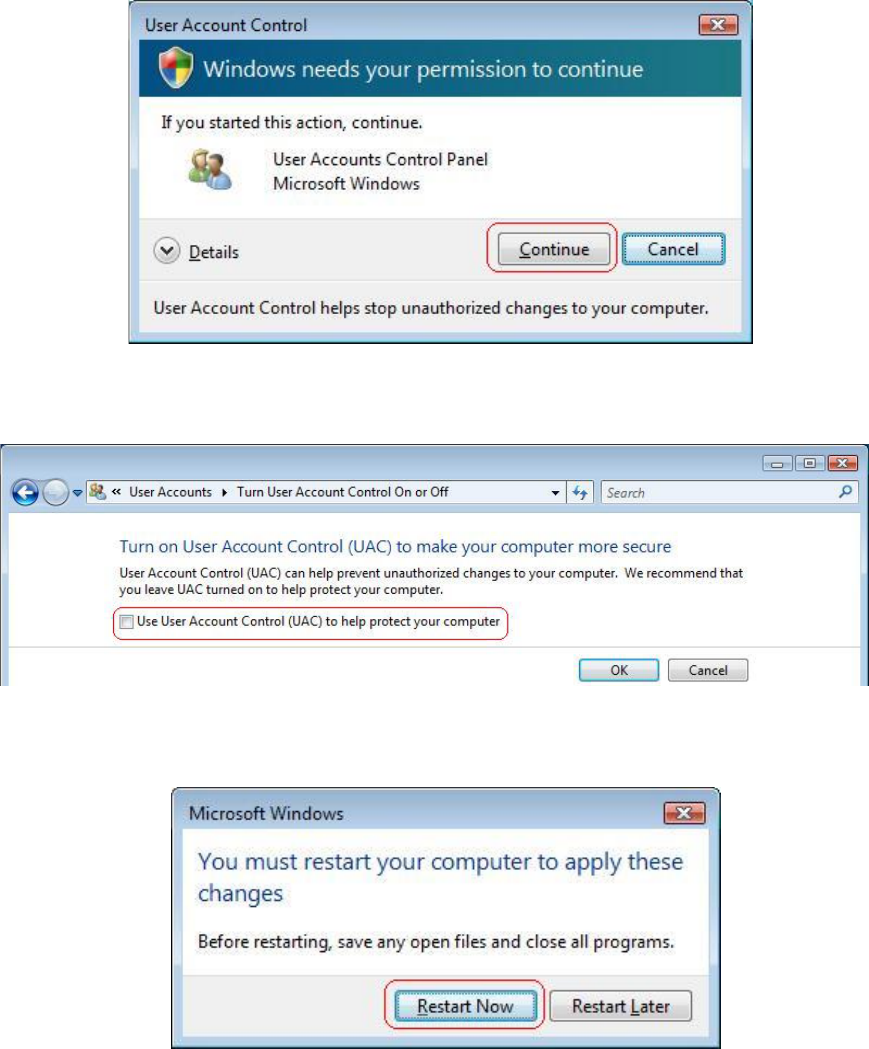
②
The message dialog of the "User account control" appears, and select the "Continue."
③
Uncheck the "Use User Account Control (UAC) to help protect your computer" on the "Turn
User Account Control On or Off ", and click the "OK."
④
The message dialog of "You must restart your computer to apply these changes" appears,
and select the "Restart Now" to reactivate the computer.
⑤
Install necessary software according to the following clause "Installation of software" after
you reactivate.
⑥ Set the "User Account Control (UAC)" again effectively after completing the installation of
all software.