JX-350_EPU使用说明书.pdf - 第21页
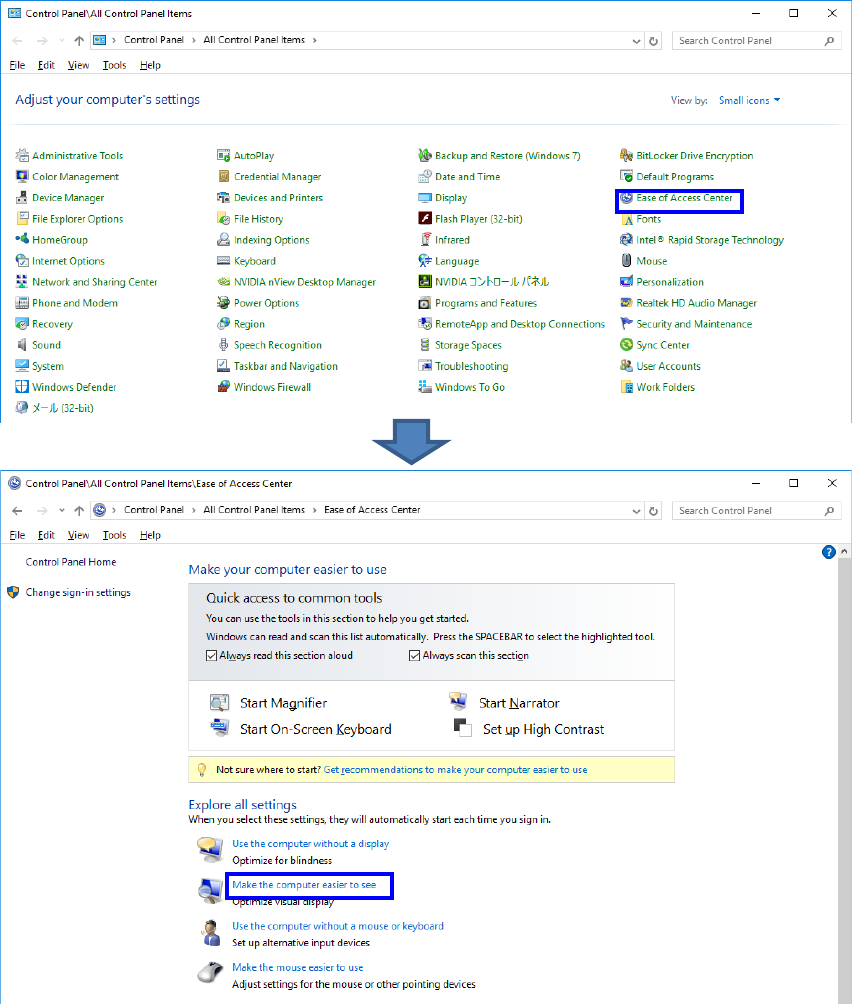
EPU Instructi on Manual Chapter 2 Inst allation 2- 15 < W indows 7/ Windows 10> ① In the Control Pane l, select “ Ease of Access Center ” - “ Make the co mputer ea sier to see ”.
EPU Instruction Manual Chapter 2 Installation
2-14
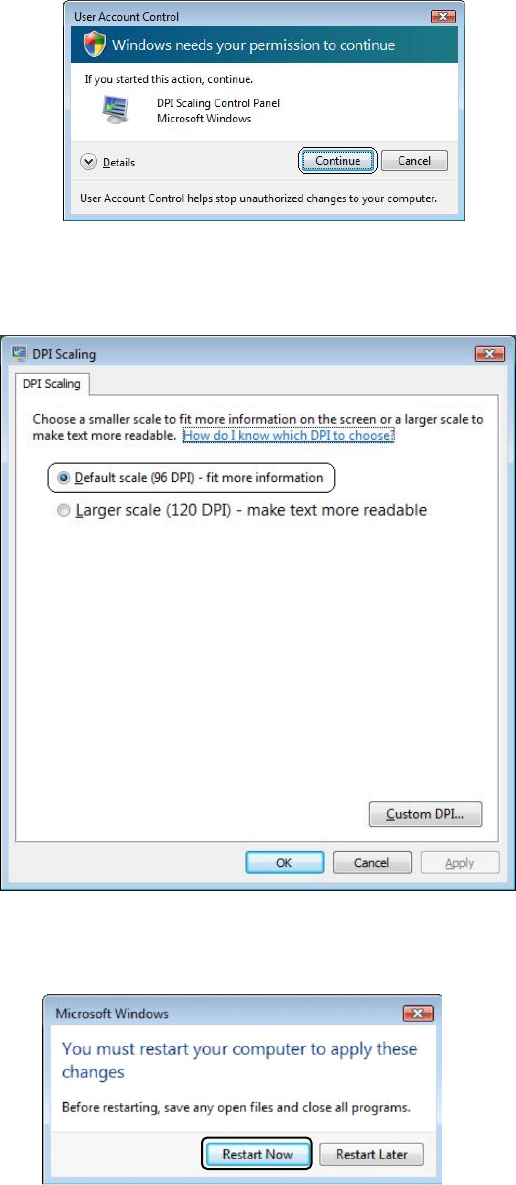
③ Windows Vista displays the user account control dialog. Select [Continue].
④ Go to DPI Scaling and select [Default scale (96 DPI) - fit more information], then
select [OK].
⑤
When a dialog appears recommending you restart, restart Windows Vista.
EPU Instruction Manual Chapter 2 Installation
2-15
<Windows 7/Windows 10>
① In the Control Panel, select “Ease of Access Center” - “Make the computer easier to see”.
EPU Instruction Manual Chapter 2 Installation
2-16
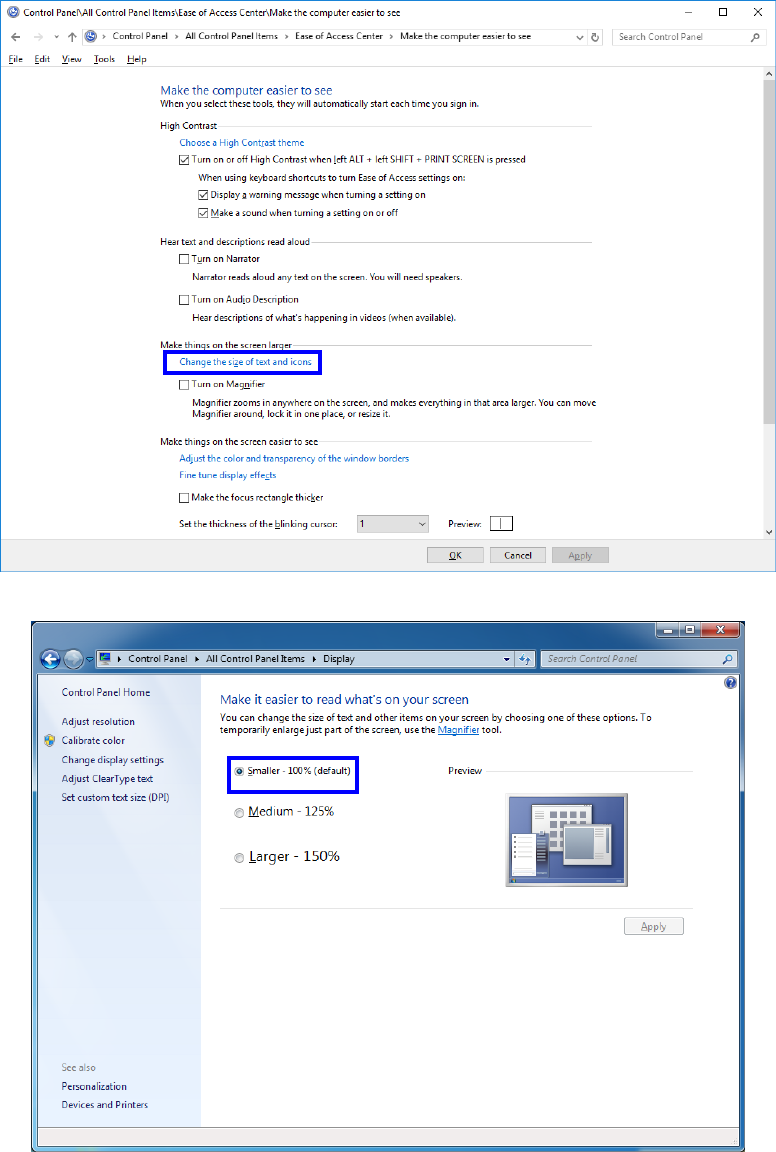
② Select “Make things on the screen larger” - “Change the size of text and icons”.
③ If your OS is Windows7, select “Smaller - 100% (default)” and click “OK”.