JX-350_EPU使用说明书.pdf - 第99页
EPU Instruction M anual C hapter 4 Creating a Production Progr am 4- 51 (5 ) Outer dimensions Enter outer dimensions of component matched to each com ponent type. Enter them by referr ing to the com ponent illustrat ion …
EPU Instruction Manual Chapter 4 Creating a Production Program
4-50
4.1.4.2 Creating of component data
The component data creation screen (component form) consists of 8 screens
( "Packaging", "Centering", "Pick condition", "Placement conditions", "Inspection",
"Inspection 2", "Option", and "Vision") including the basic section.
However, items that need your setting are only on the initial screen (including the
information of "Packaging style").
For other items, the initial values are already registered. Enter data for necessary items
only.
Most of recognition errors and other various initial errors after program preparation
can be solved by reviewing the component data. If this is the case, make
adjustment by changing the component height as well as those values set as the
"initial values" described above.
4.1.4.2.1 Initial screen
(1) Component name
The component name is displayed. (The name used for placement data is displayed
but cannot be edited.)
(2) Comment
Enter a comment here for those components that are hard to be recognized only by
their component name. You can omit the “Comment.”
Up to 127 characters can be entered.
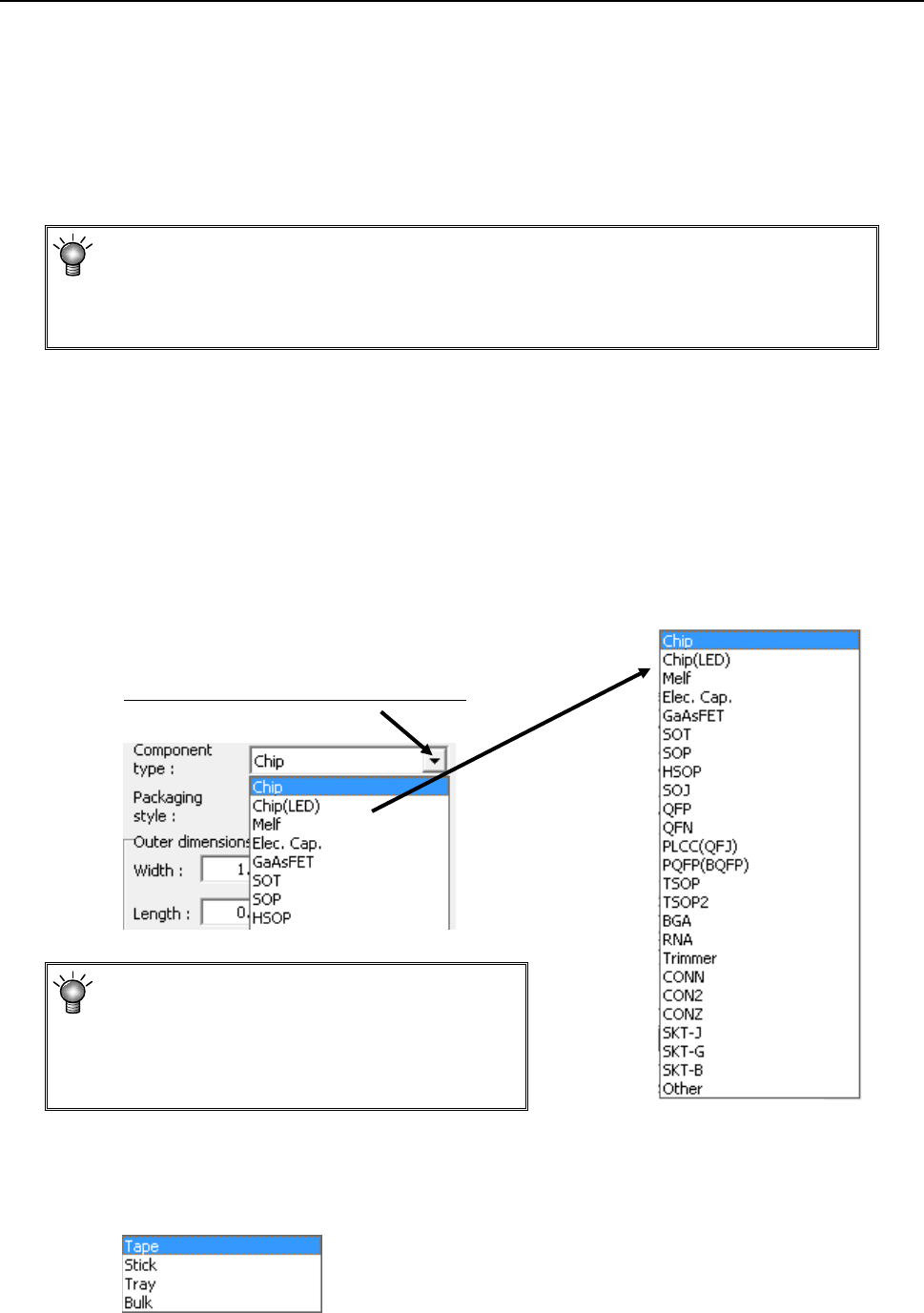
(3) Component type
Select a component type from the pull-down list.
If you happen to select a wrong component
type, a recognition error or other error occurs
when the corresponding component is
centered. Be sure to select a correct
component type.
(4) Packaging style
From the displayed "Packaging style" list, select a component supply device. To
change it, select a packaging style from the pull-down list.
Select a component type from he display list.
EPU Instruction Manual Chapter 4 Creating a Production Program
4-51
(5) Outer dimensions
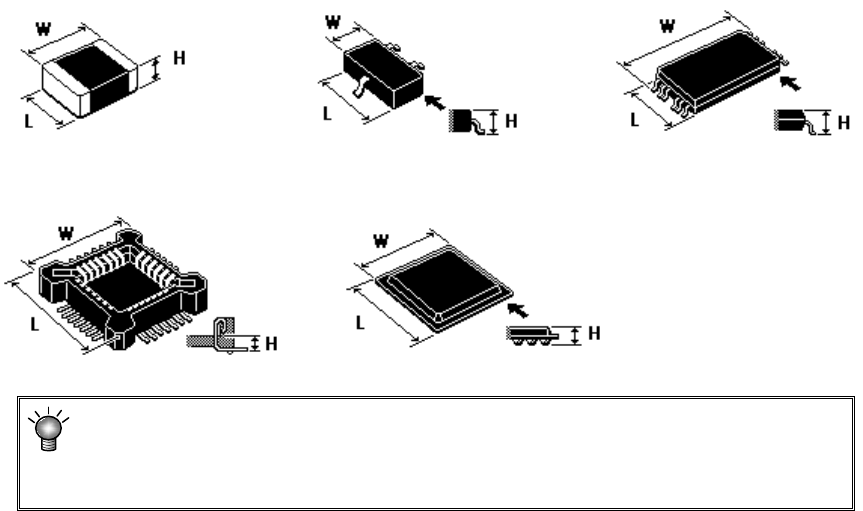
Enter outer dimensions of component matched to each component type.
Enter them by referring to the component illustration shown in the lower left part of
the form screen. Note that there are 2 cases, namely, one where the lead is
included and the other where the lead is not included, depending on the component
type.
The graphic data based on JUKI component feed angle definition 0° is displayed
according to "Component type."
Example: W = Outer dimension, horizontal
L = Outer dimension, vertical H: Component height
♦
Square chip ♦SOT ♦T-SOP
♦ Socket ♦BGA
If you enter the dimensions oppositely, that is, enter the width (horizontal) to the
“Length” field or vice versa, the system may not be able to center the component.
If a wrong component height is entered, a laser recognition error may be easily
caused by unstable laser measuring position.
EPU Instruction Manual Chapter 4 Creating a Production Program
4-52
(6) Other dimensions
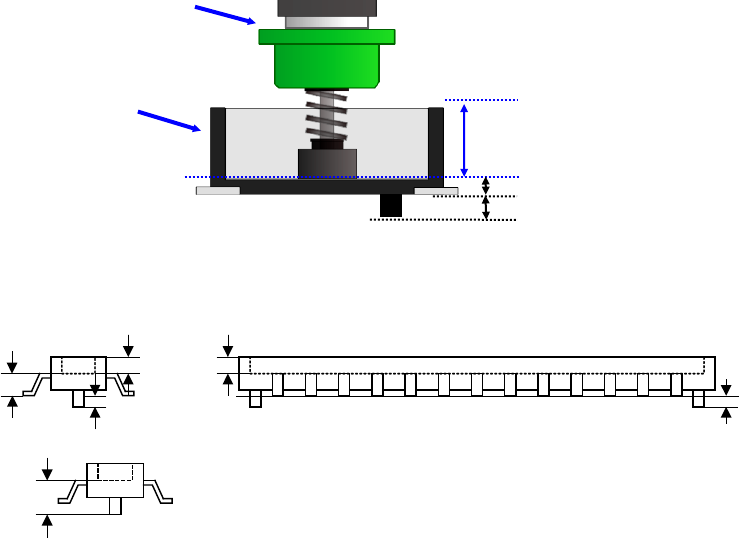
1) Pick depth
Enter the height from the nozzle pick surface to the top surface of the component.
Usually, the default value is used for operation.
2) Boss height
Enter the boss height (projection height on the bottom surface) of the connector.
Usually, the default value is used for operation.
Component height=Component height measured with laser-Boss height
Example) If the picking surface of the nozzle is located at the lower position than the top
surface of the component, such as connector component, enter the distance from
the nozzle tip to the top surface of the component. In this case, the "Component
height" will be the distance from the nozzle tip to the bottom surface of the
component.
Nozzle
Connector
Component height
Pick depth
Boss height
Component height
Pick depth
Boss height
Boss height
Component height
measured with laser