JX-350_EPU使用说明书.pdf - 第177页
EPU Instruction M anual C hapter 4 Creating a Production Progr am 4- 129 (1) W hen you select t he [Production prog ram copy] com mand f rom the “ Edit ” menu, the [ Open File] screen appears on the scr een. (2) Select a…
EPU Instruction Manual Chapter 4 Creating a Production Program
4-128
(19) Production program copy
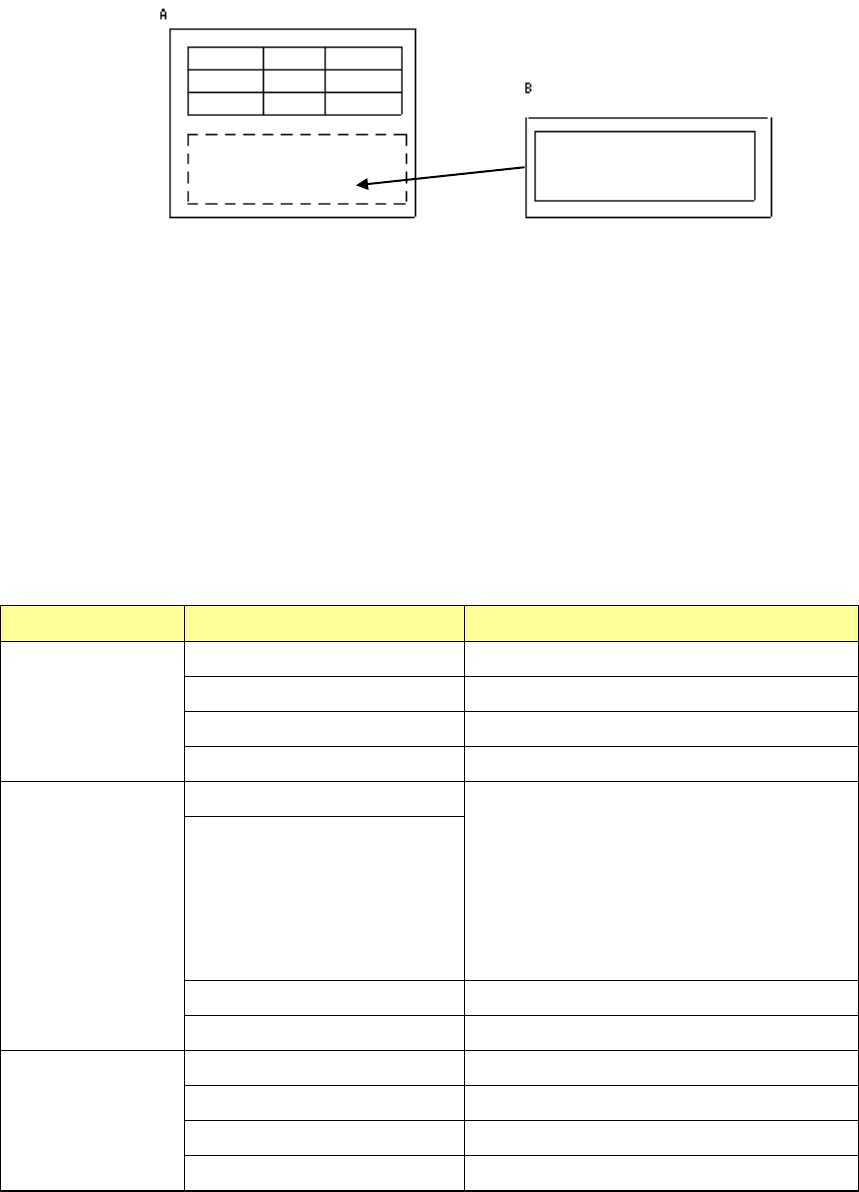
This command uses the copy function to combine two or more production programs.
If any area fiducial mark is used in Placement data of the production program to be
copied (“B” in the figure above), BOC marks of PWB data of the program “B” are
handled as area fiducial marks.
<How to copy>
① Load a source production program used as the reference. (In the figure above, it is
the PWB A.)
② Specify (load) a destination production program in which a circuit is copied. (In the
figure above, it is the PWB B.)
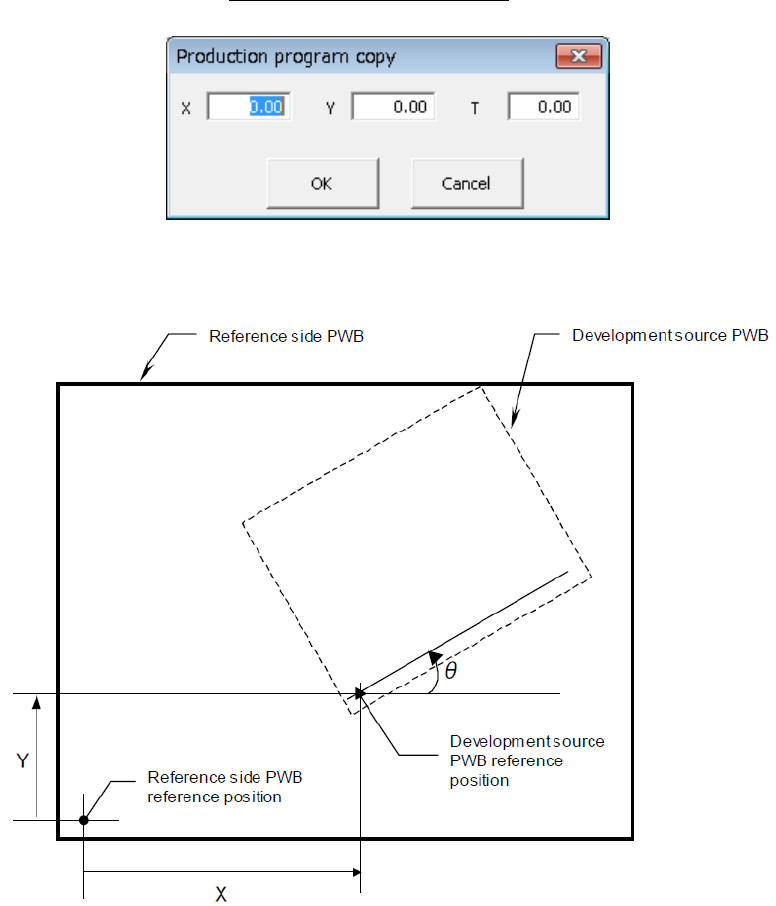
③ Specify the differences (offset X, Y and θ) between the PWB origin of the source
production program and that of the destination production program.
④ Perform a matrix copy function.
Source PWB Destination PWB Result
Single-plane PWB Single-plane PWB Single-plane PWB
Multi-plane matrix PWB Single-plane PWB
Multi-plane non-matrix PWB Single-plane PWB
Two or more reference circuits Single-plane PWB
Multi-plane matrix
PWB
Single-plane PWB Single-plane (circuit) or Multi-plane (circuit)
matrix PWB
When the number of divisions is equal to the
pitch between the consecutive circuits, and
the offset theta is 0 or 180 degrees, the PWB
is copied as a multi-plane matrix PWB.
*1
Multi-plane matrix PWB
Multi-plane non-matrix PWB Single-plane PWB
Two or more reference circuits Single-plane PWB
Multi-plane
non-matrix PWB
Single-plane PWB Single-plane PWB
Multi-plane matrix PWB Single-plane PWB
Multi-plane non-matrix PWB Single-plane PWB
Two or more reference circuits Single-plane PWB
*1: If a PWB can be copied as a multi-plane matrix PWB, the system displays the
“Question” dialog box that asks you if you want to copy a PWB as a single-plane
PWB or a multi-plane matrix PWB.
If two or more circuits are overlapped with each other, the system also displays the
“Question” dialog box that asks you if you want to copy a PWB as a single-plane
PWB or a multi-plane matrix PWB.
EPU Instruction Manual Chapter 4 Creating a Production Program
4-129
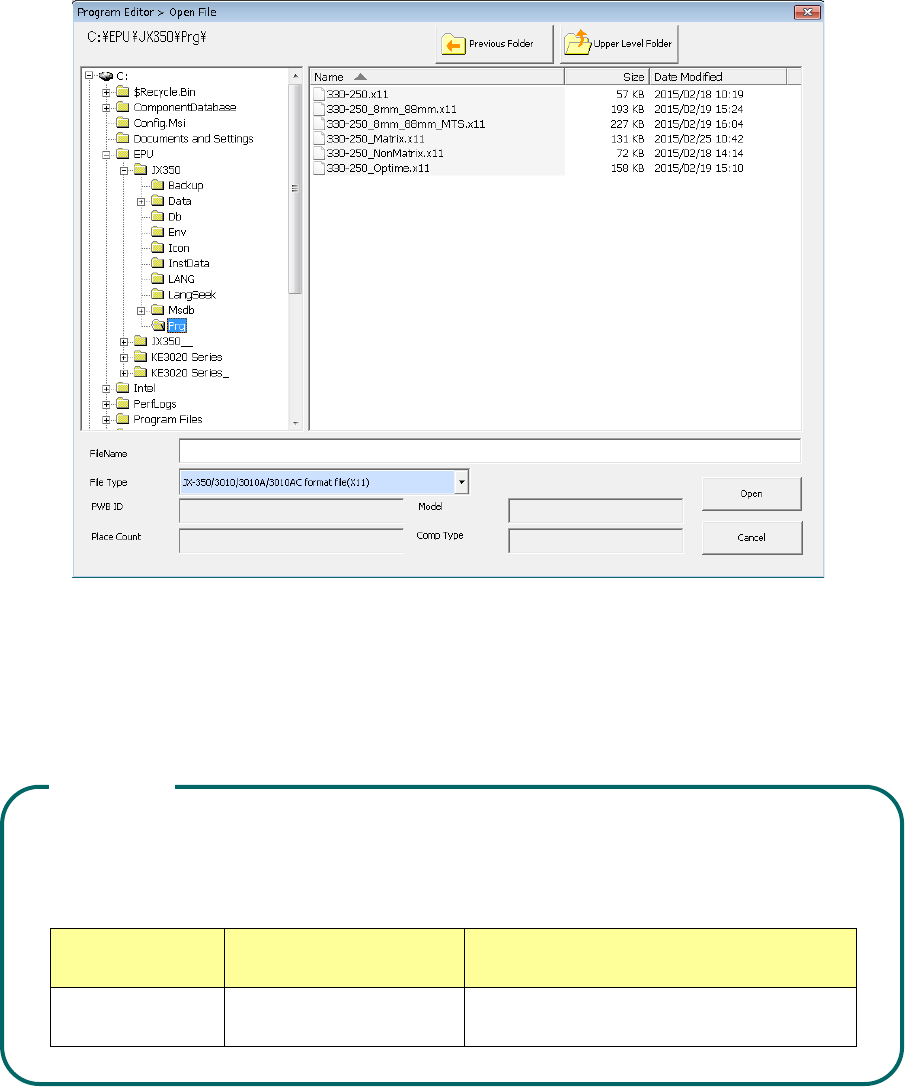
(1) When you select the [Production program copy] command from the “Edit”
menu, the [Open File] screen appears on the screen.
(2) Select a destination production program, and then press the <Open> button.
Combinations of reference production program file formats that can be copied and the
destination production program file formats are shown in the table below. Note that
you cannot select any other combination to copy a production program.
Combinations of reference production program file formats that can be copied and the
destination production program file formats are shown in the table below. Note that
you cannot select any other combination to copy a production program.
Model name
File format of a reference
production program
File format of a destination
production program
JX-350 JX-350 format file (x11) JX-350 format file (x11)
The same file version as the reference side
CAUTION
EPU Instruction Manual Chapter 4 Creating a Production Program
4-130
When you load a production program to the system, input screen like the one shown
below that allows you to enter an offset to the reference board position appears on
the screen. Follow the definitions of the offset value described below to enter an
offset value.
The definition of an offset value is shown in the figure below.