JX-350_EPU使用说明书.pdf - 第22页
EPU Instructi on Manual Chapter 2 Inst allation 2- 16 ② S ele ct “ Make things on t he screen larger ” - “ Chan ge the siz e of text and ico ns ”. ③ If your OS is W indow s7, selec t “ Smaller - 100% (de fault) ” and cli…
EPU Instruction Manual Chapter 2 Installation
2-15
<Windows 7/Windows 10>
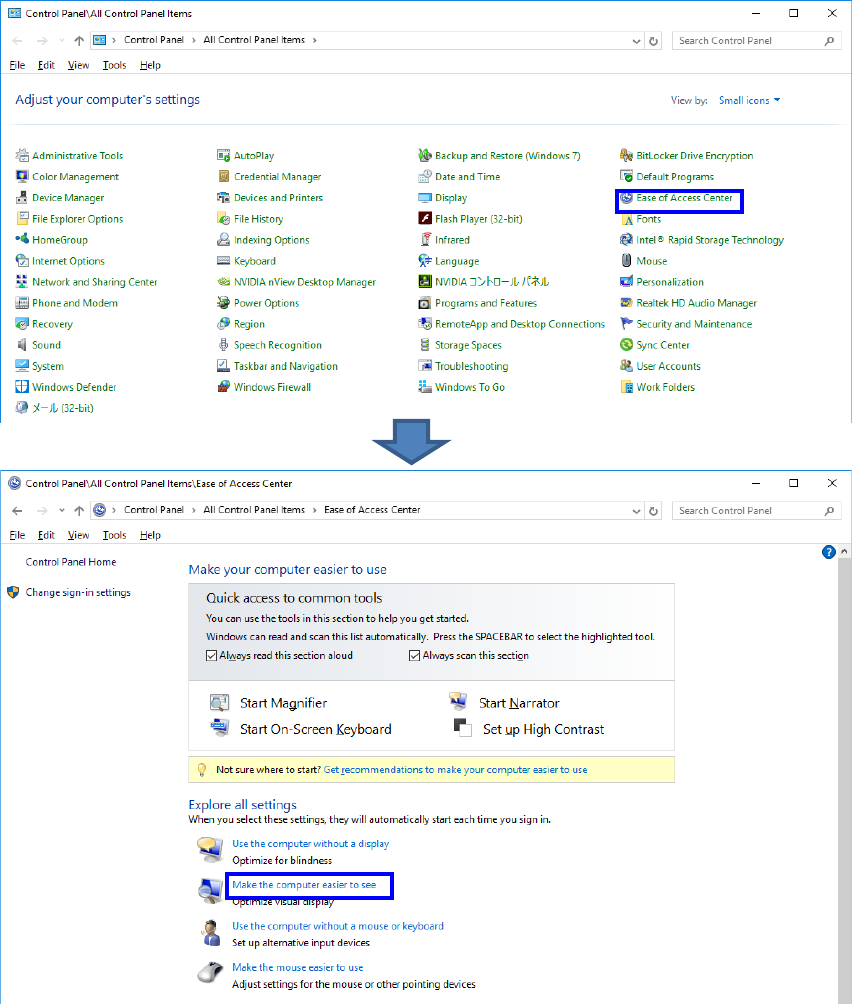
① In the Control Panel, select “Ease of Access Center” - “Make the computer easier to see”.
EPU Instruction Manual Chapter 2 Installation
2-16
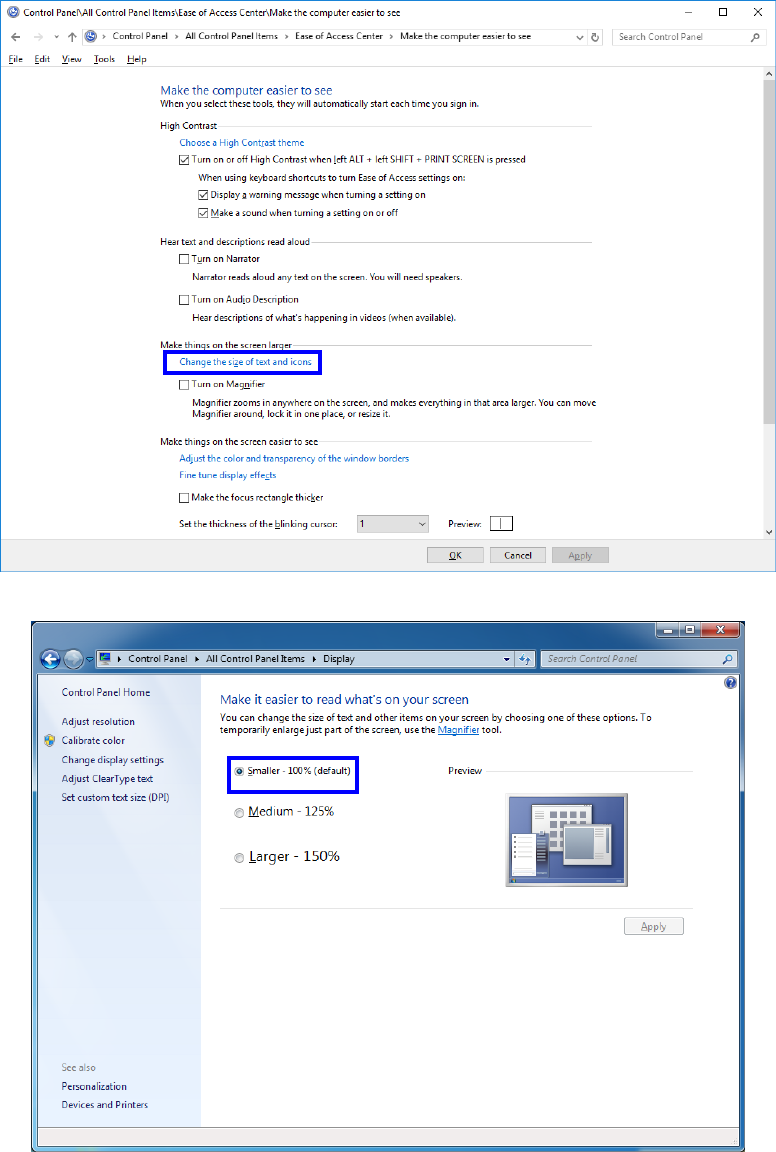
② Select “Make things on the screen larger” - “Change the size of text and icons”.
③ If your OS is Windows7, select “Smaller - 100% (default)” and click “OK”.
EPU Instruction Manual Chapter 2 Installation
2-17
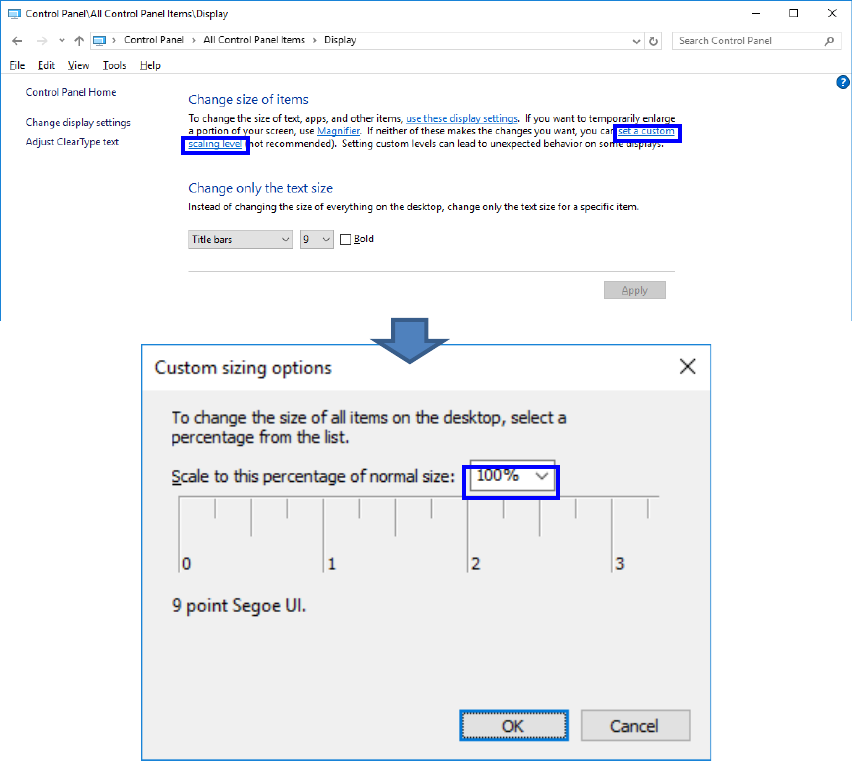
If your OS is Windows10, click “set a custom scaling level”, select “100%”, and then click
“OK”.