JX-350_EPU使用说明书.pdf - 第142页
EPU Instruction M anual C hapter 4 Creating a Production Progr am 4- 94 Item Contents Component nam e Com ponent name of com ponent data Supply quantit y The determ ined supply quanti ty is dis played. ・ Supply quant ity…
EPU Instruction Manual Chapter 4 Creating a Production Program
4-93
4.2 Optimization
The Optimization function executes the following tasks for a production program created
with the Editor:
① Optimization of feeder layout
② Optimization of component picking and placement order
4.2.1 Conditions setting for optimization
Optimization is affected by various factors.
Those factors include items that are set depending on the machine and items you can
specify
This section describes those items you can specify.
4.2.1.1 Component supply count
When the number of the placement positions for one type of component is outstanding,
production with one feeder may result in the bad cycle time balance. In this case,
production efficiency may be improved by supplying the identical type of components with
two or more feeders if the number of feeders (trays) and components of your system
allows.
<Procedure for performing the [Component supply count] command>
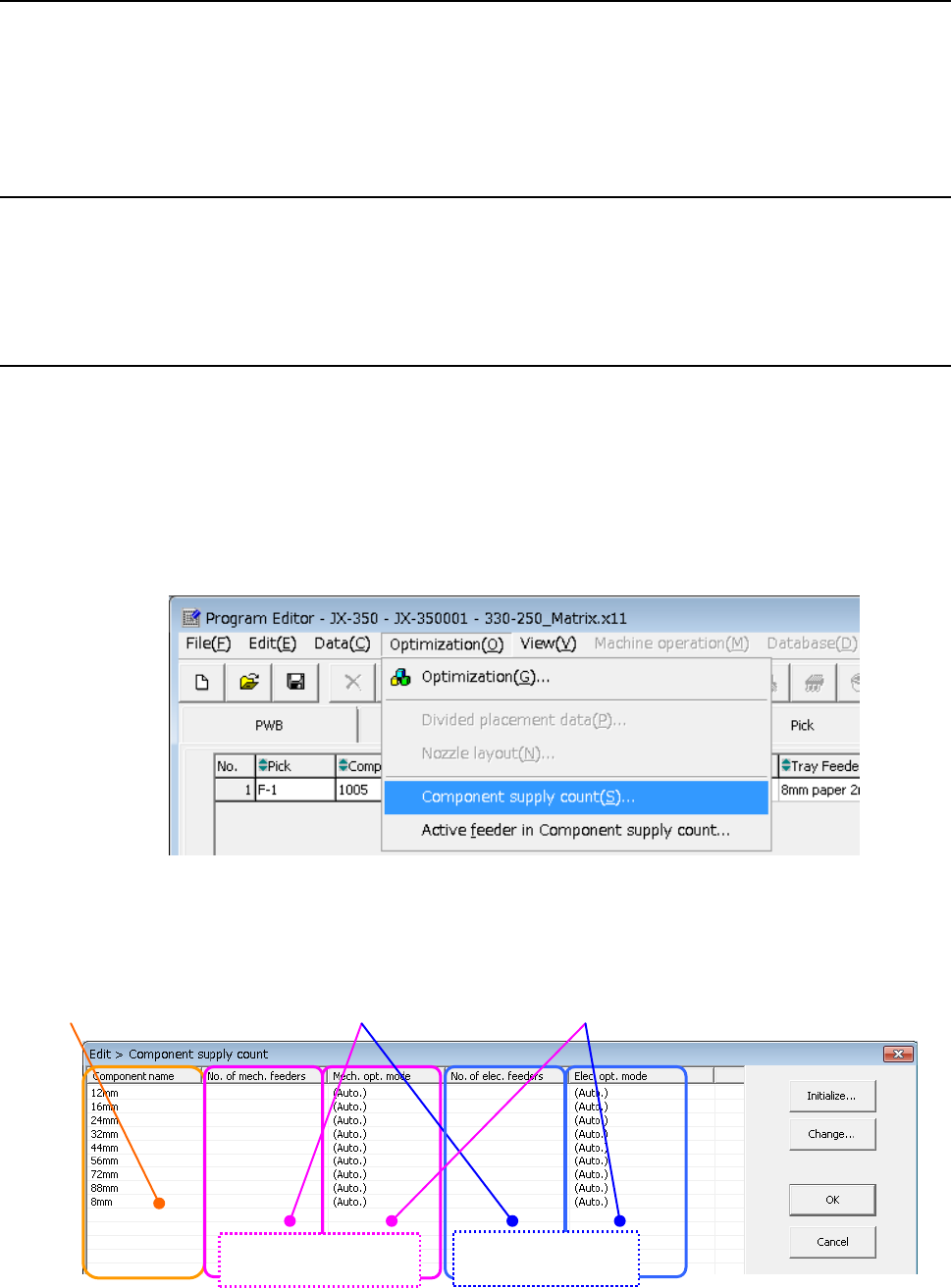
① Click the [Optimization]/[Component supply count] commands from the menu bar.
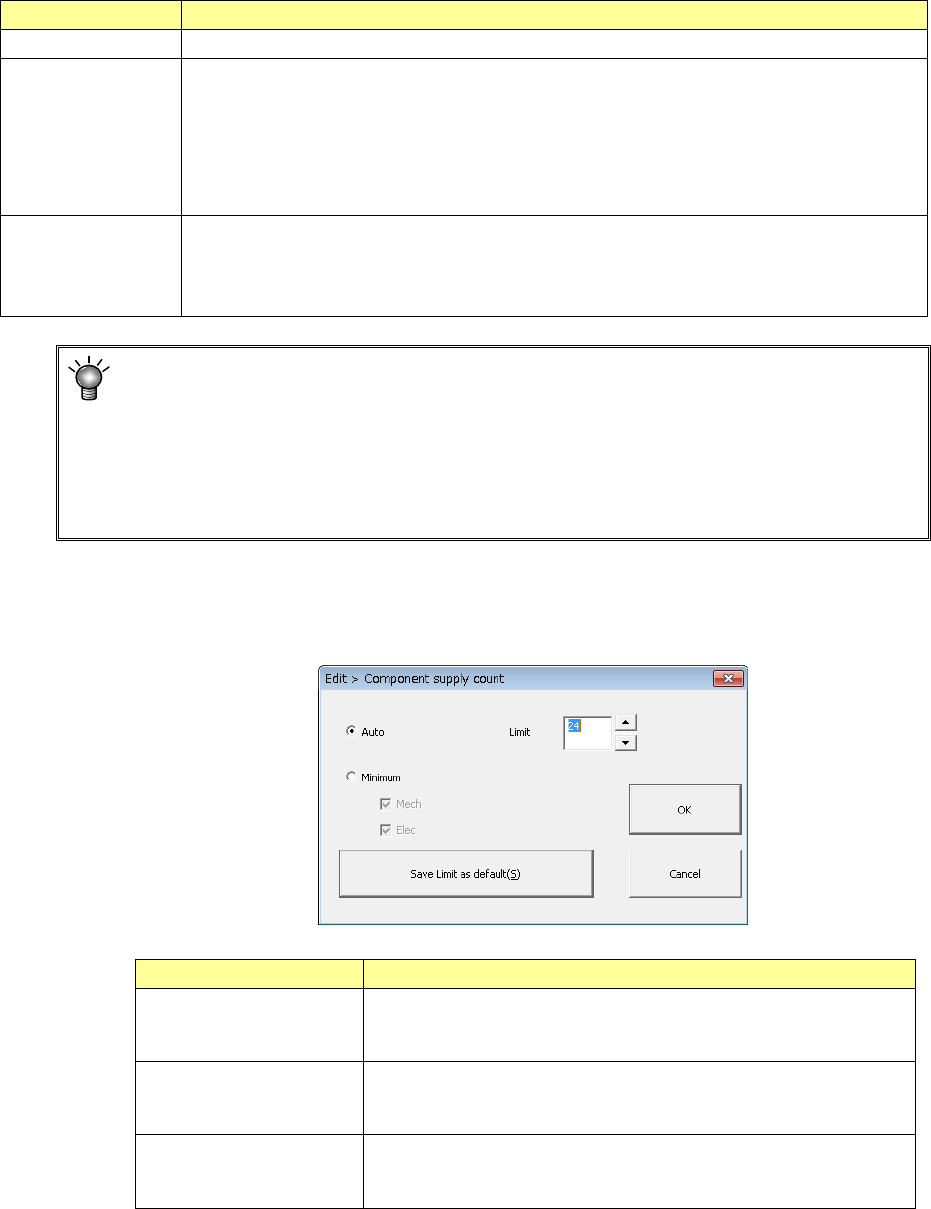
② The "Component supply count" dialog box appears as shown below.
Number of feeders set after
optimization or display area for the
numbe
r of feeders manually set
Component name
registered on
the
“
Component”
data screen
When the system uses the Optimization
function to set the number of feeders,
it displays
“Auto” (initial value) here.
Mechanical feeder
Electric feeder
EPU Instruction Manual Chapter 4 Creating a Production Program
4-94
Item Contents
Component name Component name of component data
Supply quantity
The determined supply quantity is displayed.
・Supply quantity after optimization: Optimization is executed by (automatic) distribution and its
display is given.
・Manually set supply quantity:
- When “Initialization/minimum supply” is selected, the supply quantity created in the pickup
data is displayed. (If line duplexing is executed, the quantity becomes two or more.)
- When “Change/manual” is selected, the manually set supply quantity is displayed
(Optimization) “Automatic” or “manual” distribution is displayed in setting the number of feeders.
- (Automatic): “Initialization/Automatic” is selected.
- (-): “Initialization/minimum supply quantity” is selected or “Change/manual” is selected.
- (Unused): “Change/unused” is selected.
The initial value of the “Number supplied” field is “Auto.” In this case, the number
of feeders (trays) is set to “1” basically. However, when the number of the certain
type of components is far greater than that of other types of components (3 times or
more of the average of the number of each component), the system automatically
increases the number of this type of components. Therefore, if the system
increases the number of feeders although there is one feeder, or if you want to
increase the number of feeders, you have to set this item manually.
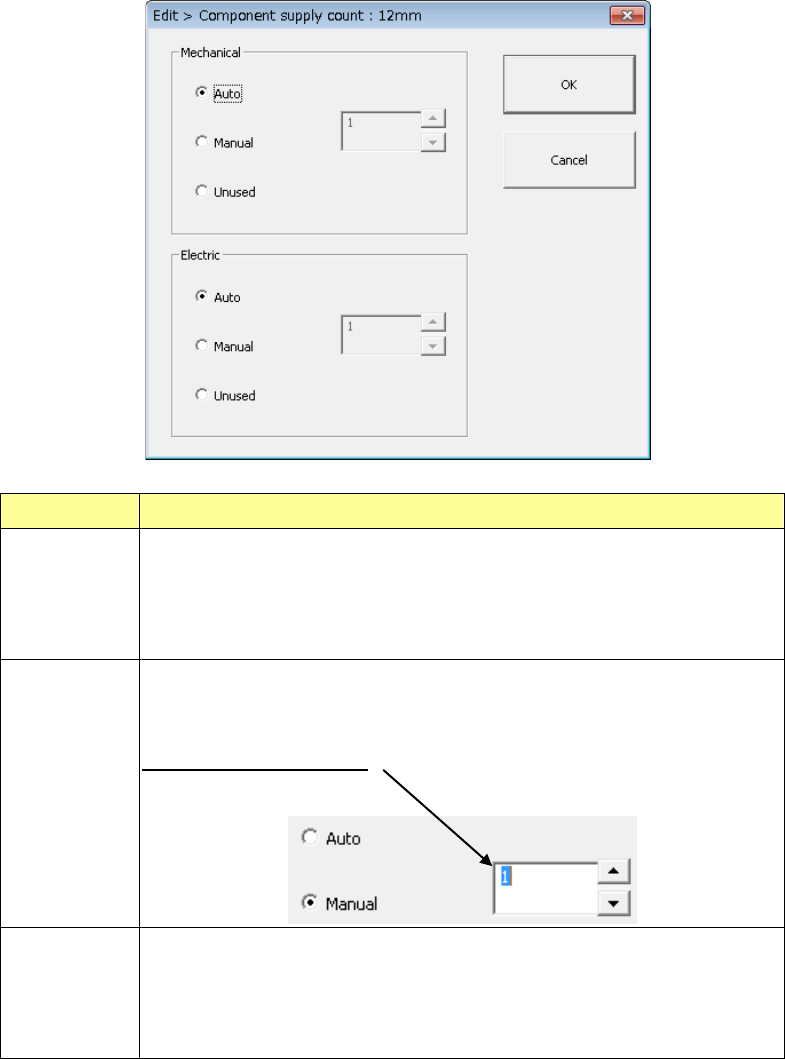
(1) [Initialize] button
Set the supply count of the feeder for all components to "Auto" or "Minimum supply
count."
Setting item
Description
Auto The system automatically initializes the numbers of all types of
components. When you select this “Auto” radio button, you
have to specify the “Limit” field also (the default: 20).
Minimum The system initializes the numbers of all types of components to
the total number of pick data records of the corresponding type of
component respectively.
Save Limit as default The system registers the value you specified in the “Limit” field as
the default value. When you create a new program, this value is
applied as the initial value.
EPU Instruction Manual Chapter 4 Creating a Production Program
4-95
(2) [Change] button
Set the supply count of the feeder for each component.
Menu item Description
Auto The system automatically sets the number of components that are specified to
be supplied. The number of feeders is optimized within the upper limit set at
initialization.
It is regarded that the available number of reels for components and the
available number of trays are not limited.
Manual This radio button allows you to change the number of components to be
supplied manually. The “Optimization” utility assigns the feeders and trays
according to the number of components that are specified to be supplied.
Enter the number of feeders
Unused The system sets the number of components to be supplied to “0”.
The “Optimization” utility does not use specified components for relevant type
feeder and tray.
Note that you cannot use the [Unused] buttons in both the “Mechanical” and
“Electric” areas at the same time