88192277-01-19 - Micron Technical Reference V9 Volume 4.pdf - 第172页
TRANSPORTATION - MAJOR RELOCATION TRANSIT BRACKET AND SCREW INS TALLATION 42.6 Technical Reference Manual Chapter Issue 5, Nov 19 Paste Dispenser T ransit Screw 1. Align the hole in the paste dispenser mounting tray wit …
TRANSPORTATION - MAJOR RELOCATION
TRANSIT BRACKET AND SCREW INSTALLATION
Chapter Issue 5, Nov 19 Technical Reference Manual 42.5
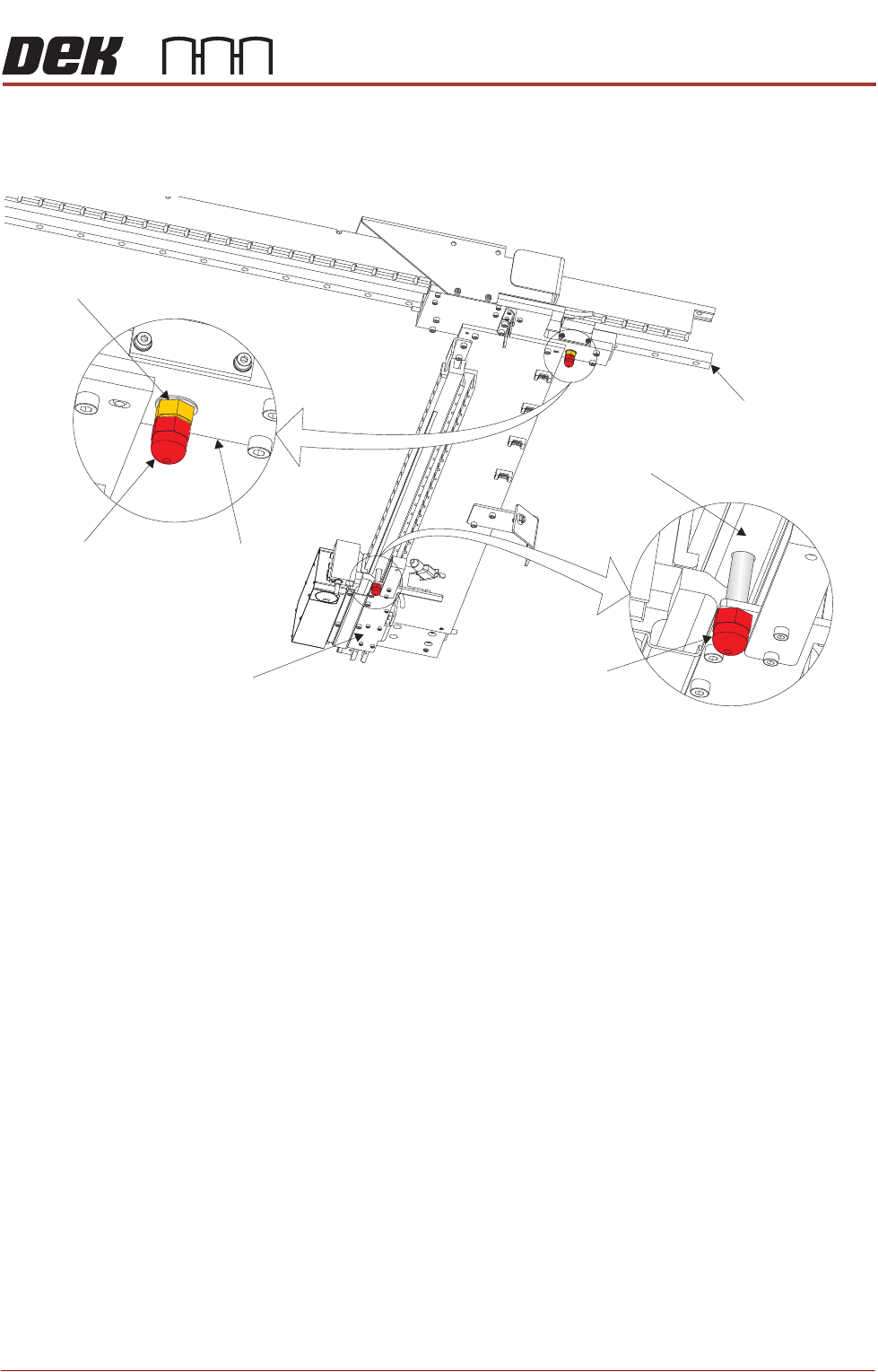
Camera Transit
Screws (Linear
Drive)
1. Align the threaded hole in the camera X drag chain bracket with the hole in
the camera beam extrusion and fit the M8 transit screw.
2. Align the threaded hole in the camera Y plate with a spare hole in the camera
Y linear bearing at the rear of the machine and fit the M8 transit screw
ensuring that the transit screw is fitted with a lock nut and crinkle washer.
3. Tighten the locking nut on to the camera Y plate to prevent the transit screw
vibrating loose during transportation.
View on Right Hand Underside of Camera Beam
Transit Screw
Transit Screw
Camera Y Plate
Camera Y Linear Bearing
Camera X Drag Chain Bracket
Camera Beam Extrusion
Lock Nut and
Crinkle Washer
TRANSPORTATION - MAJOR RELOCATION
TRANSIT BRACKET AND SCREW INSTALLATION
42.6 Technical Reference Manual Chapter Issue 5, Nov 19
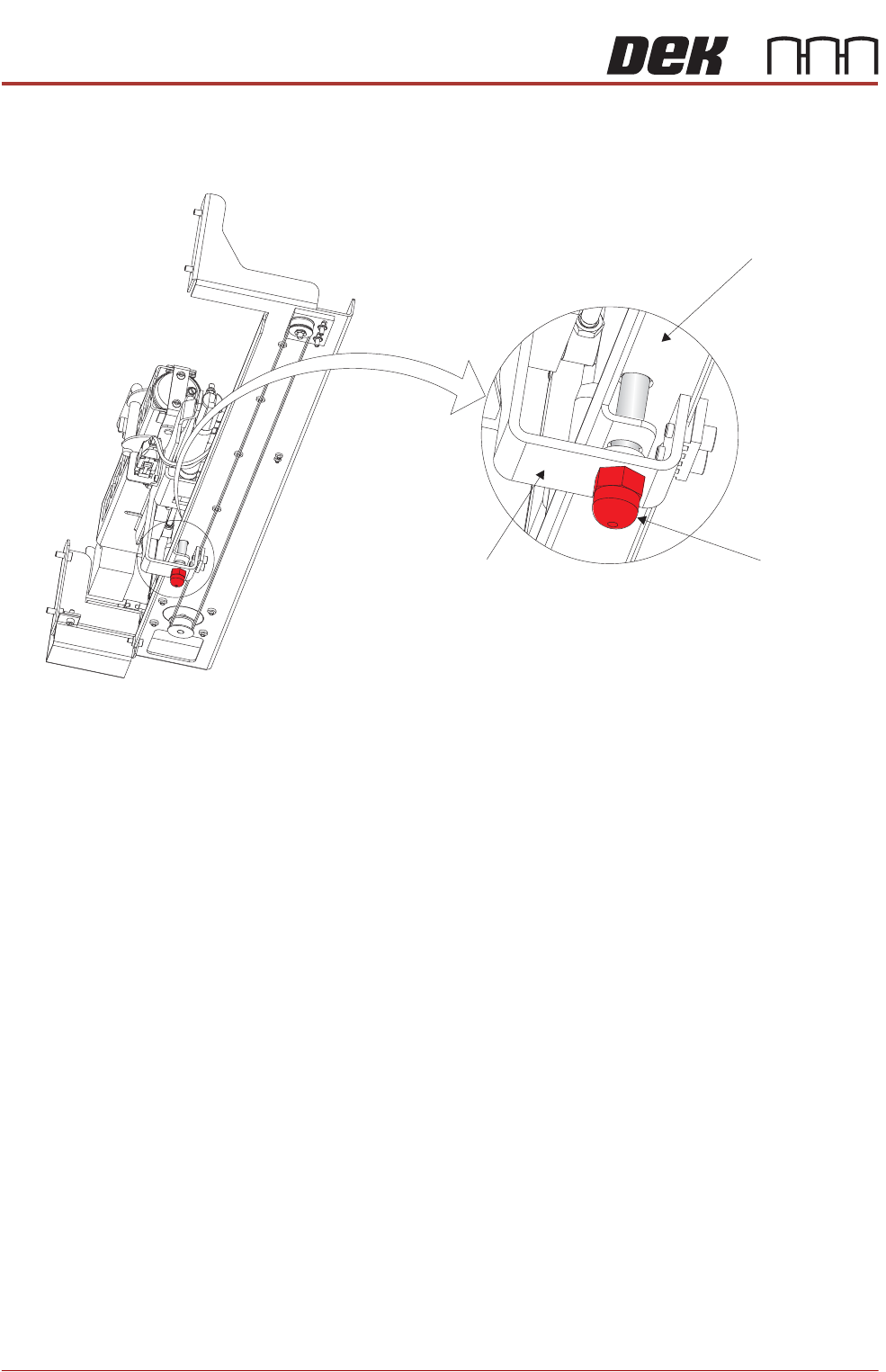
Paste Dispenser
Transit Screw
1. Align the hole in the paste dispenser mounting tray with the hole in the belt
clamp bracket.
2. Fit the paste dispenser transit screw without over tightening the screw.
NOTE
The paste dispenser transit screw is not designed to clamp the belt clamp
bracket against the paste dispenser mounting tray. The transit screw
restricts the paste dispenser from moving.
View on Right Hand Underside of Paste Dispenser
Transit Screw
Paste Dispenser Mounting Tray
Belt Clamp Bracket
TRANSPORTATION - MAJOR RELOCATION
TRANSIT BRACKET AND SCREW INSTALLATION
Chapter Issue 5, Nov 19 Technical Reference Manual 42.7
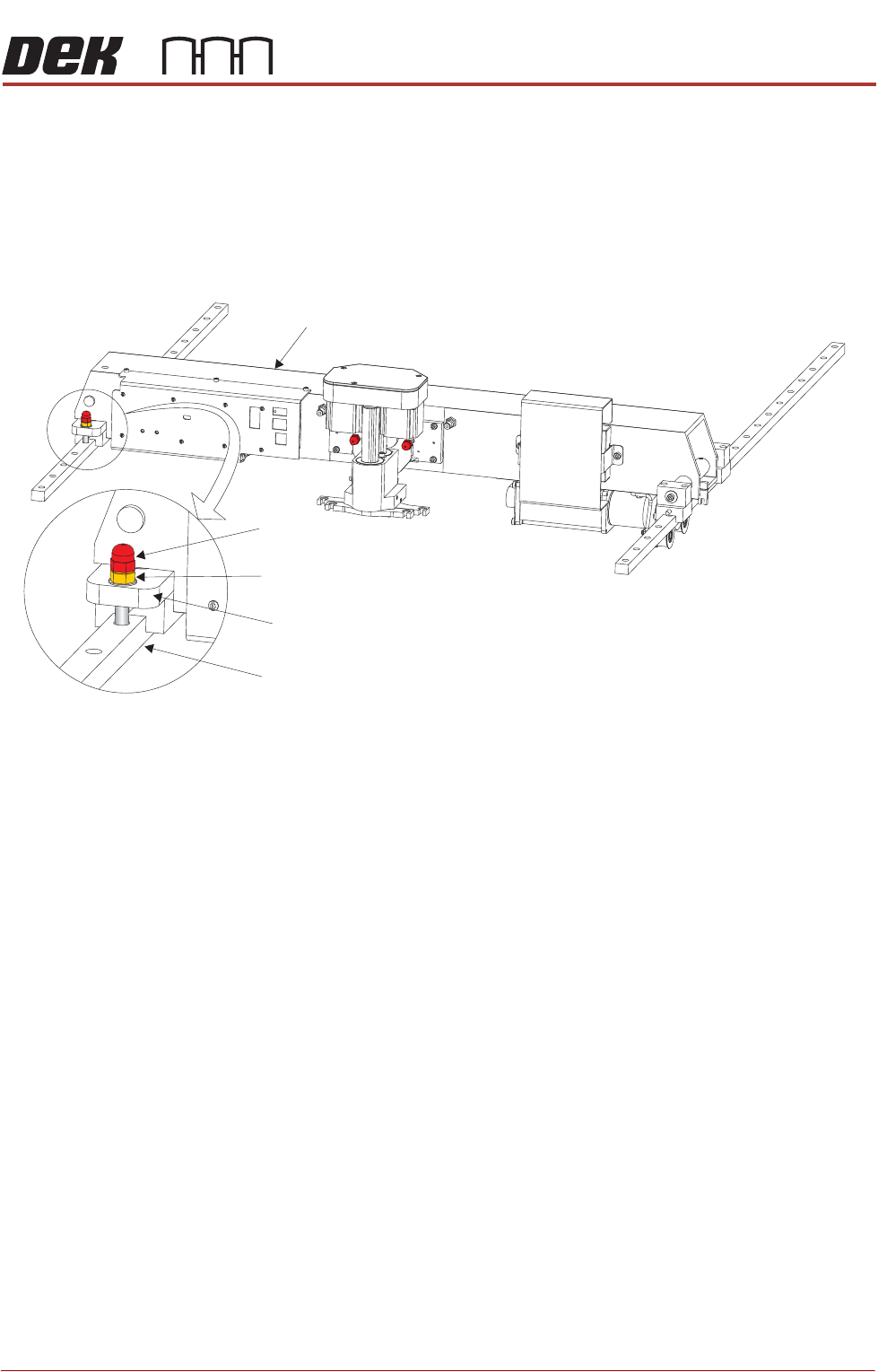
Print Carriage
Transit Screw
The left linear guide rail has sixteen holes for securing the rail to the printhead
of which only eight are used. The print carriage transit screw must be located
in a vacant hole and not one used by a rail securing screw.
1. Remove the plastic cap from the fifth hole from the front of the left linear
guide rail. Place the plastic cap in a re-sealable plastic bag and tape to the
print carriage.
2. Move the print carriage manually to align the hole of the print carriage
compliant bearing block with the hole in the left linear guide rail.
3. Ensure that an M8 nut and crinkle washer are fitted to the transit screw.
4. Fit the print carriage transit screw ensuring that the screw is fully tightened
down into the hole of the linear guide rail.
NOTE
The print carriage compliant bearing block is threaded allowing the transit
screw to locate in the hole of the linear guide rail without threading inside
the hole. This secures the print carriage from moving backwards or forwards
without exerting any downward force on the print carriage.
5. Tighten the locking nut down on to the print carriage compliant bearing block
to prevent the transit screw vibrating loose during transportation.
Print Carriage
Transit Screw
Print Carriage Compliant Bearing Block
Left Linear Guide Rail
Locking Nut and Crinkle Washer