88192277-01-19 - Micron Technical Reference V9 Volume 4.pdf - 第252页
TRANSPORTATION - MAJOR RELOCATION MACHINE ASSEMBLY 42.86 Technical Reference Manual Chapter Issue 5, Nov 19 2. On the right hand side of the machine, align the holes in the rig ht hand auxiliary conveyor mounting bracket…
TRANSPORTATION - MAJOR RELOCATION
MACHINE ASSEMBLY
Chapter Issue 5, Nov 19 Technical Reference Manual 42.85
High Throughput Conveyors (HTC)
Auxiliary Conveyors The following procedure details how to install the HTC auxiliary conveyors to
the machine. This installation procedure is for a machine product transfer in the
left to right direction.
To install the auxiliary conveyors, remove the left and right safety covers and
the following panels (as detailed in the Covers chapter):
• Type 1 covers - front and rear corner panels and the centre side panel on
both sides
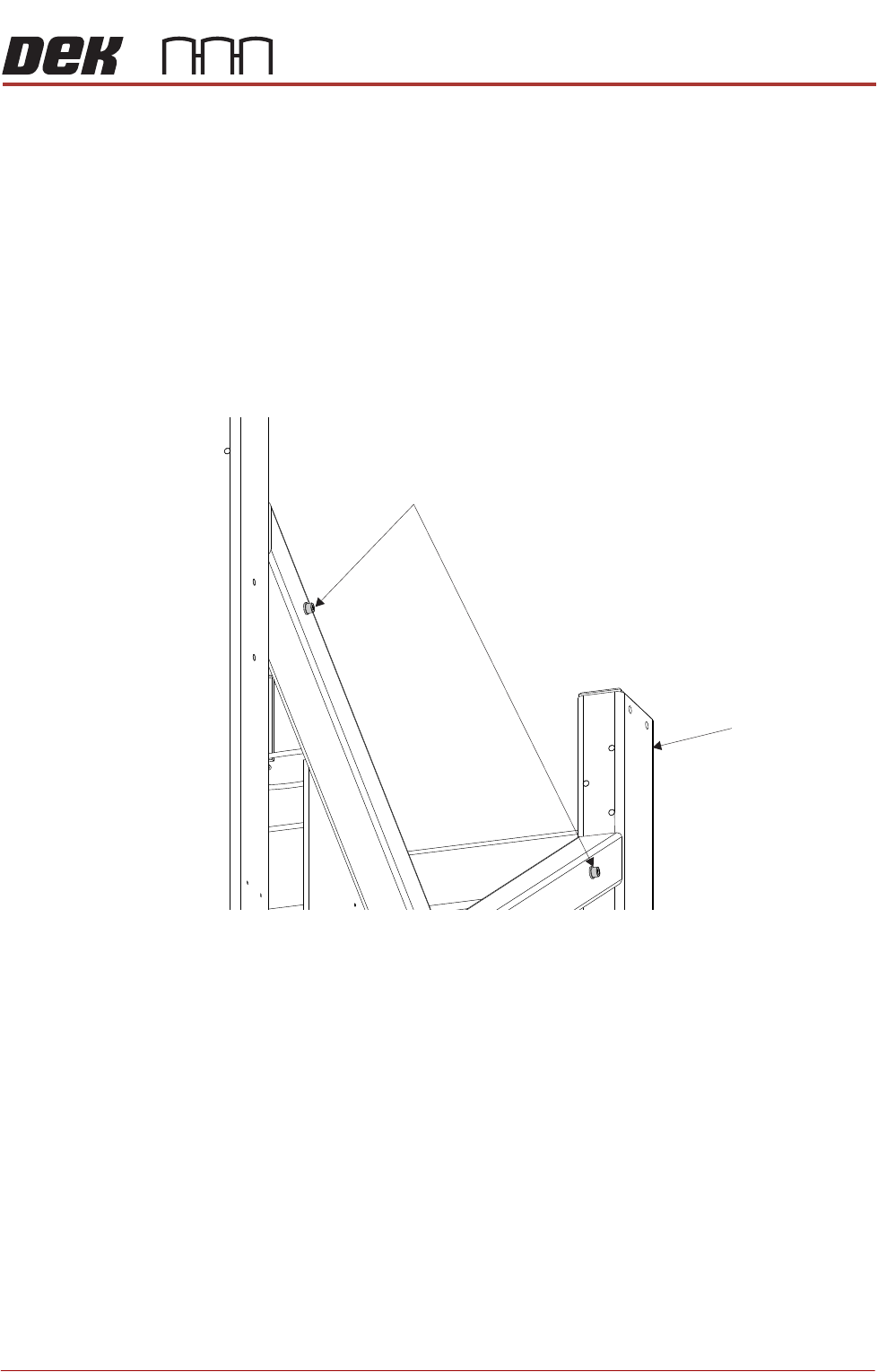
1. Remove the four auxiliary conveyor securing bolts from the holes in the
machine frame (two on either side).
Auxiliary Conveyor Securing Bolts
Machine Frame
TRANSPORTATION - MAJOR RELOCATION
MACHINE ASSEMBLY
42.86 Technical Reference Manual Chapter Issue 5, Nov 19
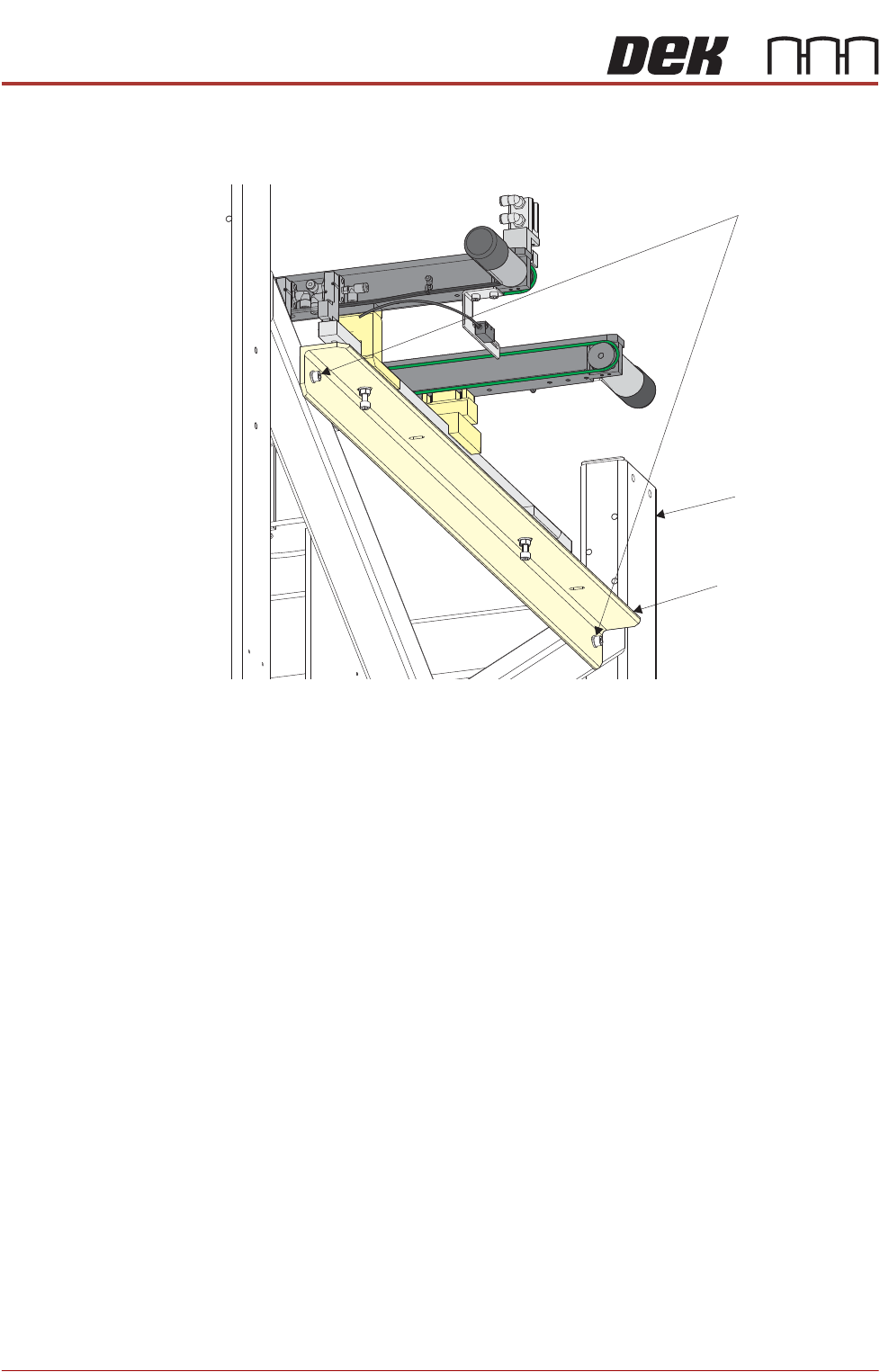
2. On the right hand side of the machine, align the holes in the right hand
auxiliary conveyor mounting bracket to the holes in the machine frame and
refit the auxiliary conveyor securing bolts.
NOTE
The right hand auxiliary rail has two pneumatic solenoids mounted on its
front rail, the left hand auxiliary rail only has one.
3. Align the auxiliary conveyor to the print station rails and tighten the securing
bolts.
4. On the left hand side of the machine, align the holes in the left hand auxiliary
conveyor mounting bracket to the holes in the machine frame and refit the
auxiliary conveyor securing bolts.
5. Align the auxiliary conveyor to the print station rails and tighten the securing
bolts.
6. Connect the following to the left hand auxiliary conveyor:
• M27PL07 to M27SK07 on the rear rail
• M27PL06 to M27SK06 on the front rail
• Clip M27SK05 into its bracket on the front rail and connect M27PL05 to
M27SK05
• Electrical connection to M27SOL02 (pneumatic solenoid) on the front rail
• Pneumatic feed to the input connector of M27SOL02
Auxiliary Conveyor Securing Bolts
Auxiliary Conveyor
Mounting Bracket
Machine Frame
TRANSPORTATION - MAJOR RELOCATION
MACHINE ASSEMBLY
Chapter Issue 5, Nov 19 Technical Reference Manual 42.87
7. Connect the following to the right hand auxiliary conveyor:
• M27PL17 to M27SK17 on the rear rail
• M27PL16 to M27SK16 on the front rail
• Clip M27SK14 into its bracket on the front rail and connect M27PL14 to
M27SK14
• Electrical connection to M27SOL01 (pneumatic solenoid) on the front rail
• Electrical connection to M27SOL03 (pneumatic solenoid) on the front rail
• Pneumatic feed to the input connector of M27SOL03
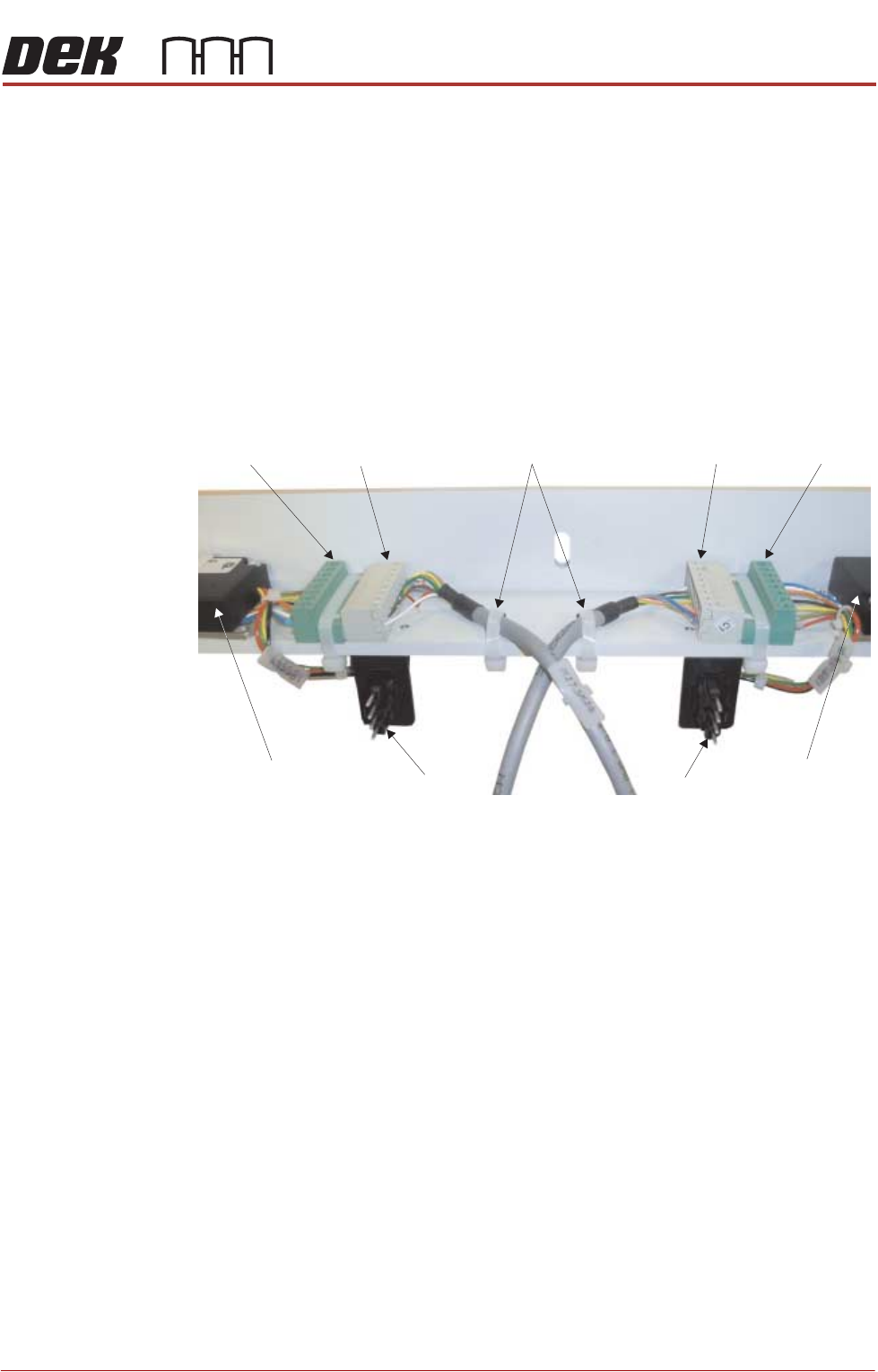
• M27SK24 to M27PL24 and M27SK25 to M27PL25 of the belt speed motor
controllers. Fit two cable ties to secure the cables to the mounting bracket
• 8SK21 to 8PL21 and 8SK23 to 8PL23 of the belt speed motor controllers
8. Cable tie any loose cables together to prevent them catching or rubbing on
any moving parts.
M27PL24 M27SK24 M27SK25 M27PL25
8PL21 8PL23
Front Belt Speed
Motor Controller
Rear Belt Speed
Motor Controller
Cable Ties
View on Underside of Right Hand Auxiliary Conveyor Mounting Bracket