88192277-01-19 - Micron Technical Reference V9 Volume 4.pdf - 第71页
STINGER CALIBRATIONS Chapter Issue 4, Nov 19 Technical Reference Manual 38.29 beam to be accommodated simultaneously . In the diagram, the unit is shown as two rectangles representing the laser (blue) and the nozzle (gre…
38.28 Technical Reference Manual Chapter Issue 4, Nov 19
STINGER
CALIBRATIONS
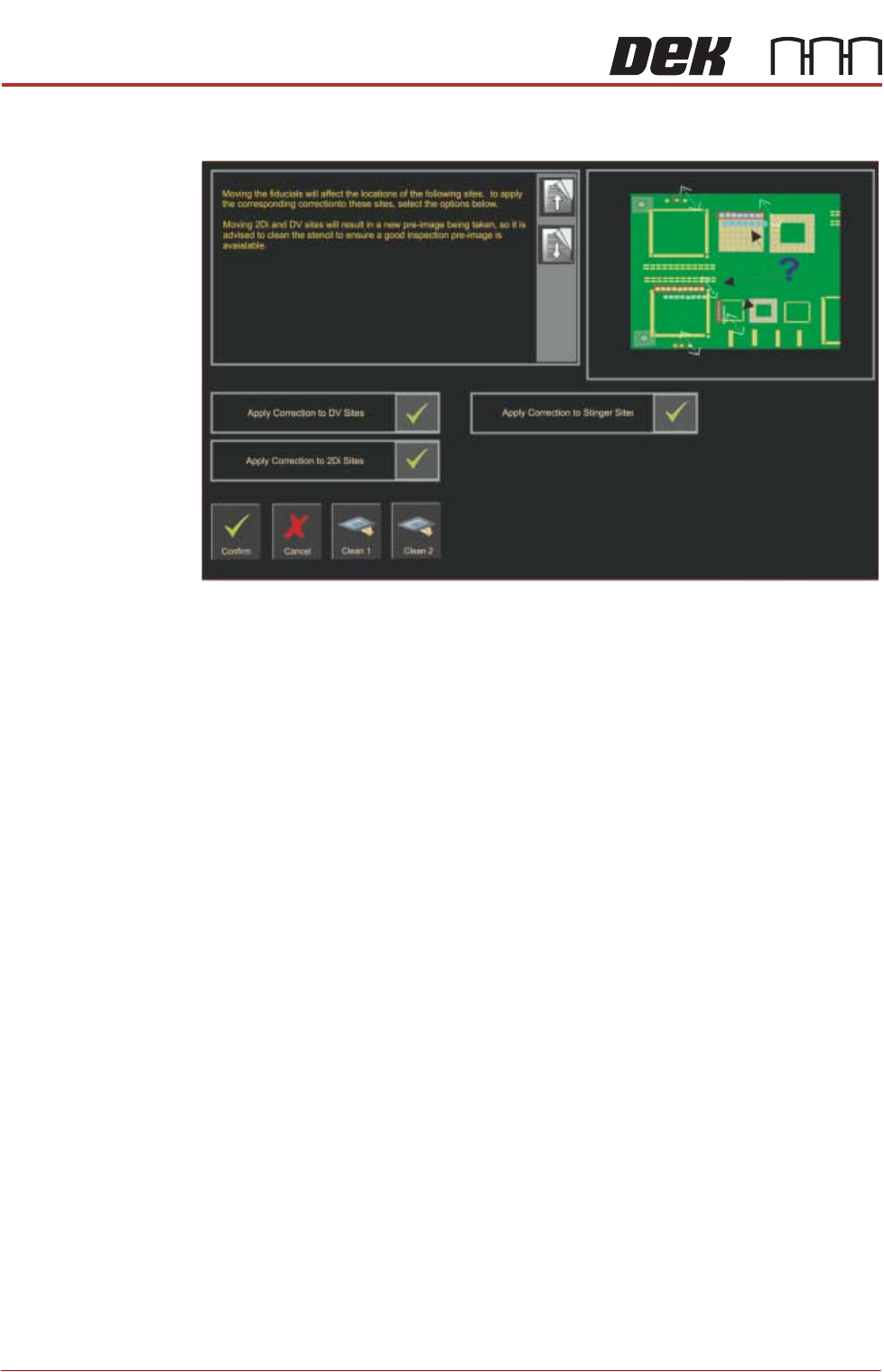
Site Correction If the fiducials have been moved, during a production run, the locations of sites
are affected. An information pane as shown below is displayed:
Stinger Heights
(Manual)
This procedure relates to units that:
• Have had a hardware change
• Are being set up for the first time
• Have undergone a product changeover
The height calibrations are a reference for all programmed deposits. For
calibration units, two heights are set: Contact Height and Idle Height. Idle height
tracks the contact height automatically.
The Z-Axis contact position, for any product, must be within (+/-1mm) of the
calibrated contact position. If the contact position cannot be guaranteed to be
within these limits, there is a likelihood that a variation in dot size may occur and
deposit quality degraded.
Locating the Correct
Point for Height
Settings
Product is not always rectangular in shape and completely plane surfaced.
There are often features such as protruding edges and gaps in various places
across the product. Users must be aware of where to place the height setting
points. The unit performs two distinct checks in one action, they are:
Contact Height
Range Checking
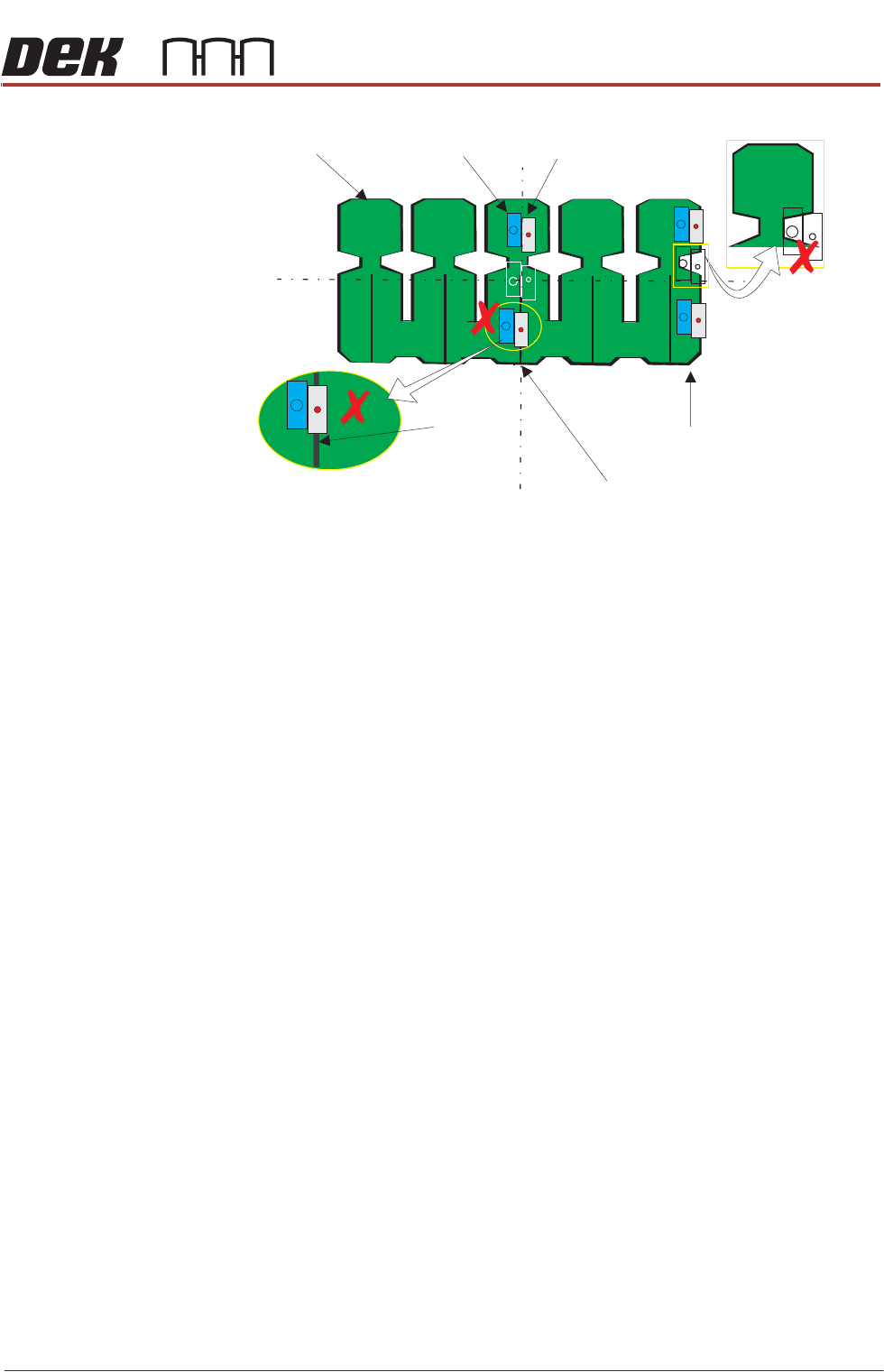
The unit defaults to the centre of the board for its height setting coordinates
(shown in white outline below). This may not be an appropriate location as the
product may have features that do not allow for both the nozzle, and the laser
STINGER
CALIBRATIONS
Chapter Issue 4, Nov 19 Technical Reference Manual 38.29
beam to be accommodated simultaneously.
In the diagram, the unit is shown as two rectangles representing the laser (blue)
and the nozzle (grey). These representations are shown at three possible
locations: default (centre); upper and lower. At the centre, the unit can make a
good height check because both the laser, and the nozzle, are located where
the surface of the board is available for a reading and a deposit. However, when
the unit moves away from the height position to the range position, the board
edge is not straight, therefore the laser may not ‘see’ the upper surface of the
product. Similarly, a feature under the laser on the bottom location is centred
over a slot in the board where the laser beam passes through. The contact
height cannot be set. The user must choose a location similar to that of the top
track, where both the range and height checks can be carried out successfully.
Laser
L
L
C
C
Nozzle
Incorrect
Range
Location
Contact Height Positions
Range Locations
Product
Incorrect Height Location
Gap

38.30 Technical Reference Manual Chapter Issue 4, Nov 19
STINGER
CALIBRATIONS
Contact Height Contact height sets the laser to needle height in relation to the upper surface of
the product. A relative measurement is made for all other programmed loca-
tions.
1. Select Maintenance.
2. Select Options.
3. Select Stinger Hardware.
4. Select Fitted.
5. Select Back.
6. Select Back.
7. Select Back.
8. Open the printhead cover.
9. Remove the stencil.
10. Close the printhead cover.
11. Press the System button.
12. Select Unload Screen.
13. Select Setup Product.
14. Select Options.
15. Select Stinger Dispenser.
16. Select Load Board and load a product.
17. Select Manual Calibrate to open the stinger heights calibration page.
18. The camera axis moves the stinger unit to the centre of board location by
default. However, this position can be set to any location using the Calibra-
tion Point X/Calibration Point Y parameter pair. See information on Locat-
ing the Correct Point for Height Settings.
19. Select Stinger Jog Mode and initially set the mode to Coarse (1 step =
0.5mm).