88192277-01-19 - Micron Technical Reference V9 Volume 4.pdf - 第263页
TRANSPORTATION - MAJOR RELOCATION MACHINE ASSEMBLY Chapter Issue 5, Nov 19 Technical Reference Manual 42.97 • Piston Up Air Feed Fit T ransfer Head MANDA TOR Y TOXIC CHEMICALS MA Y BE PRESENT . SAFETY GLOVES MUST BE WORN…
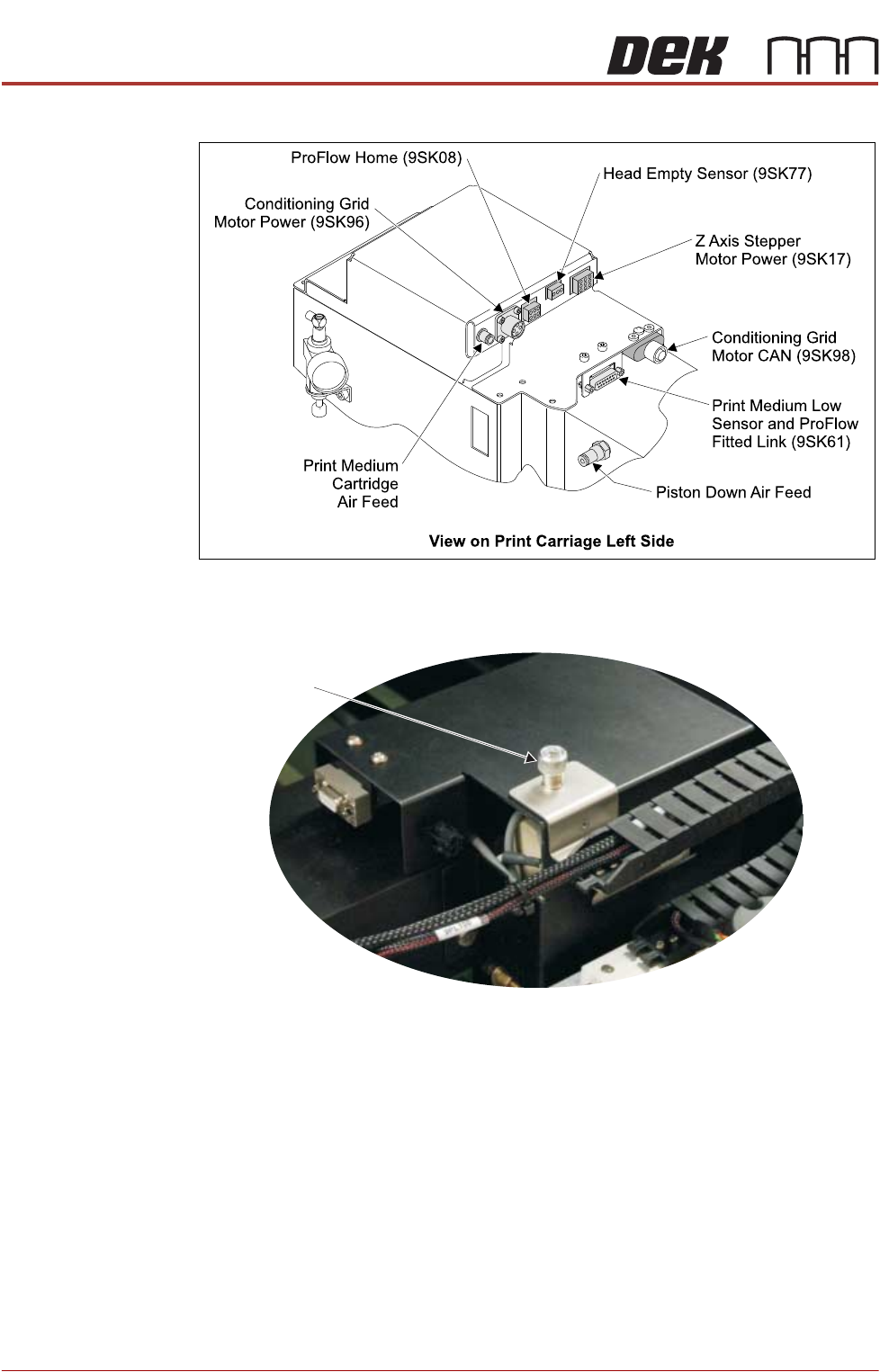
TRANSPORTATION - MAJOR RELOCATION
MACHINE ASSEMBLY
42.96 Technical Reference Manual Chapter Issue 5, Nov 19
• Piston Down Air Feed
8. Using a crosshead screwdriver, connect the drag chain carrying the right
hand side connectors to the right hand side of the print carriage.
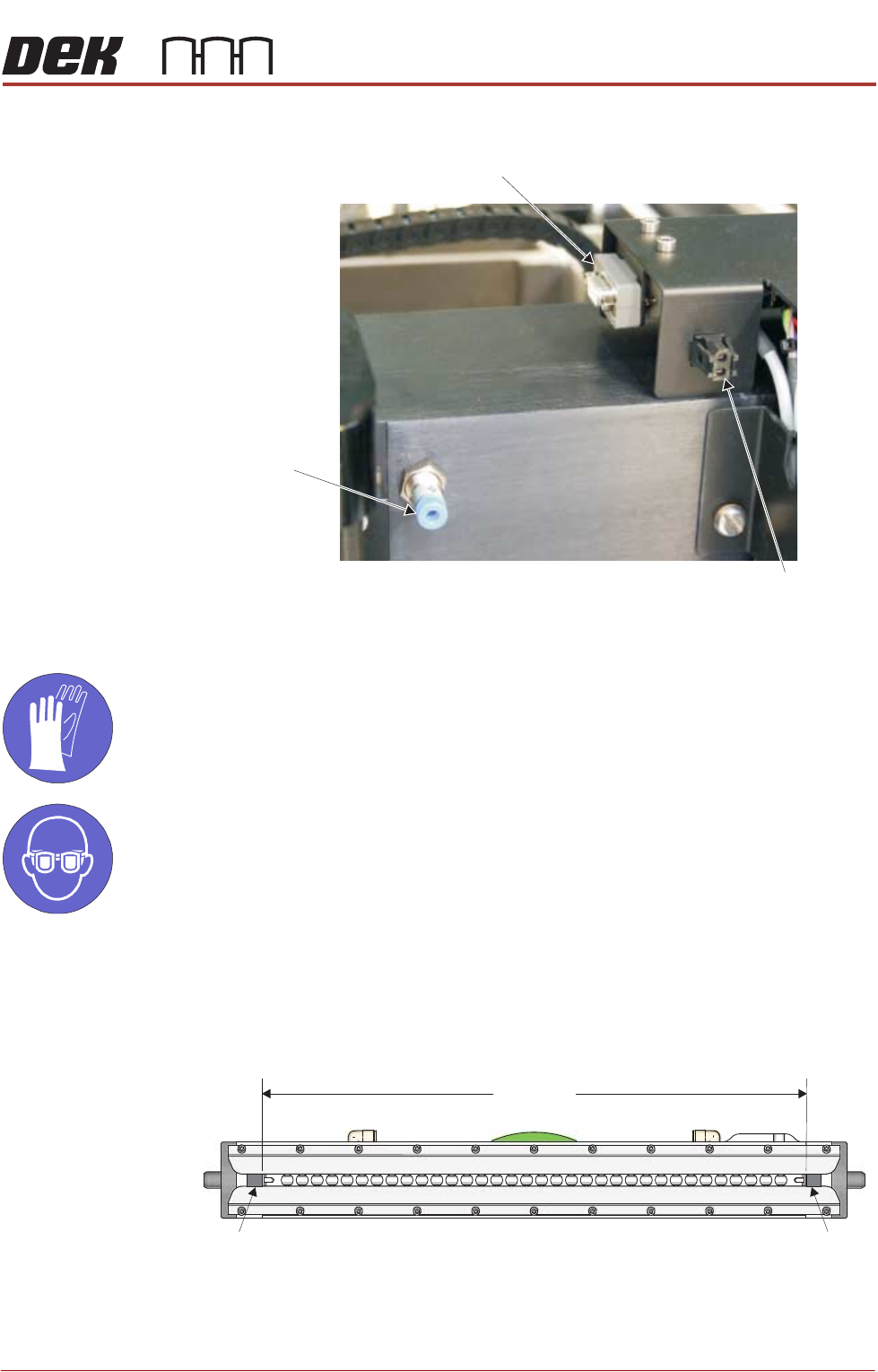
9. Connect the following to the ProFlow ATx connectors on the right hand side
of the print carriage
• Archimedes Screw Power (9PL100)
• Paste Load Feedback (9PL108)
View on Print Carriage Top Face
Right Side Drag
Chain Screw
TRANSPORTATION - MAJOR RELOCATION
MACHINE ASSEMBLY
Chapter Issue 5, Nov 19 Technical Reference Manual 42.97
• Piston Up Air Feed
Fit Transfer Head
MANDATORY
TOXIC CHEMICALS MAY BE PRESENT. SAFETY GLOVES MUST BE WORN.
MANDATORY
TOXIC CHEMICALS MAY BE PRESENT. EYE PROTECTION MUST BE WORN.
To adjust the mount brackets and fit a transfer head to the ProFlow ATx mount,
carry out the following:
1. Determine the size of the transfer head to be fitted. If the size of the transfer
head is not known, measure the distance between the inside edges of the
skis.
View on Print Carriage Right Side
Archimedes Screw
Power (9SK100)
Paste Load
Feedback (9SK108)
Piston Up
Air Feed
Transfer Head Underside View
XXXmm
Ski
Ski
TRANSPORTATION - MAJOR RELOCATION
MACHINE ASSEMBLY
42.98 Technical Reference Manual Chapter Issue 5, Nov 19
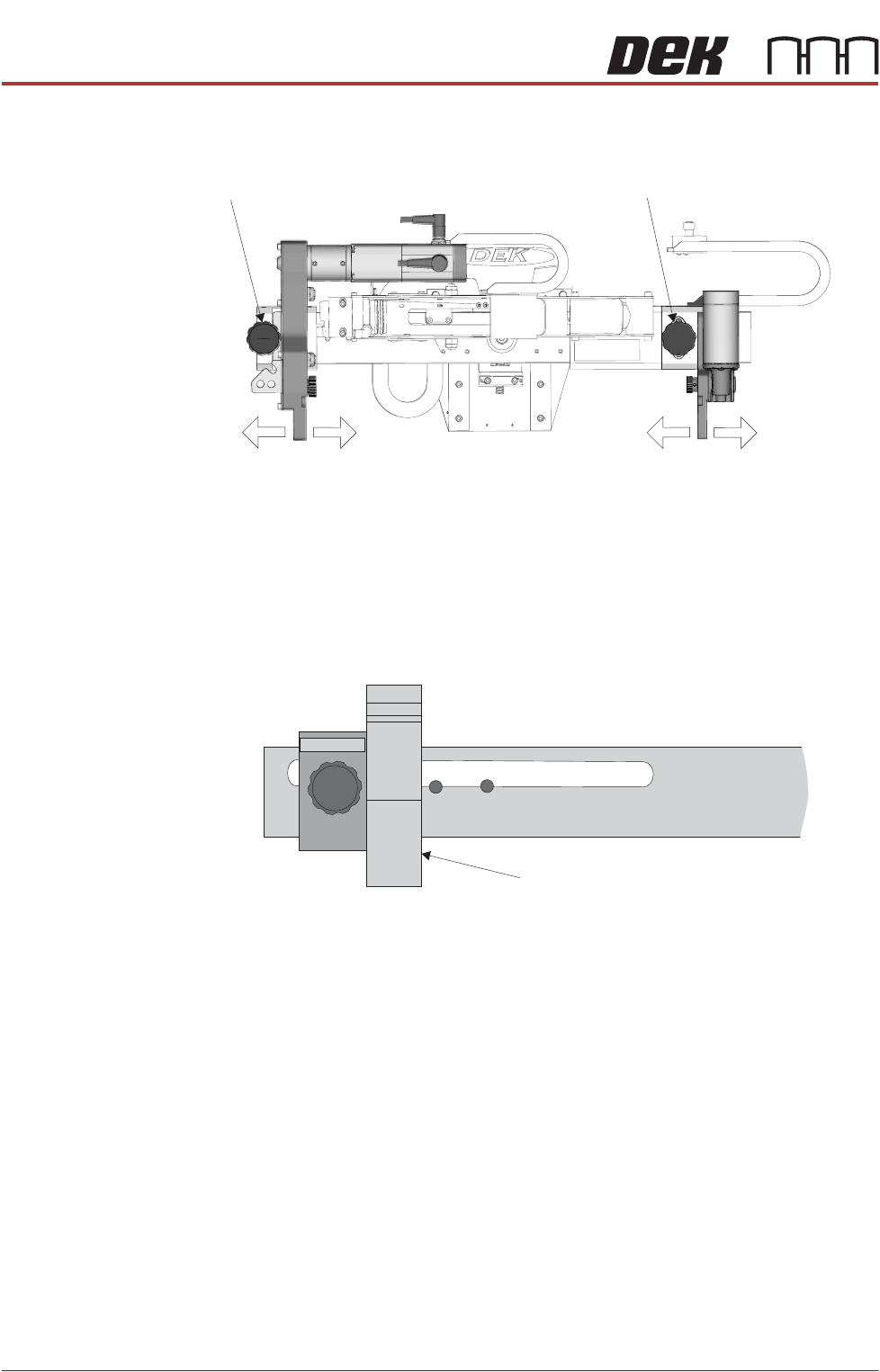
2. On the ProFlow ATx mount, unscrew the left hand side thumbscrew until the
thread is released.
3. Pull on the left hand side thumbscrew until it is free from the mount hole.
4. Slide the left hand side mount bracket until it is aligned with the correct hole
for the size of the transfer head being used (for guidance on how to select
the correct mount hole for the transfer head being installed, see the diagram
below).
5. Release the thumbscrew to engage the thread into the mount hole.
6. Tighten the thumbscrew to secure the mounting block to the beam.
7. Unscrew the right hand side thumbscrew.
8. Pull on the right hand side thumbscrew until it is free from the mount hole.
9. Slide the right hand side mount bracket fully to the right so there is sufficient
space to attach the transfer head; it is not necessary to tighten the right hand
side thumbscrew at this stage.
View On Front of Transfer Head
Left Thumbscrew
Right Thumbscrew
Left Mount Bracket Right Mount Bracket
Align Left Side Mount Bracket to
Reveal Intended Transfer Head Size.
Example Set to .400mm
View on Left Side of the Mount Beam
Left Side of ProFlow ATx Mount Beam
300 200
400 350 250