88192277-01-19 - Micron Technical Reference V9 Volume 4.pdf - 第84页
38.42 Technical Reference Manual Chapter Issue 4, Nov 19 STINGER CALIBRATIONS 1. T o set the location, select Purge Station Location . 2. Select the location where you are going to place the purge station (front Left or …
STINGER
CALIBRATIONS
Chapter Issue 4, Nov 19 Technical Reference Manual 38.41
25. Select Dispense Sweep.
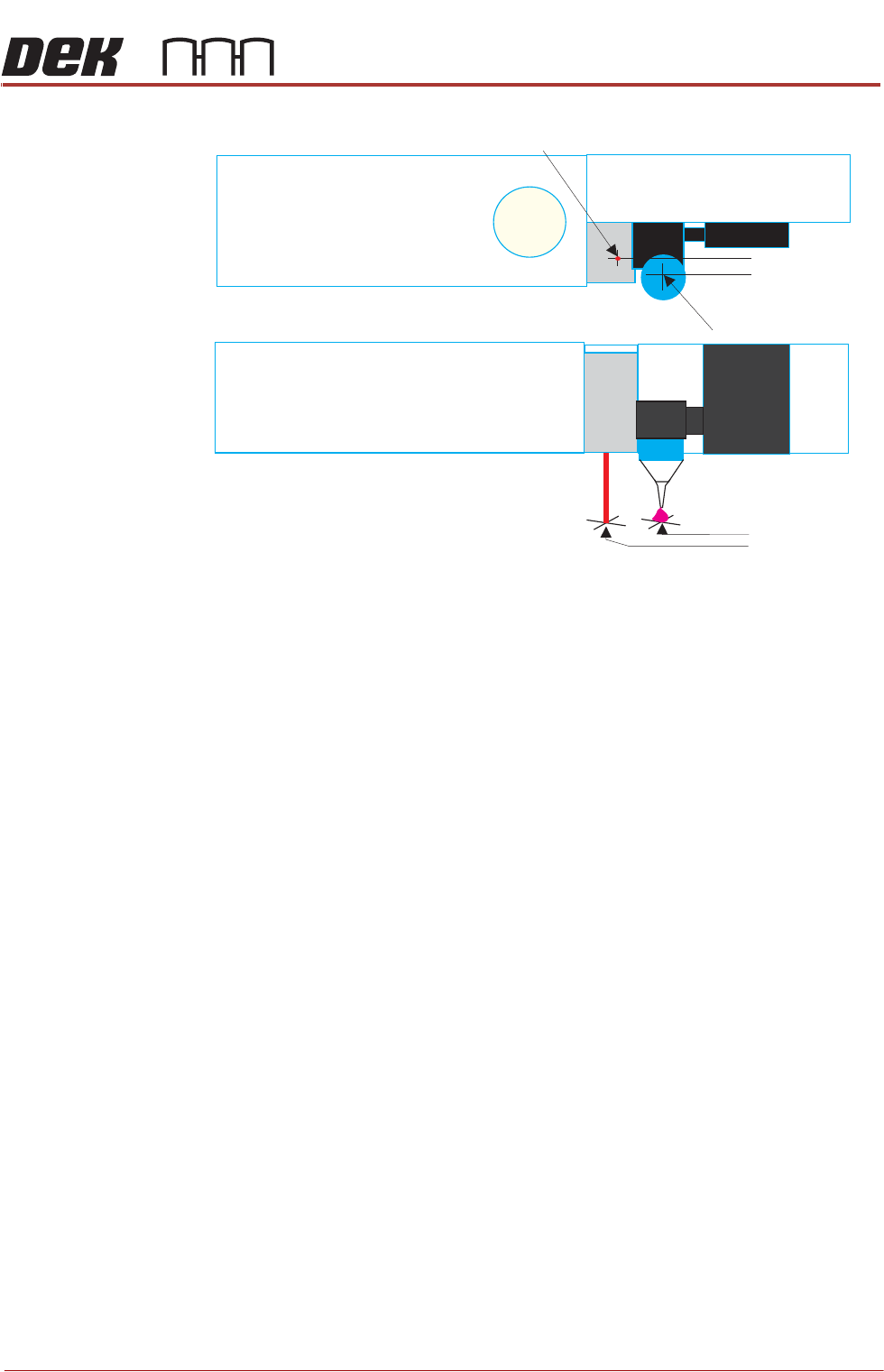
Measure the Laser Offset X and Y between the dispensed dot and the laser
beam position. The object must have the laser beam shining on the dot centre.
Edit the Laser X and Y offsets as required.
26. Select Back.
27. Select Adjust Site, set the dispense mode to its original state.
28. Select Back.
29. Select the following: Fiducials, Global Settings, Alignment Mode and
change to 2 Fiducial.
30. Select Accept.
31. Select Back.
32. Select Save.
33. Select Back.
34. Select Auto Board.
Purge Station
Location
This parameter sets the location at the front of the rising table where the purge
station is placed. At the start or end of a production run, the user may request
a purge. Purging ensures that the flow of adhesive is continuous and homoge-
neous. The purge station contains a pot that collects the purged adhesive; the
purge station can be located on the front left or front right corner of the rising
table.
Laser Centre
Nozzle Centre
Top View
Front View
X Offset
Y Offset
38.42 Technical Reference Manual Chapter Issue 4, Nov 19
STINGER
CALIBRATIONS
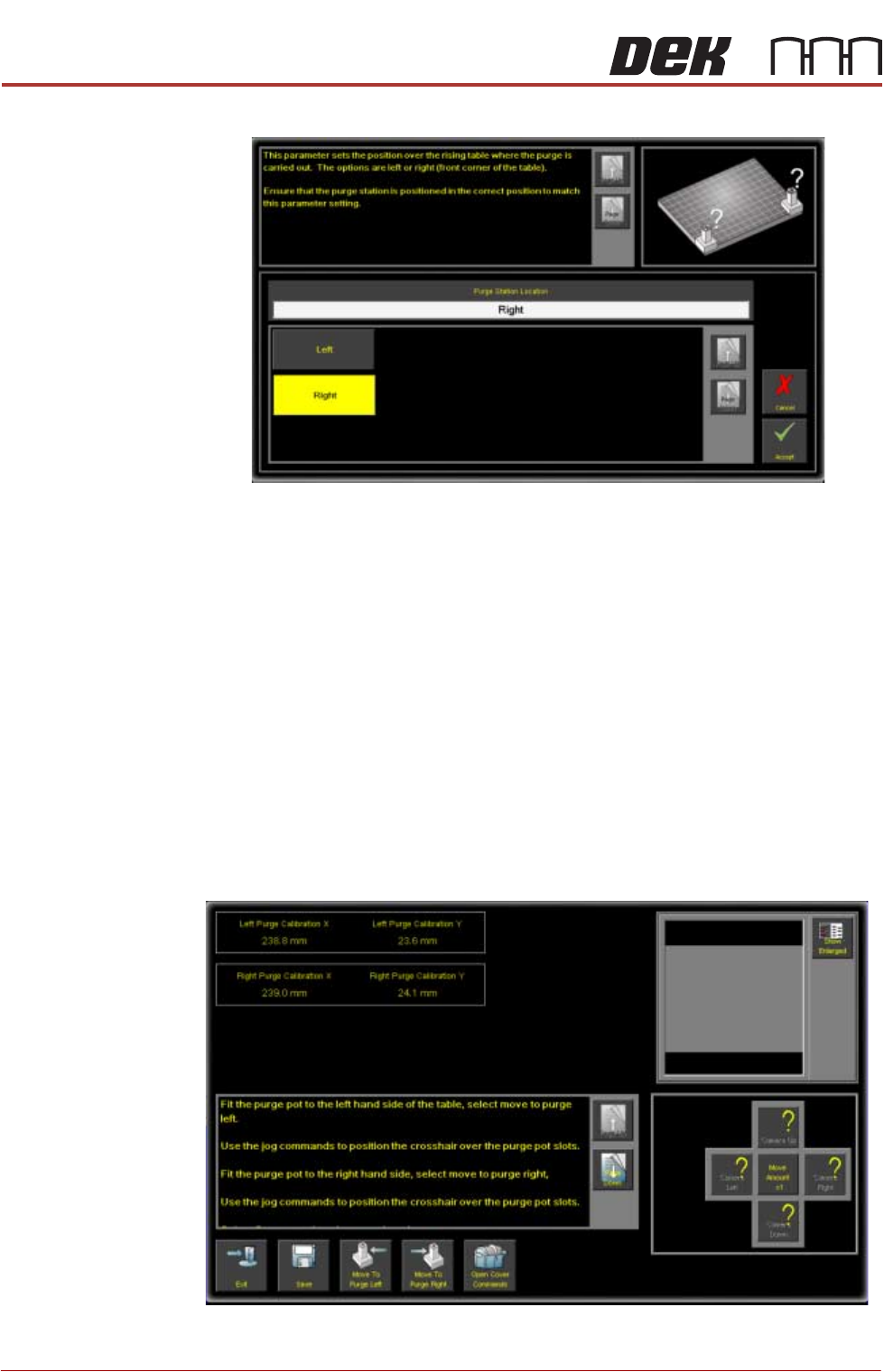
1. To set the location, select Purge Station Location.
2. Select the location where you are going to place the purge station (front Left
or Right).
NOTE
The purge station is not placed at this time. The action above is to set the
location in software.
3. Select Accept.
Calibrate Purge
Station Locations
This parameter allows the precise position of the purge station wiper target to
be programmed. Physically, its mechanical constraints and those of the table
and the transport rails determine the purge station placement. To enable the
nozzle to be precisely placed, in the wiper target, the station is placed correctly
on the rising table front edge. The target location is measured and programmed,
from the centre of the wiper target cross to the centre of the camera reference
dot on the front rail.
1. Select Calibration Purge Pot Locations.
2. Select Open Cover Commands.

STINGER
CALIBRATIONS
Chapter Issue 4, Nov 19 Technical Reference Manual 38.43
NOTE
The purge station must be seated correctly, fully down on the corner of the
rising table, with its barriers snugly fitting the front and side edges of the
table.
3. Follow the on-screen instruction to, in turn, place the purge station in both
the left hand side front and right hand side front locations.
4. With the purge station in the left location; select Move To Purge Left. The
camera moves over the purge station in left hand location; the vision window
displays an alignment crosshair.
5. If required, use the nudge/move buttons to align the crosshair over the purge
pot slots.
6. Select Open Cover Commands.
7. Fit the purge station to the right hand side.
8. Select Move To Purge Right.
9. Align the crosshair over the purge pot slots.
NOTE
Use the Show Enlarged button to enlarge the vision window image for higher
precision.
10. Select Save.
11. Select Exit.
12. Select Back.
13. Select Back.
14. Select Back.