88192277-01-19 - Micron Technical Reference V9 Volume 4.pdf - 第248页
TRANSPORTATION - MAJOR RELOCATION MACHINE ASSEMBLY 42.82 Technical Reference Manual Chapter Issue 5, Nov 19 4. Remove the monitor bracket sh aft cap using a 2mm Allen key . 5. Fit the monitor bracket on to the monitor br…
TRANSPORTATION - MAJOR RELOCATION
MACHINE ASSEMBLY
Chapter Issue 5, Nov 19 Technical Reference Manual 42.81
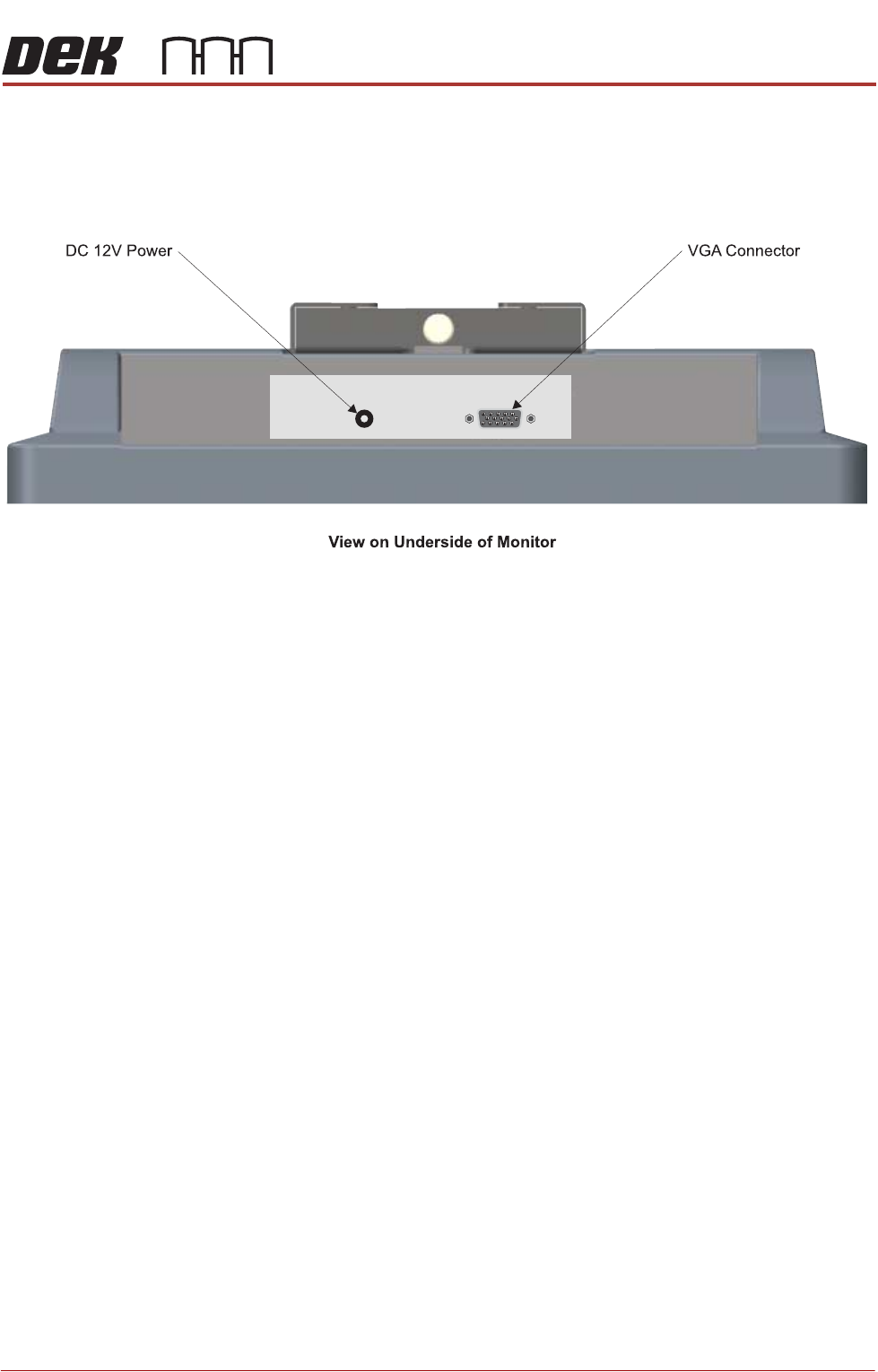
Type 3 Covers 1. Connect the following cables to the monitor:
• Monitor Power Cable (DC)
•VGA Cable
2. Position the monitor centrally on top of the machine.
3. Place the keyboard into the stowage on the inside of the front panel.
4. Locate the free floating USB connector inside the right hand side of the
machine, behind the front panel.
5. Connect the keyboard.
Type 4 Covers The monitor may have been removed for transportation, use the following
procedure to fit the monitor:
1. Remove the front cover.
2. Locate the following cables stowed within the machine:
• Monitor Power Cable
•VGA Cable
• Touchscreen Cable (USB)
• USB Cable - Rear Monitor USB Connector
3. Feed the cables out of the machine.
TRANSPORTATION - MAJOR RELOCATION
MACHINE ASSEMBLY
42.82 Technical Reference Manual Chapter Issue 5, Nov 19
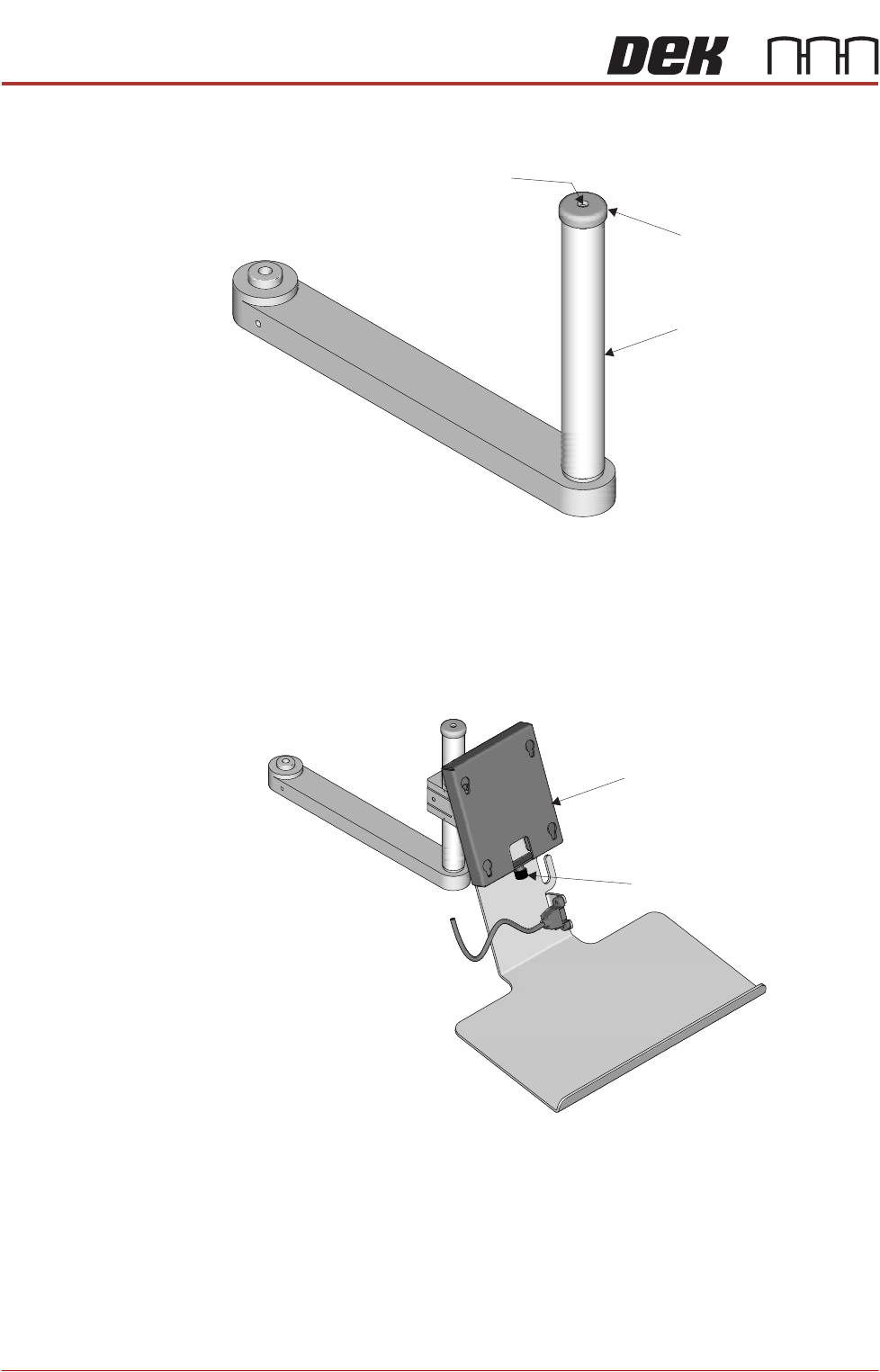
4. Remove the monitor bracket shaft cap using a 2mm Allen key.
5. Fit the monitor bracket on to the monitor bracket shaft and lock the release
catch.
6. Refit the cap.
7. Fit the monitor to the monitor fixing bracket ensuring that all four studs are
located in the keyslots.
8. Secure the monitor using the monitor securing screw.
Securing Screw
Monitor Bracket Shaft
Cap
Monitor Fixing Bracket
Monitor Securing Screw
TRANSPORTATION - MAJOR RELOCATION
MACHINE ASSEMBLY
Chapter Issue 5, Nov 19 Technical Reference Manual 42.83
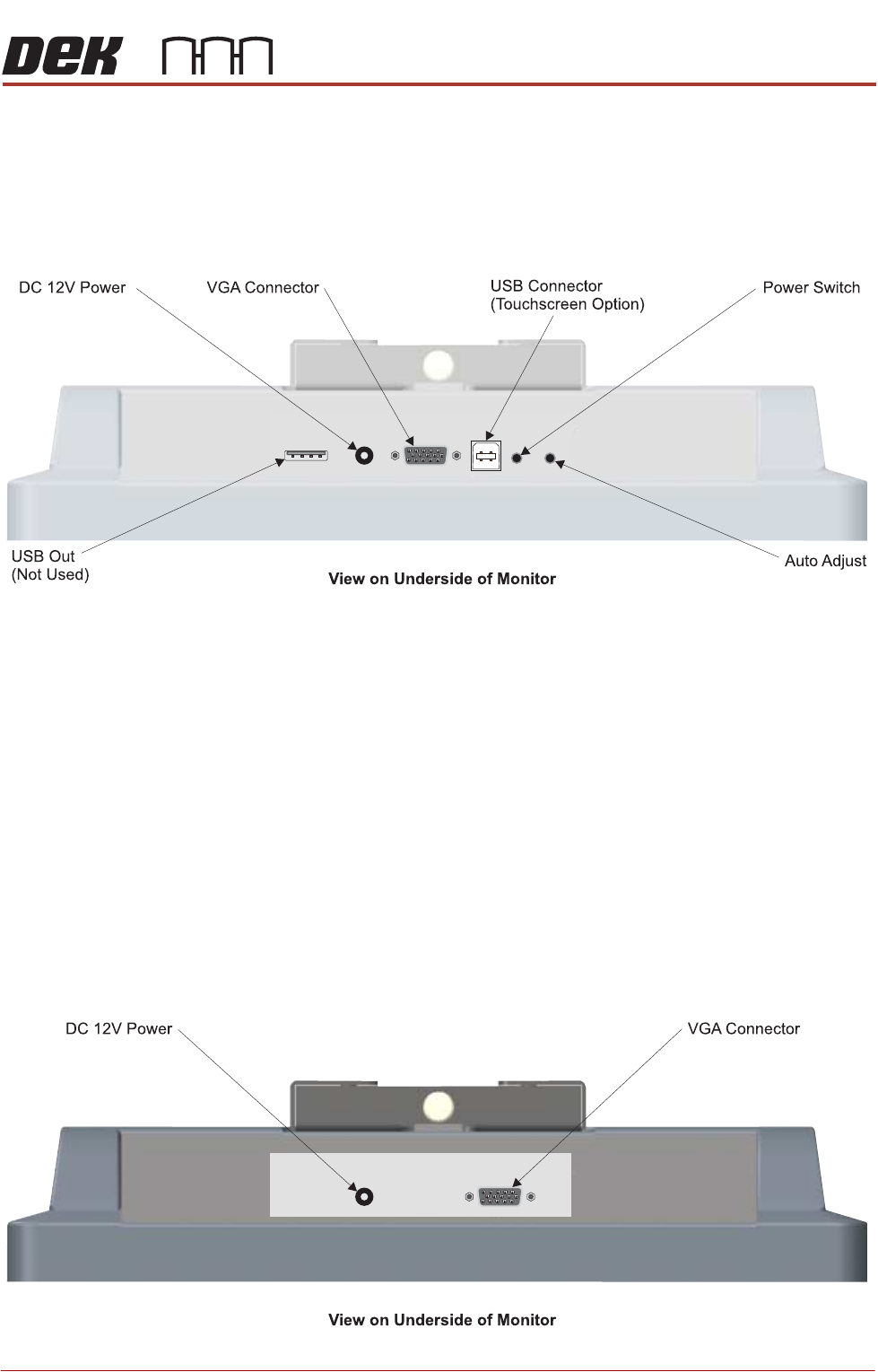
9. Connect the following cables to the monitor:
• Monitor Power Cable (DC)
•VGA Cable
• Touchscreen Cable (USB)
10. Fit the remaining USB cable to the rear monitor USB connector.
11. Place the keyboard on the bracket and feed the cable inside the machine.
12. Locate the free floating USB connector inside the right hand side of the
machine, behind the front panel.
13. Connect the keyboard.
14. Refit the front cover.
Type 5 Covers The monitor may have been removed for transportation, use the following
procedure to fit the monitor:
1. Remove the front panel.
2. Locate the following cables stowed within the machine:
• Monitor Power Cable
•VGA Cable
3. Feed the cables outside the machine.