88192277-01-19 - Micron Technical Reference V9 Volume 4.pdf - 第185页
TRANSPORTATION - MAJOR RELOCATION DISMANTLING THE MACHINE Chapter Issue 5, Nov 19 Technical Reference Manual 42.19 Man Machine Interface (MMI) T ype 1 Covers 1. Remove the following connections on the rear of th e monito…
TRANSPORTATION - MAJOR RELOCATION
DISMANTLING THE MACHINE
42.18 Technical Reference Manual Chapter Issue 5, Nov 19
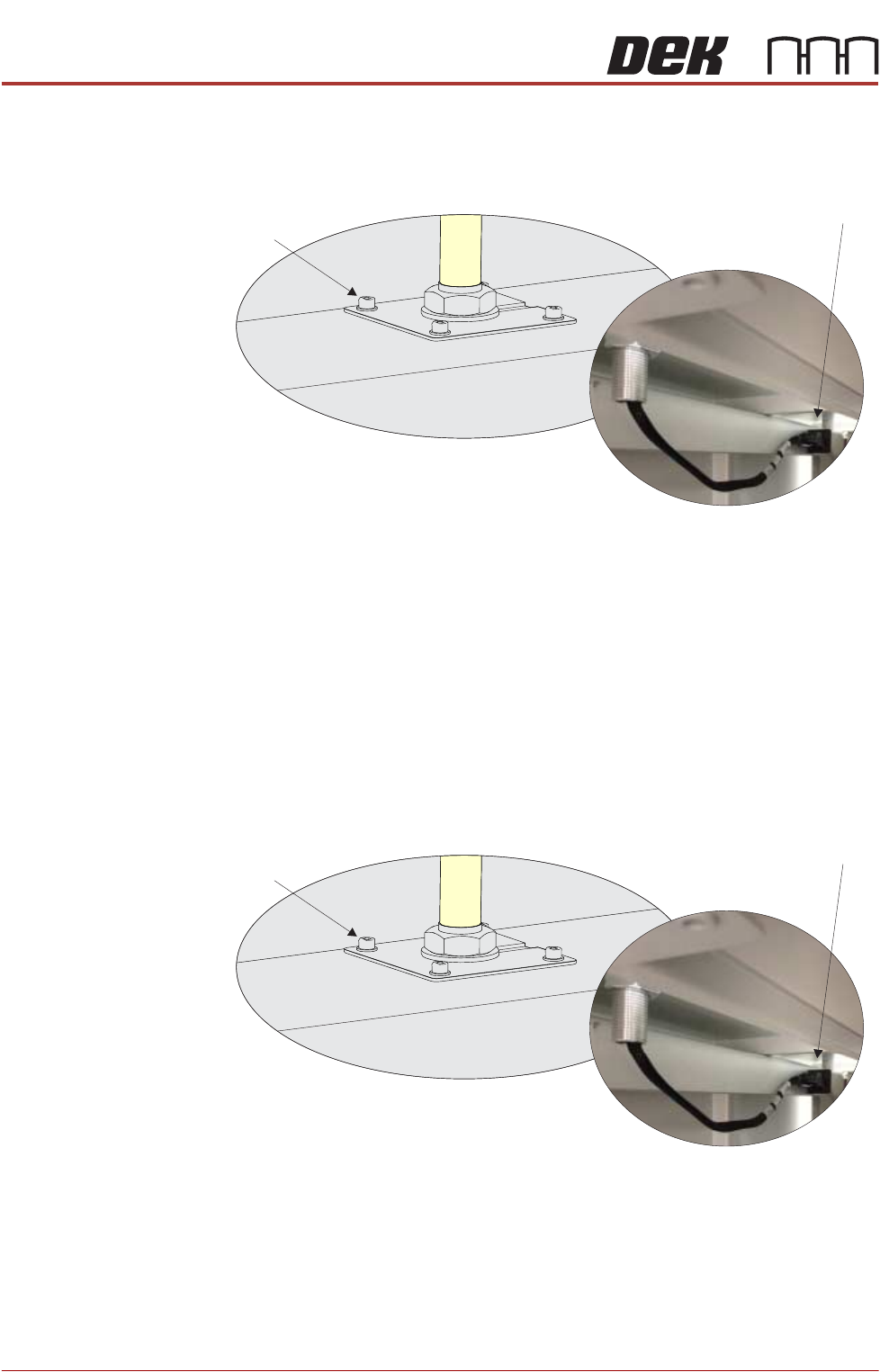
Type 4 Covers 1. Remove the Rear Right Hand Corner Panel to reveal socket 14SK07.
2. Disconnect the Tricolour beacon connection 14PL07 from 14SK07.
3. Using a 3mm Allen key, remove the beacon bracket securing screws from
the machine cover.
4. Remove the Tricolour beacon assembly from the machine feeding connec-
tion 14PL07 up through the hole in the cover with any surplus cable.
5. Refit the four beacon bracket securing screws.
6. Refit the Rear Right Hand Corner Panel.
Type 5 Covers 1. Remove the Rear Upper Panel to reveal socket 14SK07.
2. Disconnect the tricolour beacon connection 14PL07 from 14SK07.
3. Using a 3mm Allen key, remove the beacon bracket securing screws from
the machine cover.
4. Remove the Tricolour beacon assembly from the machine feeding connec-
tion 14PL07 up through the hole in the cover with any surplus cable.
5. Refit the four beacon bracket securing screws.
6. Refit the Rear Upper Panel.
Beacon Bracket
Securing Screws
(in 4 positions)
View on Right Hand Side of the Machine
View on Underside of Beacon Bracket
Beacon Connector
()14SK07
Beacon Bracket
Securing Screws
(in 4 positions)
View on Right Hand Side of the Machine
View on Underside of Beacon Bracket
Beacon Connector
()14SK07
TRANSPORTATION - MAJOR RELOCATION
DISMANTLING THE MACHINE
Chapter Issue 5, Nov 19 Technical Reference Manual 42.19
Man Machine
Interface (MMI)
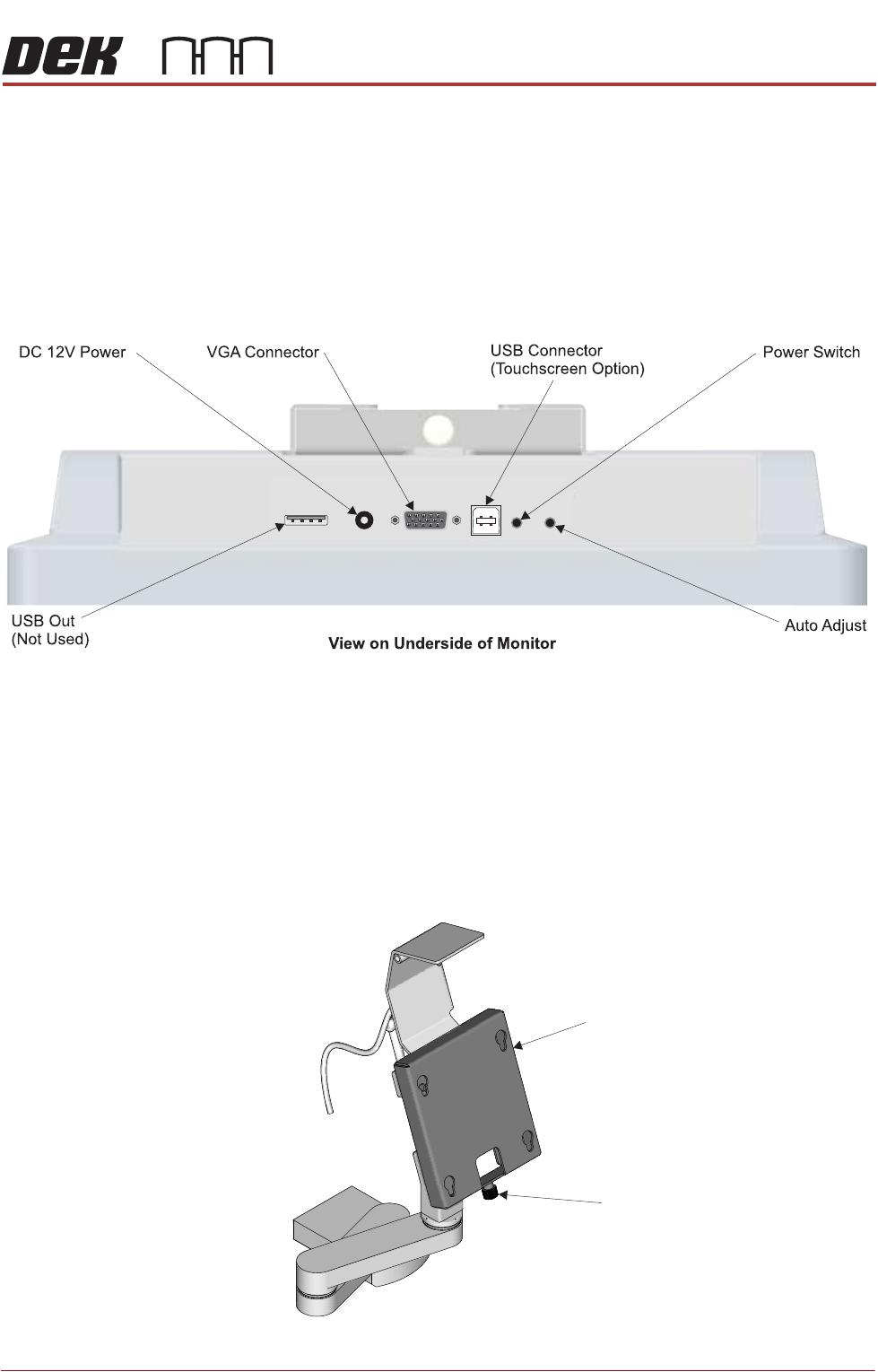
Type 1 Covers 1. Remove the following connections on the rear of the monitor:
• Monitor Power Cable (DC)
•VGA Cable
• Touchscreen Cable (USB)
2. Disconnect the Rear Monitor USB Connection (free floating connector
behind the monitor).
3. Remove the front cover.
4. Locate the free floating USB connector inside the machine that the keyboard
connects to.
5. Disconnect the keyboard unit from the USB connector and feed the cable
outside the machine.
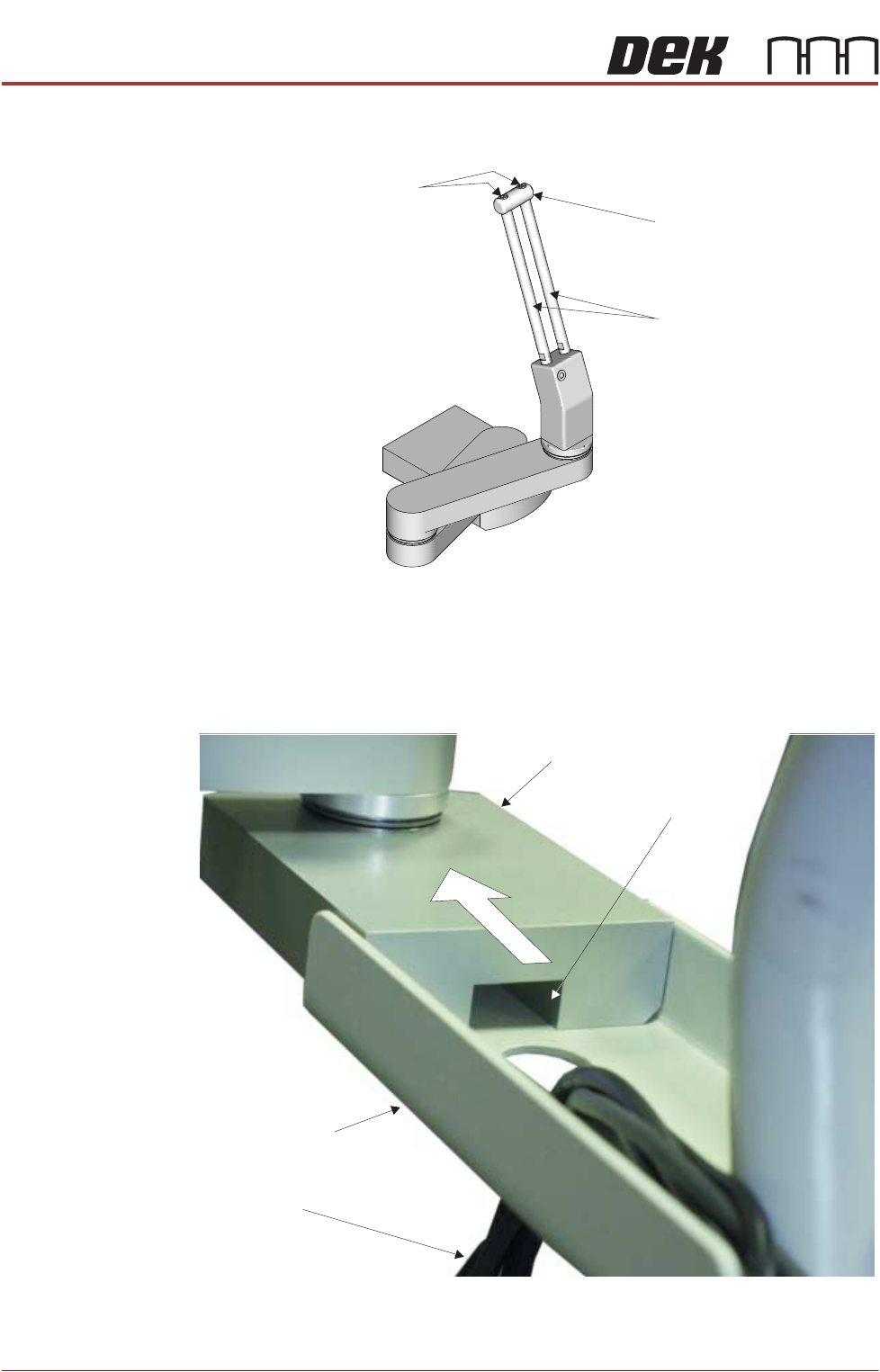
6. Unscrew the monitor securing screw and lift the monitor upwards to remove
it from the monitor fixing bracket (monitor shown removed for clarity).
Monitor Fixing Bracket
Monitor Securing Screw
TRANSPORTATION - MAJOR RELOCATION
DISMANTLING THE MACHINE
42.20 Technical Reference Manual Chapter Issue 5, Nov 19
7. Using a 2.5mm Allen key, remove the end block from the top of the
adjustment bars (bracket shown removed for clarity).
8. Loosen the locking thumbscrew and slide the monitor bracket upwards and
off the adjustment bars.
9. Refit the end block.
10. Unscrew the 3 screws from below the monitor bracket and slide the monitor
arm off the bracket.
NOTE
Ensure that the keyboard cable is fed downwards through the hole in the
monitor support arm bracket.
Securing Screws
End Block
Adjustment Bars
Monitor Support Arm
MMI Cable Channel
MMI Cables
Monitor Support
Arm Bracket