88192277-01-19 - Micron Technical Reference V9 Volume 4.pdf - 第193页
TRANSPORTATION - MAJOR RELOCATION DISMANTLING THE MACHINE Chapter Issue 5, Nov 19 Technical Reference Manual 42.27 4. Unscrew the monitor securing scre ws and remove the monitor from the monitor b racket. 5. Unscrew the …
TRANSPORTATION - MAJOR RELOCATION
DISMANTLING THE MACHINE
42.26 Technical Reference Manual Chapter Issue 5, Nov 19
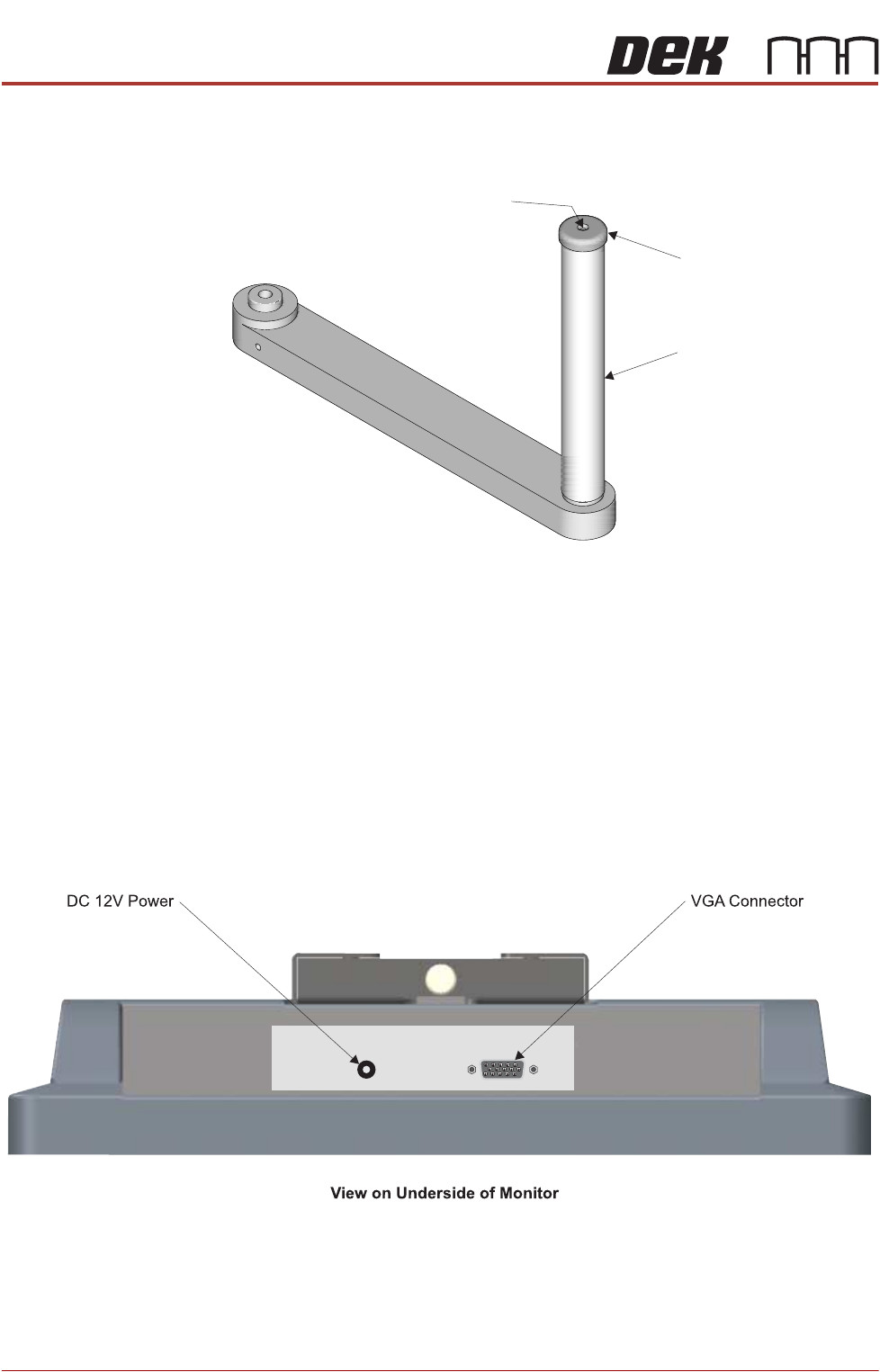
8. Remove the monitor bracket shaft cap using a 2mm Allen key (bracket
shown removed for clarity).
9. Unlock the release catch and slide the monitor bracket upwards and off the
monitor bracket shaft.
10. Refit the cap.
11. Feed the cables into the machine and tie up securely.
12. Refit the front cover.
Type 5 Covers 1. Remove the following connections on the rear of the monitor:
• Monitor Power Cable (DC)
•VGA Cable
2. Disconnect the Keyboard connector from the USB extension port and feed
the cable outside the machine.
3. Remove the keyboard.
Securing Screw
Monitor Bracket Shaft
Cap
TRANSPORTATION - MAJOR RELOCATION
DISMANTLING THE MACHINE
Chapter Issue 5, Nov 19 Technical Reference Manual 42.27
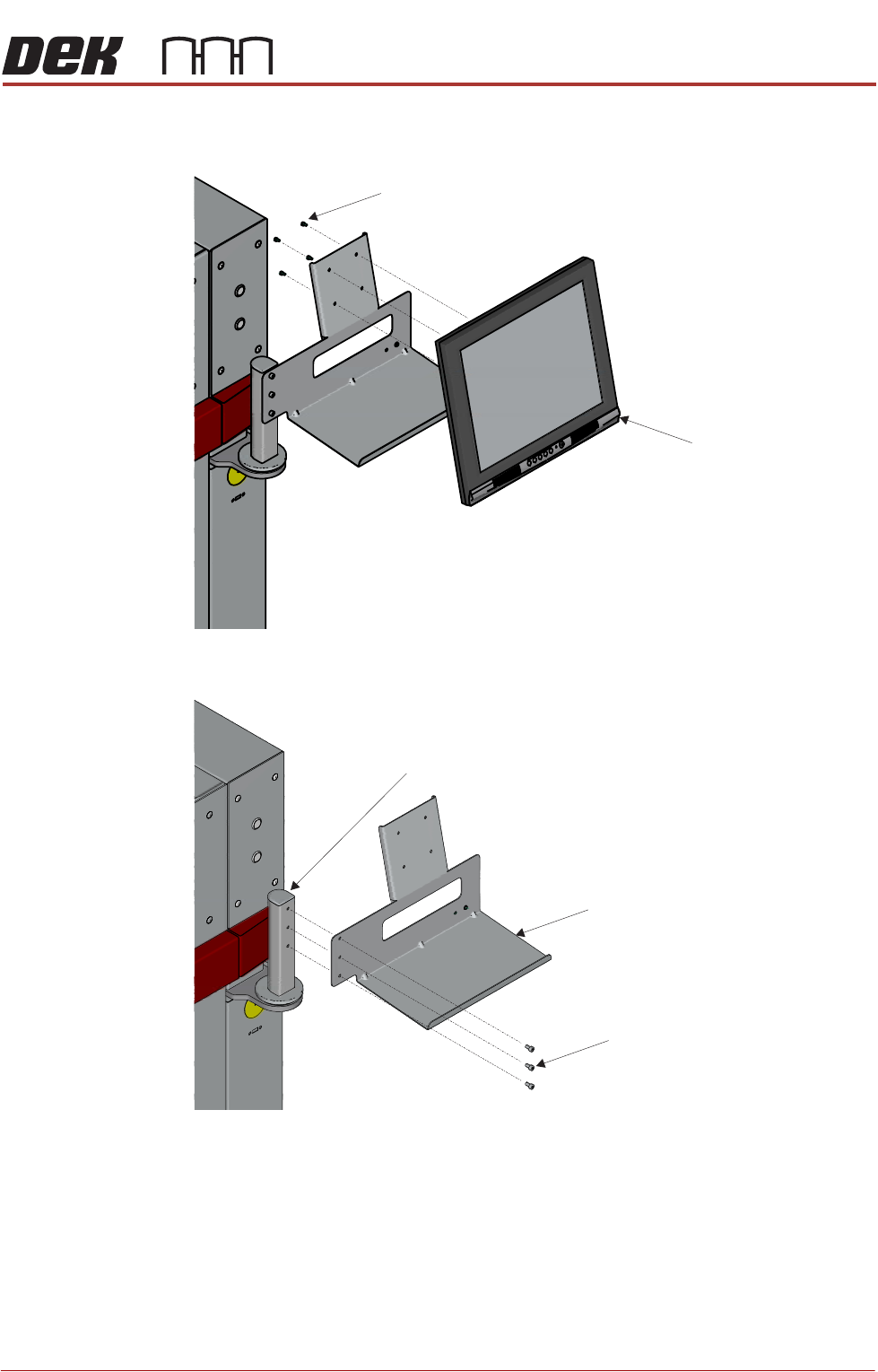
4. Unscrew the monitor securing screws and remove the monitor from the
monitor bracket.
5. Unscrew the Monitor Bracket securing screws and remove the monitor
bracket from the Monitor Bracket Shaft.
6. Feed the cables into the machine and tie up securely.
7. Refit the front cover.
Monitor
Securing screws
Monitor Bracket
Monitor Bracket Shaft
Securing screws
TRANSPORTATION - MAJOR RELOCATION
DISMANTLING THE MACHINE
42.28 Technical Reference Manual Chapter Issue 5, Nov 19
High Throughput
Conveyors (HTC)
The high throughput conveyors (HTC) auxiliary conveyors must be removed
prior to transportation.
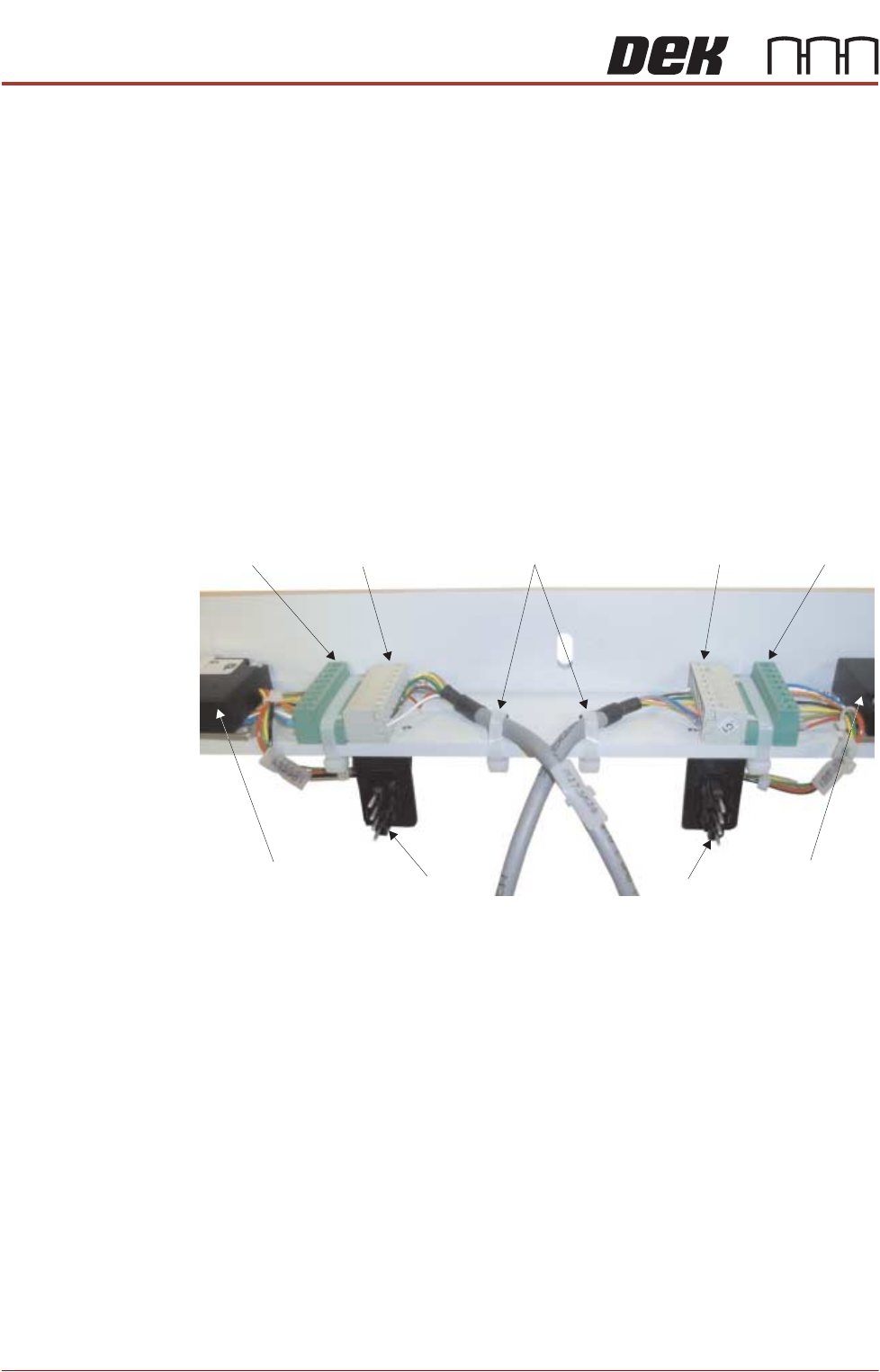
1. Disconnect the following from the right hand auxiliary conveyor:
• M27PL17 from M27SK17 on the rear rail
• M27PL16 from M27SK16 on the front rail
• M27PL14 from M27SK14 on the front rail and unclip M27SK14 from its
bracket
• Electrical connection from M27SOL01 (pneumatic solenoid) on the front
rail
• Electrical connection from M27SOL03 (pneumatic solenoid) on the front
rail
• Pneumatic feed from the input connector of M27SOL03
• 8SK21 from 8PL21 and 8SK23 from 8PL23 of the belt speed motor
controllers
• M27SK24 from M27PL24 and M27SK25 from M27PL25 of the belt speed
motor controllers. Cut the two cable ties.
NOTE
Some cable ties need cutting to separate cables that are attached to the
auxiliary rail and those that stay in the machine.
M27PL24 M27SK24 M27SK25 M27PL25
8PL21 8PL23
Front Belt Speed
Motor Controller
Rear Belt Speed
Motor Controller
Cable Ties
View on Underside of Right Hand Auxiliary Conveyor Mounting Bracket