88192277-01-19 - Micron Technical Reference V9 Volume 4.pdf - 第239页
TRANSPORTATION - MAJOR RELOCATION MACHINE ASSEMBLY Chapter Issue 5, Nov 19 Technical Reference Manual 42.73 3. Connect the tricolour beacon connection 14 PL07 to 14SK07 and feed down through the hole in the cover with an…
TRANSPORTATION - MAJOR RELOCATION
MACHINE ASSEMBLY
42.72 Technical Reference Manual Chapter Issue 5, Nov 19
Type 2 Covers 1. Fit the tricolour beacon to the beacon bracket ensuring that the cable is not
trapped between the beacon and the cover frame.
2. Connect the tricolour beacon connection 14PL07 to 14SK07.
3. Cable tie the loose cable to the cover frame.
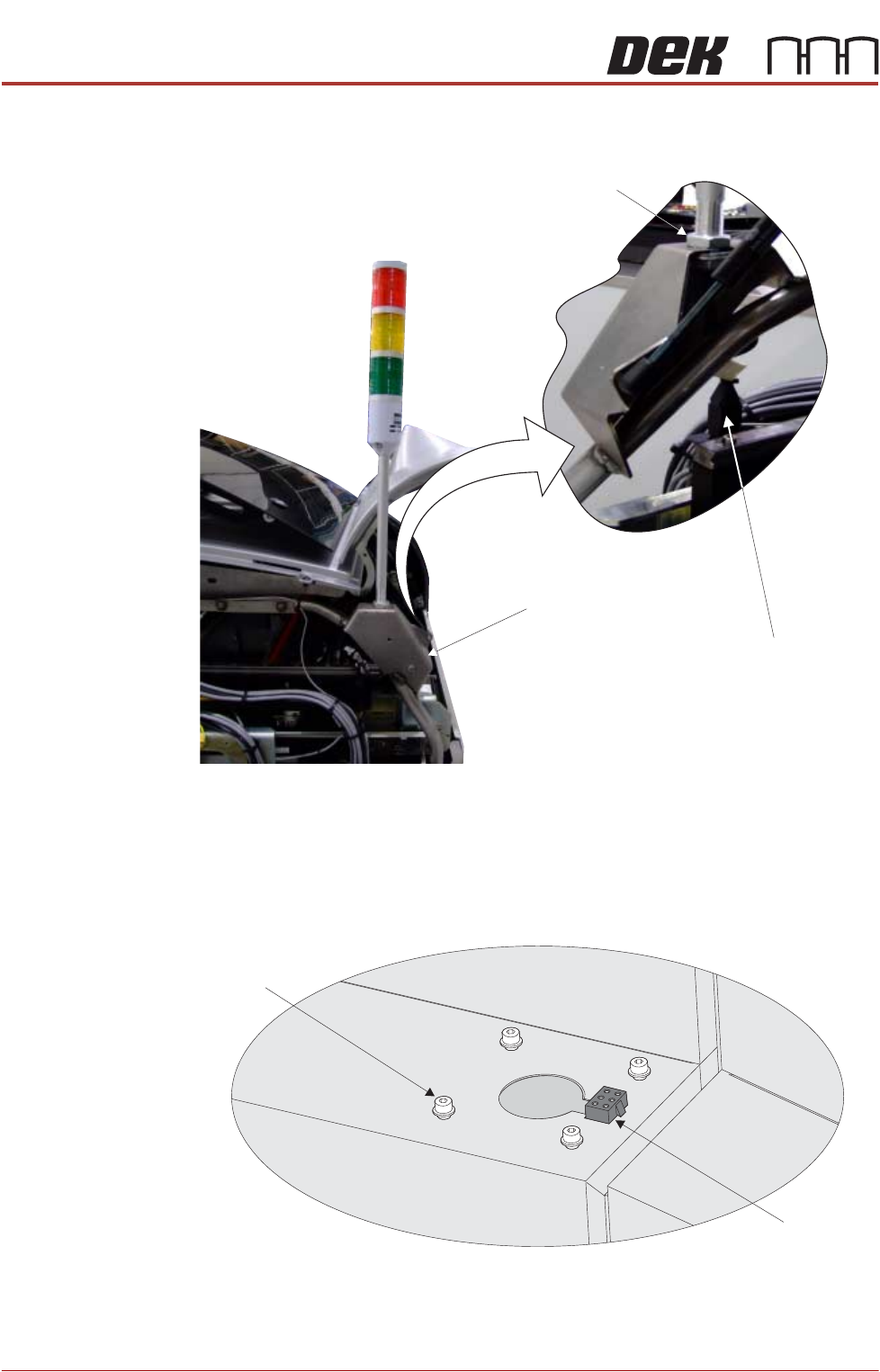
Type 3 Covers 1. Using a 3mm Allen key, remove the beacon bracket securing screws from
the machine cover.
2. Maintaining hold of the socket 14SK07 (to prevent the socket from falling
into the machine through the hole), lift the socket from its location.
View on Rear of Printer
Beacon Connection
Beacon Bracket
Beacon Locking Nut
Beacon Bracket
Securing Screws
(in 4 positions)
Beacon Connector
(14SK07)
View on Right Hand Side of the Machine
TRANSPORTATION - MAJOR RELOCATION
MACHINE ASSEMBLY
Chapter Issue 5, Nov 19 Technical Reference Manual 42.73
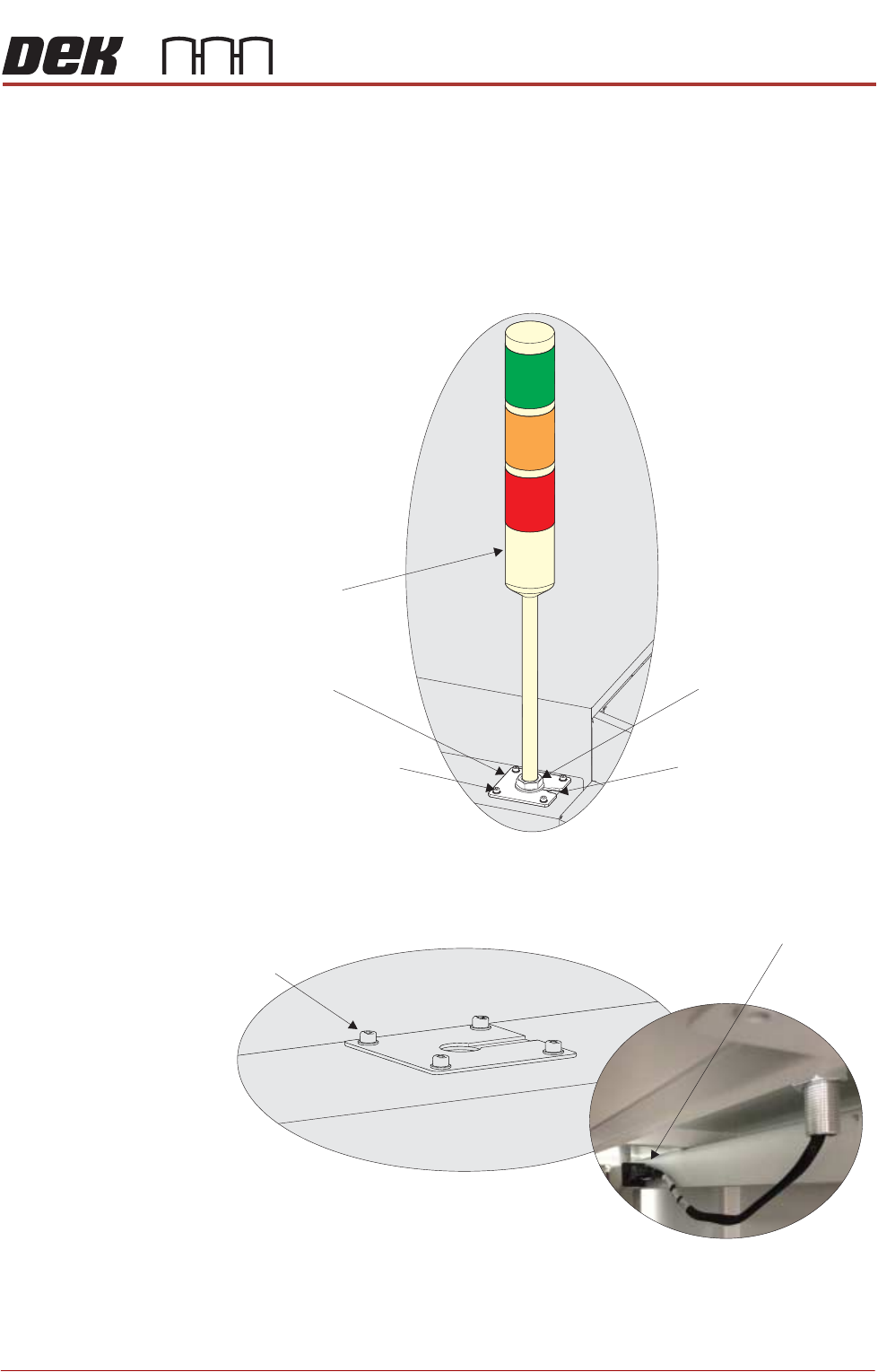
3. Connect the tricolour beacon connection 14PL07 to 14SK07 and feed down
through the hole in the cover with any surplus cable.
4. Before fitting the beacon, locate the two MMI cables secured in the machine
and feed them out through the hole, ready for the monitor.
5. Fit the beacon bracket to the machine cover using the four beacon bracket
securing screws ensuring that any cables are not trapped between the
beacon bracket and the cover.
Type 4 Covers 1. Using a 3mm Allen key, remove the beacon bracket securing screws from
the machine cover.
2. Remove the Rear Corner Panel to reveal socket 14SK07.
3. Feed the tricolour beacon connection 14PL07 down through the hole in the
Beacon Bracket
Tricolour Beacon
Beacon Securing Nut
Beacon Bracket Cut-Out
Beacon Bracket Securing
Screws (in 4 positions)
Beacon Bracket
Securing Screws
(in 4 positions)
View on Underside of Beacon Bracket
Beacon Connector
()14SK07
View on Right Hand Side of the Machine
TRANSPORTATION - MAJOR RELOCATION
MACHINE ASSEMBLY
42.74 Technical Reference Manual Chapter Issue 5, Nov 19
cover with any surplus cable.
4. Connect the tricolour beacon connection 14PL07 to 14SK07.
5. Fit the beacon bracket to the machine cover using the four beacon bracket
securing screws ensuring that any cables are not trapped between the
beacon bracket and the cover.
6. Secure the Rear Corner Panel into position.
Type 5 Covers 1. Using a 3mm Allen key, remove the beacon bracket securing screws from
the machine cover.
2. Remove the Rear Upper Panel to reveal socket 14SK07.
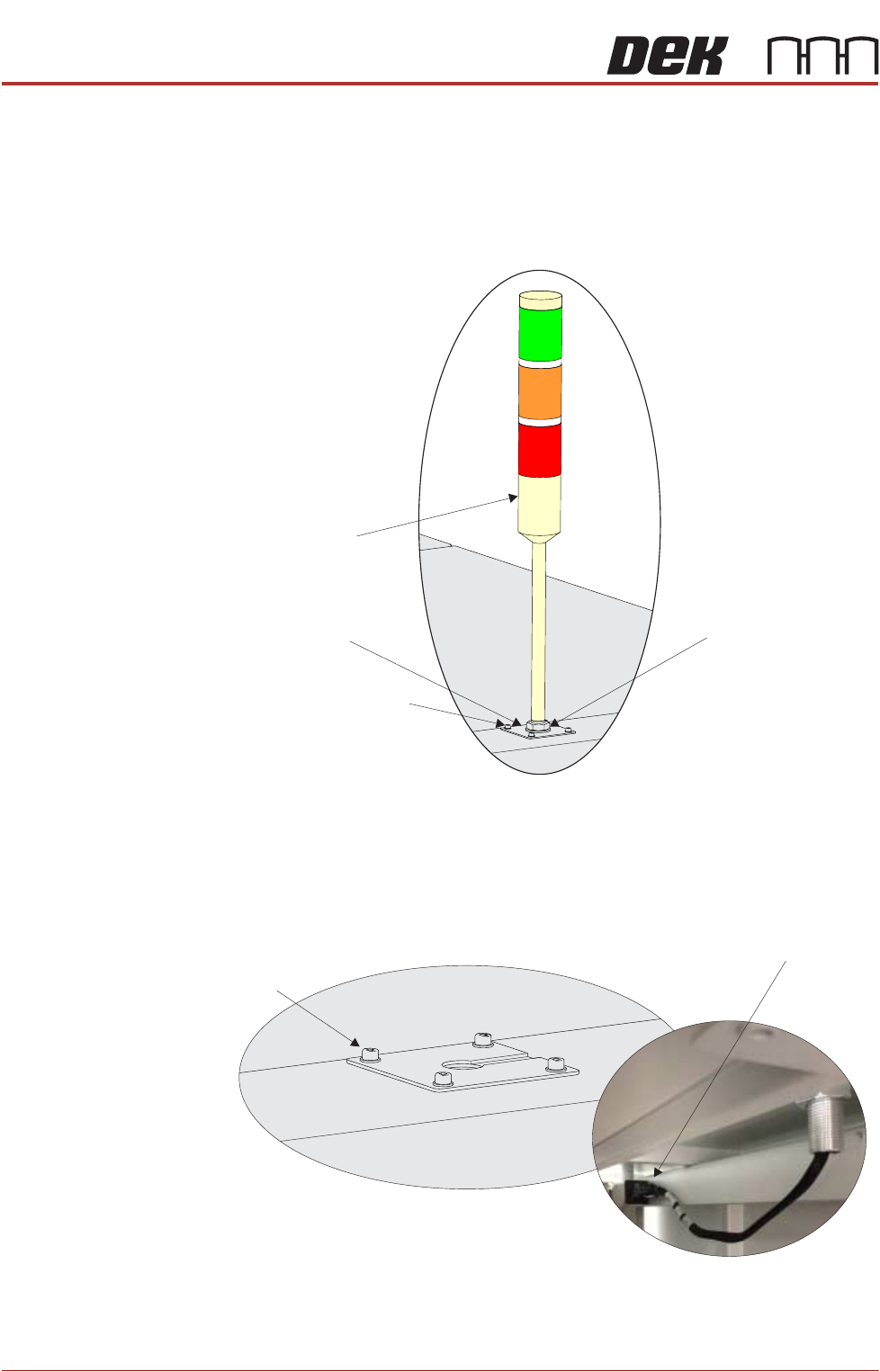
Tricolour Beacon
Beacon Securing Nut
Beacon Bracket Securing
Screws (in 4 positions)
Beacon Bracket
Beacon Bracket
Securing Screws
(in 4 positions)
View on Underside of Beacon Bracket
Beacon Connector
()14SK07
View on Right Hand Side of the Machine