88192277-01-19 - Micron Technical Reference V9 Volume 4.pdf - 第287页
TRANSPORTATION - POWER UP MACHINE POWER UP SEQU ENCE Chapter Issue 3, Nov 19 Technical Reference Manual 43.13 6. Using the drop down box, select th e appropriate time zone. 7. Select X (close) . 8. Select Start on the ta…
TRANSPORTATION - POWER UP
MACHINE POWER UP SEQUENCE
43.12 Technical Reference Manual Chapter Issue 3, Nov 19
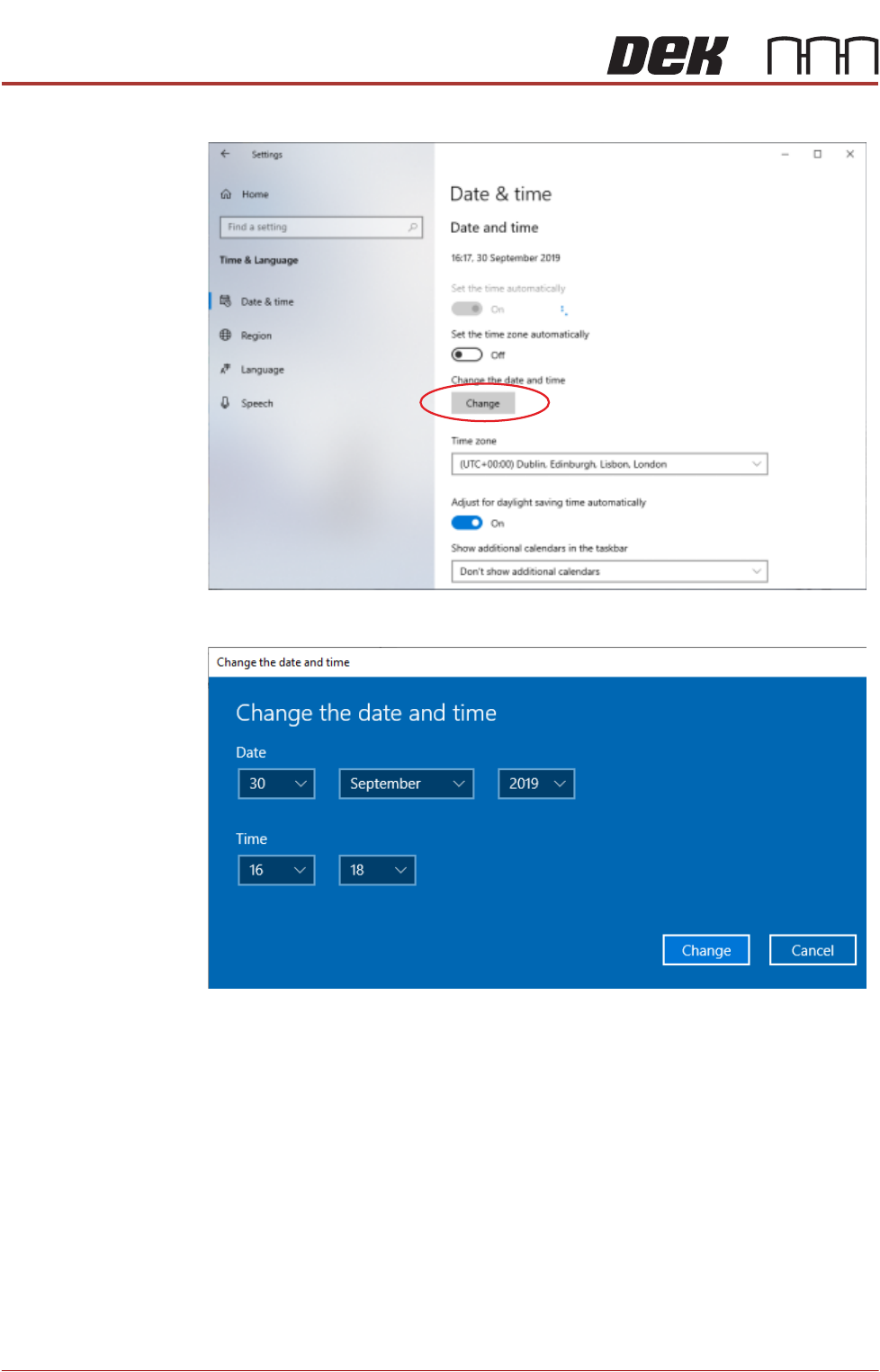
3. Select Change.
4. Set the correct date and time using the drop down arrows.
5. Select Change.
TRANSPORTATION - POWER UP
MACHINE POWER UP SEQUENCE
Chapter Issue 3, Nov 19 Technical Reference Manual 43.13
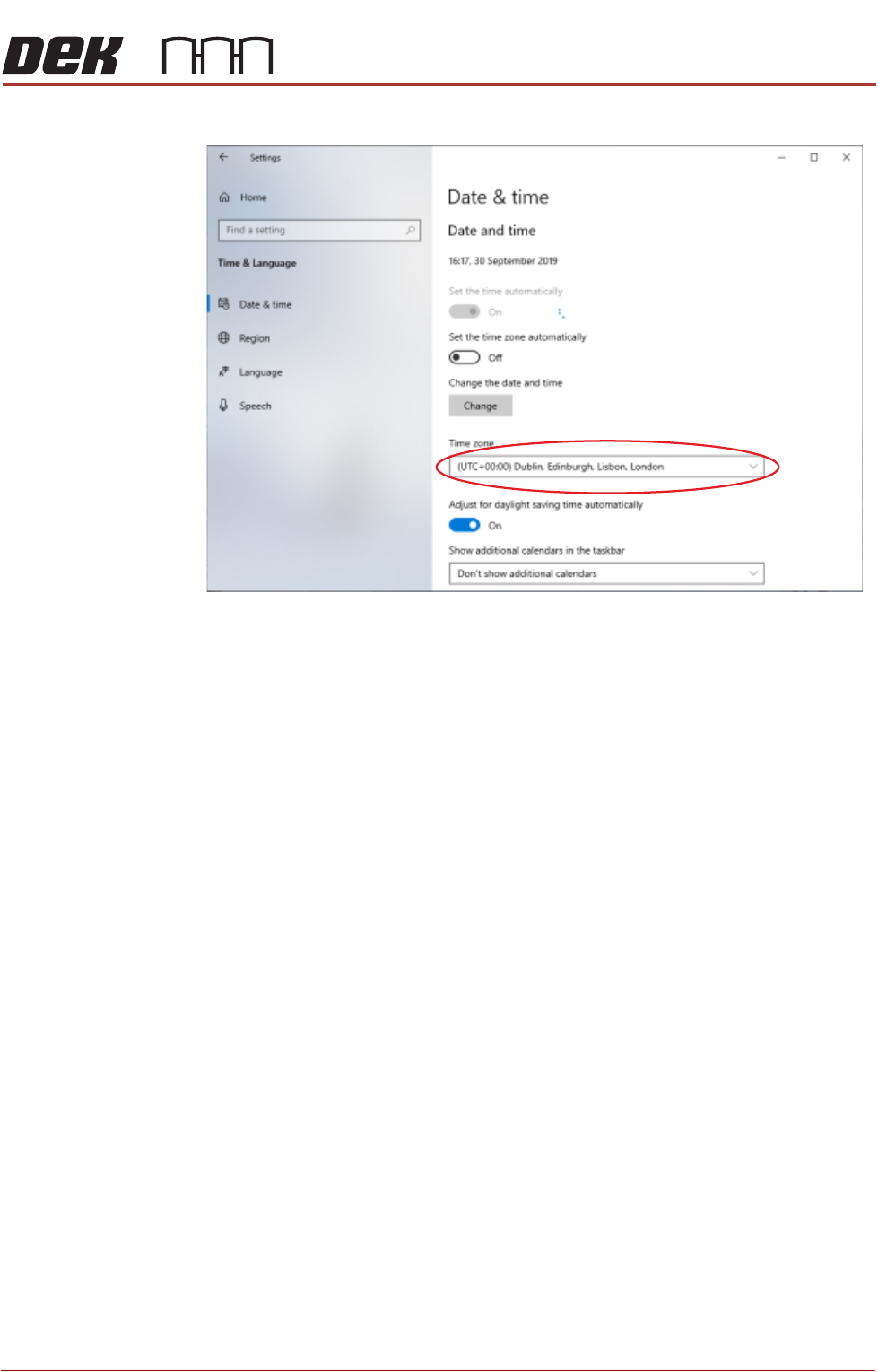
6. Using the drop down box, select the appropriate time zone.
7. Select X (close).
8. Select Start on the taskbar.
NOTE
Return the Windows login to the Operator account.
9. Select DEK Printer Software.
10. Press the System button.
E Stop Loop
Operation
Carry out the following procedure for E Stop loop operation check:
1. Press the E Stop button. The Restore Power window is displayed.
2. Reset the E Stop by turning the E Stop button clockwise until it unlatches.
3. Press the System button when prompted.
4. Open the front printhead cover. The Machine Operation Suspended -
Cover Open window is displayed.
5. Close the front printhead cover and press the System button when
prompted.
Fitting the
Handheld Barcode
Reader
1. Select Shut Down and switch the mains isolator to OFF.
TRANSPORTATION - POWER UP
MACHINE POWER UP SEQUENCE
43.14 Technical Reference Manual Chapter Issue 3, Nov 19
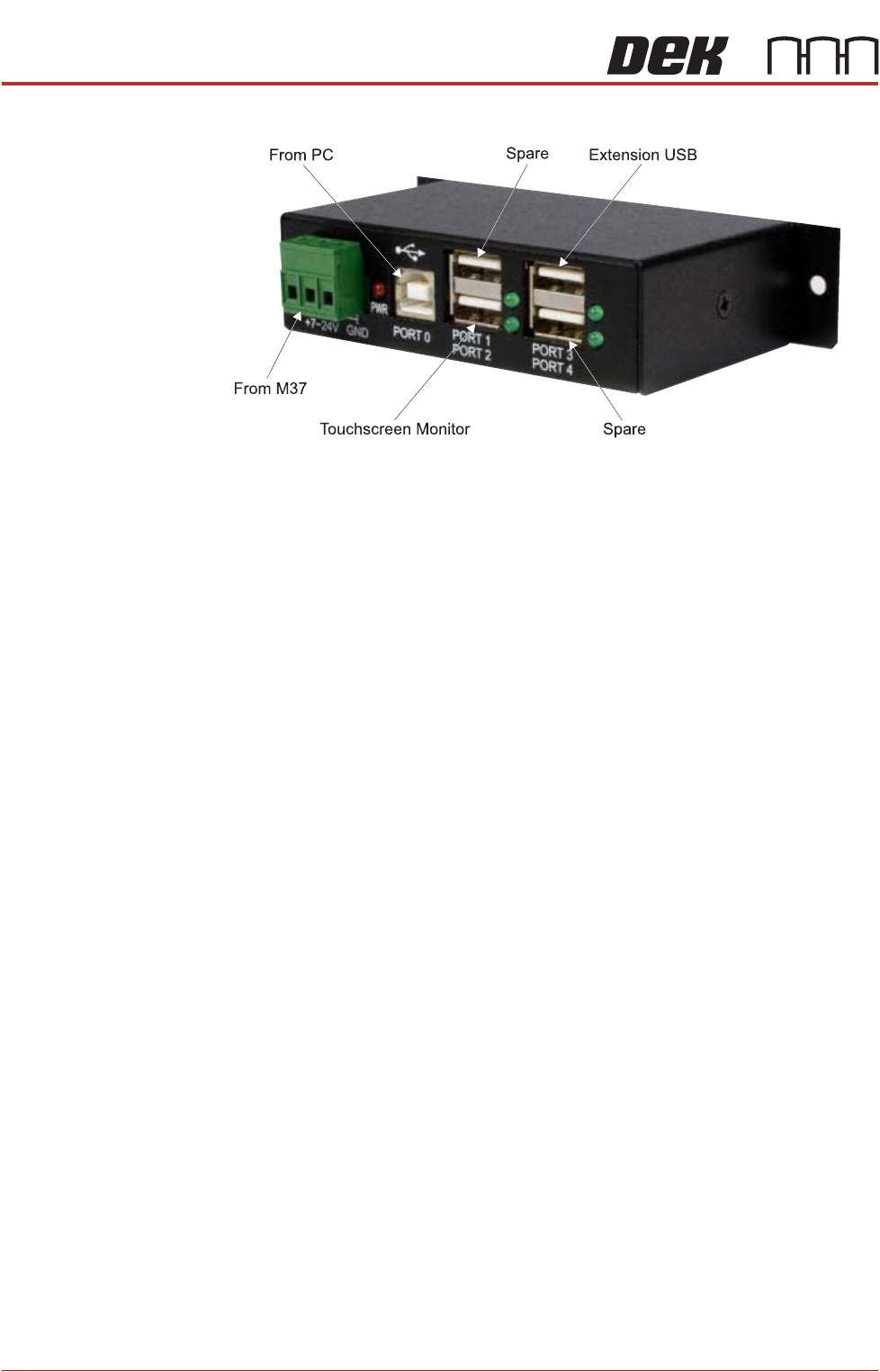
2. Gain access to the 4 port USB hub behind the front panel.
3. Connect the handheld barcode reader to a spare USB port on the hub.
4. Refit the front cover ensuring that the cable is routed between the MMI
monitor bracket and the front cover.
5. Power up the machine.
6. Select Maintenance.
7. Select Machine Setup.
8. Select Barcodes.
9. Select Handheld Barcode HW.
10. Select Fitted.
11. Select Accept.
12. Select Start Character.
13. Set the start character for the barcode (see barcode label below).
14. Select Accept.
15. Select Name Length.
16. Set the name length for the barcode.