88192277-01-19 - Micron Technical Reference V9 Volume 4.pdf - 第76页
38.34 Technical Reference Manual Chapter Issue 4, Nov 19 STINGER CALIBRATIONS Calibrating Stinger Heights (Manual) The height calibrations are a referenc e for all p rogrammed deposits. For non- automatic calibration uni…
STINGER
CALIBRATIONS
Chapter Issue 4, Nov 19 Technical Reference Manual 38.33
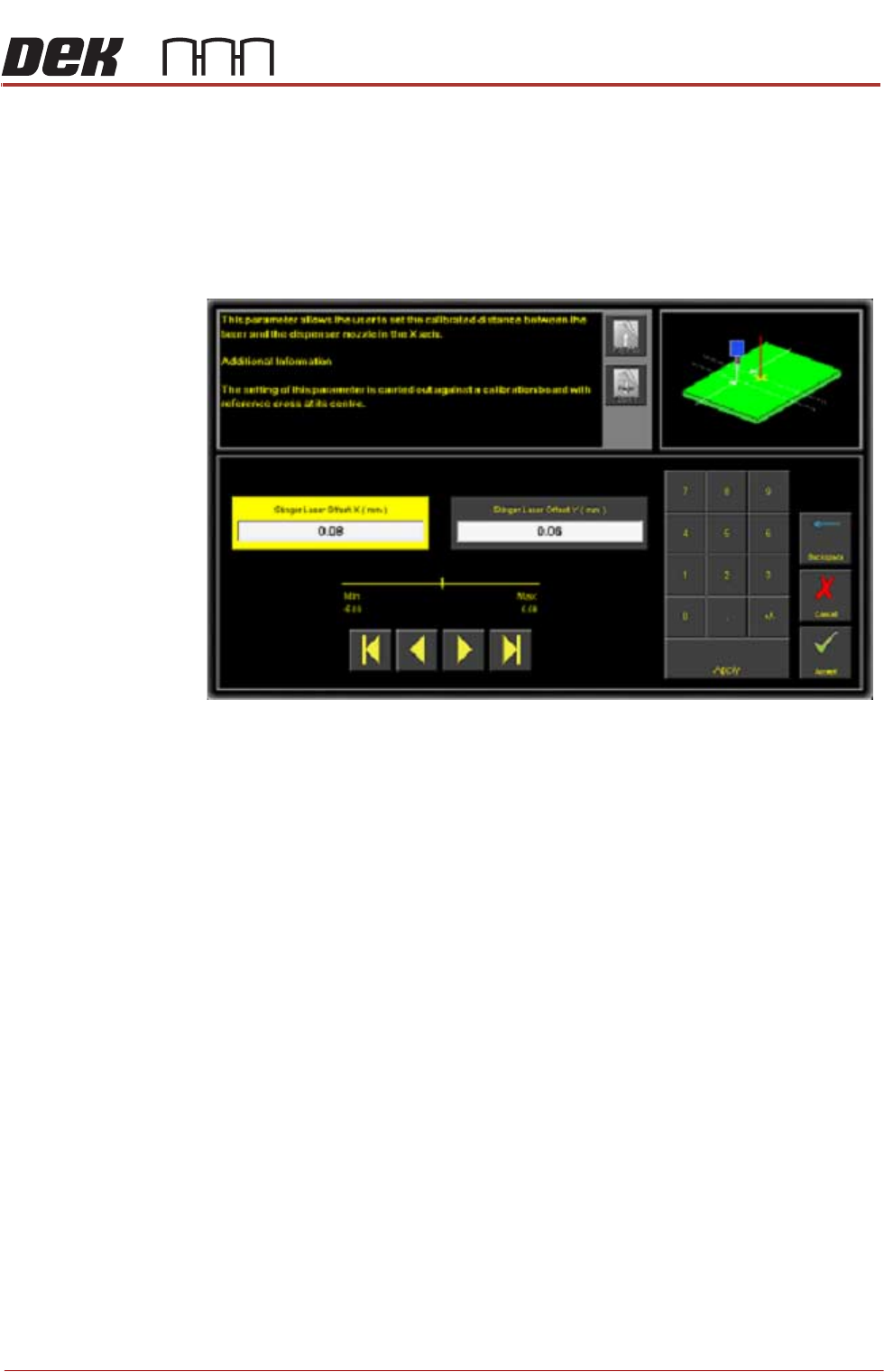
Stinger laser offsets allow the user to set the calibrated distance between the
laser and the dispenser nozzle in the X and Y axes. Before this functionality is
used, the camera reference point must be calibrated. A calibration board, with
a reference cross in its centre, is loaded into the printer. The target location is
measured and programmed from the centre of the wiper target cross, to the
centre of the camera reference dot on the front rail.
1. Select Stinger Laser Offset X (mm).
2. Measure, using a Steel Rule and an Engineers Square and modify the
parameters in the X axis.
3. Select Stinger Laser Offset Y (mm).
4. Measure, using a Steel Rule and an Engineers Square and modify the
parameters in the Y axis.
5. Select Accept.
38.34 Technical Reference Manual Chapter Issue 4, Nov 19
STINGER
CALIBRATIONS
Calibrating Stinger
Heights (Manual)
The height calibrations are a reference for all programmed deposits. For non-
automatic calibration units, two heights are set: Contact Height and Idle Height.
Idle height tracks the contact height automatically; as determined by the idle
height parameter.
The Z-Axis contact position, for any product, must be within (+/-1mm left
screen above and +/-1.5mm right screen above) of the calibrated contact
position. If the contact position cannot be guaranteed to be within these limits,
there is a likelihood that a variation in dot size may occur and deposit quality
degraded. An error page is displayed.
STINGER
CALIBRATIONS
Chapter Issue 4, Nov 19 Technical Reference Manual 38.35
Setting Contact
Height (Manual)
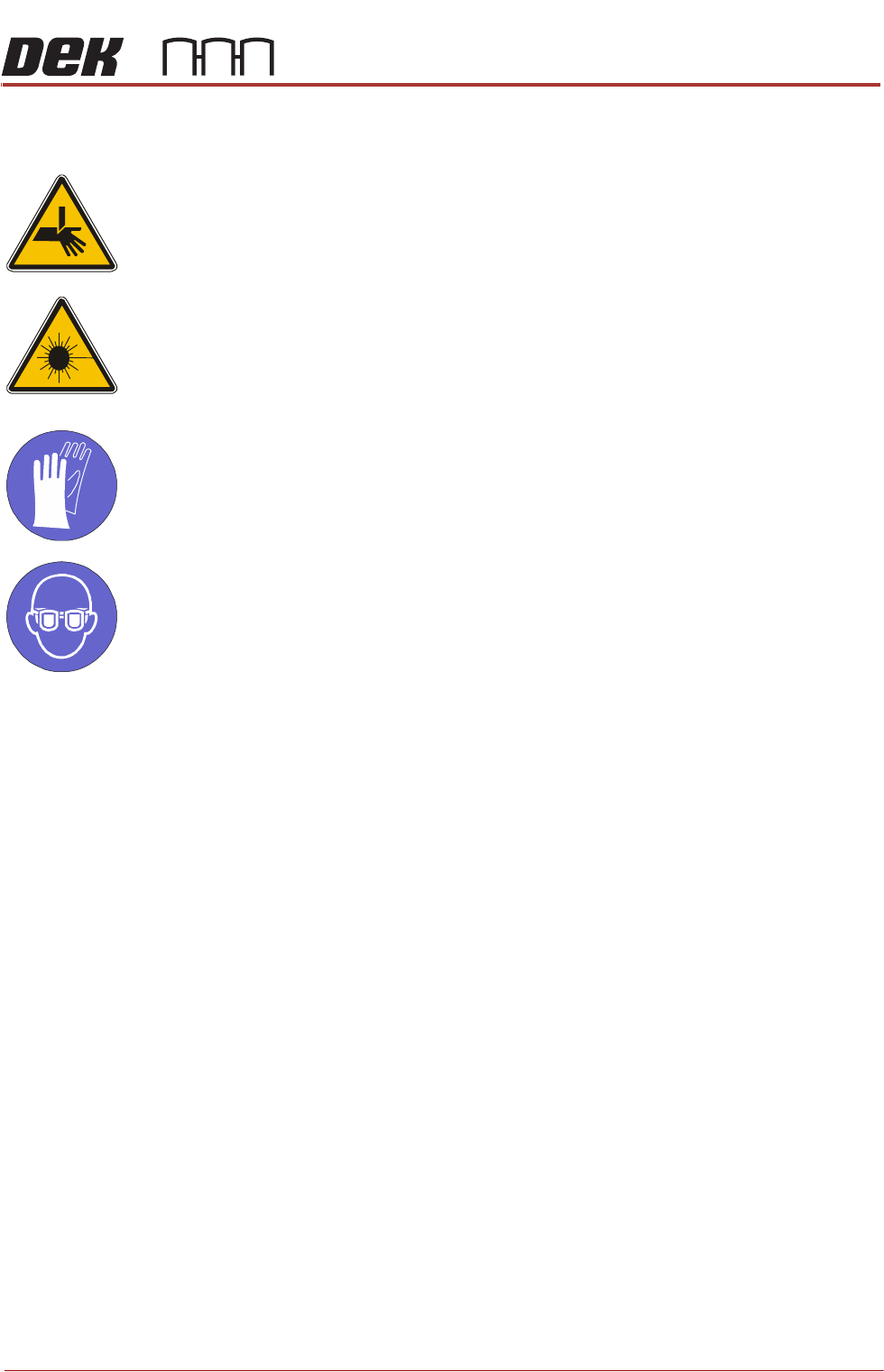
WARNING
BOARD CLAMPS. EXTREME CARE MUST BE EXERCISED WHEN WORKING IN
THE TOOLING AREA OF THE MACHINE TO AVOID INJURY. THE FOILS ON THE
FRONT AND REAR BOARD CLAMPS ARE VERY SHARP.
CAUTION
LASER CONTROLS AND ADJUSTMENTS. USE OF CONTROLS OR
ADJUSTMENTS OR PERFORMANCE OF PROCEDURES OTHER THAN THOSE
SPECIFIED HEREIN MAY RESULT IN HAZARDOUS RADIATION EXPOSURE.
MANDATORY
TOXIC CHEMICALS MAY BE PRESENT. SAFETY GLOVES MUST BE WORN.
MANDATORY
TOXIC CHEMICALS MAY BE PRESENT. EYE PROTECTION MUST BE WORN.
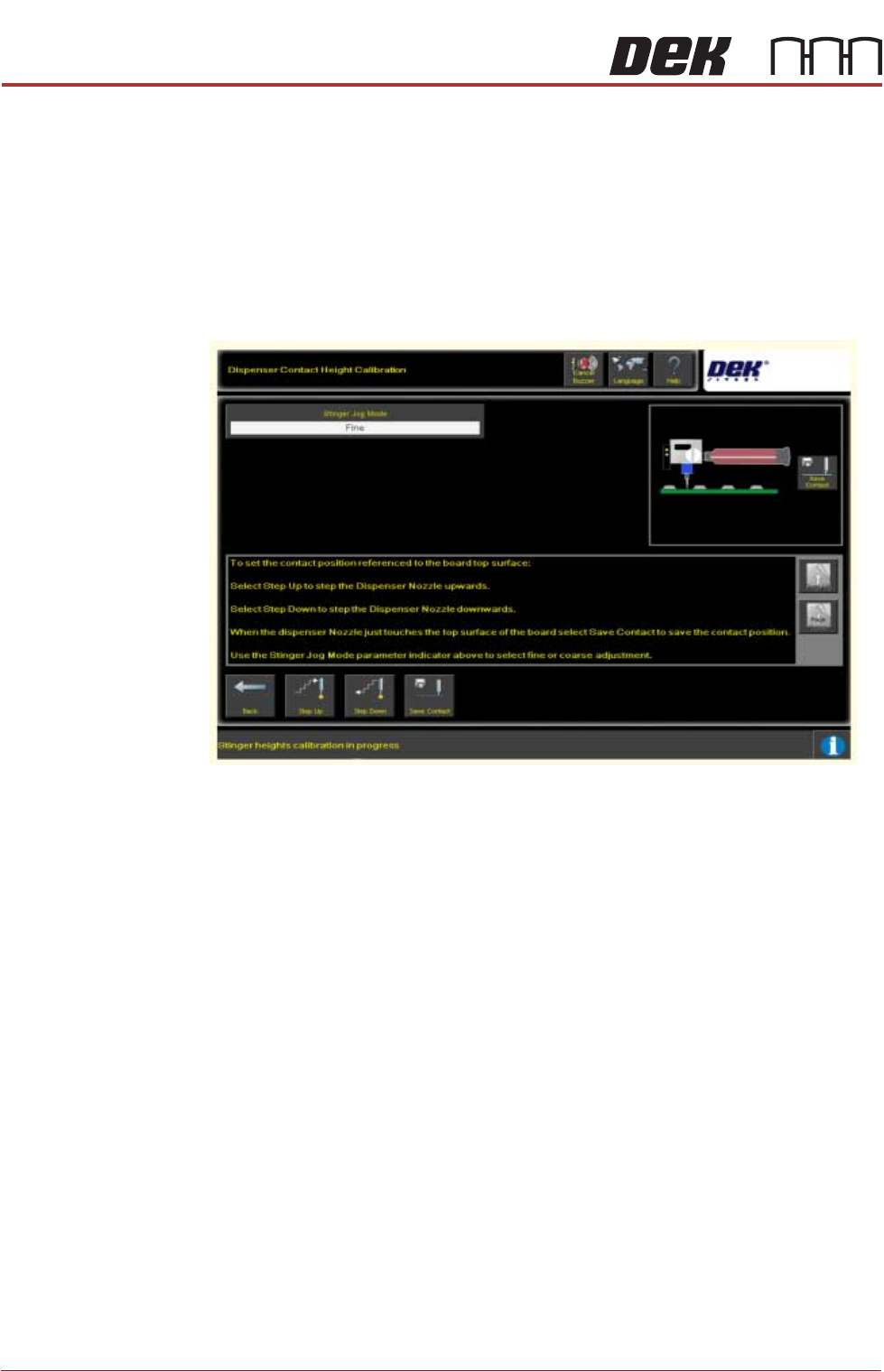
Contact height sets the laser to nozzle tip height in relation to the upper surface
of the product, it becomes known to the system and a relative measure is made
for all other programmed locations.
1. Ensure that the screen has been removed from the printer.
2. Select Setup Product.
3. Select Options.
4. Select Stinger Dispenser.
5. Select Load Board and load a product.
6. Select Manual Calibrate to open the dispenser contact height calibration
page.
7. The camera axis moves the Stinger unit to the centre of board location by
default, however, this position can be set to any location using the Calibra-
tion Point X/Calibration Point Y parameter pair. See information on siting
the calibration point.