88192277-01-19 - Micron Technical Reference V9 Volume 4.pdf - 第49页
STINGER ELEMENTS Chapter Issue 4, Nov 19 Technical Reference Manual 38.7 itive field changes and this chang e is indi cated on the printer’s display interface. The cartridge is changed and the level sensor is recalibrate…
38.6 Technical Reference Manual Chapter Issue 4, Nov 19
STINGER
ELEMENTS
steps, speed, and direction are programmable parameters.
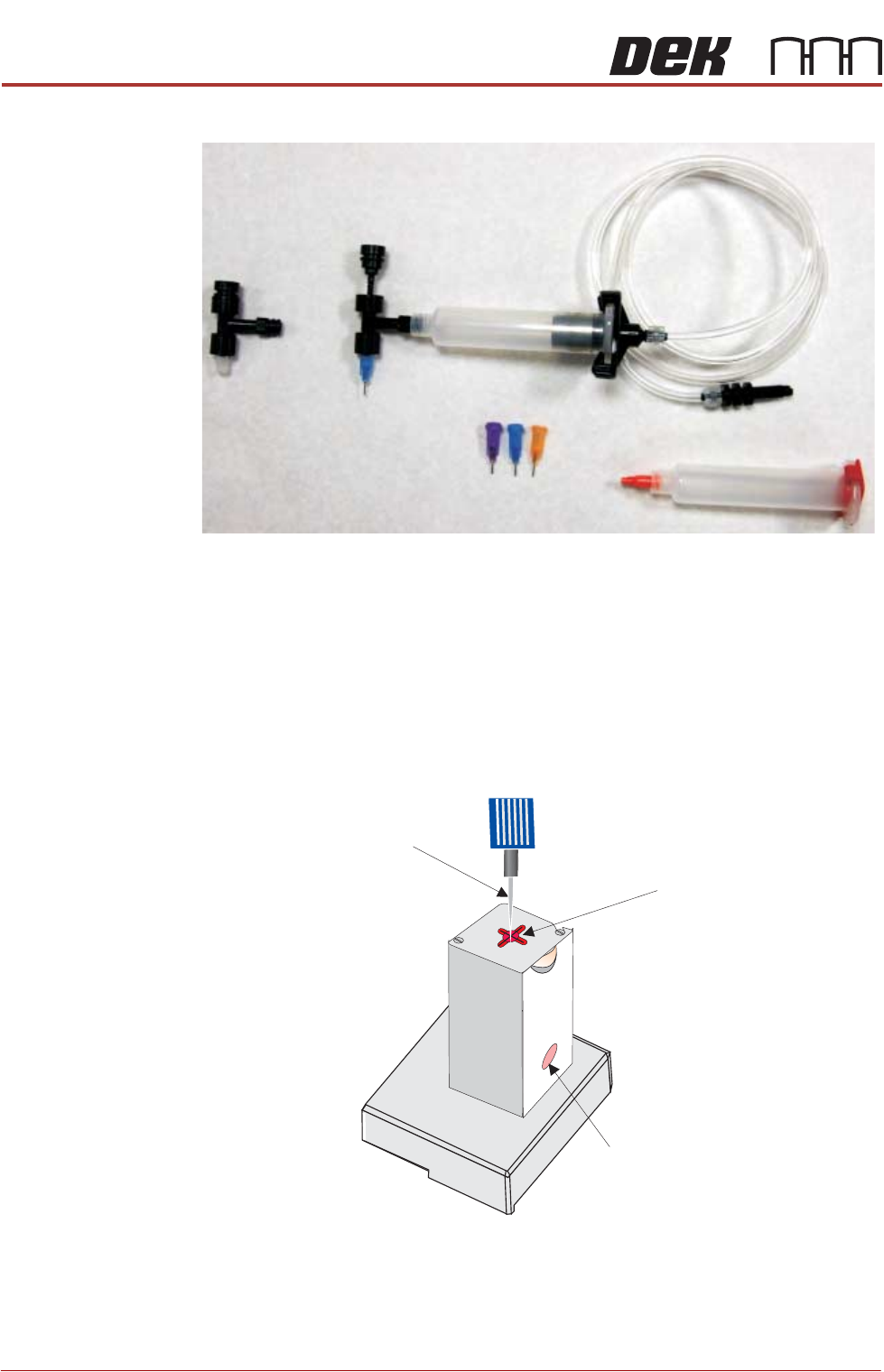
Nozzles At the bottom of the auger valve a nozzle is fitted. Nozzles come in different
sizes to suit the process. They are identified by body colour: Purple tip i.d.=
0.51mm (inside diameter at the tip), Blue = 0.41mm tip i.d, Orange = 0.33mm
tip i.d. and Red = 0.25 tip i.d.
Purge Station An optional purge station can be used to collect the purged adhesive. Parame-
ters are set up to centre the needle in the wiper target. The needle is fed into
the purge station. Purging commences when the start purge button is selected
and continues until the stop purge button is selected. If a purge station isn’t
used, purging takes place on a suitable area on the product.
Capacitive Level
Sensor
The capacitive level sensor detects the change in capacitance of the surround-
ing near field area. When a full cartridge is fitted, the capacitive field remains
constant. As the adhesive in the syringe is depleted, there is no change in
capacitance until it reaches the point where the sensor is located. The capac-
Auger Valve
Auger Valve
(showing screw)
Nozzles
Complete Assembly
(including air connection)
Syringe
Nozzle
Wiper
Target
Purge Station
Waste Container (pot)
STINGER
ELEMENTS
Chapter Issue 4, Nov 19 Technical Reference Manual 38.7
itive field changes and this change is indicated on the printer’s display interface.
The cartridge is changed and the level sensor is recalibrated to show a full
condition.
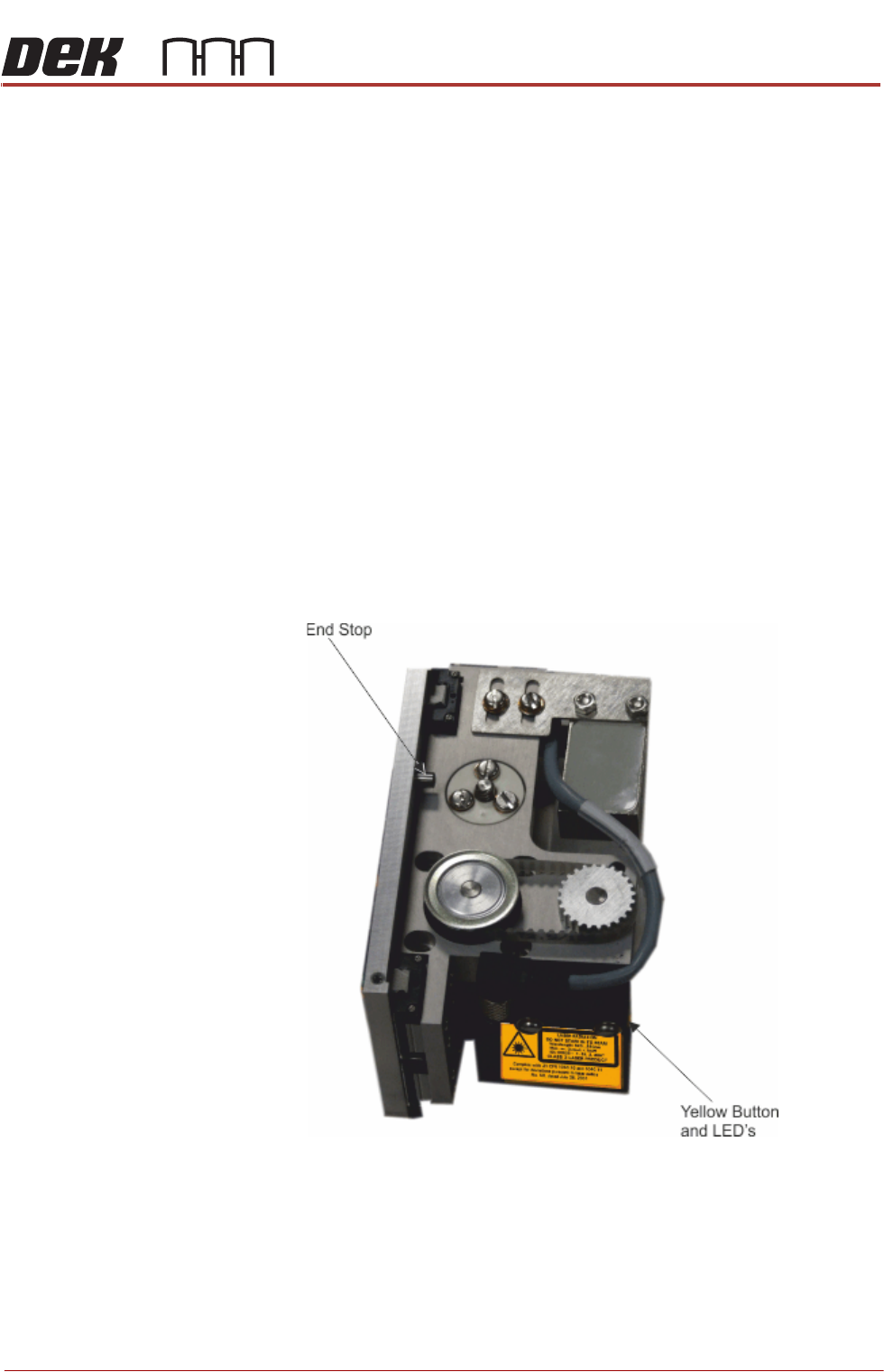
Laser Surface
Height Detector
The laser is used to detect the point where the upper surface of the product is;
this data is used to calibrate the relative dispense height of the nozzle. The unit
is automatically adjusted in software and carries out its own calibration cycle as
part of the set up routine. The LED’s on the front of the unit can be ignored and
the yellow button must not be adjusted.
Auger Motor The auger motor drives the screw in the auger valve; the number of turns is set
by a feed parameter in the software. The screw provides control over the
amount of adhesive to be deposited and ‘works’ the adhesive to pre-condition
it. This ensures that at the correct height, the nozzle deposits a precise amount
of adhesive to the product surface and flow is maintained throughout the deposit
cycle.
Z Axis Motor The z axis motor drives the unit to this calibrated height location. An end stop
dowel provides a stall point for the motor upper limit (see graphic). Refer to the
Calibration section of this manual for details on setting the calibrated heights for
deposit and idle heights
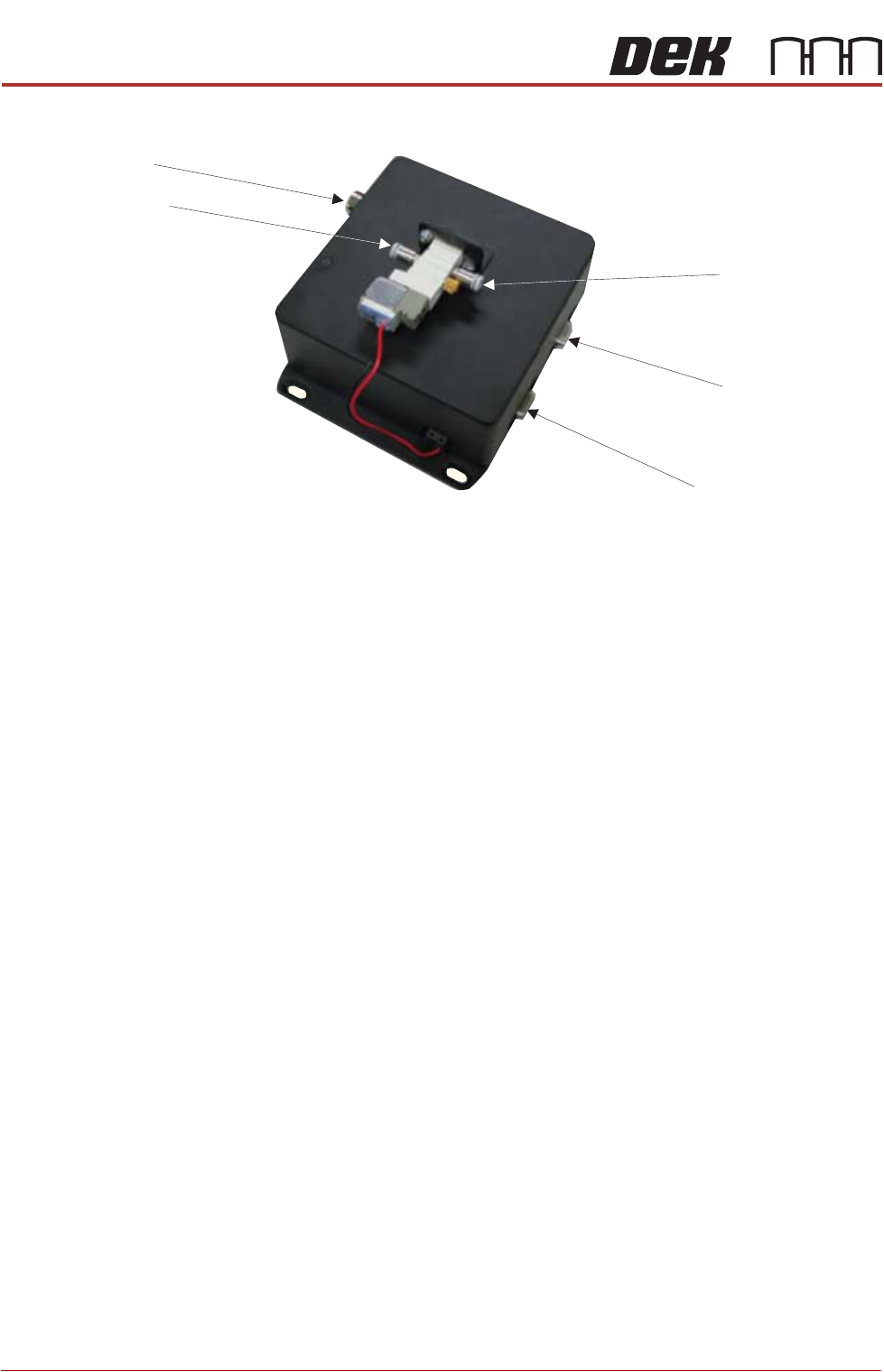
Control Interface The control interface is mounted on the panel at the rear of the printer. It
provides all the electrical and the pneumatic control functionality. An air pres-
38.8 Technical Reference Manual Chapter Issue 4, Nov 19
STINGER
ELEMENTS
sure regulator sets pneumatic pressure.
The control interface is responsible for interfacing with the printing machine and
locally controlling Stinger’s functions: axis control, motor moves and air pulsing.
Electrical Power In
Stinger Power & Signal
Serial RS232 to PC
Air Input Connector
Air Output Connector
Control Interface