88192277-01-19 - Micron Technical Reference V9 Volume 4.pdf - 第94页
DIAGNOSTI CS SYSTEM 39.8 Technical Reference Manual Chapter Issue 4, Aug 14 T oggle Beacon Selecting any one of the three toggle beacon diag nostic functions, alternately switches them between on and off. T oggle Lid Bol…
DIAGNOSTICS
SYSTEM
Chapter Issue 4, Aug 14 Technical Reference Manual 39.7
Node 9 Group 0
Node 10 Group 0
Display All
Analogue Inputs
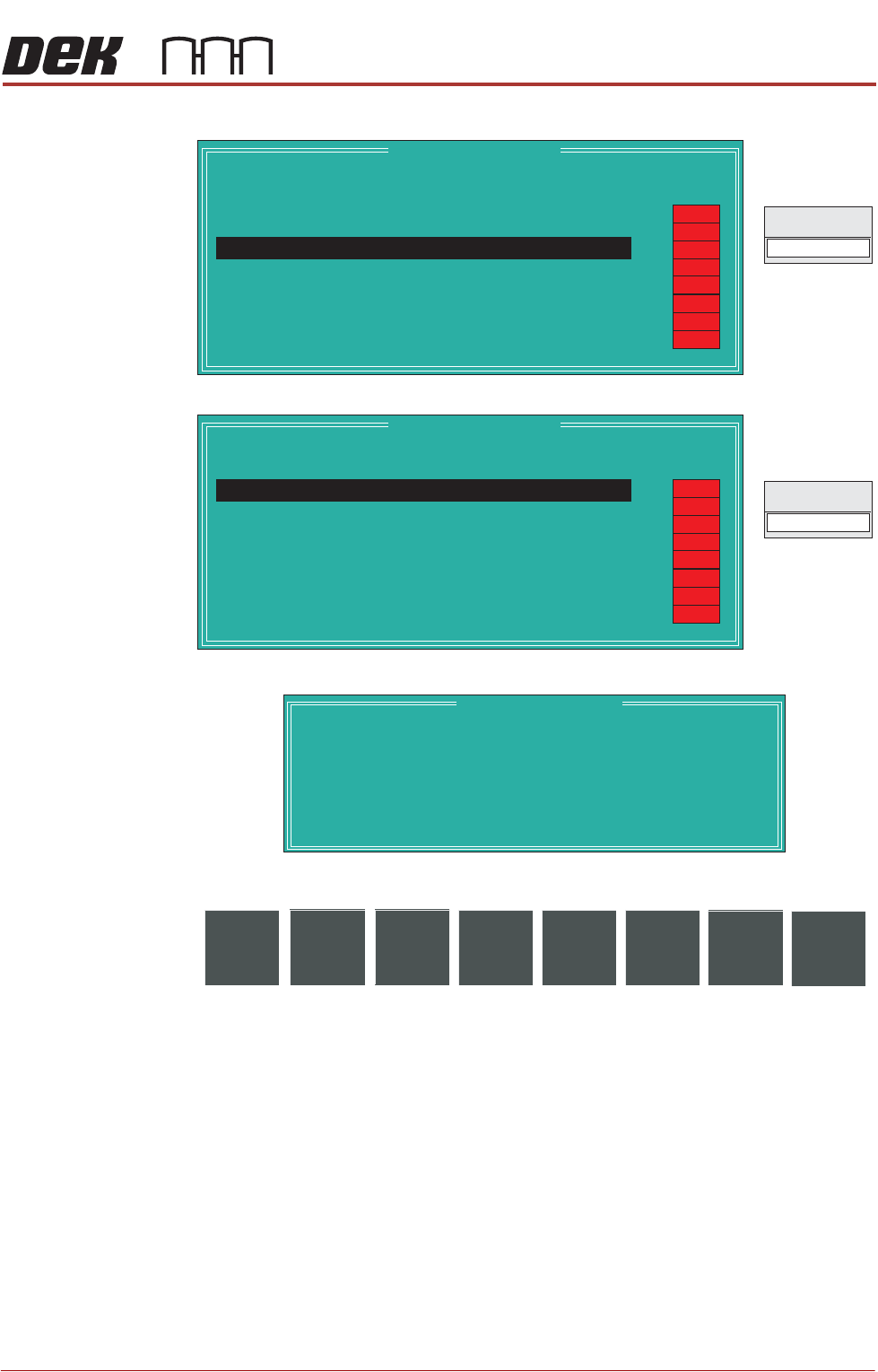
Selecting this diagnostic function opens the following window:
The following icons are displayed:
Exit returns operation to the system diagnostics page.
Node 9 Group 0
Point Description
---------------------
---------
-------
Bit No
Sense
-----------
------
Direction
State
DIG IN 2
Signal
Camera Y Home
2
Positive
Input
OFF
OFF
OFF
OFF
OFF
OFF
OFF
OFF
Node 10 Group 0
Point Description
---------------------
---------
-------
Bit No
Sense
-----------
------
Direction
State
DIG IN 0
Signal
Paste Carriage Home
0
Positive
Input
OFF
OFF
OFF
OFF
OFF
OFF
OFF
OFF
Analogue I/O Values
Description
--------------
----------------
Integer Value
--------------------
Converted Value
Pressure Sensor
Temperature
Relative Humidity
Solvent Tank Level
ProFlow Medium Level
2327
3644
2985
345
857
8.51 kg
24.573 C
42.386 %
64 %
12 %
o
Exit

DIAGNOSTICS
SYSTEM
39.8 Technical Reference Manual Chapter Issue 4, Aug 14
Toggle Beacon Selecting any one of the three toggle beacon diagnostic functions, alternately
switches them between on and off.
Toggle Lid Bolt Selecting this function alternately extends and retracts the lid bolt.
Data Logging Selecting this diagnostic function alternately enables and disables data logging
during diagnostic operations.
Terminate Control
Program
Selecting this diagnostic function terminates the control program and returns to
Windows.
DIAGNOSTICS
PRINT CARRIAGE
Chapter Issue 4, Aug 14 Technical Reference Manual 39.9
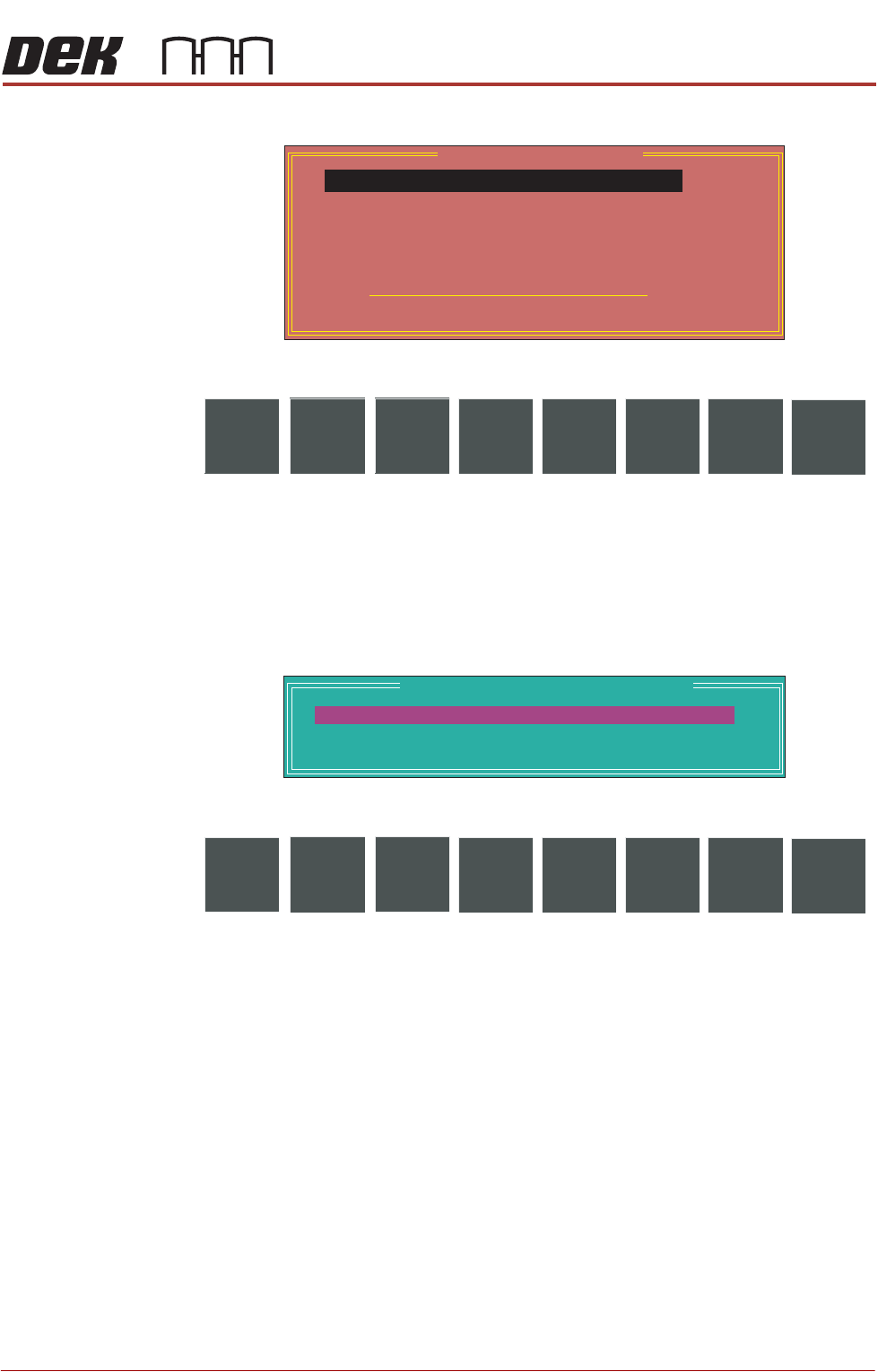
PRINT CARRIAGE Selecting this diagnostics module opens the following window:
The following icons are displayed:
Next/Previous moves the highlight bar up and down the list of selectable
diagnostic functions.
Run Diagnost activates the diagnostic function, as selected by the highlight
bar.
Exit returns operation to the module diagnostics page.
Adjust opens the following window:
The following icons are displayed:
Next/Previous moves the highlight bar up and down the list of diagnostic
parameters.
Incr./Decr. changes the value of the selected diagnostic parameter.
Exit returns operation to the print carriage diagnostics page.
NOTE
These parameters are used in diagnostics only and have no affect on the
product board file.
Home Print
Carriage
Selecting this diagnostic function homes the print carriage, as set by its home
sensor. ‘Homing Print Carriage’ is displayed in the prompt box. It is always
advisable to home the print carriage before attempting to position it.
Drive Carriage to
Front Position
Selecting this diagnostic function moves the print carriage to the front start
position of the print stroke. ‘Driving Print Carriage to Front Limit’ is displayed
in the prompt box.
Print Carriage Diagnostics
Cycle Count
Done :-
0, To go :-
50
Home Print Carriage
Drive Carriage To Front Position
Drive Carriage To Paste Position
Drive Carriage To Rear Position
Drive Carriage Using Jog Buttons
Cycle Print Carriage
Run
Diagnost
NextAdjust
Previous
Exit
Print Carriage Diagnostic Parameters
FRONT PRINT SPEED
REAR PRINT SPEED
CYCLE COUNT
25
25
50.0
mm/s
mm/s
cycles
Next Incr. Decr.
Previous
Exit