88192277-01-19 - Micron Technical Reference V9 Volume 4.pdf - 第285页
TRANSPORTATION - POWER UP MACHINE POWER UP SEQU ENCE Chapter Issue 3, Nov 19 Technical Reference Manual 43.11 Windows 10 T o set the date and time in Windows 10 the user must be logged in as an administrator . Login as a…
TRANSPORTATION - POWER UP
MACHINE POWER UP SEQUENCE
43.10 Technical Reference Manual Chapter Issue 3, Nov 19
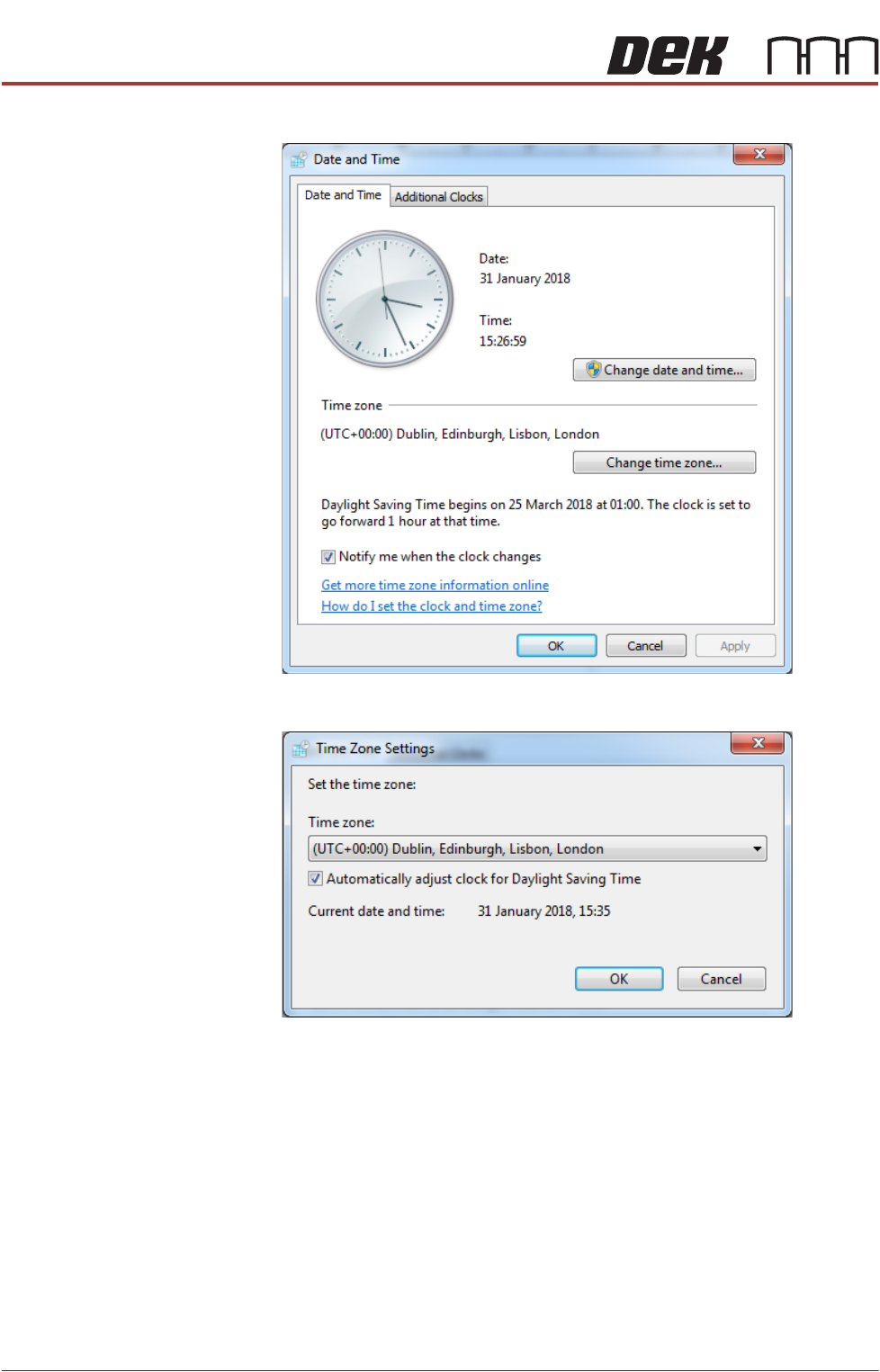
7. Select Change time zone....
8. Using the drop down box, select the appropriate time zone.
9. Select OK.
10. Select OK.
11. Select Start on the taskbar.
12. Select DEK Printer Software.
13. Press the System button.
TRANSPORTATION - POWER UP
MACHINE POWER UP SEQUENCE
Chapter Issue 3, Nov 19 Technical Reference Manual 43.11
Windows 10 To set the date and time in Windows 10 the user must be logged in as an
administrator. Login as an administrator and carry out the following procedure.
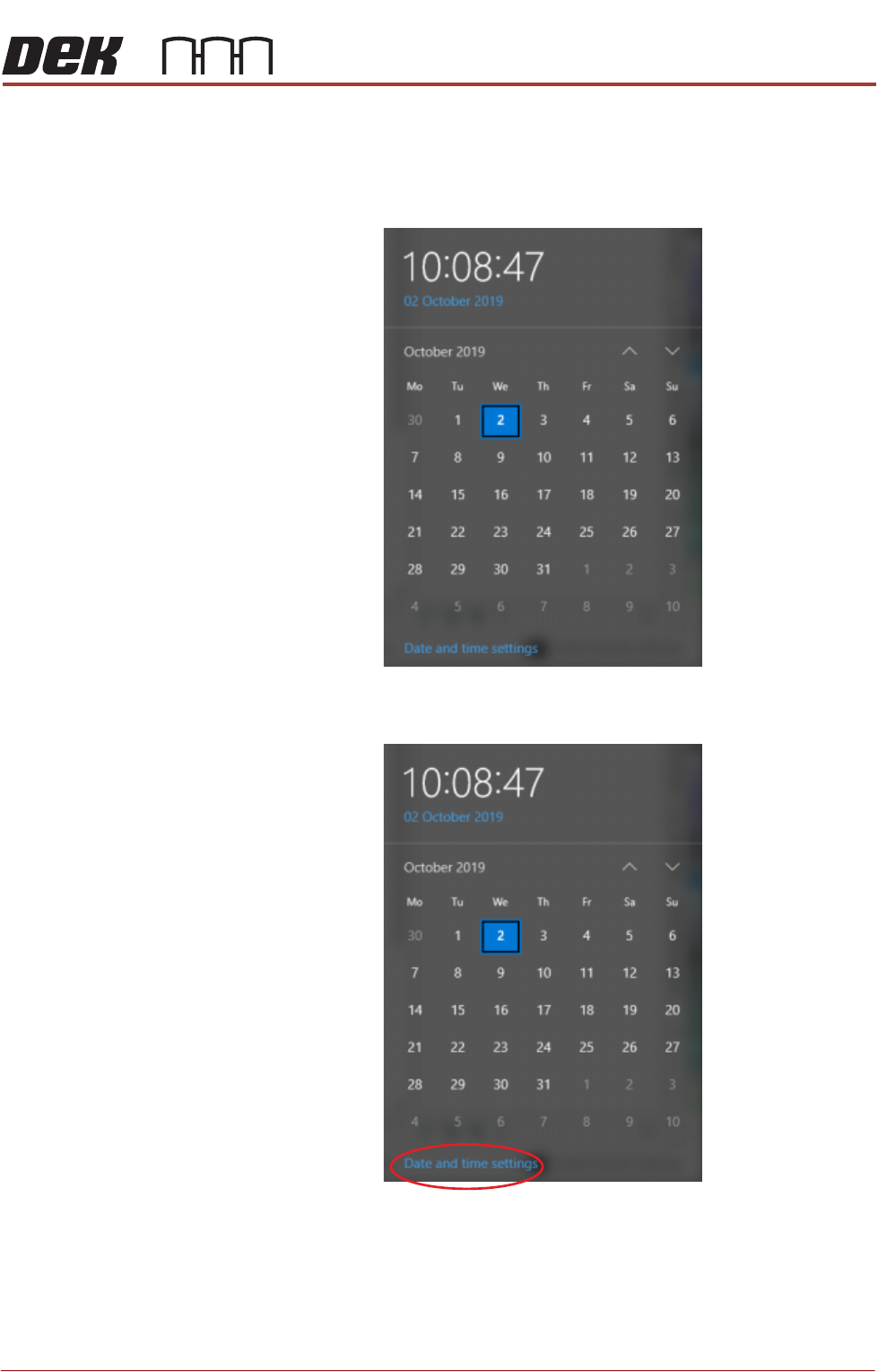
1. Select the clock displayed at the right hand side of the Windows taskbar.
The following window is displayed:
2. Select Date and time settings.
TRANSPORTATION - POWER UP
MACHINE POWER UP SEQUENCE
43.12 Technical Reference Manual Chapter Issue 3, Nov 19
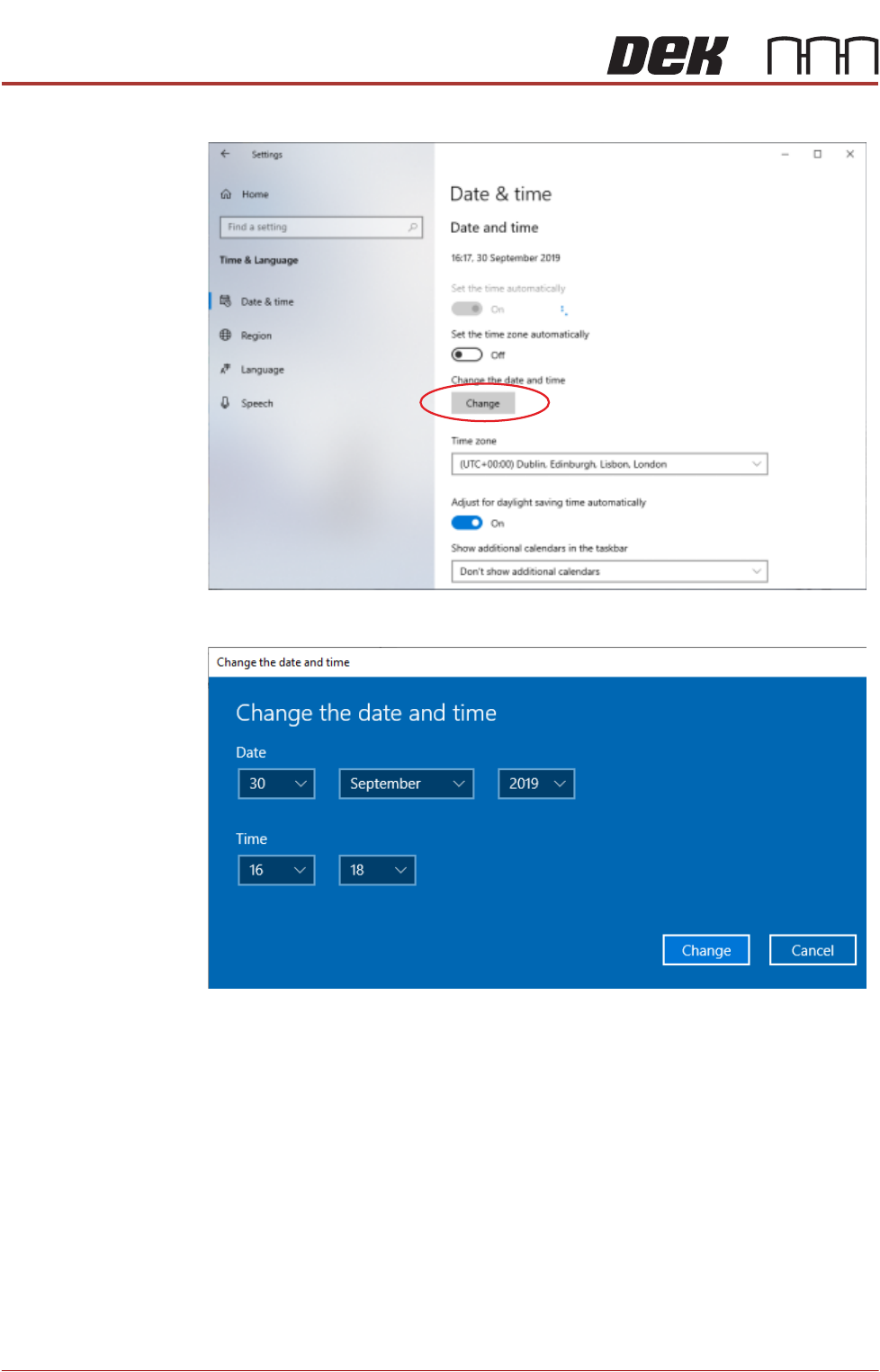
3. Select Change.
4. Set the correct date and time using the drop down arrows.
5. Select Change.