88192277-01-19 - Micron Technical Reference V9 Volume 4.pdf - 第219页
TRANSPORTATION - MAJOR RELOCATION TRANSIT BRACKETS AND SCREWS REMOVAL Chapter Issue 5, Nov 19 Technical Reference Manual 42.53 1. Usi ng a 4mm Allen key loosen the two M5 cap head screws (2), crinkle washers (3) and wash…
TRANSPORTATION - MAJOR RELOCATION
TRANSIT BRACKETS AND SCREWS REMOVAL
42.52 Technical Reference Manual Chapter Issue 5, Nov 19
10. Loosen the M8 nut (3) that secures the left chase transit bracket (5) to the
chase on the front and rear transit brackets.
11. Unscrew the M8 chase studs (1) from the chase and remove from the
machine.
12. Remove the two left chase transit brackets (5) from the machine.
13. Remove the two right hand chase studs (1) by loosening the two M8 nuts
(3) that secure the chase studs (1) to the chase.
NOTE
The transit screws are constructed of a red plastic dome head nut and a 45mm
steel grub screw. Although the two parts are bonded, ensure that both parts are
removed if they become separated.
Cover Frame Transit
Bracket
This transit bracket assembly is fitted to printers that have Anti-Vibration mounts
fitted to the covers frame.
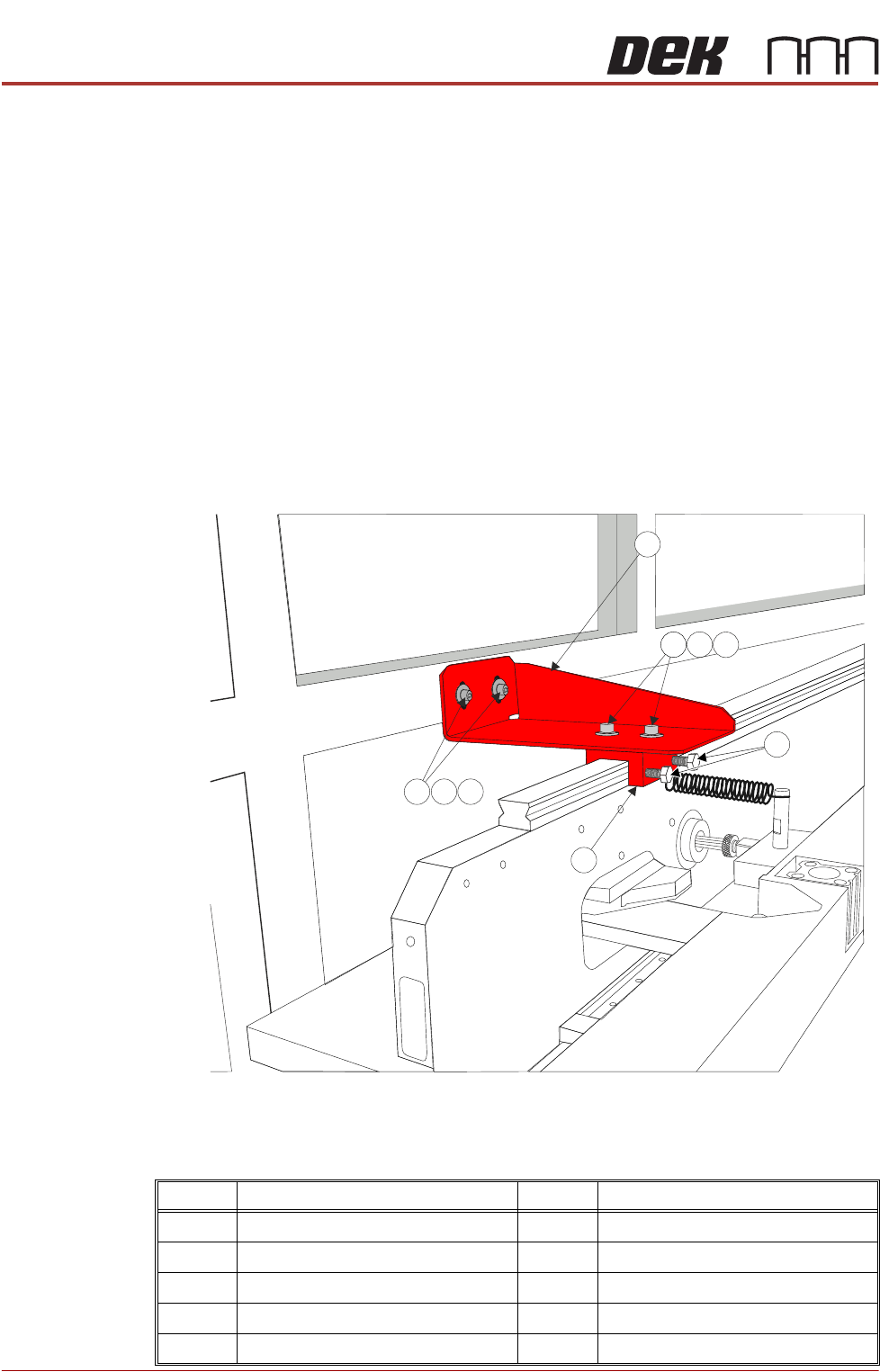
Figure 42-19 Cover Frame Transit Bracket
Carry out the following procedure for removal:
Item Description Item Description
1 Cover Frame Transit Bracket 6 Block
2 M5 Cap Head Screw 7 M5 Cap Head Screw
3 M5 Crinkle Washer 8 M5 Crinkle Washer
4M5 Washer 9M5 Washer
5 M6 Nylon Screw
TRANSPORTATION - MAJOR RELOCATION
TRANSIT BRACKETS AND SCREWS REMOVAL
Chapter Issue 5, Nov 19 Technical Reference Manual 42.53
1. Using a 4mm Allen key loosen the two M5 cap head screws (2), crinkle
washers (3) and washers (4) sufficiently to allow movement in the block (6).
2. Using a 10mm spanner loosen the M6 nylon screws (5) sufficiently to allow
the block to lift from the carriage rail, but do not remove.
3. Remove and retain the M5 cap head screws (7), crinkle washers (8) and
washers (9) using a 4mm Allen Key holding the bracket (1) to the covers
frame.
4. Remove the transit bracket (1) and block (6) as an assembly.
NOTE
After the transit bracket / block assembly has been removed, it is recommended
that the retained screws, crinkle washers and washers are refitted through the
neoprene washers on the covers frame and the previously loosened screws on
the assembly are tightened to prevent loss.
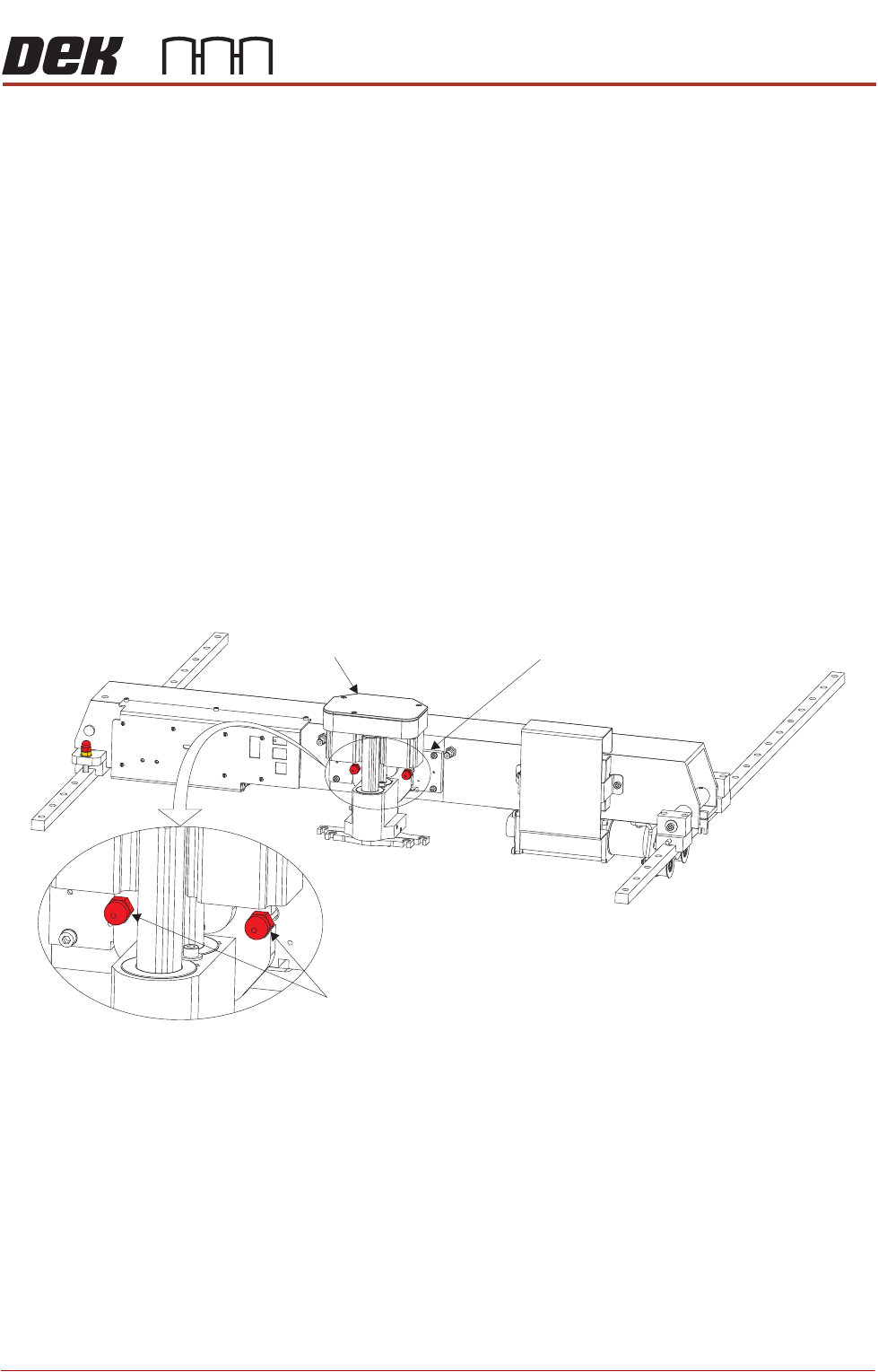
Squeegee Transit
Screws
1. Snip the cable ties securing the piece of card to the front of the squeegee
mechanism. Remove the cable ties and the piece of card from the machine.
2. Whilst supporting the squeegee mechanism, remove the two squeegee
transit screws.
Squeegee Transit Screws
Squeegee Mechanism Squeegee Mount
TRANSPORTATION - MAJOR RELOCATION
TRANSIT BRACKETS AND SCREWS REMOVAL
42.54 Technical Reference Manual Chapter Issue 5, Nov 19
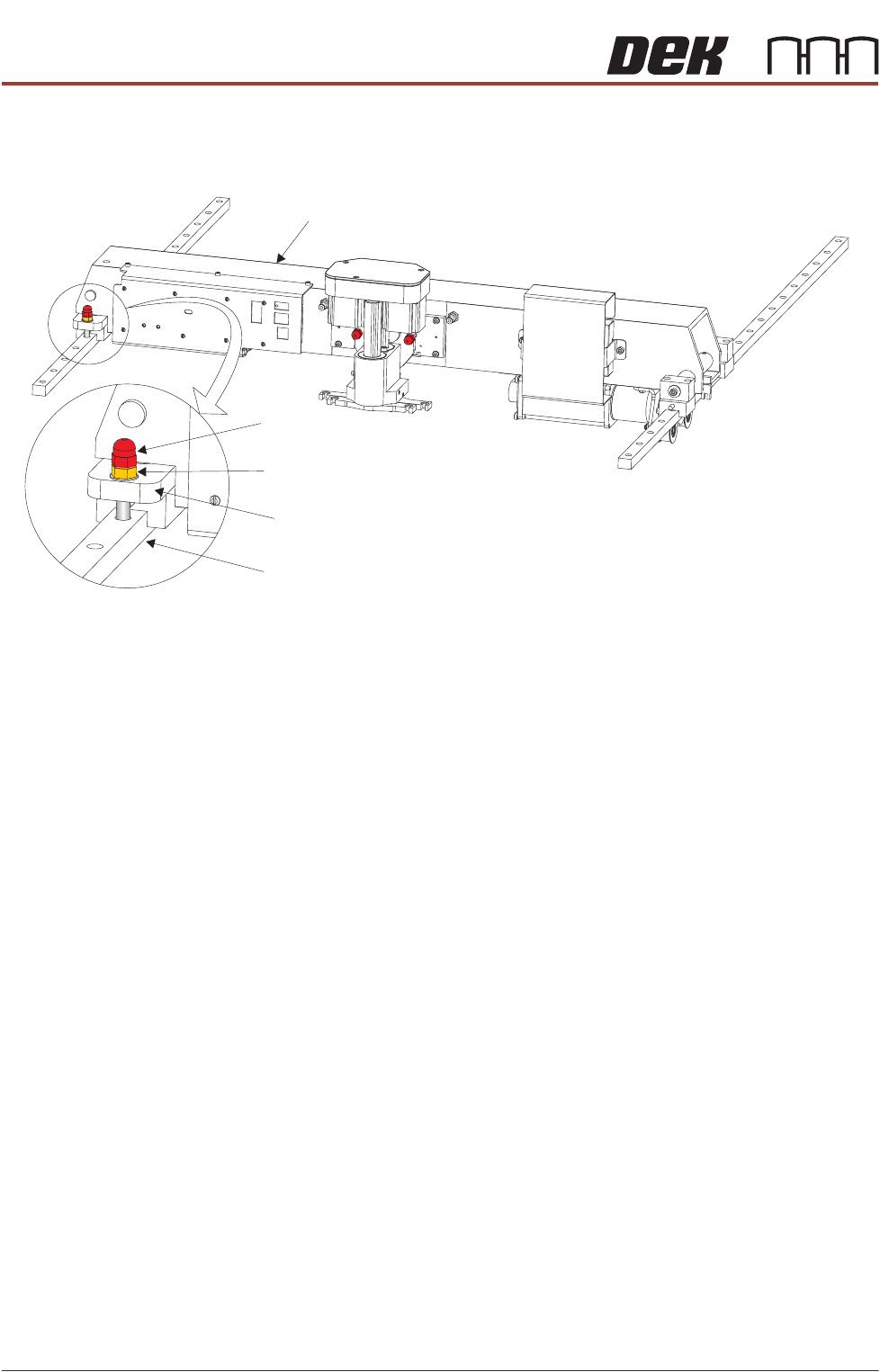
Print Carriage
Transit Screw
1. Loosen the M8 locking nut that secures the transit screw to the print carriage
compliant bearing block.
2. Remove the print carriage transit screw that secures the print carriage
compliant bearing block to the left linear guide rail. Ensure that the crinkle
washer below the locking nut is also removed.
3. Locate the re-sealable polythene bag taped to the print carriage.
4. Remove the plastic cap from the bag and fit into the hole that the transit
screw occupied on the left linear guide rail.
Print Carriage
Transit Screw
Print Carriage Compliant Bearing Block
Left Linear Guide Rail
Locking Nut and Crinkle Washer