88192277-01-19 - Micron Technical Reference V9 Volume 4.pdf - 第270页
TRANSPORTATION - MAJOR RELOCATION MACHINE ASSEMBLY 42.104 Technical Reference Manual Chapter Issue 5, Nov 19 4. Remove the empty print medium ca rtridge and filler tube assembly . NOTE The filler tube assembly cons ists …
TRANSPORTATION - MAJOR RELOCATION
MACHINE ASSEMBLY
Chapter Issue 5, Nov 19 Technical Reference Manual 42.103
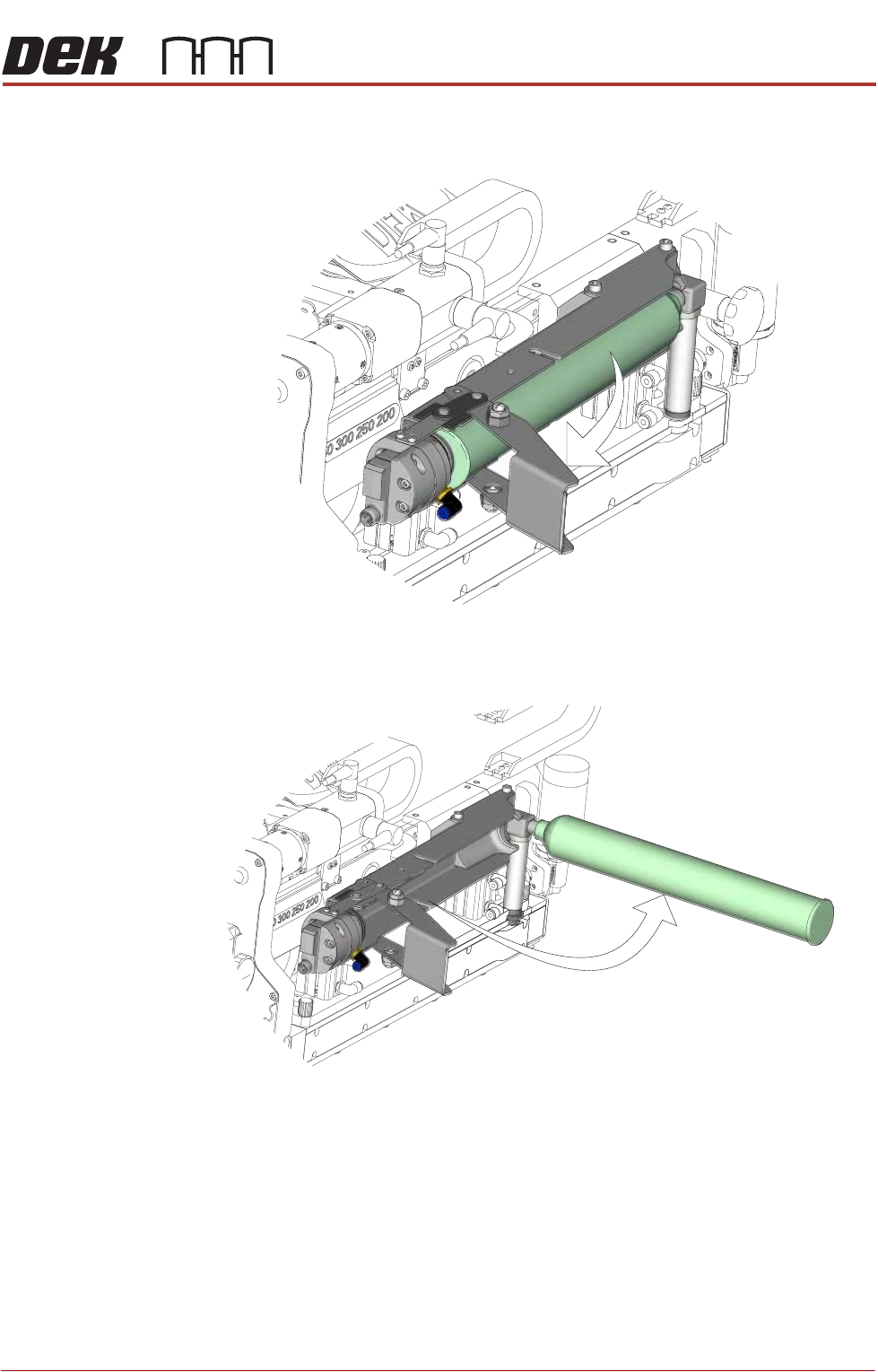
2. Pull the lever arm towards the left side of the machine.
3. Rotate the print medium cartridge anti-clockwise 90°.
NOTE
During removal of the print medium cartridge, the filler tube assembly
remains attached to the nozzle of the cartridge. Do not remove the print
medium cartridge from the cartridge holder assembly until the cartridge has
been fully rotated 90° and the filler tube adaptor has reached the unlocked
position.
View on Left Front of ProFlow ATx System
View on Left Front of ProFlow ATx System
TRANSPORTATION - MAJOR RELOCATION
MACHINE ASSEMBLY
42.104 Technical Reference Manual Chapter Issue 5, Nov 19
4. Remove the empty print medium cartridge and filler tube assembly.
NOTE
The filler tube assembly consists of the filler tube, the elbow fitting, and the
filler tube adaptor; these are removed as a single assembly.
5. Unscrew the print medium cartridge from the filler tube assembly.
6. Dispose of the used print medium cartridge in accordance with any National,
Federal, or local waste disposal or recycling regulations.
7. Fit the new print medium cartridge to the filler tube assembly.
8. Fit the filler tube assembly to the transfer head.
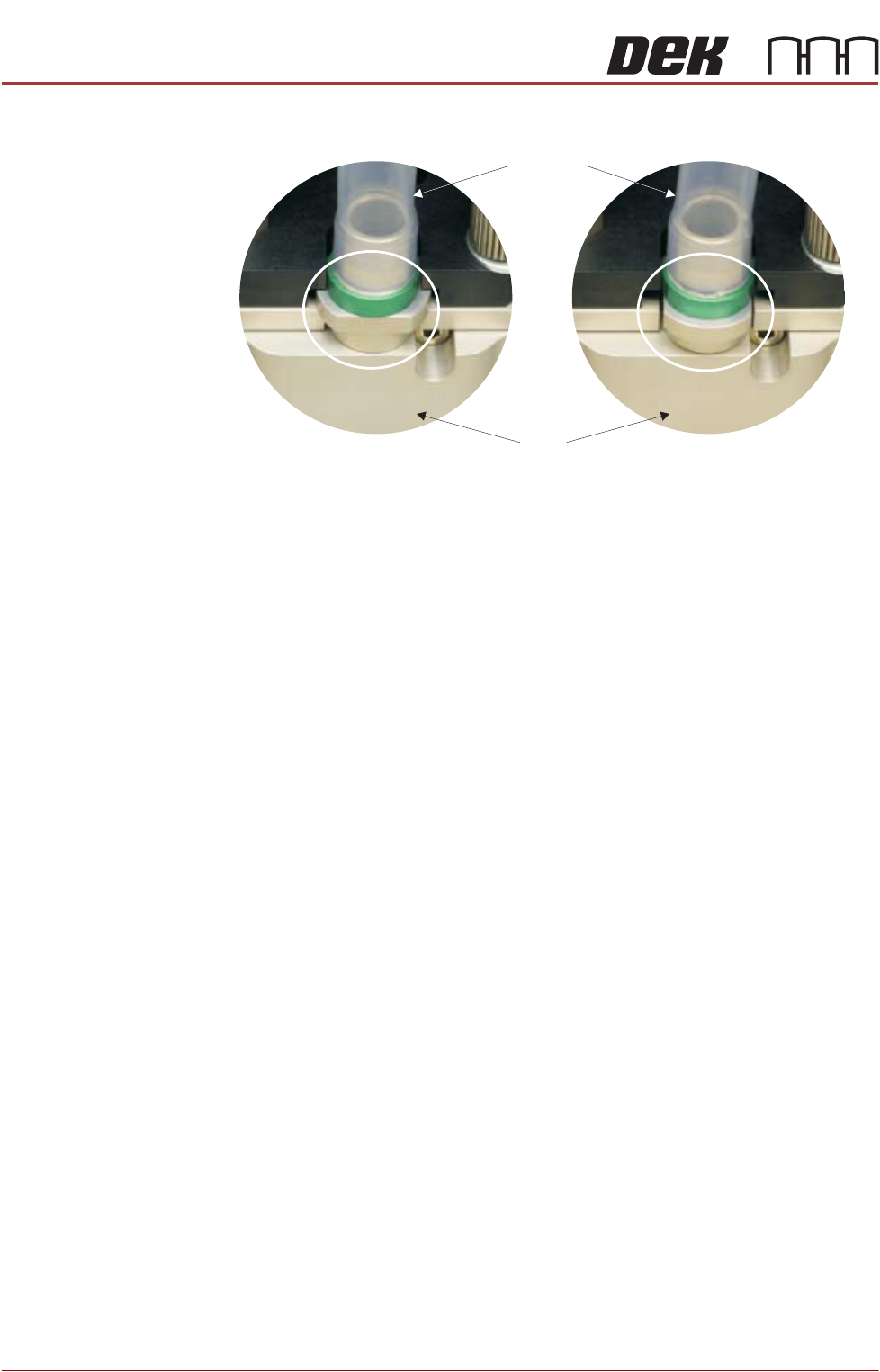
9. Rotate the print medium cartridge clockwise 90° towards the ProFlow ATx
mount to lock the filler tube assembly into place.
NOTE
Ensure the print medium filler tube assembly rotates with the cartridge to its
locked position.
10. Close the print medium cartridge holder lever.
11. Close the machine cover.
View on Print Medium Filler Tube Assembly
Locked Position
Transfer
Head
Filler Tube
Assembly
Unlocked Position
TRANSPORTATION - MAJOR RELOCATION
MACHINE ASSEMBLY
Chapter Issue 5, Nov 19 Technical Reference Manual 42.105
External Solvent Tank
MANDATORY
TOXIC CHEMICALS MAY BE PRESENT. SAFETY GLOVES MUST BE WORN.
MANDATORY
TOXIC CHEMICALS MAY BE PRESENT. EYE PROTECTION MUST BE WORN.
NOTE
Changing solvent types may cause unexpected chemical reactions and degra-
dation within the solvent feed tube. ASM recommend that if the solvent is
changed to a different type, the solvent feed tube, from the solvent tank to the
cleaner pump, is replaced.
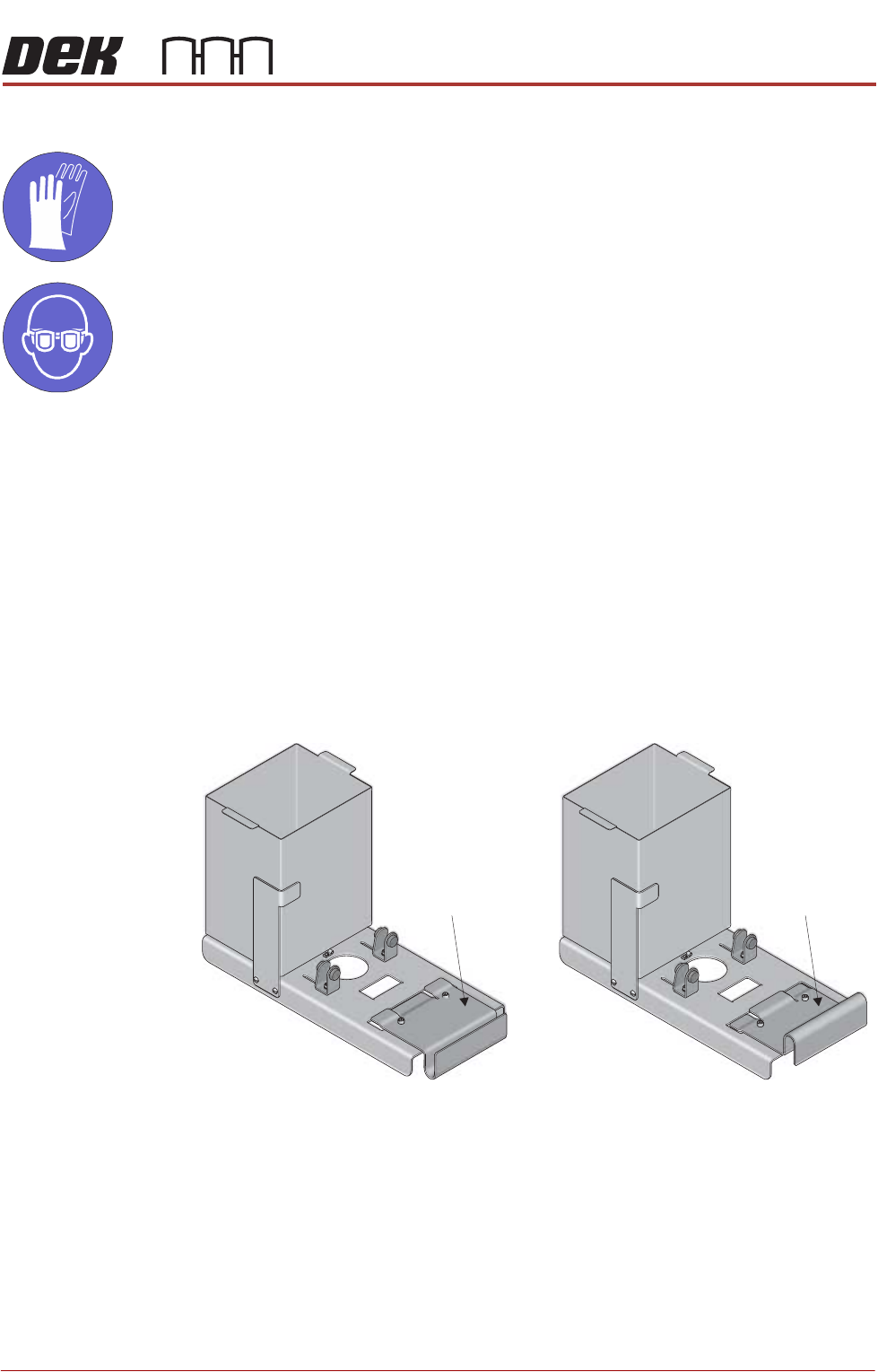
The external solvent tank may be fitted to the rear or the side of the machine.
The support plate on the external solvent tank is configured differently from side
or rear fitting due to baffle plates covering the cooling fans at the rear of the
machine.
To fit the external solvent tank carry out the following:
1. Configure the support plate of the external solvent tank for rear or side fitting
to the machine.
Rear Fitting Side Fitting
Support Plate Support Plate