88192277-01-19 - Micron Technical Reference V9 Volume 4.pdf - 第181页
TRANSPORTATION - MAJOR RELOCATION DISMANTLING THE MACHINE Chapter Issue 5, Nov 19 Technical Reference Manual 42.15 DISMANTLING THE MACHINE T o ensure the machine is not damaged during transporta tion, carry out the follo…

TRANSPORTATION - MAJOR RELOCATION
TRANSIT BRACKET AND SCREW INSTALLATION
42.14 Technical Reference Manual Chapter Issue 5, Nov 19
7. Tighten the nylon screws (5) on to the carriage rail.
TRANSPORTATION - MAJOR RELOCATION
DISMANTLING THE MACHINE
Chapter Issue 5, Nov 19 Technical Reference Manual 42.15
DISMANTLING THE MACHINE
To ensure the machine is not damaged during transportation, carry out the
following procedures:
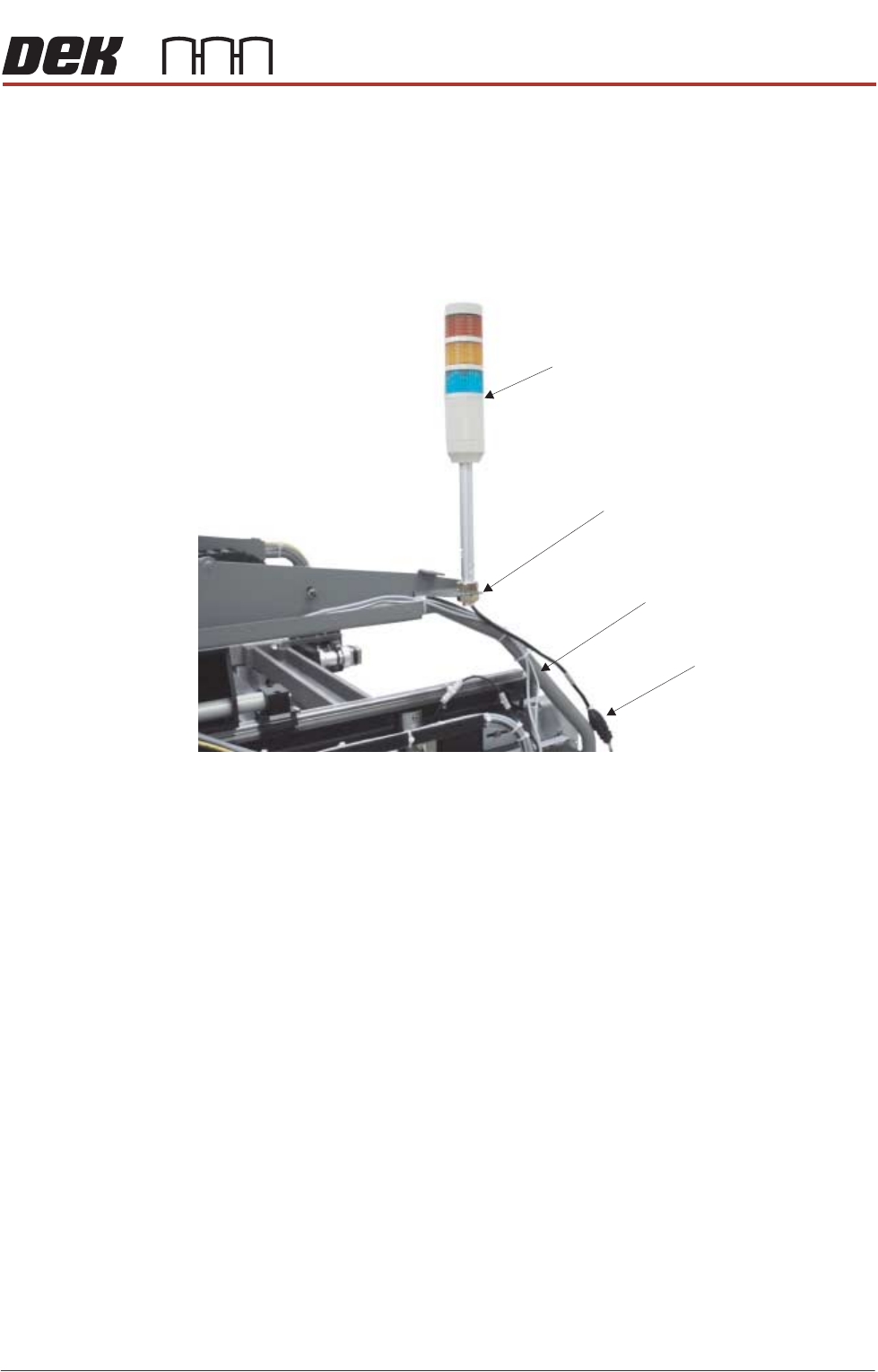
Tricolour Beacon
Type 1 Covers 1. Disconnect the tricolour beacon connection 14PL07 from 14SK07.
2. Remove the tricolour beacon from the beacon bracket by undoing one of the
nuts and sliding the beacon out of the cut-out on the beacon bracket.
3. Cable tie the loose cable to the cover frame.
View on Right Hand Side of Machine (covers removed)
Beacon Connection
Tricolour Beacon
Beacon Bracket
Cover Frame
TRANSPORTATION - MAJOR RELOCATION
DISMANTLING THE MACHINE
42.16 Technical Reference Manual Chapter Issue 5, Nov 19
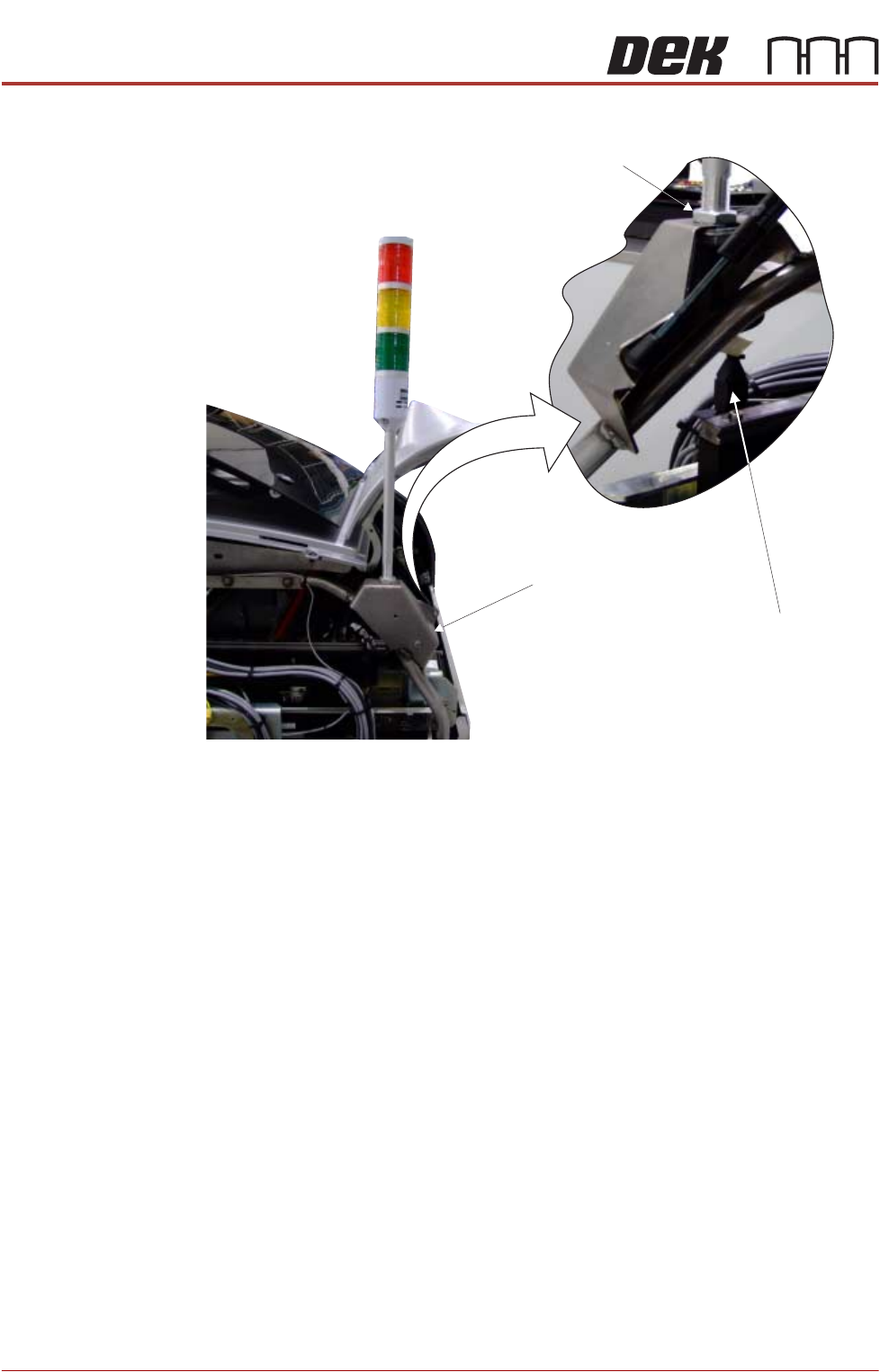
Type 2 Covers 1. Disconnect the tricolour beacon connection 14PL07 from 14SK07.
2. Loosen the beacon locking nut.
3. Remove the beacon from the beacon bracket.
View on Rear of Printer
Beacon Connection
Beacon Bracket
Beacon Locking Nut