88192277-01-19 - Micron Technical Reference V9 Volume 4.pdf - 第202页
TRANSPORTATION - MAJOR RELOCATION RELOCATION 42.36 Technical Reference Manual Chapter Issue 5, Nov 19 RELOCA TION Once the machine has been relocated, the machine can be unpacked and reassembled using the following proce…
TRANSPORTATION - MAJOR RELOCATION
TRANSPORTING THE MACHINE
Chapter Issue 5, Nov 19 Technical Reference Manual 42.35
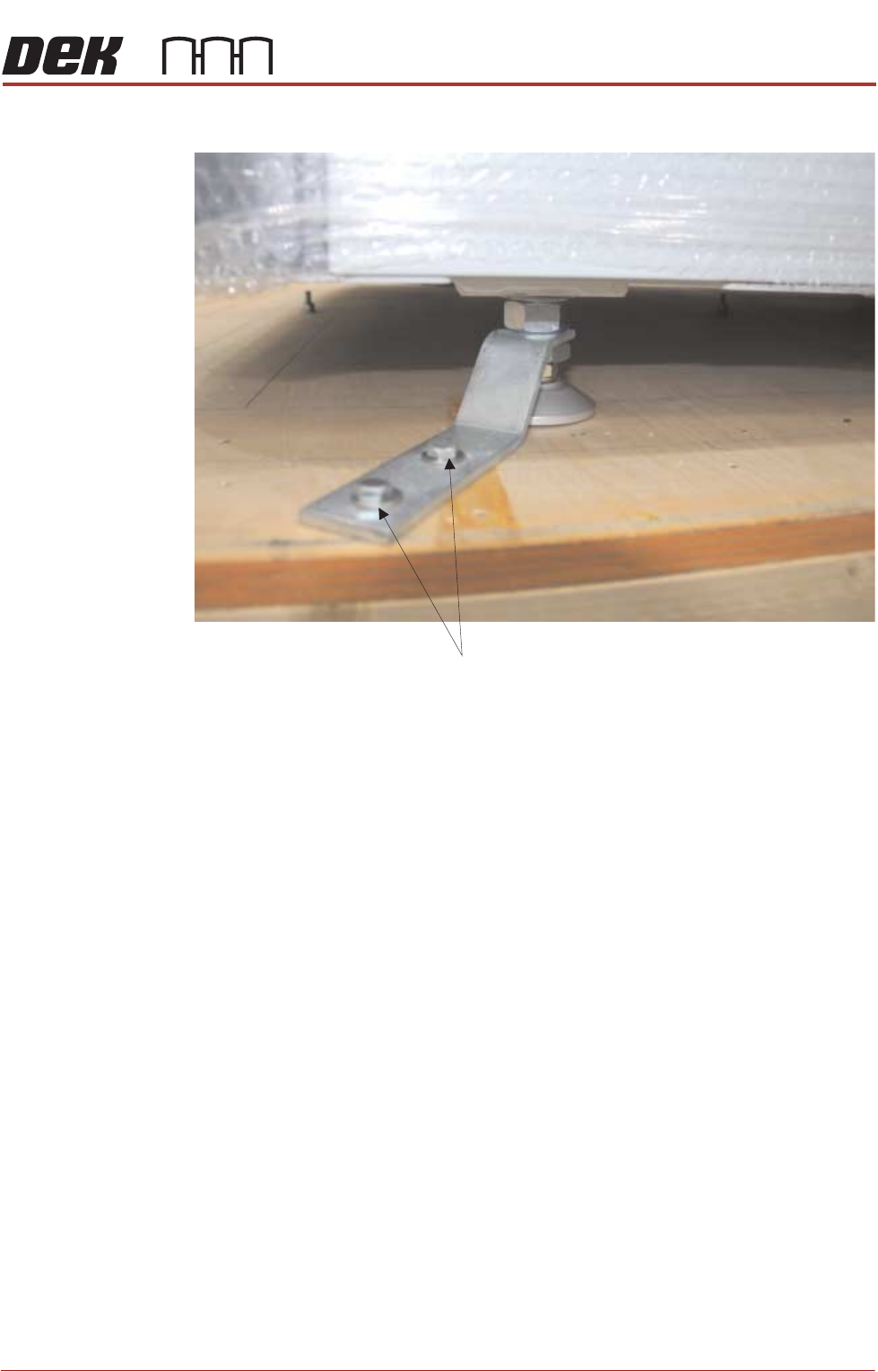
ensuring the bracket fits between the two nuts.
8. Tighten the M24 half nut and full nut against the bracket.
9. Secure three sides of the transportation box with screws.
10. Wrap the loose items and pack securely inside the box.
11. Fit the fourth side panel and lid of the transportation box with screws.
12. The machine is now ready for transportation to its new location.
M 8 x 60 Woodscrews
TRANSPORTATION - MAJOR RELOCATION
RELOCATION
42.36 Technical Reference Manual Chapter Issue 5, Nov 19
RELOCATION
Once the machine has been relocated, the machine can be unpacked and
reassembled using the following procedures.
Unpacking 1. Unscrew the transportation box securing screws and remove the lid and
sides.
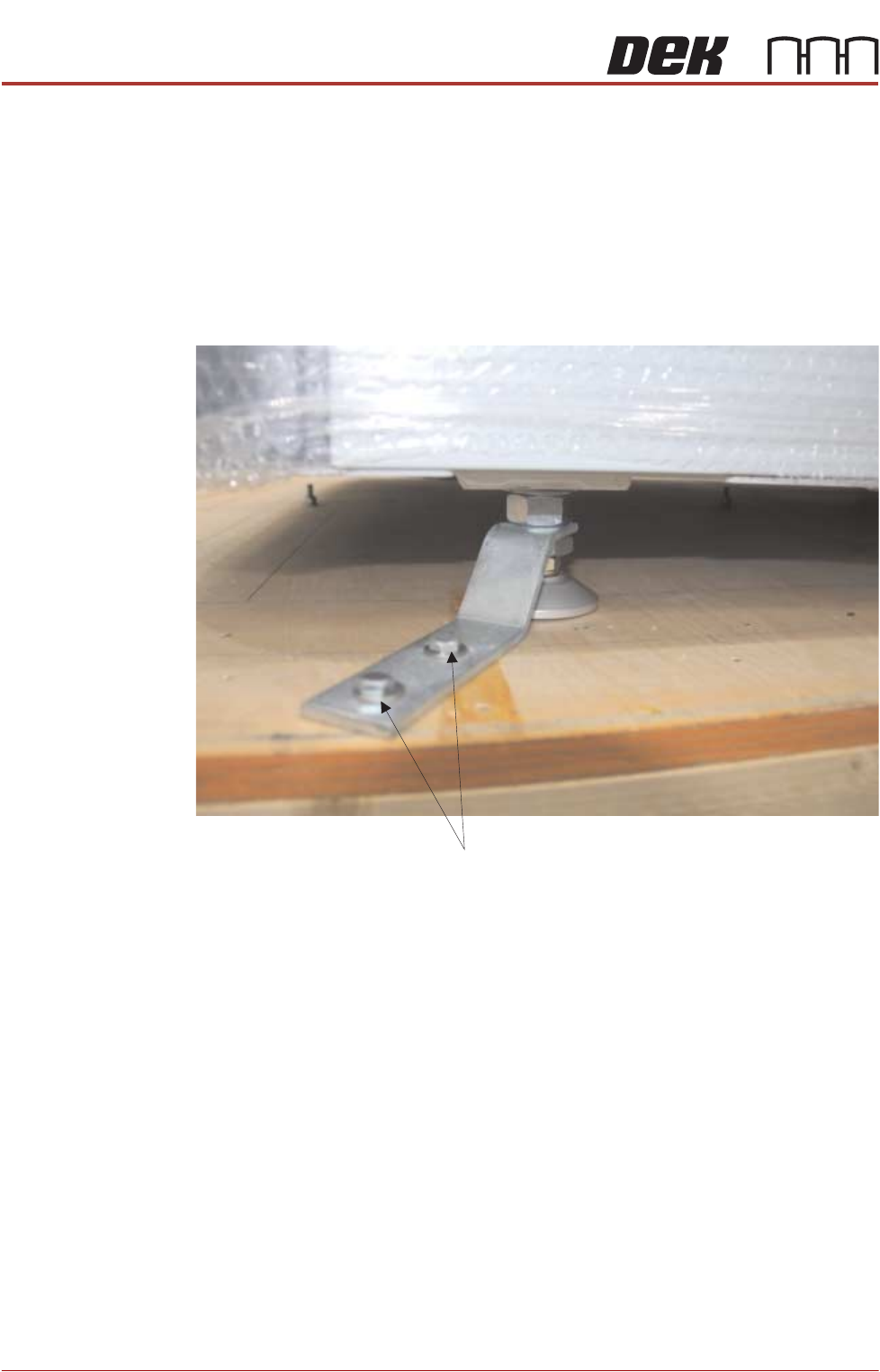
2. The printer is secured to the base of the transportation box with four brackets
each held in place using two M8 hex head woodscrews. Loosen the machine
leg M24 nuts and remove the M8 screws to remove the brackets.
3. Carefully insert the forklift forks to the rear of the machine. See the detail in
previous section, about the lifting capabilities of the machine used to perform
the lift and correct lift locations.
4. Raise the forks, separating the machine from the base of the transportation
box.
5. Between (and slightly forward of) the two rear mounting feet, locate the fifth
mounting foot.
6. For machines with the anti-vibration mounting option, eight leg spacers and
one standard foot are supplied. Ensure the correct number of leg spacers
are fitted to the four corners of the machine when it is located into the
production line.
M 8 x 60 Woodscrews
TRANSPORTATION - MAJOR RELOCATION
RELOCATION
Chapter Issue 5, Nov 19 Technical Reference Manual 42.37
7. Adjust the height of each foot to approximately the same height, secure in
place by tightening the nuts.
NOTE
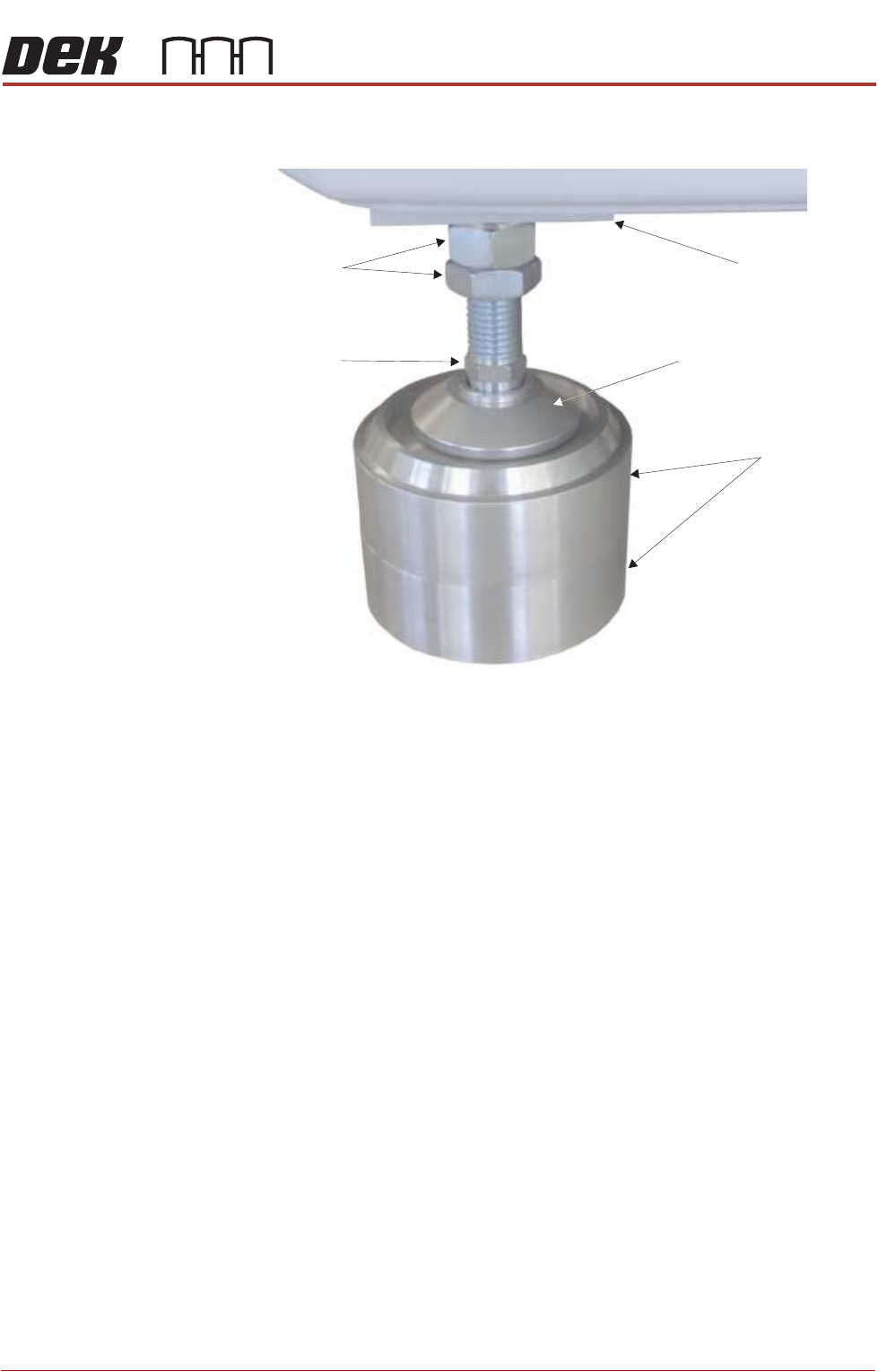
Leg spacers are shown here, but they are not used until the machine has
been moved to the designated position.
8. Move the machine to its designated position.
Leg Spacers
(2 shown)
Machine Mounting Foot
M24 Locking Nuts
Machine Frame
Leg Adjusting Nut