88192277-01-19 - Micron Technical Reference V9 Volume 4.pdf - 第257页
TRANSPORTATION - MAJOR RELOCATION MACHINE ASSEMBLY Chapter Issue 5, Nov 19 Technical Reference Manual 42.91 NOTE Auxiliary conveyor height settings and parallelism is checked after Machine Power Up Sequence. ProFlow 1. C…
TRANSPORTATION - MAJOR RELOCATION
MACHINE ASSEMBLY
42.90 Technical Reference Manual Chapter Issue 5, Nov 19
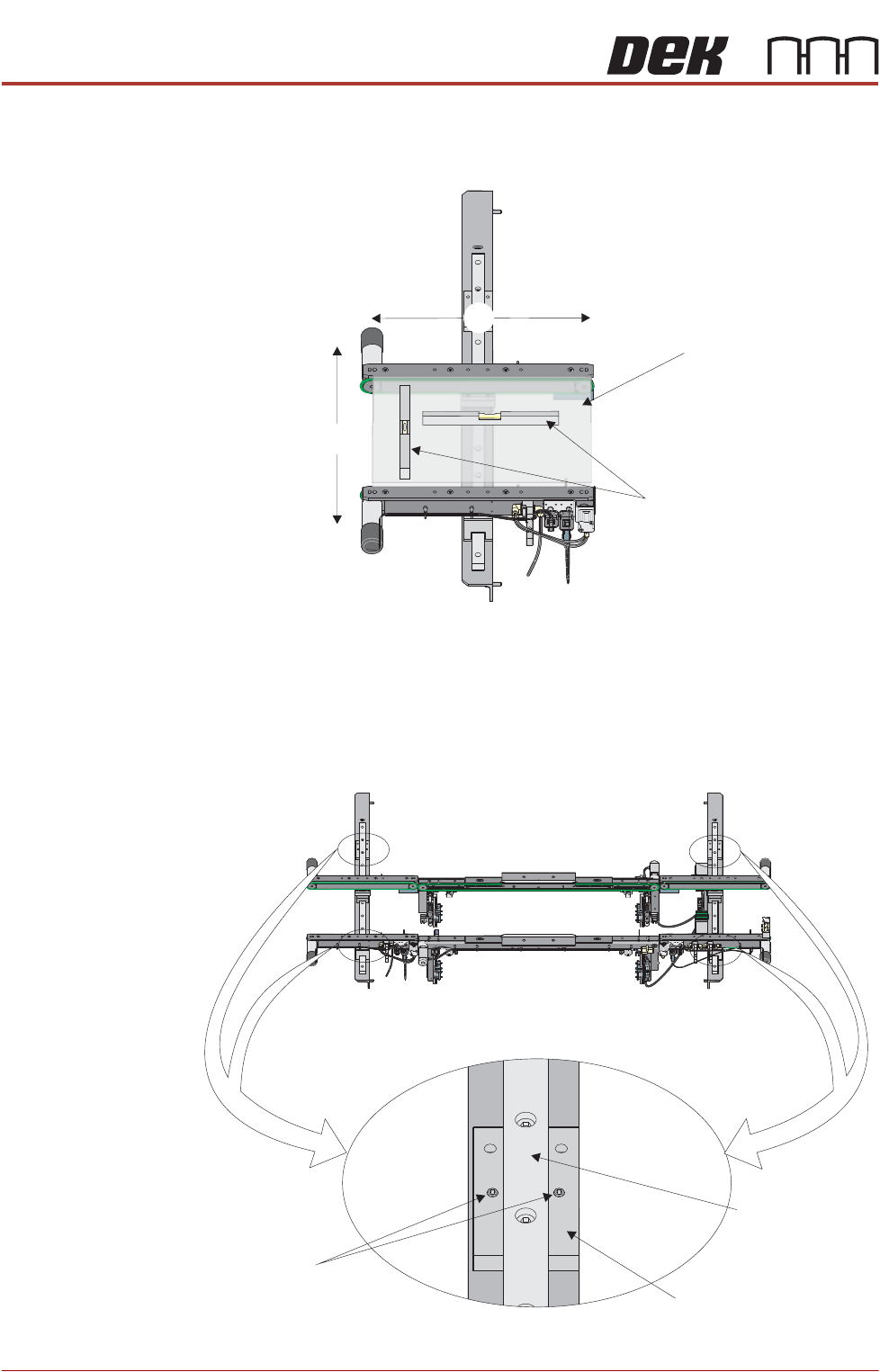
3. Place a spirit level on top of the setting plate and check the levelness of the
conveyor in the X and Y planes.
4. If adjustment is required, carry out the following:
a. By careful adjustment of the grub screws on the top face of the auxiliary
conveyor front and rear linear bearing holders, raise or lower the height
of the conveyor about the auxiliary conveyor height adjustment bolt, to
achieve conveyor levelness.
b. Carry out Steps 2 and 3 to recheck for conveyor levelness.
View on Auxiliary Conveyor
Y
Board Clamp
Setting Plate
Spirit Level
X
Front View of HTC Rails
Grub Screw
Linear Bearing
Linear Bearing Holder
TRANSPORTATION - MAJOR RELOCATION
MACHINE ASSEMBLY
Chapter Issue 5, Nov 19 Technical Reference Manual 42.91
NOTE
Auxiliary conveyor height settings and parallelism is checked after Machine
Power Up Sequence.
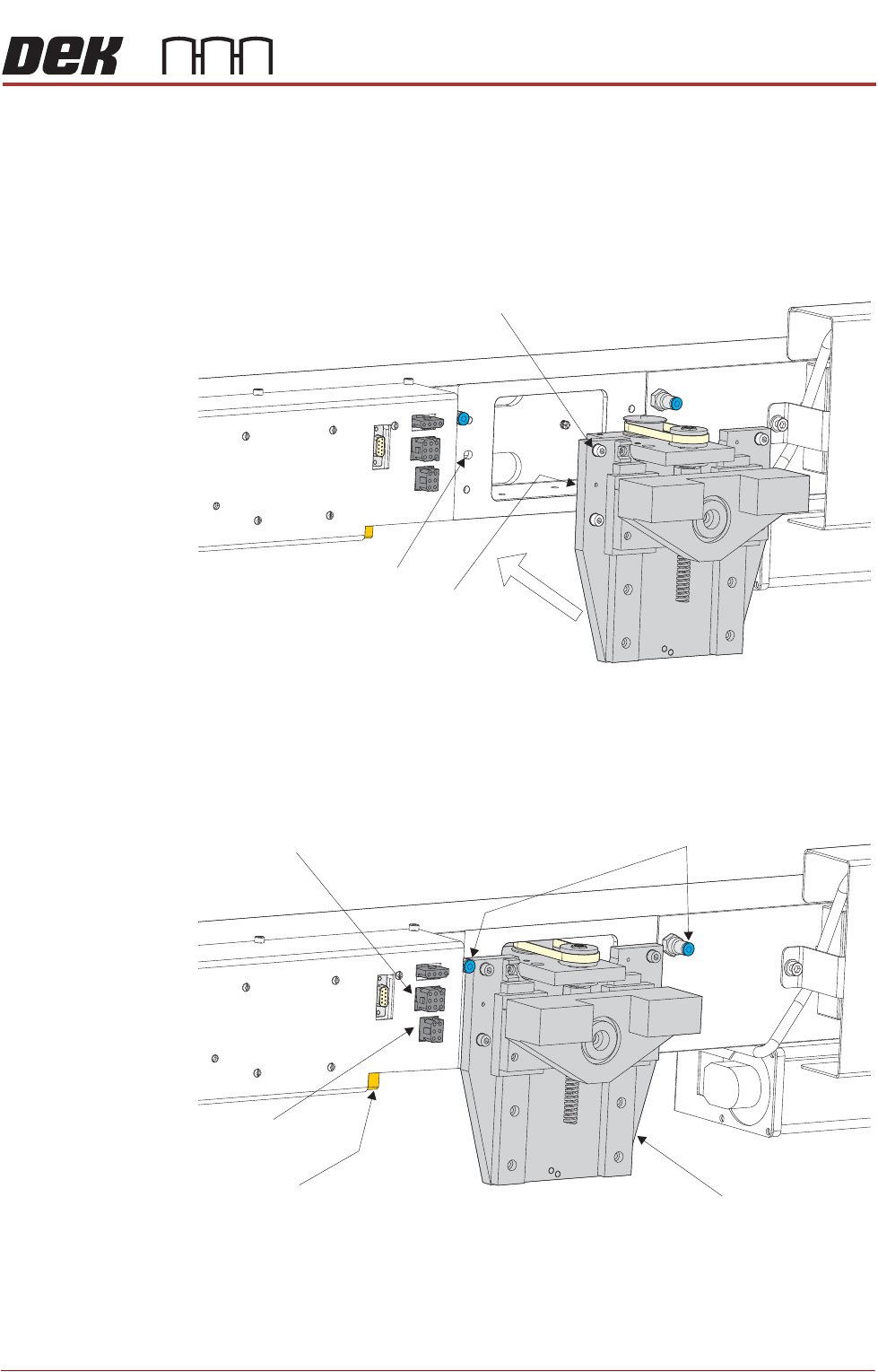
ProFlow 1. Carefully position the ProFlow printhead mechanism so that both locating
dowels locate into the print carriage locating holes. Secure the unit to the
print carriage by means of the four captive screws.
2. Connect the following connectors to the print carriage, left hand side:
• ProFlow motor connector 9PL17 into 9 way socket 9SK17
• ProFlow home sensor connector 9PL08 into 6 way socket 9SK08
Captive Screw (in 4 positions)
Locating Dowel
(in 2 positions)
Print Carriage Locating
Hole (in 2 positions)
Pneumatic Connectors
ProFlow Motor
(9SK17)
Home Sensor
(9SK08)
ProFlow Paste Level
Sensor (9PL61)
ProFlow Printhead
Mechanism
TRANSPORTATION - MAJOR RELOCATION
MACHINE ASSEMBLY
42.92 Technical Reference Manual Chapter Issue 5, Nov 19
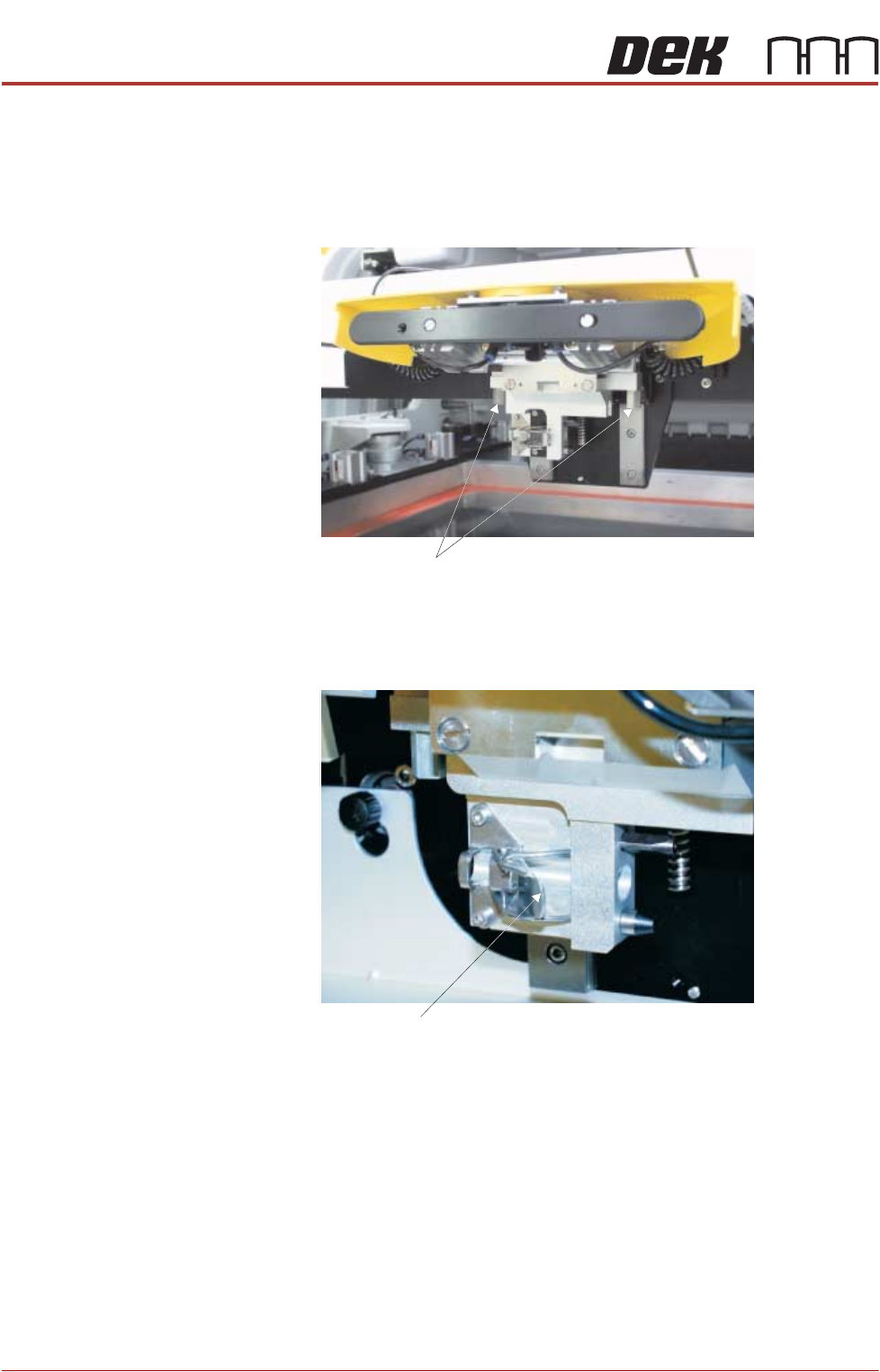
3. Fit the pressure mechanism part of the ProFlow unit to the ProFlow print-
head mechanism bearing block by means of the two securing bolts. Tighten
using a 5mm Allen key.
NOTE
Unit shown in unlatched position to identify bolts.
4. Ensure that the locking clip on the pressure mechanism is pressed over to
the right and clicks into place, as shown in the figure below. This ensures
that the locking clip is in the correct position to secure the transfer head.
5. Locate and fit the ProFlow transfer head unit to the pressure mechanism by
means of the two locating dowels. Slide the unit onto the pressure mecha-
Securing Bolts
Locking Clip