88192277-01-19 - Micron Technical Reference V9 Volume 4.pdf - 第31页
HERMES Topology of Network Chapter Issue 2, Nov 19 Technical Reference Manual 37.3 Physical Establish the cable type, examples are shown. • 10 Base T (Thin Ethern et) NOTE ASM only provide support for the 10 Ba se T cabl…
HERMES
Topology of Network
37.2 Technical Reference Manual Chapter Issue 2, Nov 19
TOPOLOGY OF NETWORK
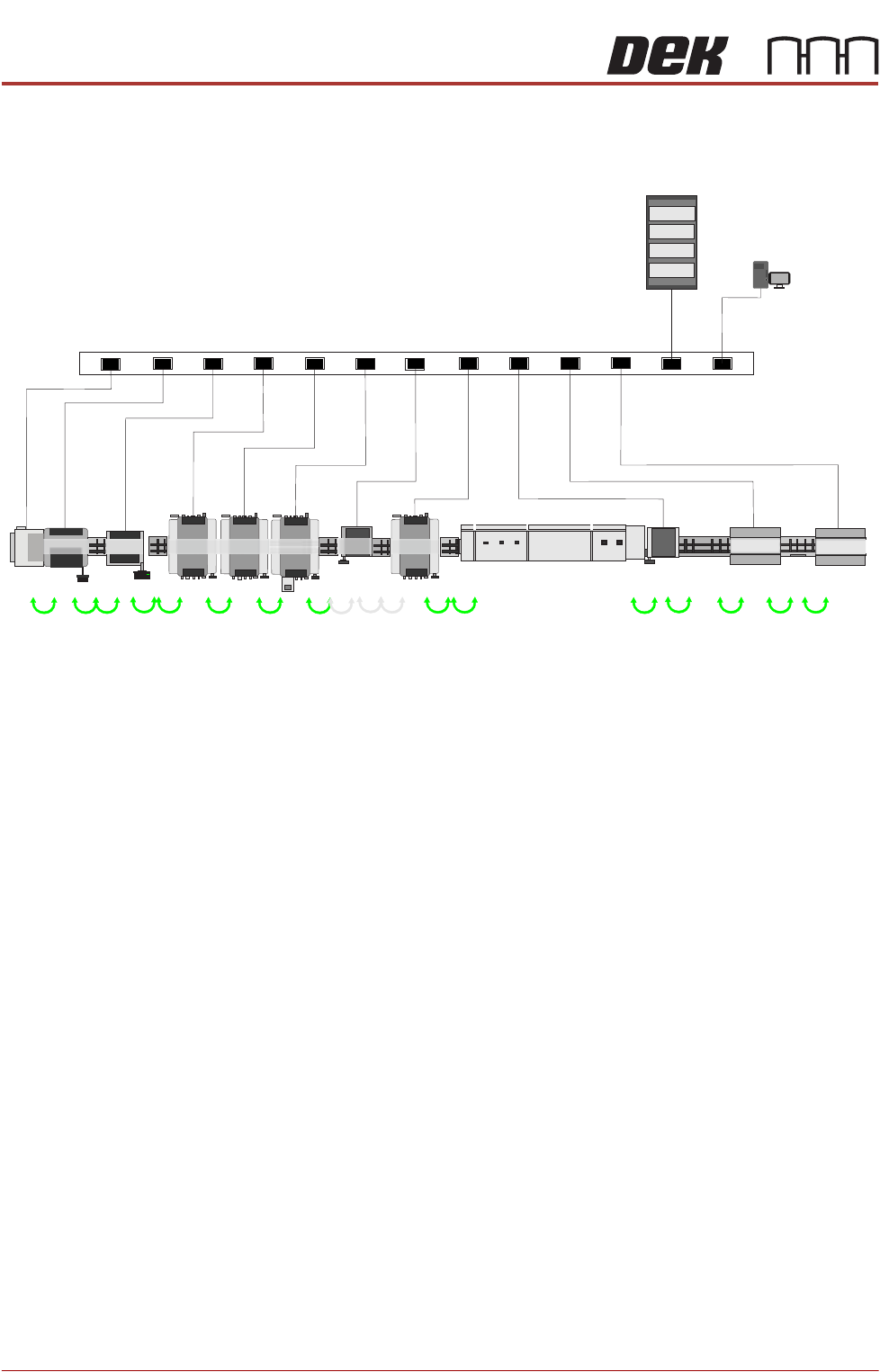
Figure 37-1 Hermes SMT line - Network Configuration
Establishing a
Network
Connection
The four items that need to be set up to establish a network connection are listed
below:
Protocol Generally, the protocol used is TCP/IP (Transmission Control Protocol/Internet
Protocol) where communications between computers is divided into packets
with headers (electronic address labels) that identify the IP address. Every IP
Address is divided into the network ID portion (Net id) and a client ID portion
(Host id).
NOTE
ASM can support any protocol that customer has, only TCP/IP needs the
information provided in this chapter, other protocols provide automatic address-
ing techniques.

HERMES
Topology of Network
Chapter Issue 2, Nov 19 Technical Reference Manual 37.3
Physical Establish the cable type, examples are shown.
• 10 Base T (Thin Ethernet)
NOTE
ASM only provide support for the 10 Base T cable types. The plug is an RJ45
type and it is recommended that a CAT 5 twisted pair arrangement is used
(details later in this chapter).
Once this is known the location of the network socket must be assessed and an
assessment made of the suitability of the system for the application.
NOTE
If a customer has a different arrangement to the above, it may be possible to
convert to this arrangement using a different connector. Contact ASM Customer
Support for details.
Registration on the
Server Domain
ASM only support networking on Microsoft Windows Server/Client based arche-
tecture.
The printing machine needs to be registered on the correct domain, this
information is obtained from the network administrator and there may be a
requirement to have a user account set up and a password given.
To change the domain name, use the following procedure:
1. In Windows, select the Start button.
2. Select Computer from the right hand menu.
3. Select System properties from the toolbar.
4. Select Change Settings from the Computer name, domain, and workgroup
settings.
5. Select the Change tab.
6. In the Member of Domain field: enter the domain name as supplied by the
network administrator.
7. Select OK.
8. Close the application.
NOTE
The network administrator is the only person who can supply the information
above. No attempt to make network connection should be made without the
administrators permission to do so.

HERMES
CONNECTION TO A NETWORK SERVICE
37.4 Technical Reference Manual Chapter Issue 2, Nov 19
CONNECTION TO A NETWORK SERVICE
Important Safety
Considerations
Whenever a printer is indirectly controlled eg, when using a network to control
its movements, there may be safety issues to consider. DEK printing printers
are fitted with several safety interlocks to protect operators and maintainers.
In addition to the above warning and before operating the machinery remotely,
ASM recommend that adequate safety systems are in place to ensure that all
personnel are clear of the moving parts in the printer and any external machin-
ery which may be in partial or full control of the networked host.
Minimum System
Requirement
The minimum system requirement for the host PC is as follows:
• IBM Compatible PC (running Windows 7 minimum)
• VDU with 800 x 600 Pixels (256 colours)
• LAN connection for Net Files
Operating
Environment
The operating system of the host computer must be capable of communicating
with a DEK printer running Windows 7 (minimum).
NOTE
Where DEK Software for Productivity Tools eg, Remote Product Changeover,
Off-Line editor etc are to be used, the installer must be logged on with Admin-
istrator level access in order for the security key device driver software to be
installed.