88192277-01-19 - Micron Technical Reference V9 Volume 4.pdf - 第43页
STINGER OVERVIEW Chapter Issue 4, Nov 19 Technical Reference Manual 38.1 CHAPTER 38 STINGER OVER VIEW Stinger is a glue dot dispenser module attached to the ca mera carriage. The dispensed adhesive is used to hold larger…
HERMES
TESTING THE CONNECTION
37.14 Technical Reference Manual Chapter Issue 2, Nov 19
Using a Laptop If ‘Pinging’ the network fails, a laptop computer can be attached to the printing
machine to test the network driver and card is working correctly.
NOTE
Before commencing testing, make a note of the original configurations of both
the laptop and the printer so that they can be reset on completion.
1. Connect the laptop to the DEK printer using a cross-over network cable.
2. On the laptop, change the IP Address to 195.100.100.2 with a subnet mask
of 255.255.255.0.
3. Select OK and reboot the laptop.
4. On the DEK printer, change the IP Address to 195.100.100.1 with a subnet
mask of 255.255.255.0.
5. Select OK and reboot the printer.
6. From the Windows desktop, select Start - Run and enter CMD in the box
labelled ‘Open:’.
7. Select OK.
8. Type Ping 195.100.100.2.
9. If the ping is successful, the reply displays the following information: Reply
from 195.100.100.2: bytes=32 time<10ms TTL=128.
10. Disconnect the cross-over network cable and reset the printer and laptop to
their original settings.
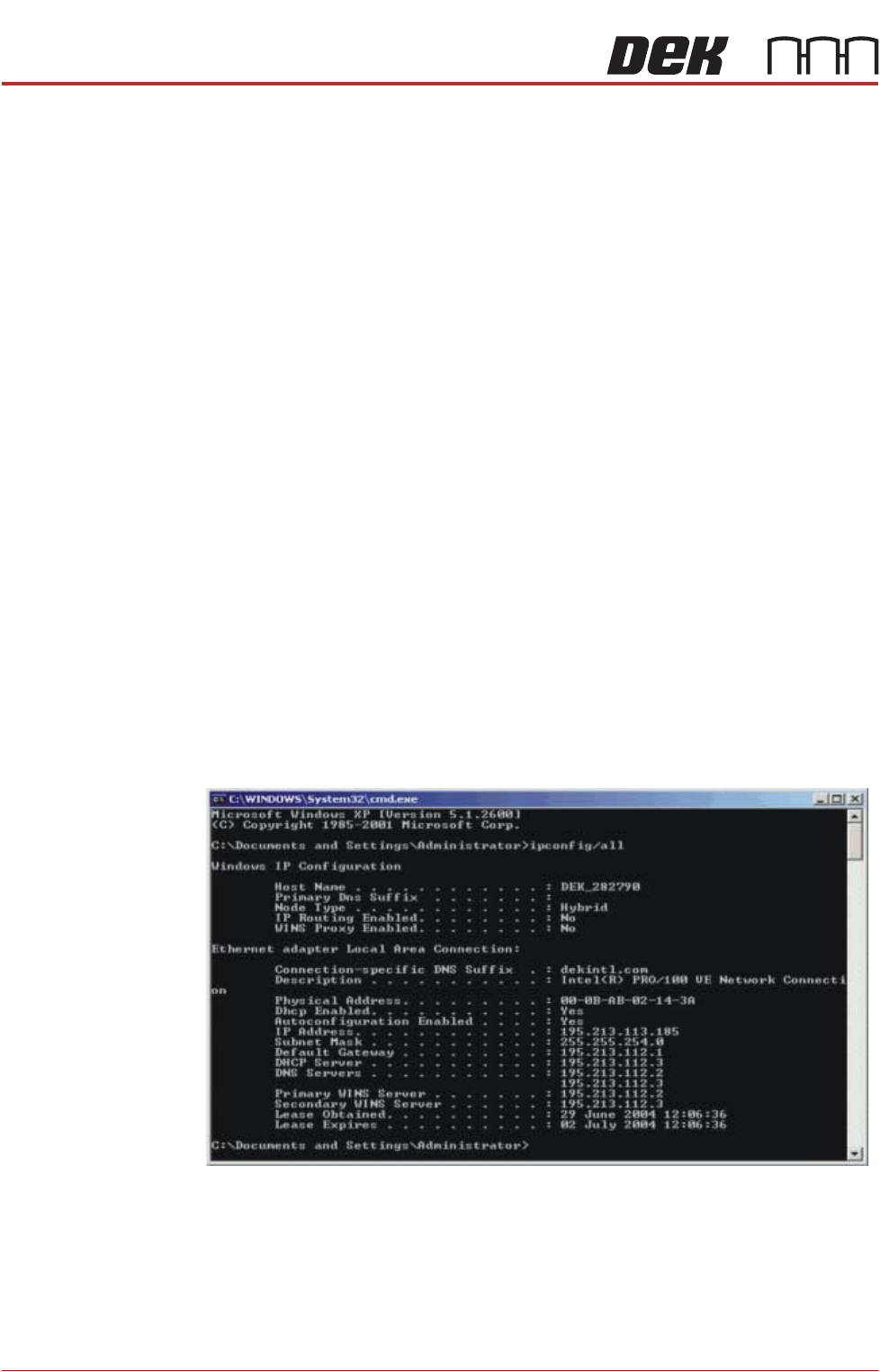
Finding an IP
Address
If the IP Address of a printer is not known (either PC or DEK Printer) these can
be obtained by opening the Command Prompt window. At the prompt type
IPCONFIG/ALL
All addresses are listed which the item is connected to including routers and
other servers.
Handshaking Whilst all inter station communication is carried out in the background, a Pre-
condition on the Print button alerts the user if the stations are not conjoined.
STINGER
OVERVIEW
Chapter Issue 4, Nov 19 Technical Reference Manual 38.1
CHAPTER 38 STINGER
OVERVIEW
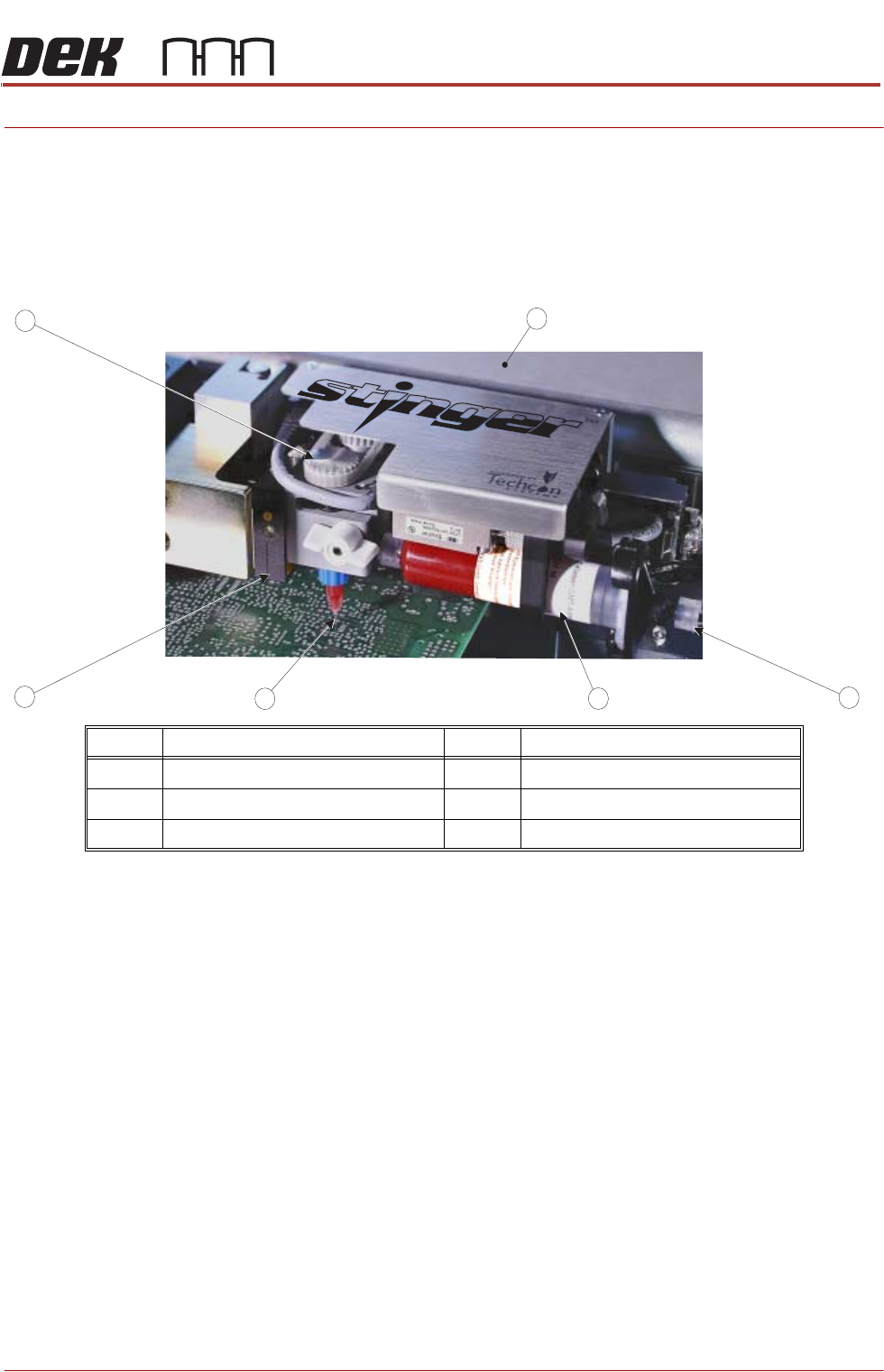
Stinger is a glue dot dispenser module attached to the camera carriage. The
dispensed adhesive is used to hold larger mass components, which may as a
result of transportation, or where under components are used, move after
placement.
After a product has been printed, Stinger dispenses adhesive in a pre-pro-
grammed pattern onto the product’s surface. A laser can be programmed to
take a measurement at various locations on the product; these measurements
are used to check that the dispense gap is maintained, even where product
warpage exists.
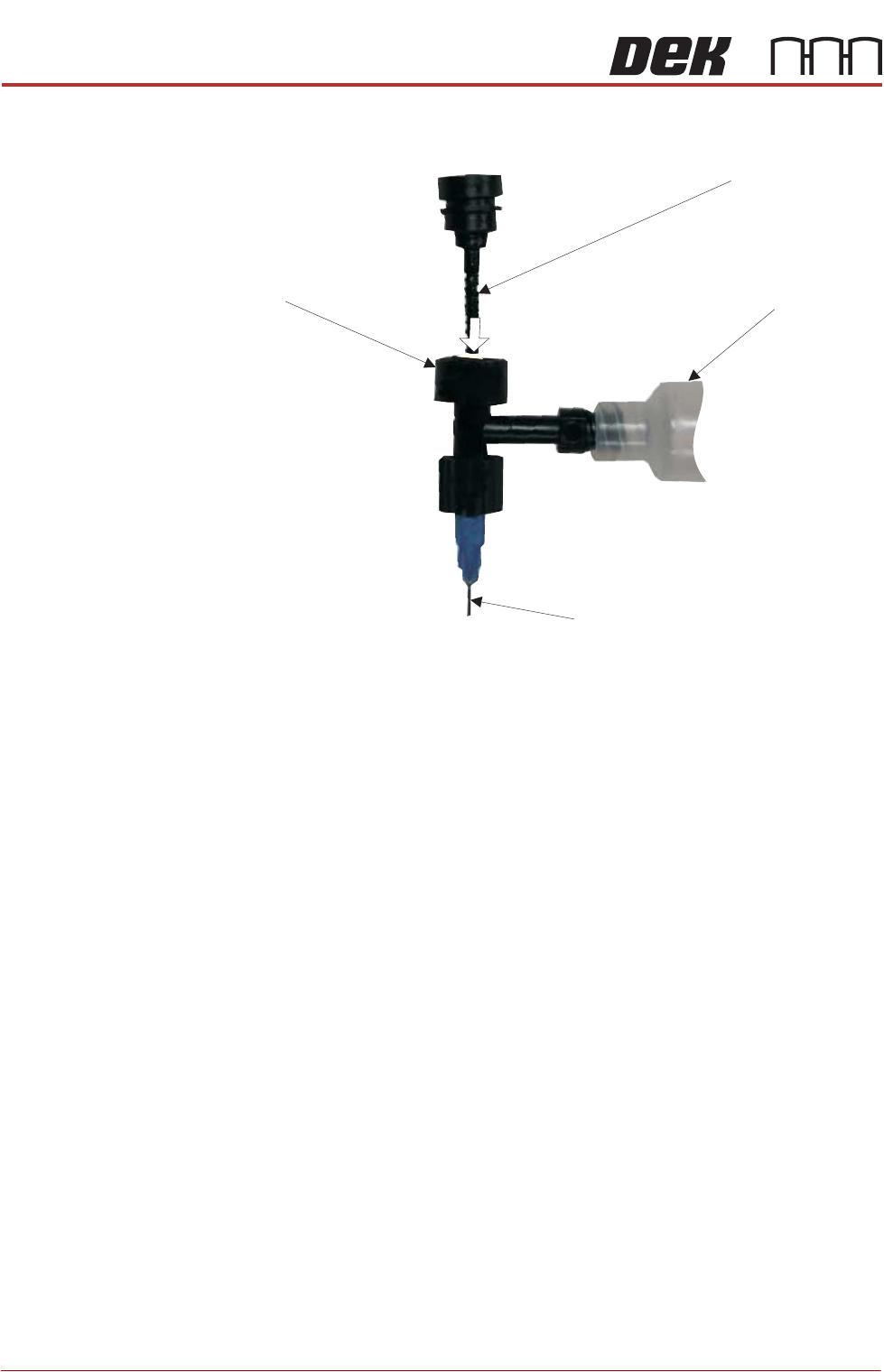
Operation Regulated air is supplied to the rear of the syringe, forcing an internal plunger
to compress the adhesive. The auger body fills with adhesive and the auger
valve screw (Archimedes screw) is rotated, providing a stirring motion that
‘works’ the adhesive; this action disperses any air bubbles that may be present.
N0. Description No. Description
1 Camera Carriage 4 Nozzle and Auger Valve Assembly
2 Air Input Connector 5 Laser Unit
3 10cc Syringe 6 Auger Pulley
5
2
6
1
4
3
38.2 Technical Reference Manual Chapter Issue 4, Nov 19
STINGER
OVERVIEW
Figure 38-1 Exploded View of the Dispense Mechanism
The unit can be programmed to purge the contents of the syringe, ensuring
consistency, prior to a production run. Externally, a consumable level sensor
detects the level of the adhesive in the syringe and warns the operator when
the level is low. A laser can be programmed to take height readings across the
top surface of the product; the information gained, is used to adjust the dispense
height, thereby increasing the consistency during the dispense cycle.
For detailed set up and operation procedures refer to manual, Stinger, a guide
to adhesive dot dispensing - Part Number 88198825-01.
Auger Valve Screw
Auger Body
Syringe Head
Tip