88192277-01-19 - Micron Technical Reference V9 Volume 4.pdf - 第57页
STINGER REPLACEMENT PROCEDURES Chapter Issue 4, Nov 19 Technical Reference Manual 38.15 Syringe Removal and Replacement 1. Remove the replacement syring e assembly from refrigeration and allow the temperature to rise in …
38.14 Technical Reference Manual Chapter Issue 4, Nov 19
STINGER
REPLACEMENT PROCEDURES
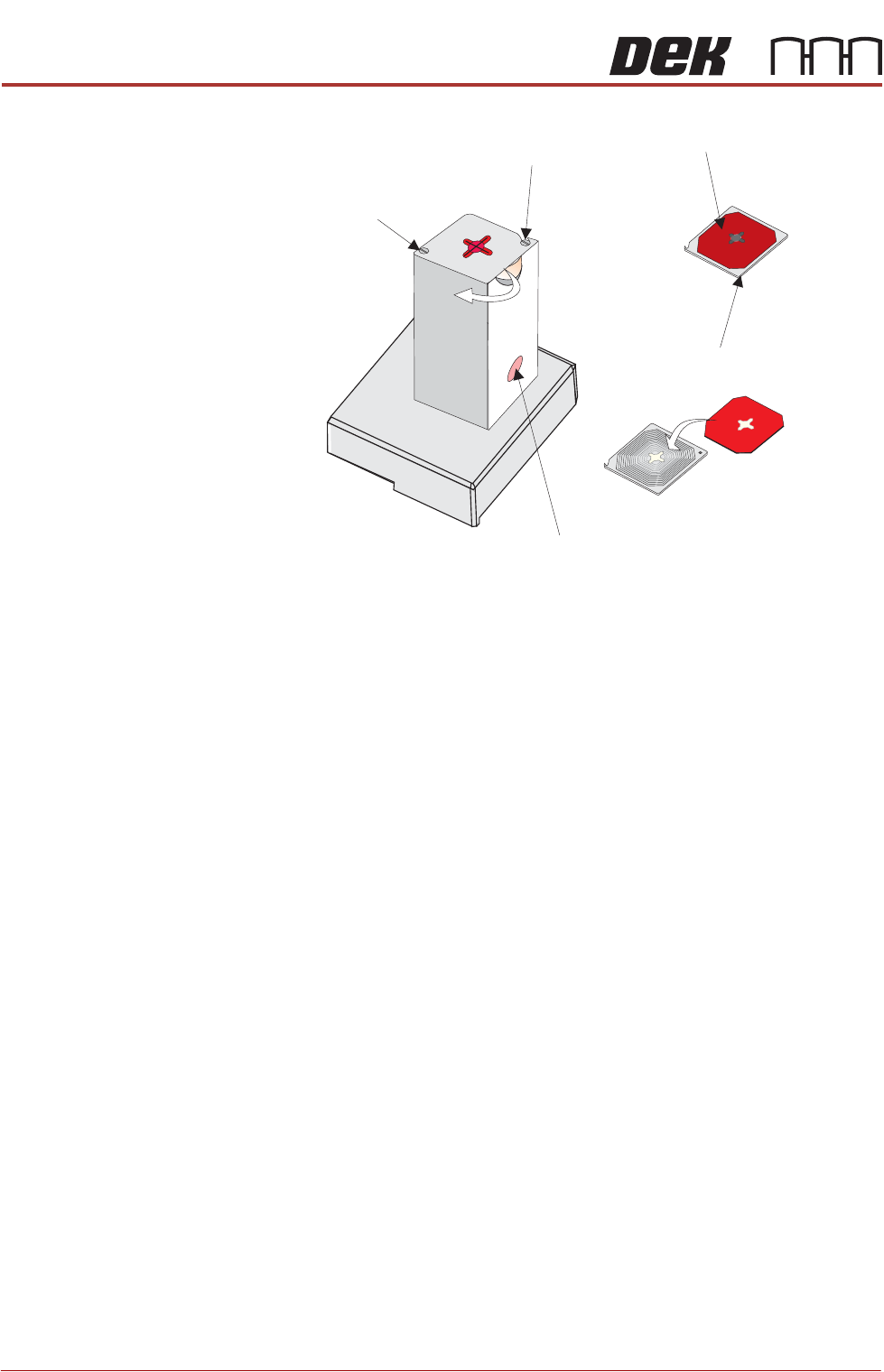
swivelling it as shown by the arrow in the graphic.
1. Swivel the lid in the rotate direction shown, inwards away from the board
clamps.
2. The waste container can now be removed, emptied, cleaned and replaced.
3. Remove the used wiper pad and replace with new.
4. Rotate the lid and wiper assembly back into position until it locks in place.
NOTE
The unit can be fitted to either the right hand or the left hand side of the rising
table. The lid is designed such that it swivels in towards the centre of the
machine. The lid can be fitted correctly for either left hand or right hand
usage; simply fix it to the opposite screw locations to those shown, i.e. the
hook screw becomes the captive screw.
Captive Screw
Hook Screw
Waste Container
Wiper Pad
Lid
(as viewed from underside)
Replace
STINGER
REPLACEMENT PROCEDURES
Chapter Issue 4, Nov 19 Technical Reference Manual 38.15
Syringe Removal
and Replacement
1. Remove the replacement syringe assembly from refrigeration and allow the
temperature to rise in accordance with the manufacturers’ recommenda-
tions. Remove the end dust cap.
2. Select Unload Board. Choose the preferred remove board method or
manual.
3. Select Unload Screen. Open the printhead cover and remove the screen.
Close the printhead cover and press the System button to restore system
power.
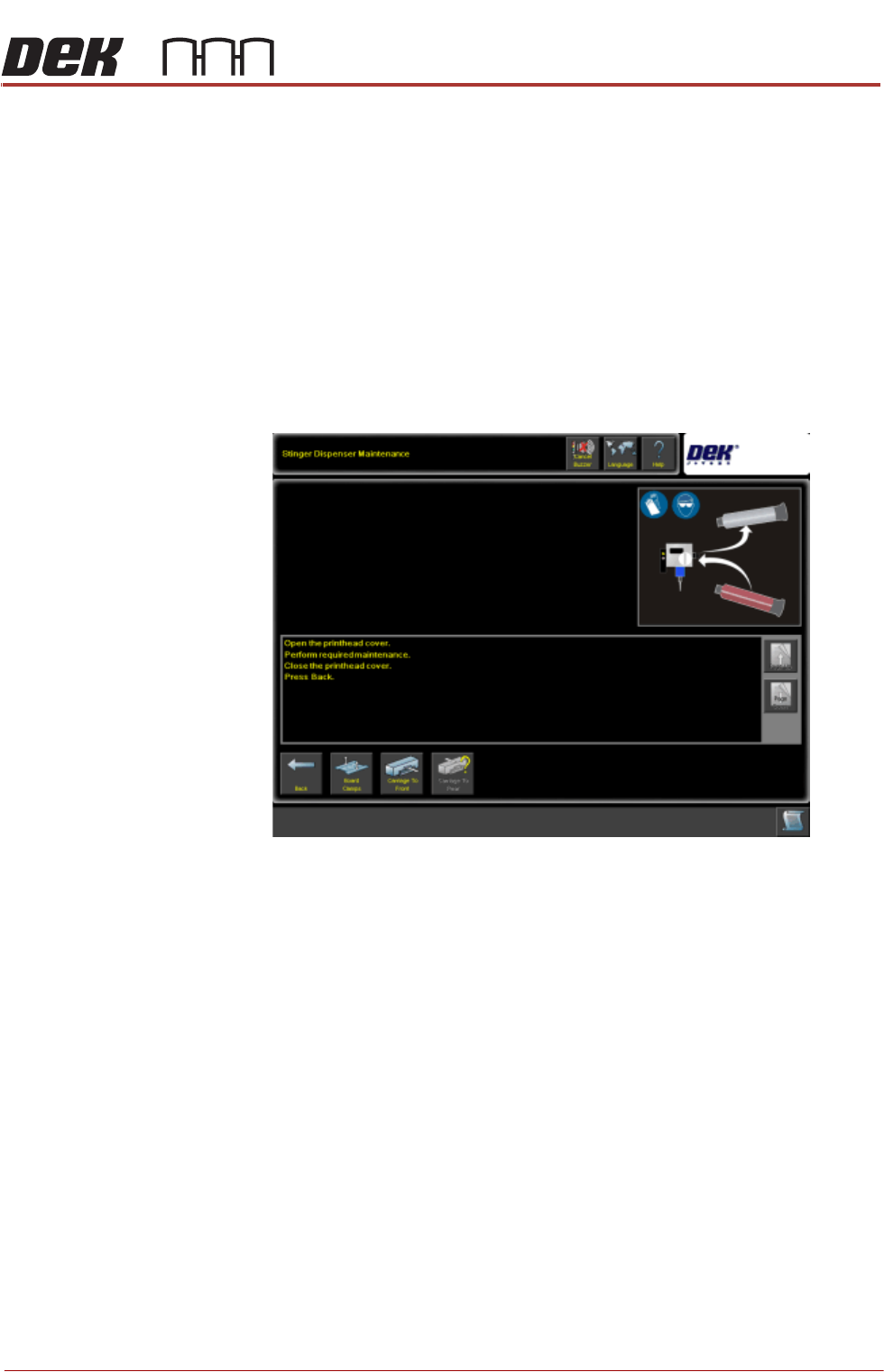
4. Select Maintain Stinger.
5. Open the cover; the camera axis is located at the front of the printer where
the applicator can be removed. If necessary, move the print carriage back
to gain access to the print area.
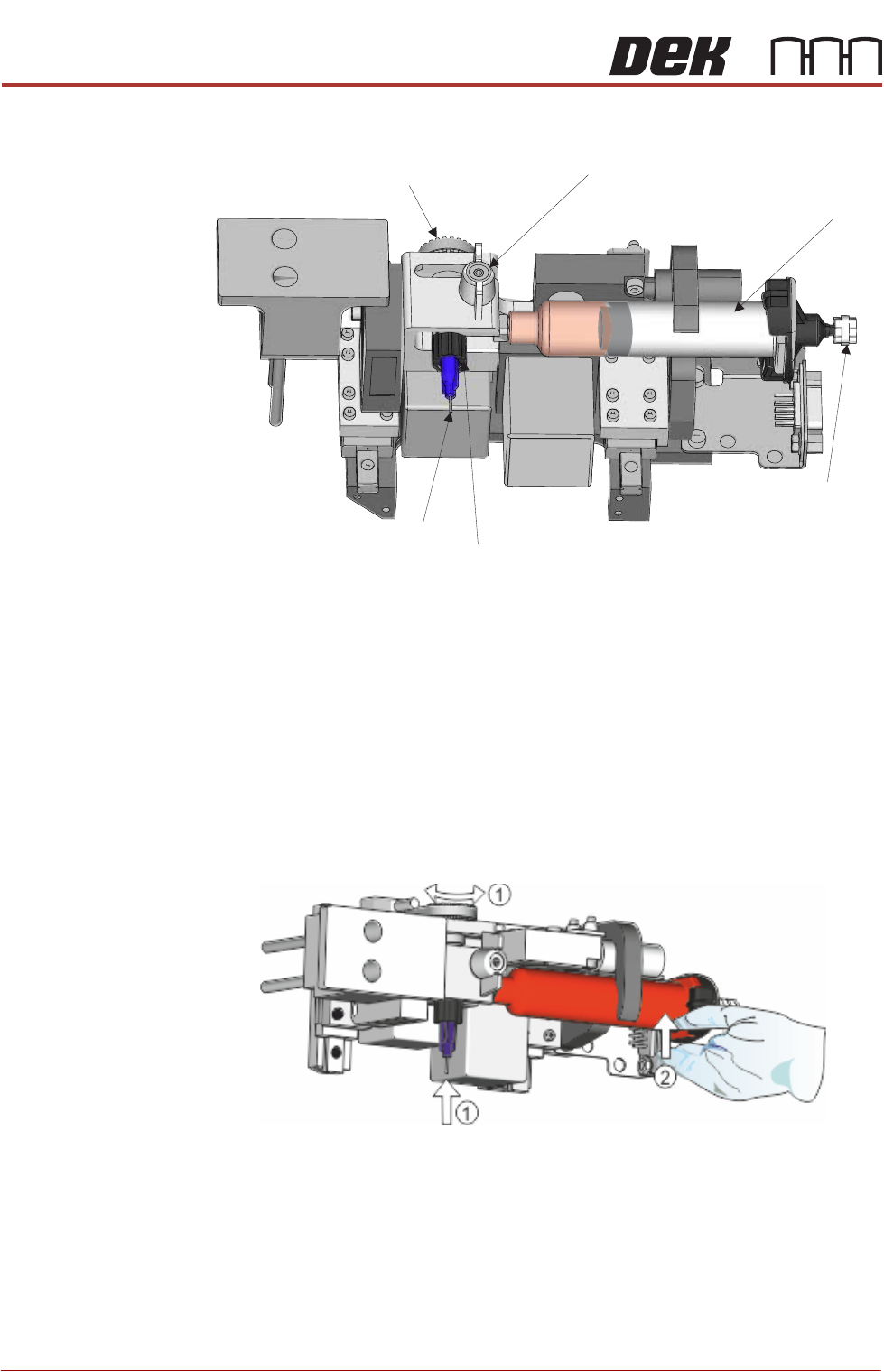
6. Slacken off the auger clamp screw.
7. Release the auger, nozzle and syringe as one assembly from the drive gear
and the ‘C’ clamp.
38.16 Technical Reference Manual Chapter Issue 4, Nov 19
STINGER
REPLACEMENT PROCEDURES
8. Remove the pneumatic air connector from the rear of the syringe assembly.
9. Store part-used assemblies in a refrigerator or dispose of the whole assem-
bly in accordance with any national, federal or local disposal regulations.
10. Remove the syringe sealing cap.
11. Fit a replacement auger and nozzle to the syringe.
12. Fit the pneumatic air connector to the rear of the syringe assembly.
13. Lift the assembly: auger, nozzle, syringe and air connector, up toward the
auger drive gear. Align the syringe with the ‘C’ clamp (1).
14. The auger engages with the square shaft of the drive motor, rotate the
exposed portion of the drive belt at the same time pushing the complete
assembly upward, ensuring that it is in the fully up position (2).
15. Check that the whole assembly is secure in the ‘C’ clamp.
16. Refit the in-line air connection.
17. Tighten the plastic auger clamp screw. Do not over tighten.
18. Remove the nozzle dust cap. Ensure that the nozzle assembly is in line with
auger valve and not bent or at an angle.
19. Select Load Board and load the calibrated test product as described in the
Software Interface section of this manual.
Auger
Nozzle
Pneumatic
Connection
Auger Clamp Screw
Auger Drive Gear
Syringe