88192277-01-19 - Micron Technical Reference V9 Volume 4.pdf - 第39页
HERMES SETUP Chapter Issue 2, Nov 19 Technical Reference Manual 37.11 25. Set the IP Address and Port Number for the printer on the upline and downline stations. NOTE See the T echnical documentation f or the upline and …
HERMES
SETUP
37.10 Technical Reference Manual Chapter Issue 2, Nov 19
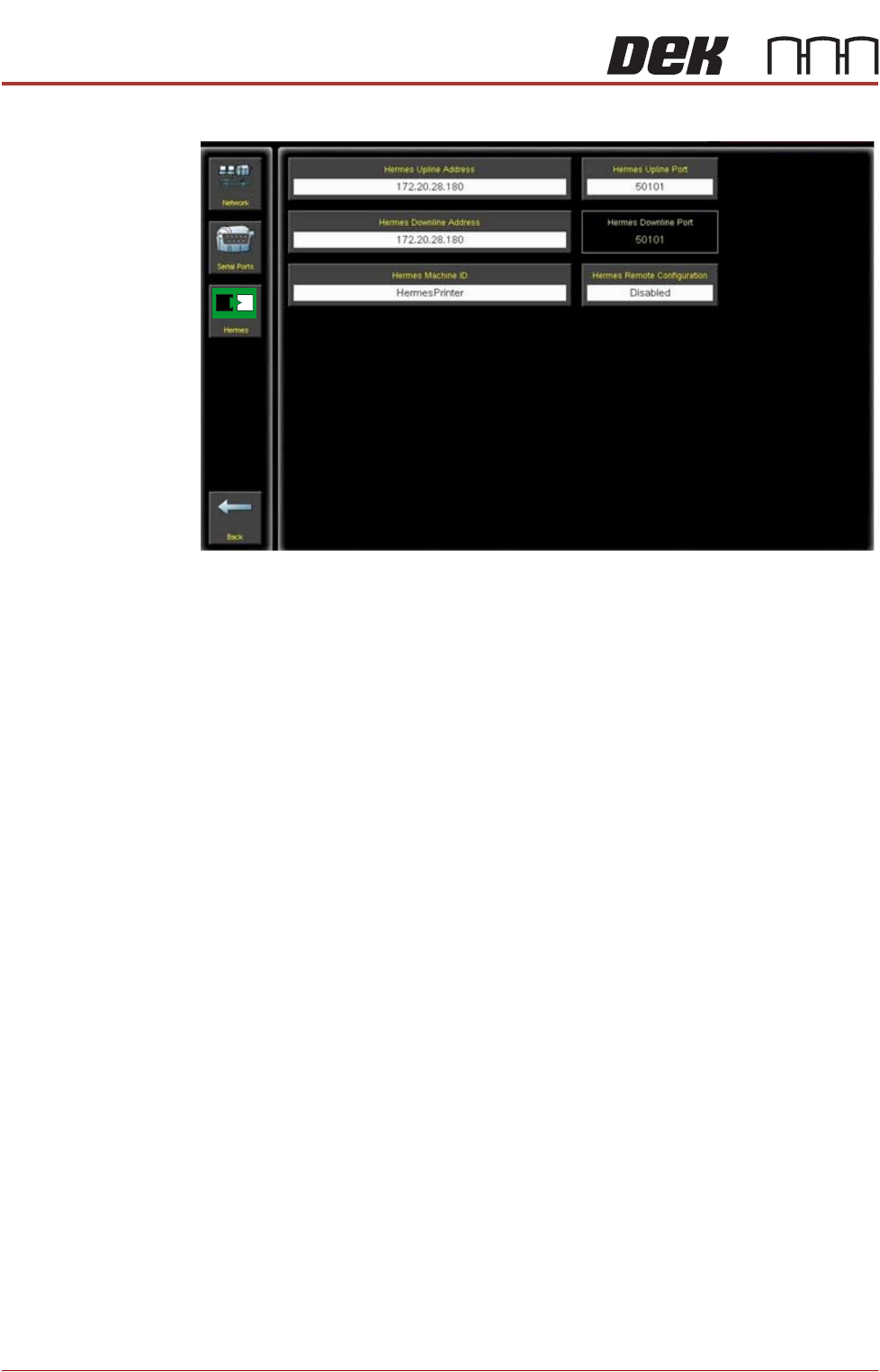
11. Select Hermes.
12. Select Hermes Upline Address.
13. Set the IP Address for the upline station.
14. Select Accept.
15. Select Hermes Upline Port.
16. Set the Port Number for the upline station.
NOTE
The default Hermes port number is 50101 contact the Network Administrator
/ Line controller to confirm.
17. Select Accept.
18. Select Hermes Downline Address.
19. Set the IP Address for the downline station.
NOTE
This can be left blank which allows any Hermes compatible station to
connect to the printer. To allow a specific station to connect set the IP
address for that station.
20. Select Accept.
NOTE
The Hermes Downline Port is not configurable from the printer, It is set to
the default port number for lane one (50101)
21. Hermes Machine ID must have a value set in it. This should default to the
serial number of the printer.
NOTE
The Parameter is preconditioned so that no value cannot be accepted.
22. Select Back.
23. Select Back.
24. Select Back.
HERMES
SETUP
Chapter Issue 2, Nov 19 Technical Reference Manual 37.11
25. Set the IP Address and Port Number for the printer on the upline and
downline stations.
NOTE
See the Technical documentation for the upline and downline machines for
guidance.
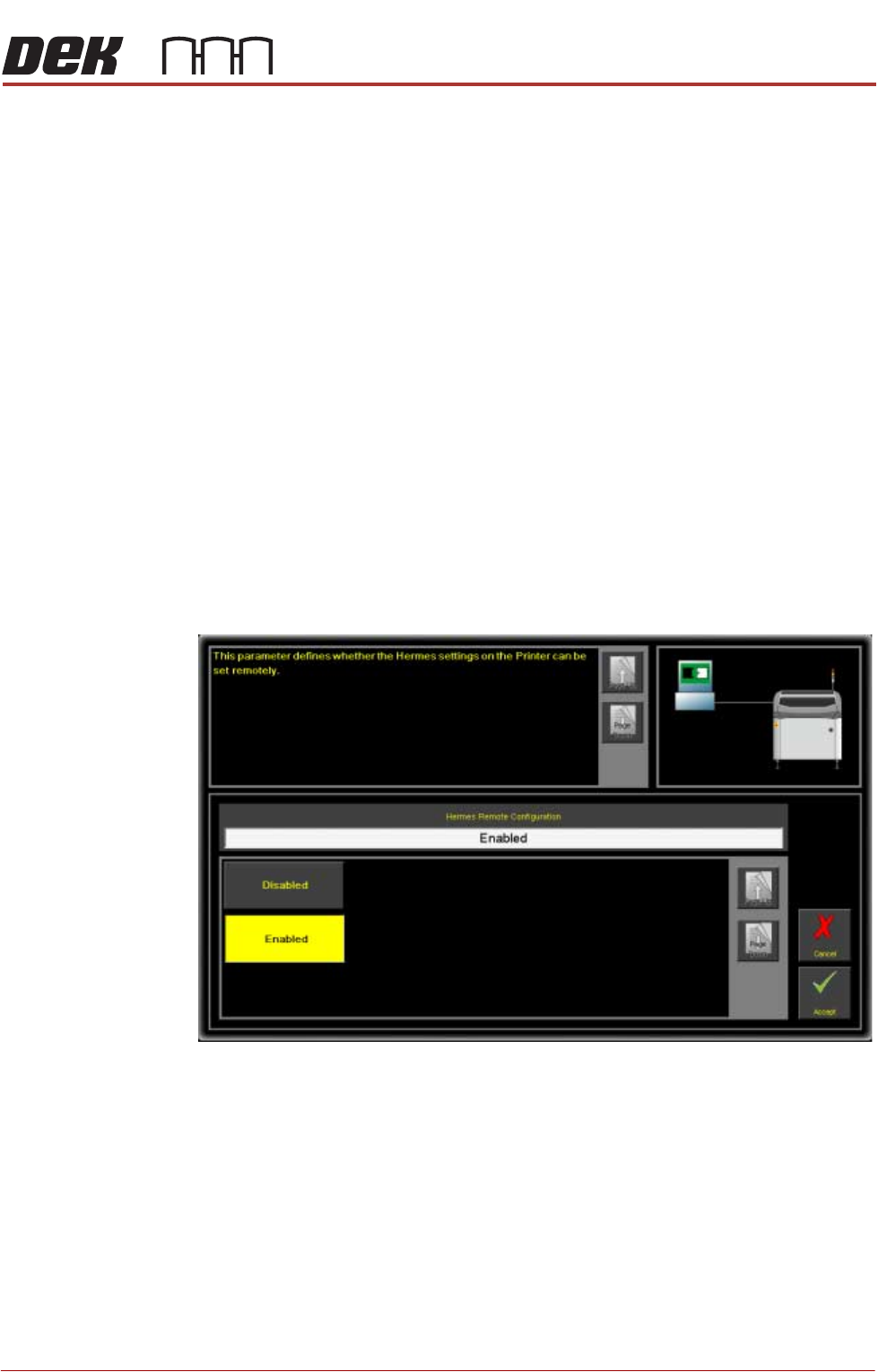
Remote Setup In order to configure Hermes remotely via a network, Hermes Remote configu-
ration must be enabled and an Ethernet connection to the network established.
The following procedure details setting the printer software to remote.
NOTE
For information on the location and connection for the Ethernet cable contact
the Network Administrator / Line Controller. For information on the location of
the Ethernet connection socket on the printer refer to the Networking chapter of
this manual.
1. Select Maintenance.
2. Select Machine Setup.
3. Select Data Comms.
4. Select Hermes.
5. Select Hermes Remote Configuration.
6. Select Enabled.
7. Select Accept.
8. Select Back.
9. Select Back.
10. Select Back.
Barcode Source The Barcode source must be set to Hermes.
NOTE
If the printer is the first station in the SMT line with barcode reading functionality
then the Barcode source is to be set to remote.

HERMES
SETUP
37.12 Technical Reference Manual Chapter Issue 2, Nov 19
1. Select Maintenance.
2. Select Machine Setup.
3. Select Barcodes.
4. Select Barcode Source.
5. Select Hermes.
6. Select Accept.
7. Select Exit.
8. Select Back.
9. Select Back.