00196693-03_UM_SX4DX4_SR706_EN.pdf - 第250页
5 Working with the machine User Manual SIPLACE SX4/DX4 5.5 The user interface From software version SC.706.xx Version 06/2012 EN 250 Example: "Feeder modules, component s and nozzles" view Click on "Feed…
User Manual SIPLACE SX4/DX4 5 Working with the machine
From software version SC.706.xx Version 06/2012 EN 5.5 The user interface
249
5.5.4 Operating the station software in the views
Most views which can be accessed via the toolbar (see section 5.5.3, page 248) have an addi-
tional vertical toolbar with subviews and functions, on the right-hand side of the user interface.
NOTE
For a detailed description of the individual functions refer to the Online Help. 5
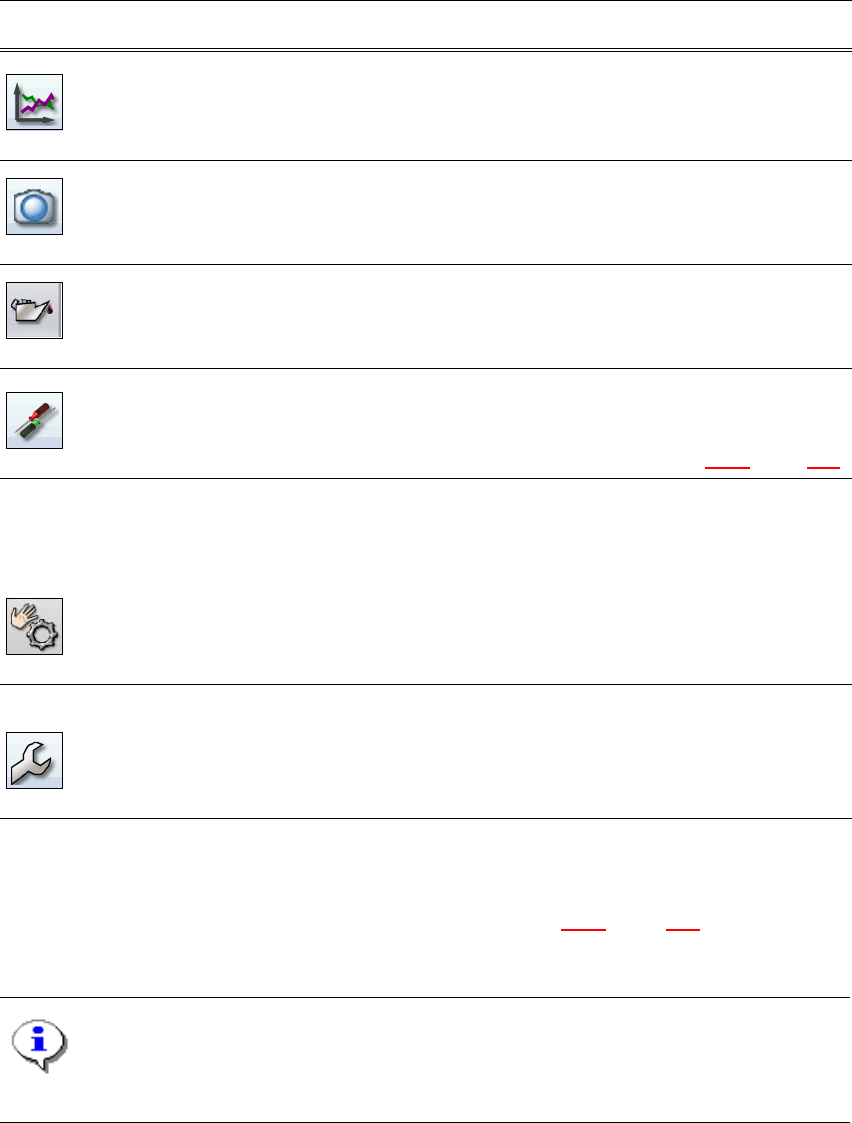
Statistics Shows the statistics for performance, quality and rejected material.
Shows the machine and board performance.
Starts the OIS (Operator Information System), for more information
refer to the OIS documentation.
Live image during
placement
Shows the individual live camera images.
Only available from operator level "Advanced Production" :
Allows you to view and save the Vision dump.
Maintenance sta-
tus
Contains information about the maintenance status of the machine.
Refer to the maintenance guide for further information.
Settings Contains all the settings and options.
Allows you to set the operator level and the user interface language.
Allows you to display and edit the machine settings, user settings,
machine options and software options, see section 5.5.5
, page 252.
Check sensors
and functions
Contains information and functions for tests and diagnoses.
Allows you to set the action performed when you press the start
button.
Only available from operator level "Advanced Production" :
Allows you to test the complete reference run and C&P20 head
functions.
Single functions and continuous runs. Each gantry is addressed
individually.
Service Service tools.
Only available from operator level "Service (customer)".
Allows you to set up and calibrate the SIPLACE placement ma-
chines, download embedded software versions, calibrate and con-
figure the entire machine.
Icon View Description
5 Working with the machine User Manual SIPLACE SX4/DX4
5.5 The user interface From software version SC.706.xx Version 06/2012 EN
250
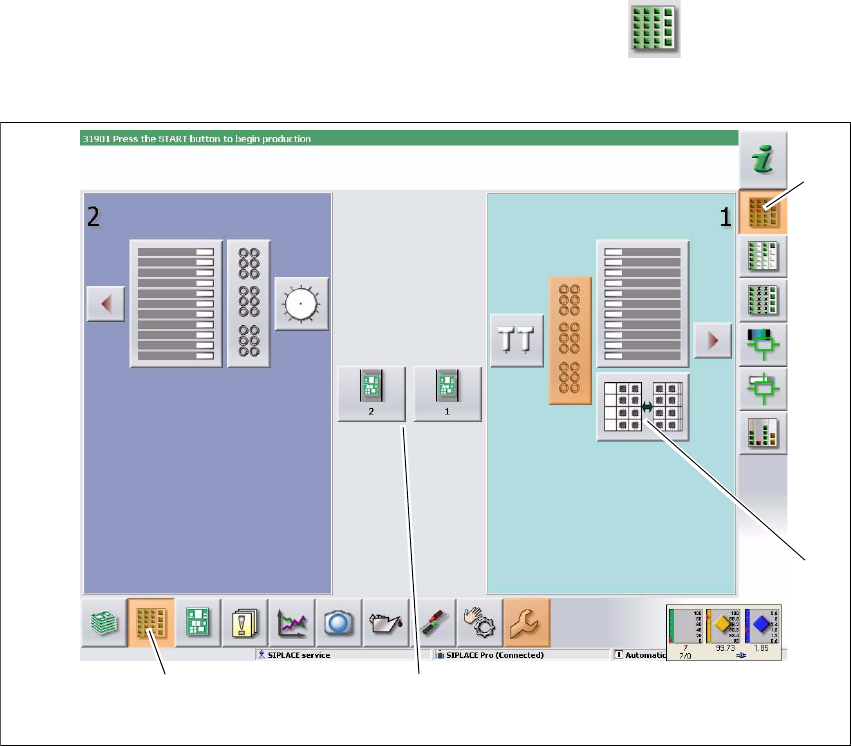
Example: "Feeder modules, components and nozzles" view
Click on "Feeder modules, components and nozzles" in the toolbar .
The following view will open:
5
Fig. 5.5 - 3 User interface in the "Feeder modules, components and nozzles" view (example of SIPLACE SX shown)
Legend
(1) Toolbar ("Feeder modules, components and nozzles" button)
(2) Vertical toolbar in "Feeder modules, component and nozzles" view
(3) Processing area with 2 gantries
(4) Button for nozzle change at gantry 2
Click, for example, on the WPC for gantry 1 (button 4), to check the configuration.
(1)
(2)
(3)
(4)
User Manual SIPLACE SX4/DX4 5 Working with the machine
From software version SC.706.xx Version 06/2012 EN 5.5 The user interface
251
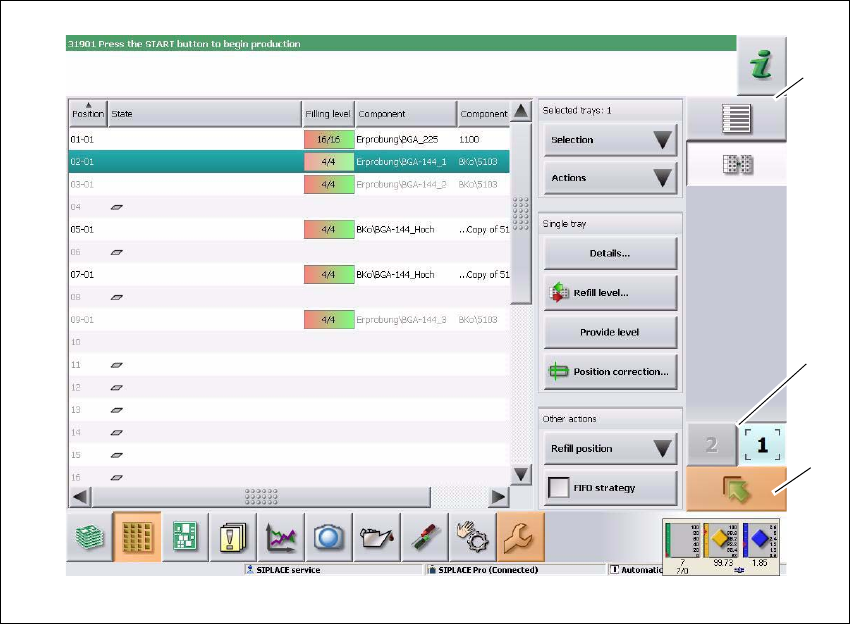
The following view will open:
5
Fig. 5.5 - 4 User interface in the "WPC" view (example of SIPLACE SX shown)
Legend
(1) Vertical toolbar "WPC"
(2) "Up one level" button, to return to previous view (here: "Feeder modules, component and
nozzles" view, see previous diagram)
(3) Buttons for changing directly to a different gantry
(1)
(2)
(3)