00196693-03_UM_SX4DX4_SR706_EN.pdf - 第258页
5 Working with the machine User Manual SIPLACE SX4/DX4 5.7 Indicator lamps From software version SC.706.xx Version 06/2012 EN 258 5.7.1.2 Three color indicator lamp Fig. 5.7 - 2 Indicator lamps for operating states (exam…
User Manual SIPLACE SX4/DX4 5 Working with the machine
From software version SC.706.xx Version 06/2012 EN 5.7 Indicator lamps
257
5.7 Indicator lamps
5.7.1 Overview
These indicator lamps are used to signal operating statuses and malfunctions of the machine. SI-
PLACE machines can either be fitted with a two or three color indicator lamp. The relevant indi-
cator lamp system (two or three color) is set in the autoconfiguration, see installation guide for
station software, Item No. 00196771-xx.
5.7.1.1 Two color indicator lamp
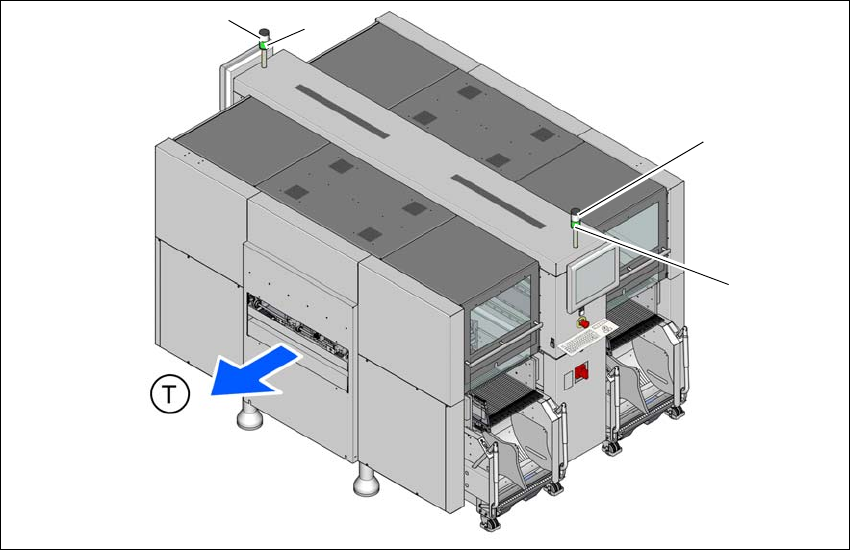
Fig. 5.7 - 1 Indicator lamps for operating states (example of SX4)
L1 white indicator lamp, right
L2 green indicator lamp
L3 white indicator lamp, left
T Direction of PCB transport
(L2)
(L1)
(L3)
(L2)
5 Working with the machine User Manual SIPLACE SX4/DX4
5.7 Indicator lamps From software version SC.706.xx Version 06/2012 EN
258
5.7.1.2 Three color indicator lamp
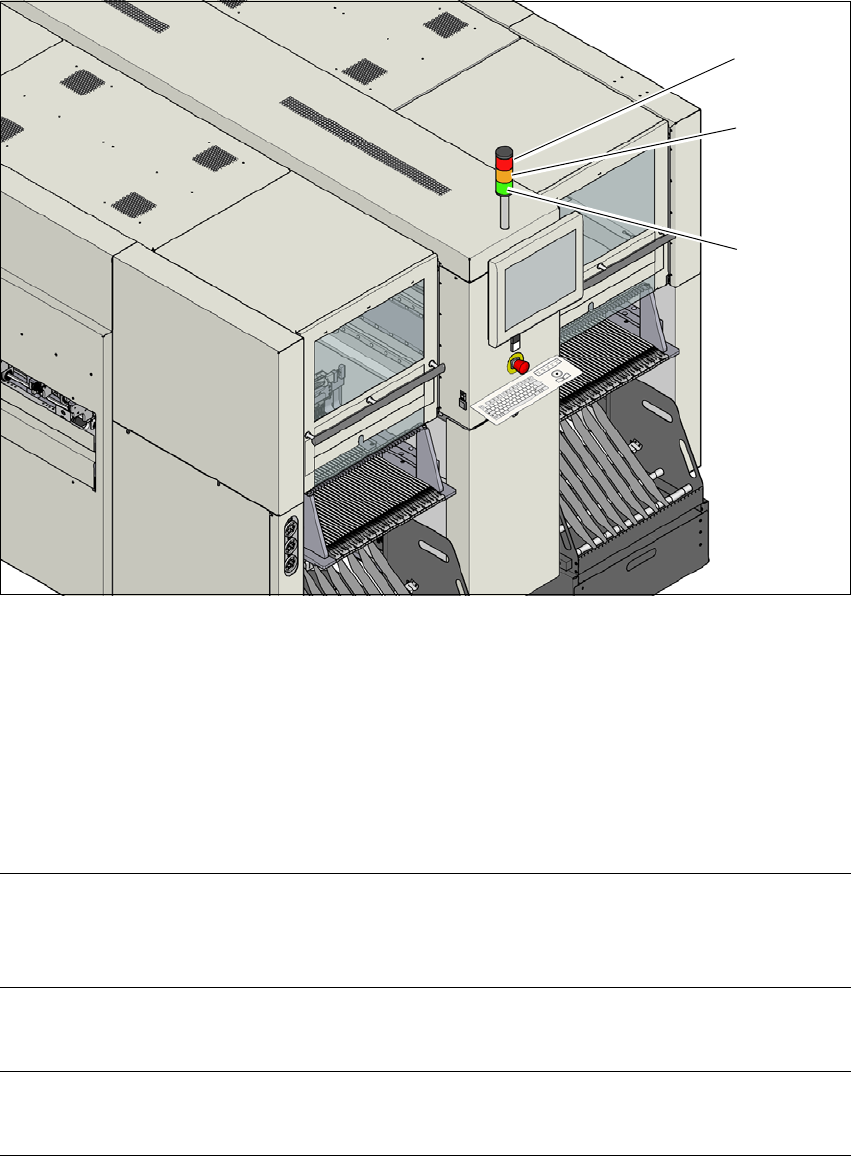
Fig. 5.7 - 2 Indicator lamps for operating states (example of DX4)
L1 red indicator lamp
L2 yellow indicator lamp
L3 green indicator lamp
5.7.2 Status displays and their meanings
5
(L2)
(L1)
(L3)
Meaning Machine side Status - two color
(white/green)
Status - three color
(red/yellow/green)
The machine is producing Both sides White: --
Green: On
Red: Off
Yellow: Off
Green: On
The machine is waiting for a
board at input.
Both sides White: --
Green: 700 - 700
Red: Off
Yellow: Off
Green: 500 - 500

User Manual SIPLACE SX4/DX4 5 Working with the machine
From software version SC.706.xx Version 06/2012 EN 5.7 Indicator lamps
259
The machine has been stopped
with the STOP button; the
START button must be pressed
to continue production.
Both sides Not configured Red: Off
Yellow: Off
Green: 500 - 500
Fiducial manipulation by the
operator required.
Both sides White: --
Green: 100 - 100
Red: Off
Yellow: 500-500
Green: Off
The machine is waiting for a
recipe or is waiting for machine
preparation after receiving a
recipe.
Both sides White: --
Green: 100 - 100
Red: Off
Yellow: Off
Green: 500 - 500
The machine is preparing pro-
duction (check nozzle status,
feeder module recognition).
Both sides White: --
Green: 100 - 100
Red: Off
Yellow: Off
Green: 500 - 500
An alternative pickup position
will be used.
Respective side White: 100 -100
Green: --
Red: Off
Yellow: On
Green: On
A board needs to be taken out
of the output conveyor (e.g. for
inspection).
Respective side White: 500 -500
Green: 700 -700
Red: Off
Yellow: Off
Green: 500 - 500
The PCB conveyor is jammed
(successor machine is waiting
for boards).
Respective side White: --
Green: 700 -700
Red: Off
Yellow: Off
Green: 500 - 500
More than one pickup position
with the same components is
disabled but there is more than
one pickup position available
for use.
Respective side White: 500 -500
Green: --
Red: Off
Yellow: On
Green: On
Setup verification is required
for at least one pickup position.
Respective side White: 500 -500
Green: --
Red: Off
Yellow: 500 - 500
Green: Off
The nozzle setup is not com-
plete.
Respective side White: 500 -500
Green: --
Red: Off
Yellow: On
Green: On
The last available pickup posi-
tion is being used or there is no
pickup position left for this com-
ponent. The machine will con-
tinue to produce while there are
still other components which
can be placed.
Respective side White: 100 -200
Green: --
Red: Off
Yellow: On
Green: On
Meaning Machine side Status - two color
(white/green)
Status - three color
(red/yellow/green)