00196920-07_SIPLACE_Pro_FeatureDescription_DE_EN.pdf - 第109页
SIPLACE Pro Fe ature Des cription Ausgabe 05/2014 Edit ion 109 8.4.8.5 Specif yin g User - defined Pick - up Posi tion (PuP) User - def ined pick - up positi ons ( P ick u p P ositio n) for com ponents / com ponent sh ap…
SIPLACE Pro Feature Description Ausgabe 05/2014 Edition
108
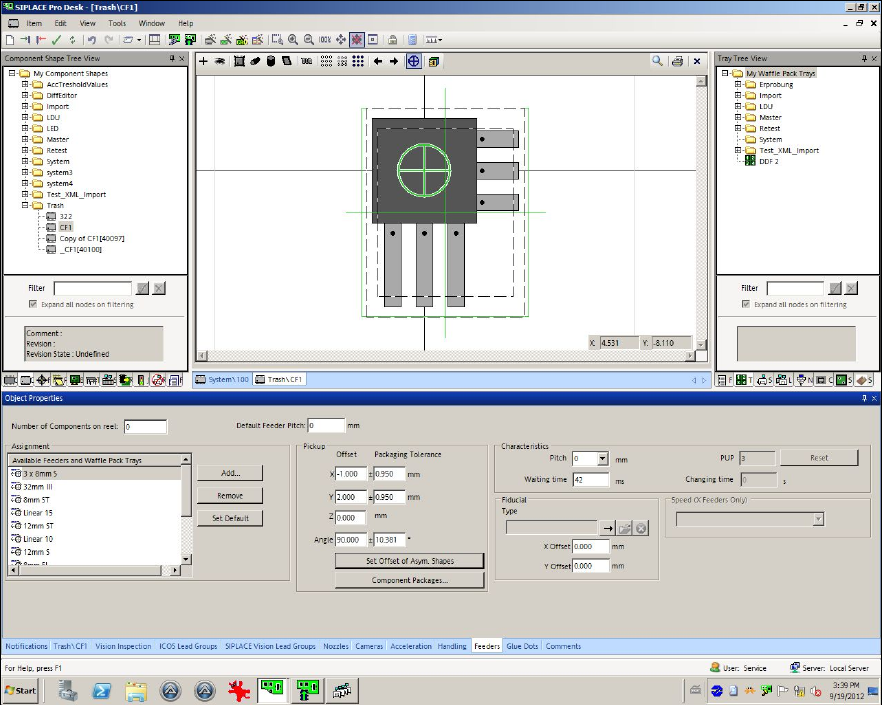
Figure 8-20: Recalculated pick-up positions
The function can also be used in the Data Maintenance Tool (under Set Feeder offset data of
assigned Feeders).
8.4.8.4 Saving the X-/Y-positions
After the X-/Y-pick-up positions or the pick-up angle have been changed and the function for
uploading the feeder data is enabled at the station, the changes can be locally saved at the station
and additionally uploaded to SIPLACE Pro into the defined setup.
SIPLACE Pro Feature Description Ausgabe 05/2014 Edition
109
8.4.8.5 Specifying User-defined Pick-up Position (PuP)
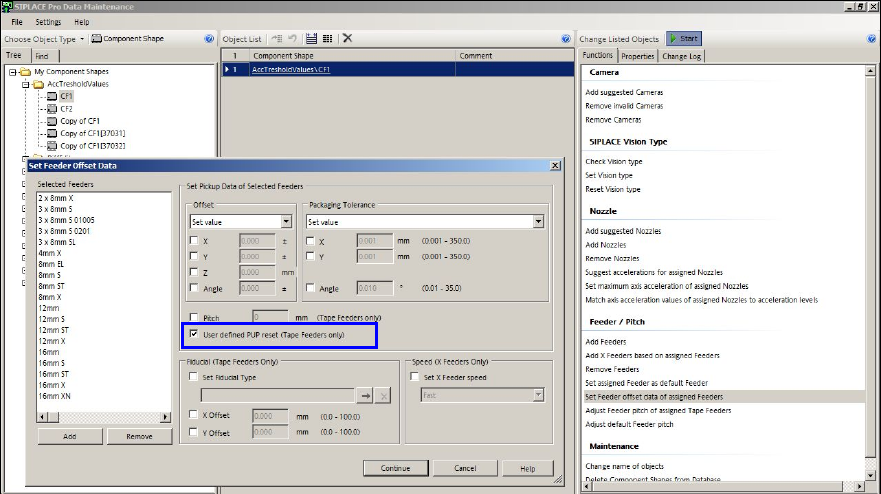
User-defined pick-up positions (Pick up Position) for components / component shapes from an
uploaded setup will be transferred to the feeder assignment in the Data Maintenance Tool.
Figure 8-21: Specifying PuP
Either the calculated pick-up position or, if available, the user-defined pick-up position will be
displayed. If the user-defined pick-up position deviates from the calculated position, a warning is
displayed that the user-defined setting will be used for the pick-up position when the component is
set up.
The user-defined pick-up position can be reset to the calculated pick-up position with the User
defined PUP reset (Tape Feeders only) option.
The adjusted pick-up position will be transferred to the setup by SIPLACE Pro Desk and the
Optimizer.
SIPLACE Pro Feature Description Ausgabe 05/2014 Edition
110
8.4.9 Locking Desk / Line Control GUI Automatically
If SIPLACE Pro Desk and the SIPLACE Pro Line Control GUI are started and no entries are made
during a preset time period they will be automatically locked. Prerequisite: the security has to be
enabled in SIPLACE Pro. The preset time period = 5 minutes.
The lock can only be removed in the login dialog by the user account that was active at the locking
time or by a user account with administrator privileges.
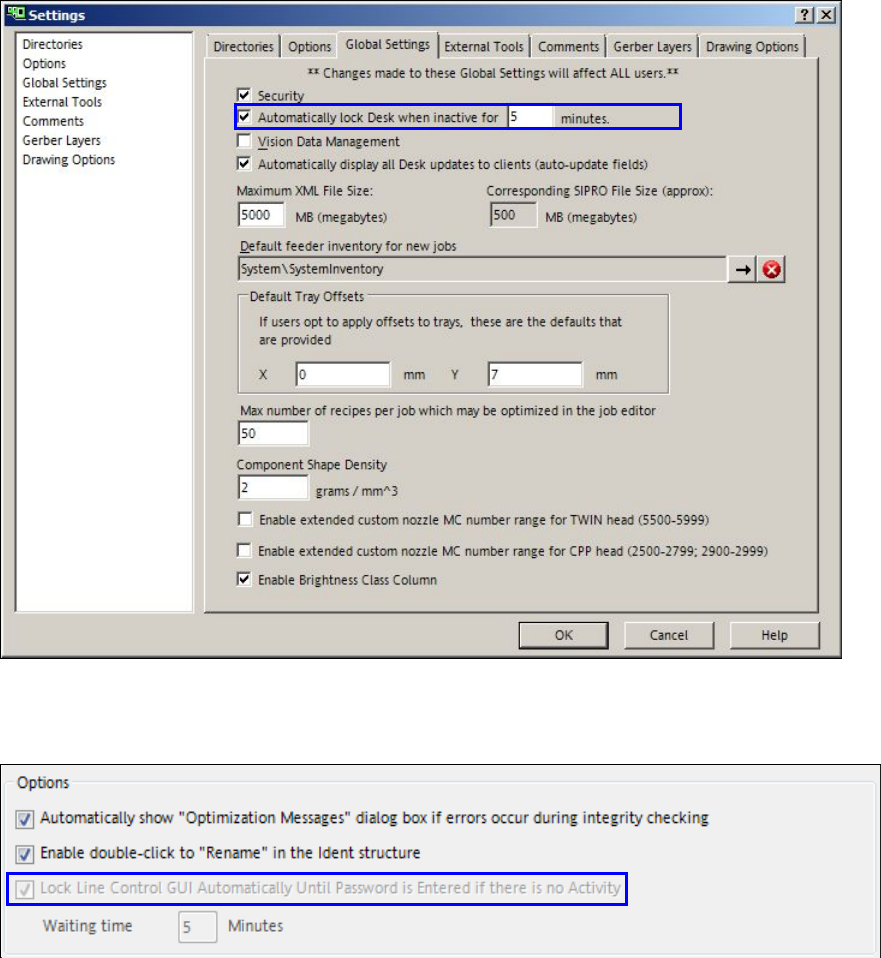
The automatic lock and the time period for the Desk can be changed in SIPLACE Pro Desk under
Tools – Settings – Global Settings.
Figure 8-22: Settings for locking SIPLACE Pro Desk
The automatic lock and the time period for the GUI can be changed in SIPLACE Pro Line Control
GUI under Application – Options.
Figure 8-23: Settings for locking SIPLACE Line Control GUI