00196920-07_SIPLACE_Pro_FeatureDescription_DE_EN.pdf - 第126页
SIPLACE Pro Fe ature Des cription Ausgabe 05/2014 Edit ion 126 Preceden ce Finde r The 3D v iew of a bo ard can be starte d with the icon in the tool bar of th e main m enu, too. T he 3D view will be dis pla yed in a sep…
SIPLACE Pro Feature Description Ausgabe 05/2014 Edition
125
SIPLACE Pro Desk – Board Editor
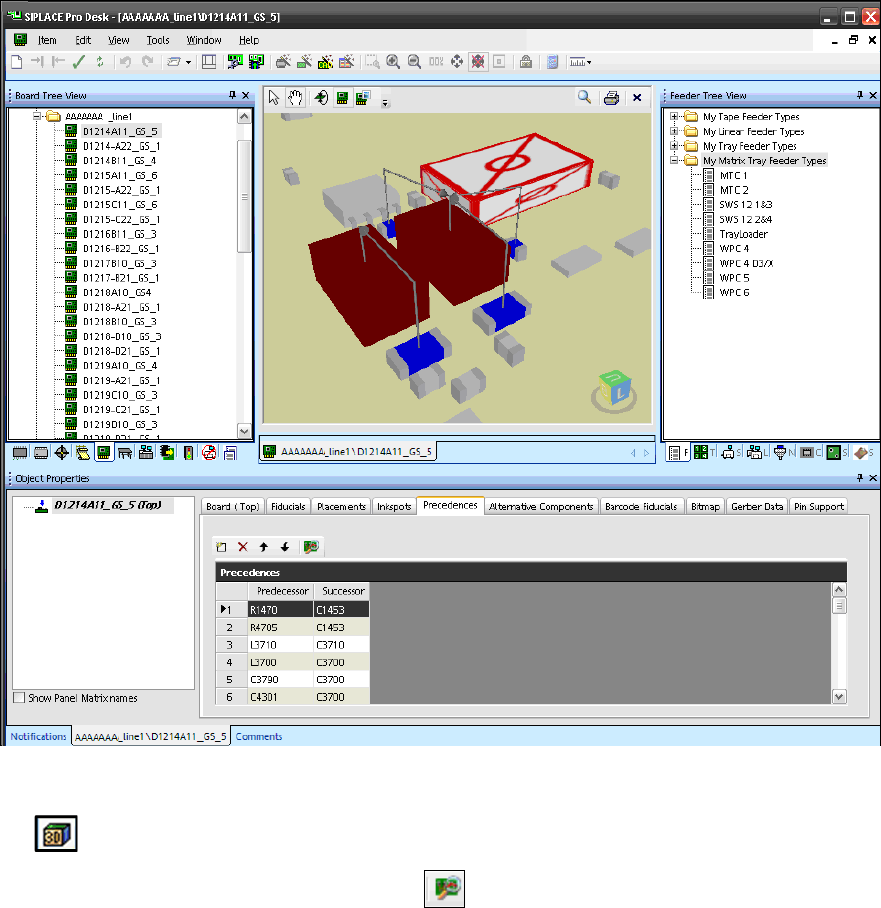
Figure 8-38: Precedences for board in 3D view
If the Precedences are displayed in the Board Editor, the 3D view of the board can be started with
the icon in the tool bar.
The Precedence Finder can be started with the icon in the Precedences window.
SIPLACE Pro Feature Description Ausgabe 05/2014 Edition
126
Precedence Finder
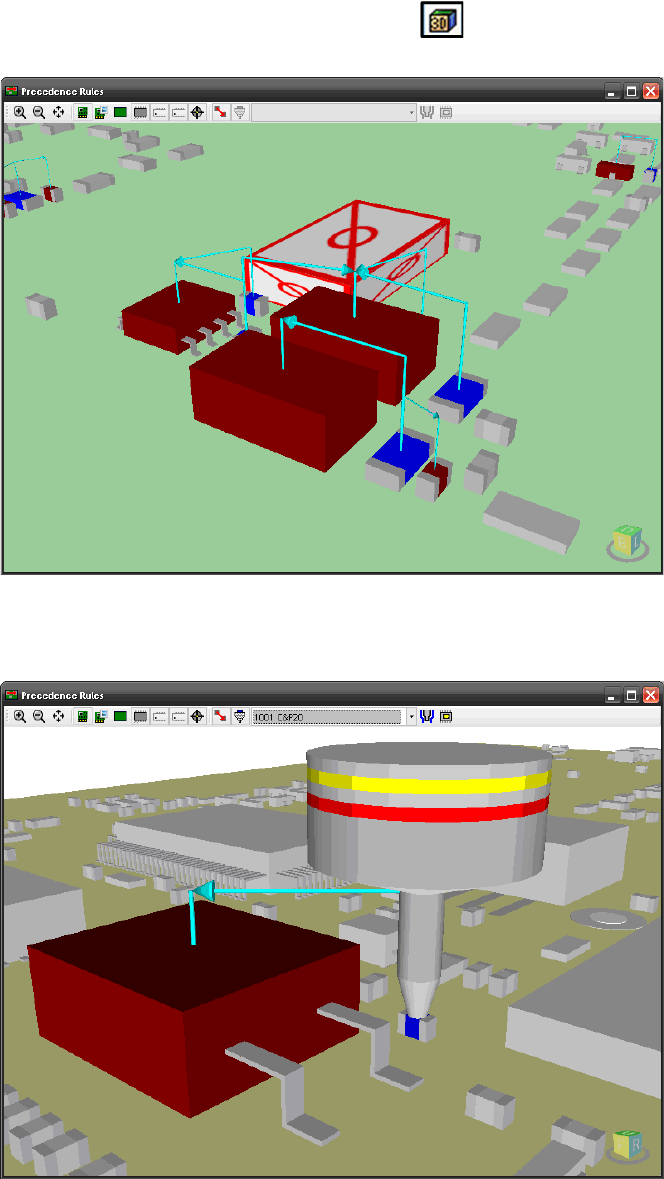
The 3D view of a board can be started with the icon in the tool bar of the main menu, too. The
3D view will be displayed in a separate window.
Figure 8-39: 3D view of the board in the Precedence Finder
If only a precedence rule of type "Nozzle collision" is selected in the main menu, the nozzle will
also be displayed.
Figure 8-40: 3D view of nozzle in the Precedence Finder
Optionally, settings can be made in the 3D window to display the tolerance radius for the nozzle
and the pick-up position in the 3D view.
SIPLACE Pro Feature Description Ausgabe 05/2014 Edition
127
8.4.15 Replacing / Removing Nozzles in Setups with the Data Maintenance Tool
You can search for setups with specific nozzles under the Setup and Nozzles object types in the
Data Maintenance Tool. It is also possible to search for specific nozzles in setups.
Additionally, two new functions are available for the Setup object type:
– Replace Nozzle
– Remove Nozzles
With these functions, nozzles can be replaced in or removed from setups in the database.
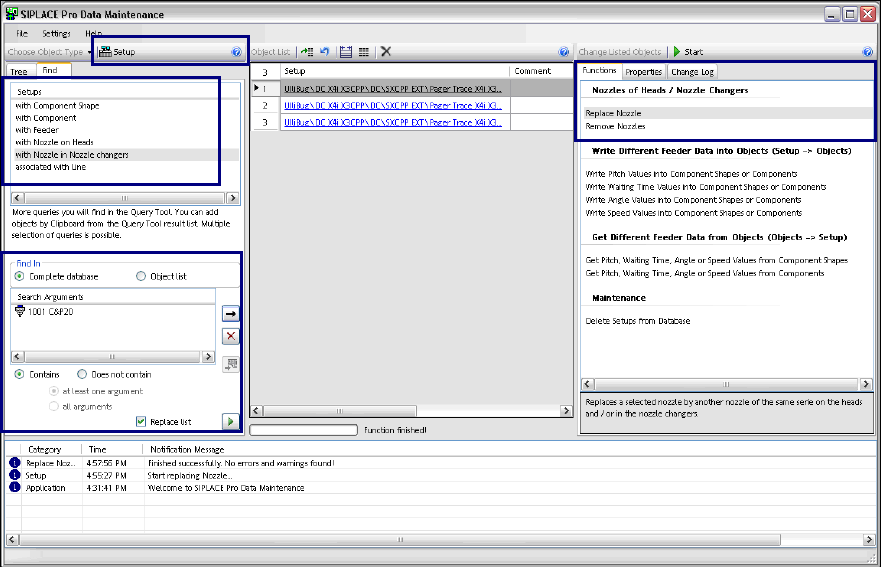
Figure 8-41: Data Maintenance – Setup object type
Searching Setups with Nozzles
If the Setup object type is selected in the tool bar, it is possible to search for either Setups with
Nozzle on Heads or Setups with Nozzle in Nozzle changer in the Find tab. The search run will
only be indirectly performed if a nozzle has to be replaced.
The nozzles have to be selected under Search Arguments.
After the search query has been started, all setups in which the selected nozzles are used will be
displayed in the Object List.