00196920-07_SIPLACE_Pro_FeatureDescription_DE_EN.pdf - 第120页
SIPLACE Pro Fe ature Des cription Ausgabe 05/2014 Edit ion 120 The f ollowing dia log is dis pla yed. Figure 8- 32 : Configuration menu – Applicat ion - Columns ► T ag the Alternative C omponents check box so that a corr…
SIPLACE Pro Feature Description Ausgabe 05/2014 Edition
119
8.4.12.4 Configuring Alternative Components Function
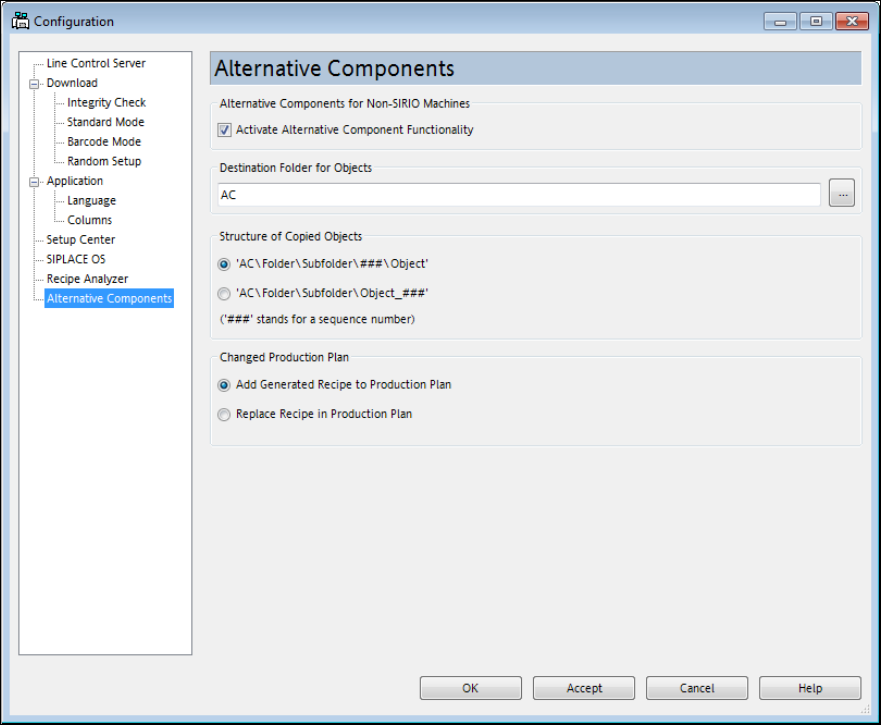
In order to use the Alternative Components function, some settings have to be made in the
configuration menu of the Line Control GUI.
Figure 8-31: Configuration menu – Alternative Components
► Tag the Activate Alternative Component Functionality check box to activate the function.
► Enter a target directory in the Destination Folder for Objects entry field in which the created
recipe copies shall be saved.
► Select a structure for naming the copied objects under Structure of Copied Objects.
► Under Changed Production Plan, select if the original recipe shall be replaced in or added to
the production schedule.
► Click on Accept to save the settings.
► Change to Application – Columns.
SIPLACE Pro Feature Description Ausgabe 05/2014 Edition
120
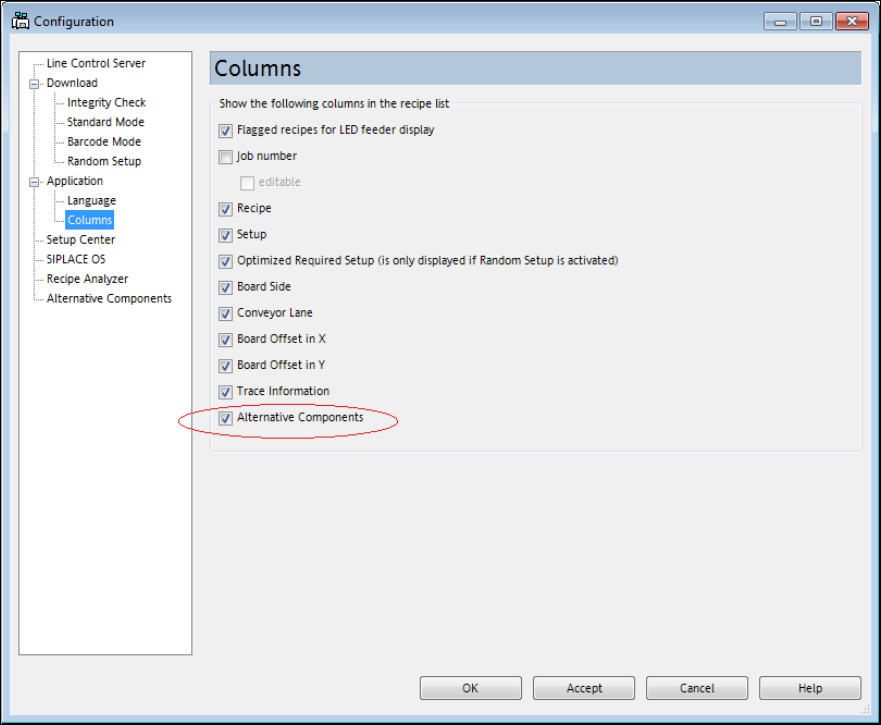
The following dialog is displayed.
Figure 8-32: Configuration menu – Application - Columns
► Tag the Alternative Components check box so that a corresponding column will be displayed
in the recipe list.
► Click on OK to save the setting.
SIPLACE Pro Feature Description Ausgabe 05/2014 Edition
121
8.4.13 SiCluster Professional – Enhancements
This section will give an overview of the enhancements in SIPLACE Pro SiCluster Professional.
Detailed information can be found in the SiCluster Professional User Manual, item no.
[00197281-xx].
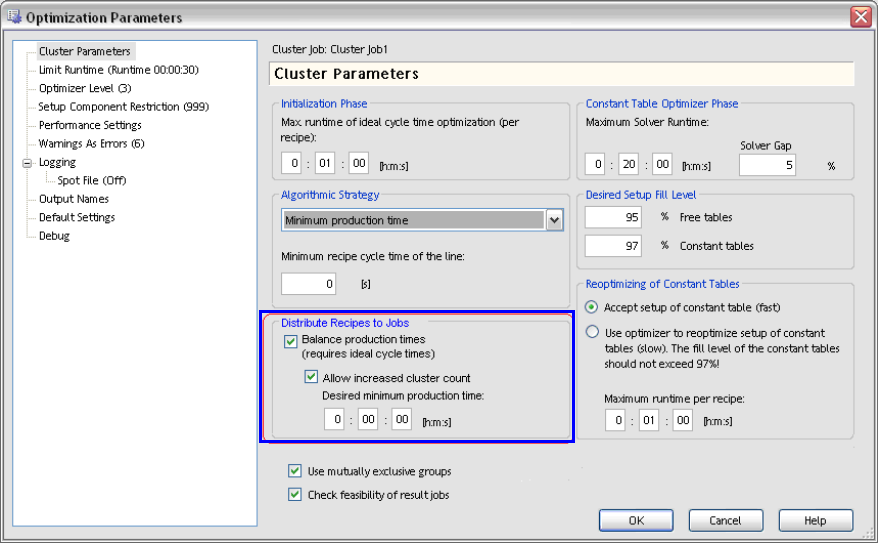
● With the Balance production times option under Cluster Parameters, short production times
will be lengthened for setups within a cluster job. Short times will be adapted to the longer ones
so that there is time enough to prepare the next setup for the line in the pre-setup area. For
this, the ideal production time for each recipe has to be available.
Additionally, further cluster jobs may be allowed and a fixed minimum production time be
defined.
Figure 8-33: Lengthening production time for result jobs
● A subset of recipes can be selected to form a cluster job. In the Use for Clustering column in
the opened cluster job, the recipes to be used for the cluster job can be explicitly selected.