00196920-07_SIPLACE_Pro_FeatureDescription_DE_EN.pdf - 第88页
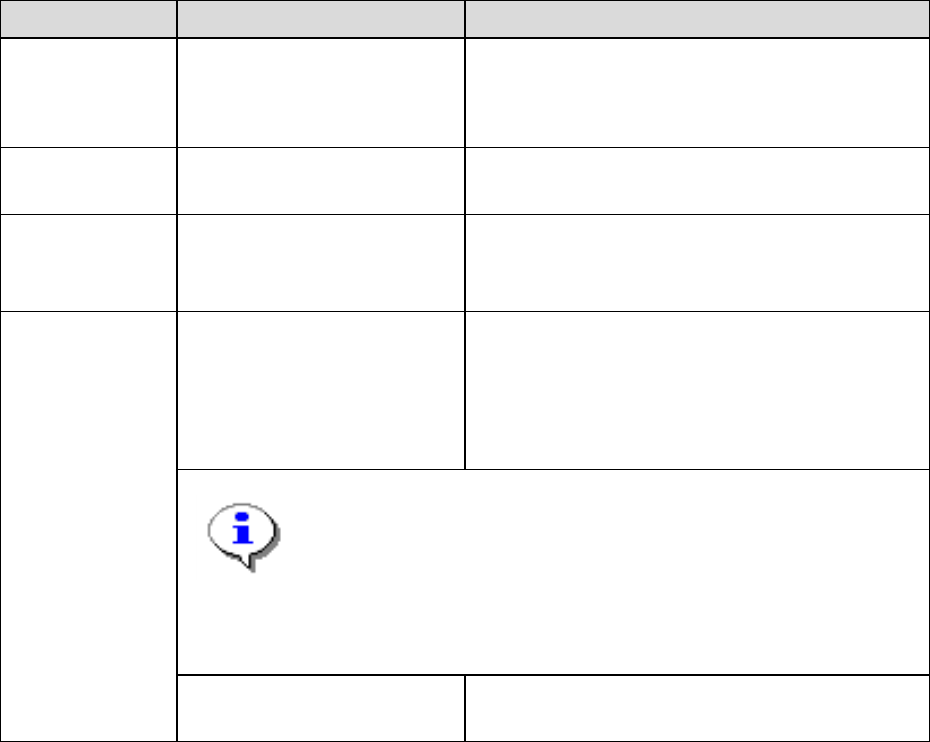
SIPLACE Pro Fe ature Des cription Ausgabe 05/2014 Edit ion 88 8 Featur e Descr ipt ion SI PLACE Pro V 10.xx 8.1 New Com ponents (V10.0 ) Component Designati on Descri ption Station t yp e s SX V2 In SIPLAC E Pro, the n u…

SIPLACE Pro Feature Description Ausgabe 05/2014 Edition
87
7.4.14 Selection of column width in reports
The column width for the data shown in the report is now automatically calculated, although it can
also be manually calculated, increased or reduced in size as required.
7.4.15 Show head steps in 3D
The Recipe-Analyzer allows viewing the optimized head steps in a 3D view. This view can be
accessed using the symbol of the Recipe-Analyzer’s Head Steps tab.
SIPLACE Pro Feature Description Ausgabe 05/2014 Edition
88
8 Feature Description SIPLACE Pro V10.xx
8.1 New Components (V10.0)
Component Designation Description
Station types SX V2 In SIPLACE Pro, the number of gantries (one or
two) is configured in the setup, which is why a
new station type SX V2 is only introduced
together with a new conveyor system.
Head Very High Force Head 5xx For SX V2: placement force up to 50 N
Station software
version
706 DX series: DX1, DX2 and DX4
SX series: SX, SX V2, and SX4
X series: X2, X3, X4, X4i
Nozzles 742, 744, 746
942, 944, 946
1042, 1044, 1046
2042, 2044, 2046
3042, 3044, 3046
Ceramic nozzles for melf components
● Note:
The ceramic nozzles for melf components (previously SOKO-
nozzles) will not be added by “Auto-Select Nozzles“ nor by the
suggest nozzles function of “SIPLACE Pro Data Maintenance“.
These ceramic nozzles are designed for sticky components
and therefore shall not be generally added to the component
shapes.
508 For high components larger than 25 mm
Table 8-1: New components V10.0
SIPLACE Pro Feature Description Ausgabe 05/2014 Edition
89
8.2 New Functions (V10.0)
8.2.1 Smart Pin Support
A support pin is a board support which helps prevent any bending or swinging of the boards during
placement.
The new function Smart Pin Support enables these support pins to be automatically placed on the
lifting table. This uses a gripper which picks the support pins up from special magazines and places
them in the set positions.
The positions of the support pins can be defined for each board side, in the Board Editor. Support
pin positions can be omitted for each placement area in the Recipe Editor.
The Smart Pin Support function can be configured and enabled/disabled in the Setup Editor.
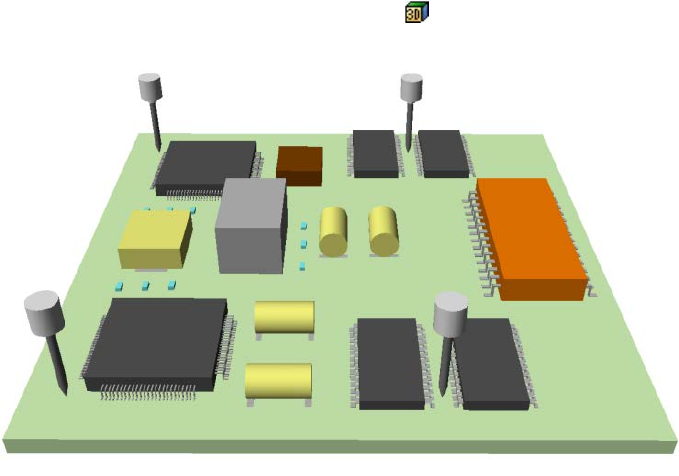
A 3D diagram of the board and support pins helps detect any possible collisions between support
pins and components.
This 3D diagram can be accessed via an icon in the Board Editor, the CS Editor and in the
recipe analyzer for head steps.
Figure 8-1: 3D diagram Smart Pin Support
Smart Pin Support is supported by SX V2 (with one and two gantries) machines.
For more information, refer to the SIPLACE Pro Online Help and the operating guide for Smart Pin
Support.