00196920-07_SIPLACE_Pro_FeatureDescription_DE_EN.pdf - 第130页
SIPLACE Pro Fe ature Des cription Ausgabe 05/2014 Edit ion 130 Fixed obj ects can be m ade visible i n the setu p graph u nder Settings – Drawing Options (sem itransparent, blue sha ding). The displ ay will be enable d w…
SIPLACE Pro Feature Description Ausgabe 05/2014 Edition
129
8.4.16 Fixed Nozzle Changer Magazines – Enhancements
The support of fixed nozzle changer magazines has been enhanced in SIPLACE Pro Desk.
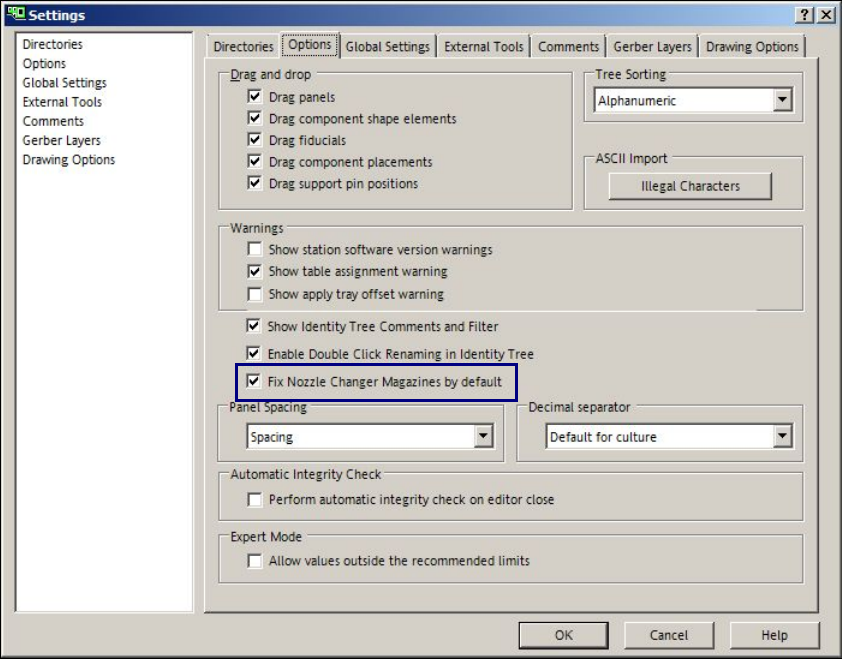
The Fix Nozzle Changer Magazines by default option can be defined as default setting under
Settings - Options. This option is valid for all nozzle changer magazines in new setups and
whenever a nozzle changer magazine is set-up into an existing setup.
Figure 8-43: Fixed nozzle changer magazines default setting
SIPLACE Pro Feature Description Ausgabe 05/2014 Edition
130
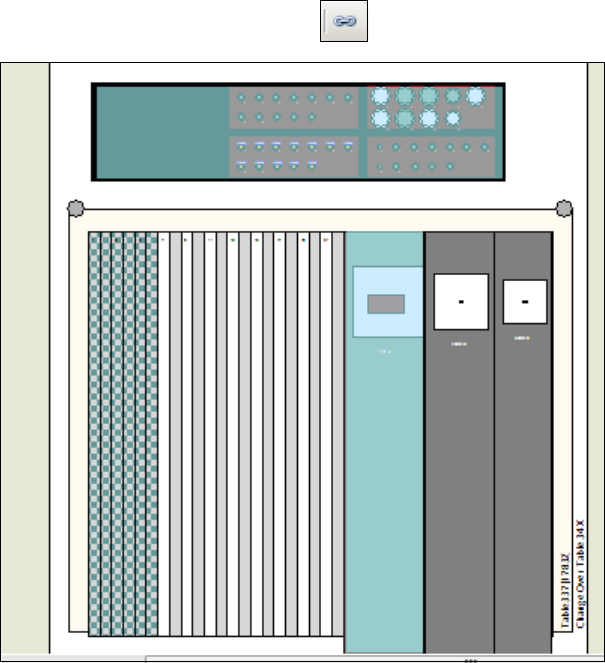
Fixed objects can be made visible in the setup graph under Settings – Drawing Options
(semitransparent, blue shading).
The display will be enabled with the icon in the tool bar.
Figure 8-44: Fixed objects in setup
The figure displays a fixed nozzle changer and a fixed feeder (third feeder from the right).
SIPLACE Pro Feature Description Ausgabe 05/2014 Edition
131
8.4.17 Whispering of Fiducials – Enhancements
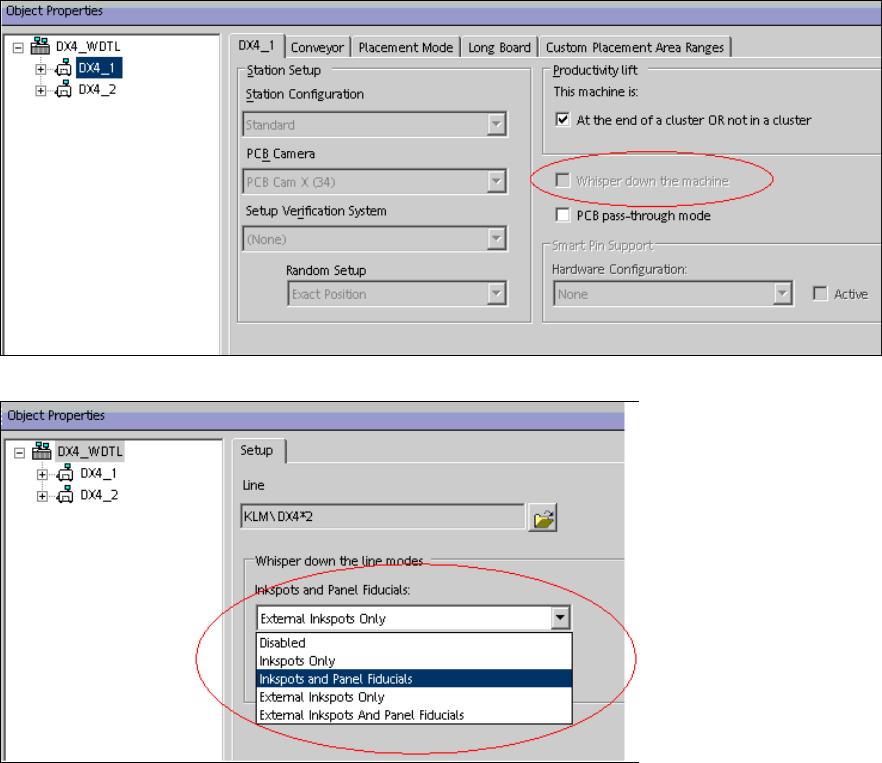
As of this SIPLACE Pro version, the Whisper down the Machine and External Inkspots and
Panel Fiducials options are additionally supported for station software versions as of 706.xx.
The options have to be enabled in the Setup Editor in order for the Optimizer to perform a correct
simulation of the fiducial and inkspot measurements.
Figure 8-45: Enabling Whispering down the machine
Figure 8-46: Enabling Whispering of external inkspots and panel fiducials