00196920-07_SIPLACE_Pro_FeatureDescription_DE_EN.pdf - 第58页
SIPLACE Pro Fe ature Des cription Ausgabe 05/2014 Edit ion 58 4.8.4 Inspect ing the L ead Length The hand ling data f or com ponent s hapes was extend ed b y the " Inspect Lead Length " function. I n SIPLACE Pr…
SIPLACE Pro Feature Description Ausgabe 05/2014 Edition
57
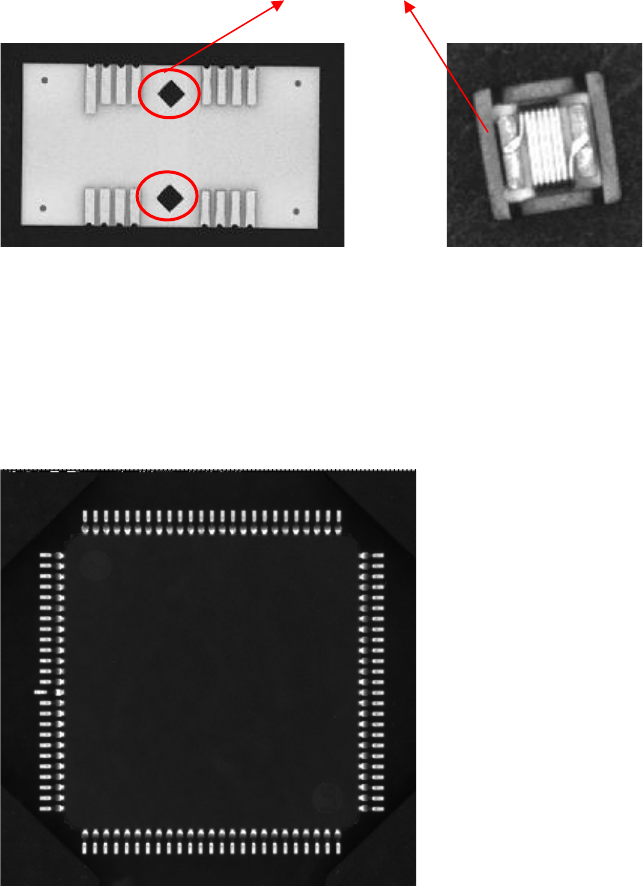
4.8.2 New Lead Type "Rectangle"
This lead type is used for rectangular forms on components (e. g. Odd Shape Components and
component shape type "Nonstandard"). This lead need not necessarily be a real lead.
Examples for a possible lead type "Rectangle"
4.8.3 Check Lead Colinearity
The handling data for component shapes was extended by the "Check Lead Colinearity" function.
In SIPLACE Pro 6.0 with SIPLACE Vision 4.x the coplanarity of the leads can be checked with the
stationary component camera. In addition, a tolerance value can be preset.
This function is applicable for the lead types "Gullwing" and "Wraparound".
SIPLACE Pro Feature Description Ausgabe 05/2014 Edition
58
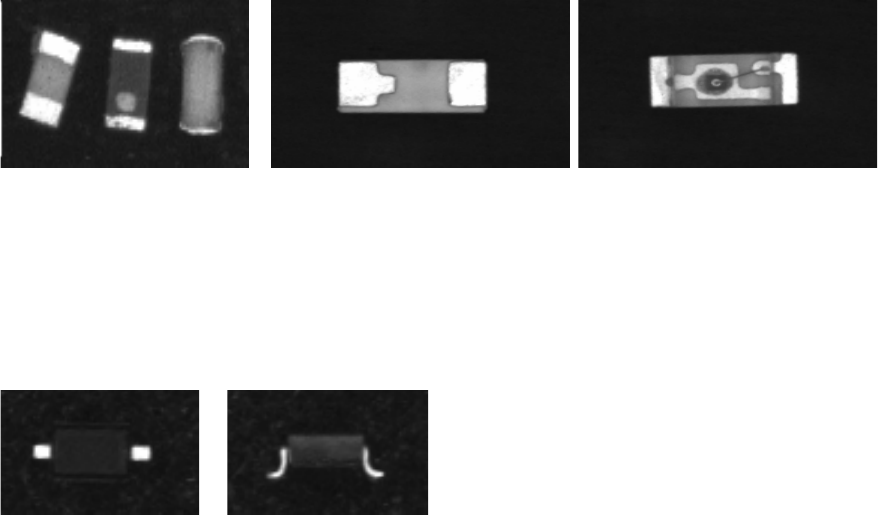
4.8.4 Inspecting the Lead Length
The handling data for component shapes was extended by the "Inspect Lead Length" function. In
SIPLACE Pro 6.0 with SIPLACE Vision 4.x the length of the leads can be checked with the
stationary component camera.
The "Chip" and "Moulded" component shape types are possible.
4.8.5 Inspecting the Lead Width
The handling data for component shapes was extended by the "Inspect Lead Width" function. In
SIPLACE Pro 6.0 with SIPLACE Vision 4.x the width of the leads can be checked with the
stationary component camera.
The following component shape types are possible:
● Connectors
● ECV
● DPACK
● NONSTANDARD
● PLCC
● QFP
● Sockets
● SOJ
● SOT
● SOxx
SIPLACE Pro Feature Description Ausgabe 05/2014 Edition
59
4.9 Reworked Gerber Data Import (Option)
A separate license is required in order to use this function. The Gerber data import has been
modified. Now "real" Gerber data are imported. The advantage of this modified data import lies in
keeping the original data structure. Thus, problems regarding the resolution, that may occur when
converting Gerber data into jpeg or bitmap files, can be avoided.
The import is now directly carried out in the PCB Editor. The PCB Editor provides the new Gerber
Data for this. The menu items were omitted.
In addition, the Gerber data can be arranged in layers. These layers are defined in the new Gerber
Layer tab that can be accessed via the menu Tools => Settings. If the Gerber data is arranged in
layers these layers can be displayed in different colors in the PCB Editor or they can be shown or
hidden.
For detailed information please refer to the online help in SIPLACE Pro Desk.
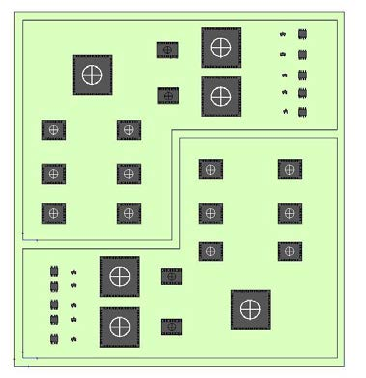
4.9.1 Polygon Panel Forms
Until now it was only possible to create rectangular panels on a PCB. Now it is possible to define
more complex panel forms (as the following example shows).
For this the PCB Editor provides the Panel tab with the Polygon Panel function. For these panels
an alternative form (e.g. a hexagon) can be created by means of polygon points.
For detailed information please refer to the online help in SIPLACE Pro Desk.