00196920-07_SIPLACE_Pro_FeatureDescription_DE_EN.pdf - 第147页
SIPLACE Pro Fe ature Des cription Ausgabe 05/2014 Edit ion 147 In the Feed ers tab of the Table Editor , new LDU - X m odules are placed o n the table, a process mater ial assigned and the f lux thick ness enter ed. Figu…
SIPLACE Pro Feature Description Ausgabe 05/2014 Edition
146
9.2.19.2 Collision Check
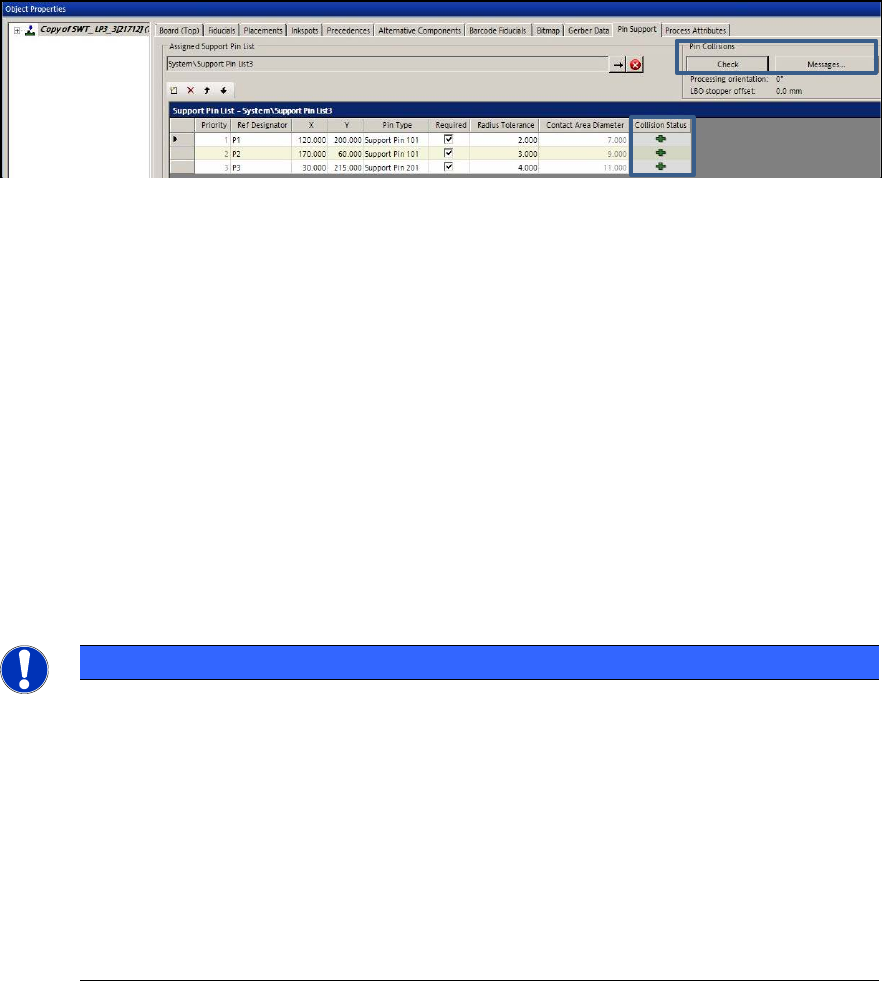
Potential pin collisions with components, conveyor sides or other support pins can be checked by
clicking the Check button in the Pin Support tab of the Board Editor.
Figure 9-12: Collision check
By clicking the Messages … button, explanatory information to all collision events is displayed.
The collision check checks the selected board and all boards with the checkmark "Use" in the
dialog.
Changes are not valid until the board has been closed and reopened.
9.2.20 Multiple LDU-X Modules on One Table
LDU-X = Linear Dipping Unit X.
LDU-X feeders with different process material can be distributed on the line. Multiple LDU-X
modules can be placed on one table. For this, they have to be set up as fixed feeders on the table.
SIPLACE Pro controls that the entire dipping area can be reached and does not allow any LDU-X
position outside of the head travel range.
There is always a link between a dip medium and an LDU feeder.
NOTICE
Previously, modules that did not transport any components but performed other actions
with the picked-up components were referred to as tape feeder modules or tape feeders.
Such modules are now classified into the new "Processing Feeder Type" feeder type
category.
The following modules belong to this feeder type category:
– Dip modules
– LDU-X modules
– Reject feeders
– Glue Feeder modules
SIPLACE Pro Feature Description Ausgabe 05/2014 Edition
147
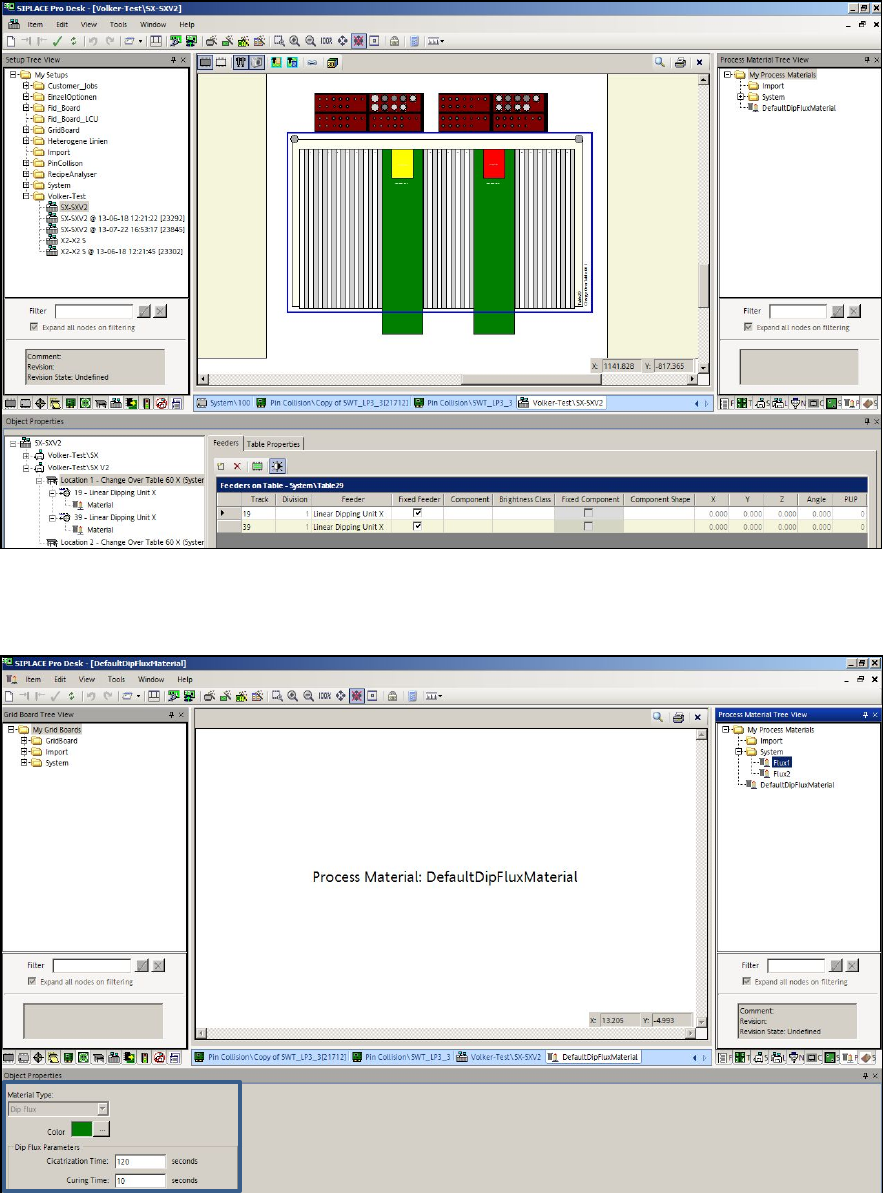
In the Feeders tab of the Table Editor, new LDU-X modules are placed on the table, a process
material assigned and the flux thickness entered.
Figure 9-13: Table Editor – Adding LDU-X modules
The component shape must be linked to the corresponding process material and the appropriate
Cicatrization time and Curing time have to be defined.
Figure 9-14: Defining process material
SIPLACE Pro Feature Description Ausgabe 05/2014 Edition
148
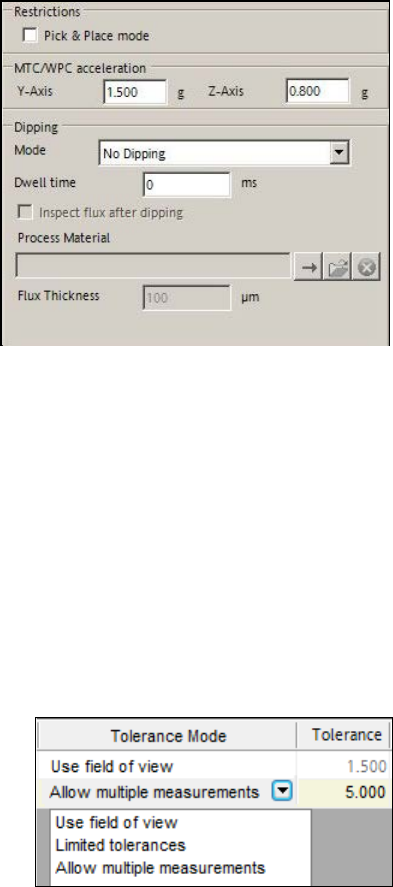
The dipping mode and dipping properties for the respective LDU-X module are set in the Handling
tab of the Component Shape Editor.
Figure 9-15: Setting dipping mode and dipping properties
Additionally, the Dipping is required option has to be enabled for the corresponding component in
the Component tab of the Component Editor.
9.2.21 Improved Fiducial Recognition
The fiducial recognition has been enhanced as follows:
– The search area for a board fiducial has been extended to 8 mm * 8 mm.
– Up to four fiducials may be defined as global board fiducials.
– Up to four fiducials per panel may be defined.
– Three tolerance modes are available for selection in the Board Editor:
Figure 9-16: Tolerance modes for fiducial recognition
Use field of view
Maximum tolerance (default value). The Tolerance field is empty and disabled.
Limited tolerances
Tolerance values between 0.1 mm and 2.5 mm are allowed. E.g., if board structures possibly
would prevent a secure fiducial recognition.
Allow multiple measurements
Tolerance values between 0.1 mm and 5.0 mm are allowed. If the fiducial and the tolerance
included should not fit into the field of view, the station will perform multiple measurements. On
stations with a station software version < 707, this option will be ignored and the default value
used.