00196920-07_SIPLACE_Pro_FeatureDescription_DE_EN.pdf - 第56页
SIPLACE Pro Fe ature Des cription Ausgabe 05/2014 Edit ion 56 4.6 Rework ed Recipe Anal y zer Tool (Option) The Recip e A nal yzer was rewor ked. A sep arate lice nse is required in order t o use th is func tion. It is n…
SIPLACE Pro Feature Description Ausgabe 05/2014 Edition
55
New and modified functions (V6.xx)
4.4 Recipe Analyzer API (Option)
The Recipe Analyzer API enables the implementation of 3rd party applications for reading out the
recipe analysis data for further processing. A separate license is required in order to use this
function. For a detailed description of the option and its functionality in SIPLACE Pro 6.0 please
refer to the "Interface Description - Recipe Analyzer API" document with the item no.
[00196138-xx].
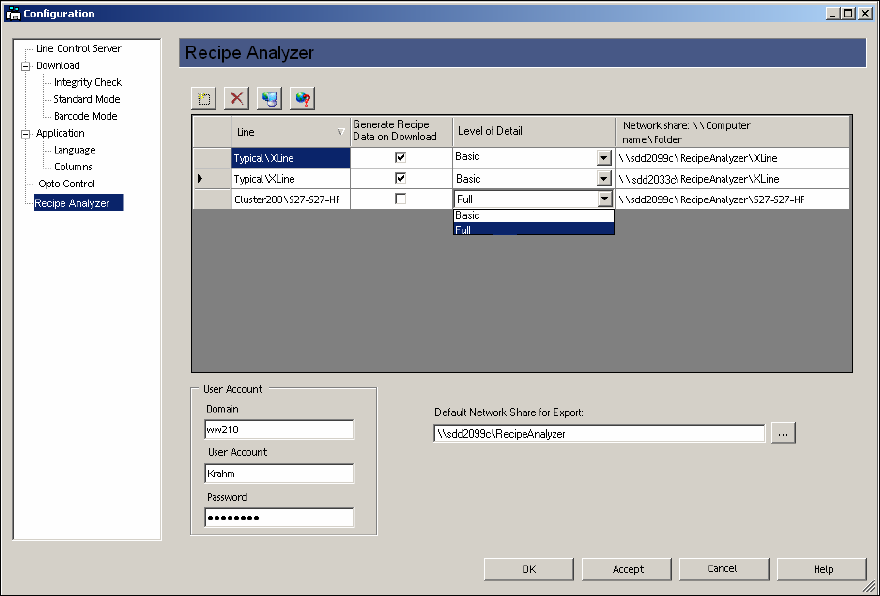
4.5 Generating Recipe Analyzer Data during Download (Option)
A separate license is required in order to use this function. It is possible in SIPLACE Pro 6.0 to
have the recipe analysis generate data automatically while the recipe is being sent to the station
(download). This data is generated in XML format and can be provided in a shared directory.
The network share is configured in LCGUI.
This data can then e. g. be processed and evaluated by an external application.
For a detailed description of the data structure please refer to the "Interface Description – Recipe
Analyzer API" document with the item no. [00196138-xx].
SIPLACE Pro Feature Description Ausgabe 05/2014 Edition
56
4.6 Reworked Recipe Analyzer Tool (Option)
The Recipe Analyzer was reworked. A separate license is required in order to use this function. It
is now possible to effectively display all placement positions with reduced accelerations. The
Recipe Analyzer tool provides the new Accelerations tab for that.
Using this function, customers can now clean up their data from reductions in order to keep only
the necessary reductions within the data.
For detailed information please refer to the online help in SIPLACE Pro Desk.
4.7 Displaying Reduced Accelerations in the Optimization Results
The Optimization Results – Recipe dialogue of the Job Editor shows the number of components
that are placed with reduced speed. Thus it is possible to recognize immediately if the optimization
result has been influenced by reduced accelerations and how many components will be placed with
reduced accelerations.
4.8 Functions in SIPLACE Vision Version 4.x
4.8.1 Extension of the "Detect Flipped Component" Function
Up to now this function was only possible for components of the shape type "Chip".
The handling data for component shapes was extended. In SIPLACE Pro 6.0 with SIPLACE Vision
4.x the "Detect flipped Component" function can be used for other component shape types as
well. The following component shape types are possible:
● Connector
● DPack
● Moulded
● Nonstandard
● QFP
● SOT
● SOxx
● Socket
● CHIP
SIPLACE Pro Feature Description Ausgabe 05/2014 Edition
57
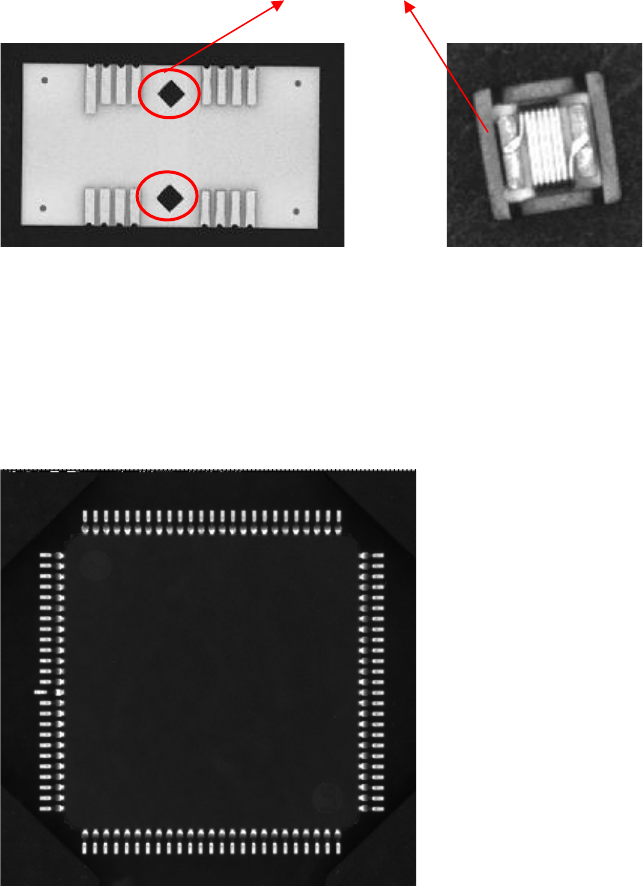
4.8.2 New Lead Type "Rectangle"
This lead type is used for rectangular forms on components (e. g. Odd Shape Components and
component shape type "Nonstandard"). This lead need not necessarily be a real lead.
Examples for a possible lead type "Rectangle"
4.8.3 Check Lead Colinearity
The handling data for component shapes was extended by the "Check Lead Colinearity" function.
In SIPLACE Pro 6.0 with SIPLACE Vision 4.x the coplanarity of the leads can be checked with the
stationary component camera. In addition, a tolerance value can be preset.
This function is applicable for the lead types "Gullwing" and "Wraparound".