00196920-07_SIPLACE_Pro_FeatureDescription_DE_EN.pdf - 第143页
SIPLACE Pro Fe ature Des cription Ausgabe 05/2014 Edit ion 143 9.2.15 Fixing / Un - Fixi ng Objects The Setup Editor has been en hanced s o that m ultiple obj ects m ay be fix ed or un - fixed c omf ortably at the sam e …
SIPLACE Pro Feature Description Ausgabe 05/2014 Edition
142
9.2.13.3 Automatical Setting of Process Parameters
As of this SIPLACE Pro version, valid component shapes can be defined faster.
If a Placement process is selected for a component shape in the Component Shape Editor, the
required process parameters (such as cameras, nozzles, travel profiles and placement forces) will
be set automatically.
9.2.14 Additional Check Parameters for Components
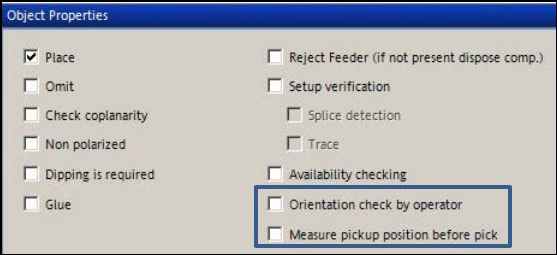
Two new options are available in the Component Editor:
– Orientation check by operator
– Measure pickup position per pick
Figure 9-7: New options in the Component Editor
9.2.14.1 Orientation check by operator
If the pickup angle was changed for components in a new tape feeder or waffle-pack tray and this
is not immediately detected, the components might be placed incorrectly. In order to avoid such
incorrect placements it is now possible to check if the orientation of a component is correct or not.
For this purpose, the affected components have to be tagged in the Component Shape Editor
and the orientation check enabled in the Component Editor.
If the check is enabled, the station stops as soon as the relevant component has to be placed and
prompts the operator to perform a check. The operator at the station may correct the angular
position in error case.
9.2.14.2 Measure pickup position before pick
For improved pickup reliability, the component top side can be measured automatically with the
PCB camera before pickup to determine the exact position of the component within the tape
pocket.
SIPLACE Pro Feature Description Ausgabe 05/2014 Edition
143
9.2.15 Fixing / Un-Fixing Objects
The Setup Editor has been enhanced so that multiple objects may be fixed or un-fixed comfortably
at the same time.
It is now even possible to select nozzles to be fixed or un-fixed in the context menu to the displayed
setup.
Additionally, you can define if the objects shall be fixed or un-fixed at the selected location, the
selected station or in the entire setup.
9.2.16 Feeder View for Line or Station
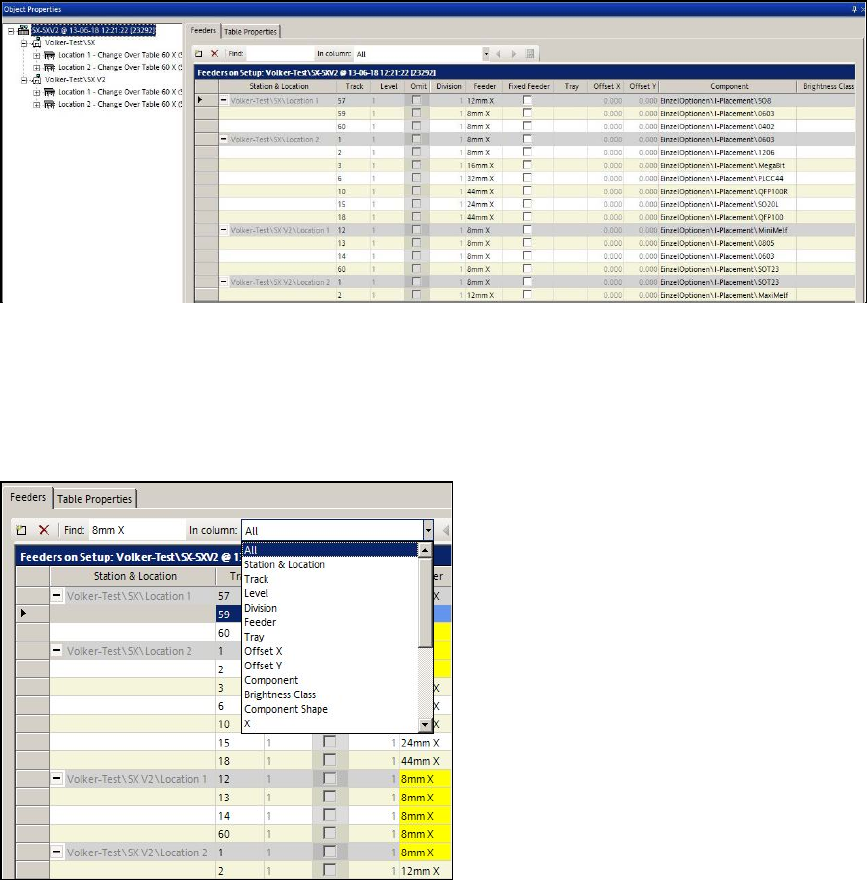
For a better overview, there is a new view in the Setup Editor in which all feeder data is listed for a
whole line or a station.
Figure 9-8: Feeder víew for line or station
By clicking on the root node in the tree view, all feeders of the whole line are displayed.
By clicking on a station in the tree view, all feeders of the whole station are displayed in a new
window.
It is possible to search in the displayed list.
Figure 9-9: Searching in Feeder view
SIPLACE Pro Feature Description Ausgabe 05/2014 Edition
144
9.2.17 New Tolerance Values for Small Components
The default tolerance values for small components have been reduced to achieve a higher
placement quality.
The new, reduced tolerance values will be entered if a new feeder is assigned and the component
lies within a certain size range.
The component type designations represent the size ranges.
Component type Component dimensions
X/Y [µm]
X-
tolerance
[µm]
Y-tolerance
[µm]
Angle
[°]
03015 [300 – 350] x [150 – 170] 80 80 12
01005 [350 – 500] x [170 – 250] 100 100 15
0201 [500 – 800] x [250 – 400] 150 150 15
0402 [800 – 1300] x [400 – 700] 200 200 30
0603 [1300 -1800] x [700 – 1000] 250 250 30
Table 9-5: Tolerance values for small components
9.2.18 Vision Measurement before and after Dipping
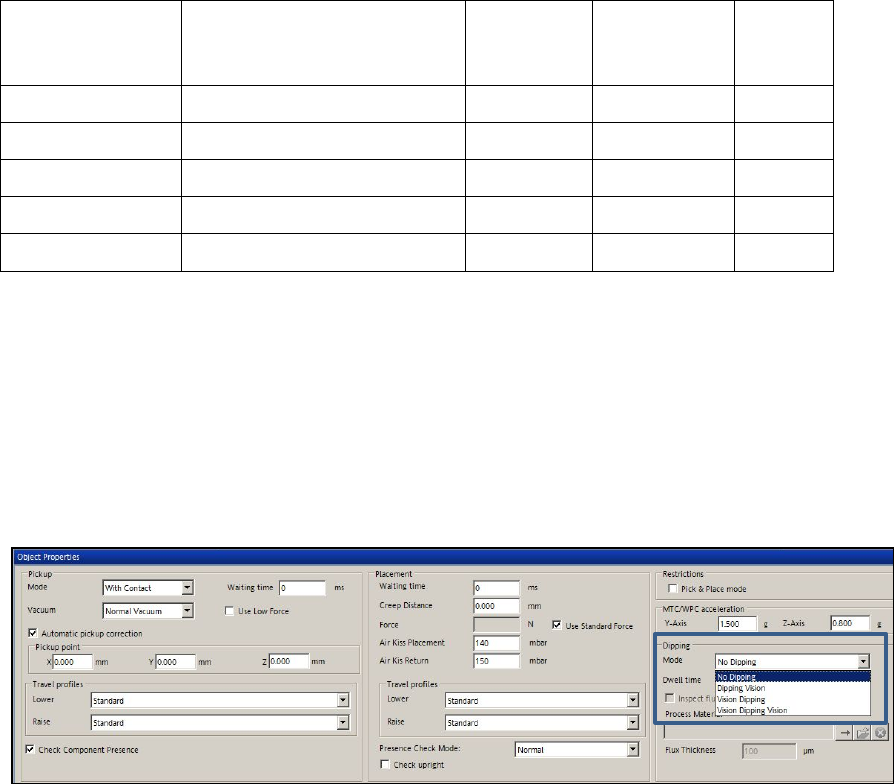
As default, the Vision measurement is performed after dipping.As of this SIPLACE Pro version, the
Vision measurement can optionally be performed before and after dipping.
Thus, slipped components can be detected and the position corrected after dipping.
The option is set in the drop-down list for dipping mode in the Handling tab of the Component
Shape Editor.
Figure 9-10: Vision before and after dipping